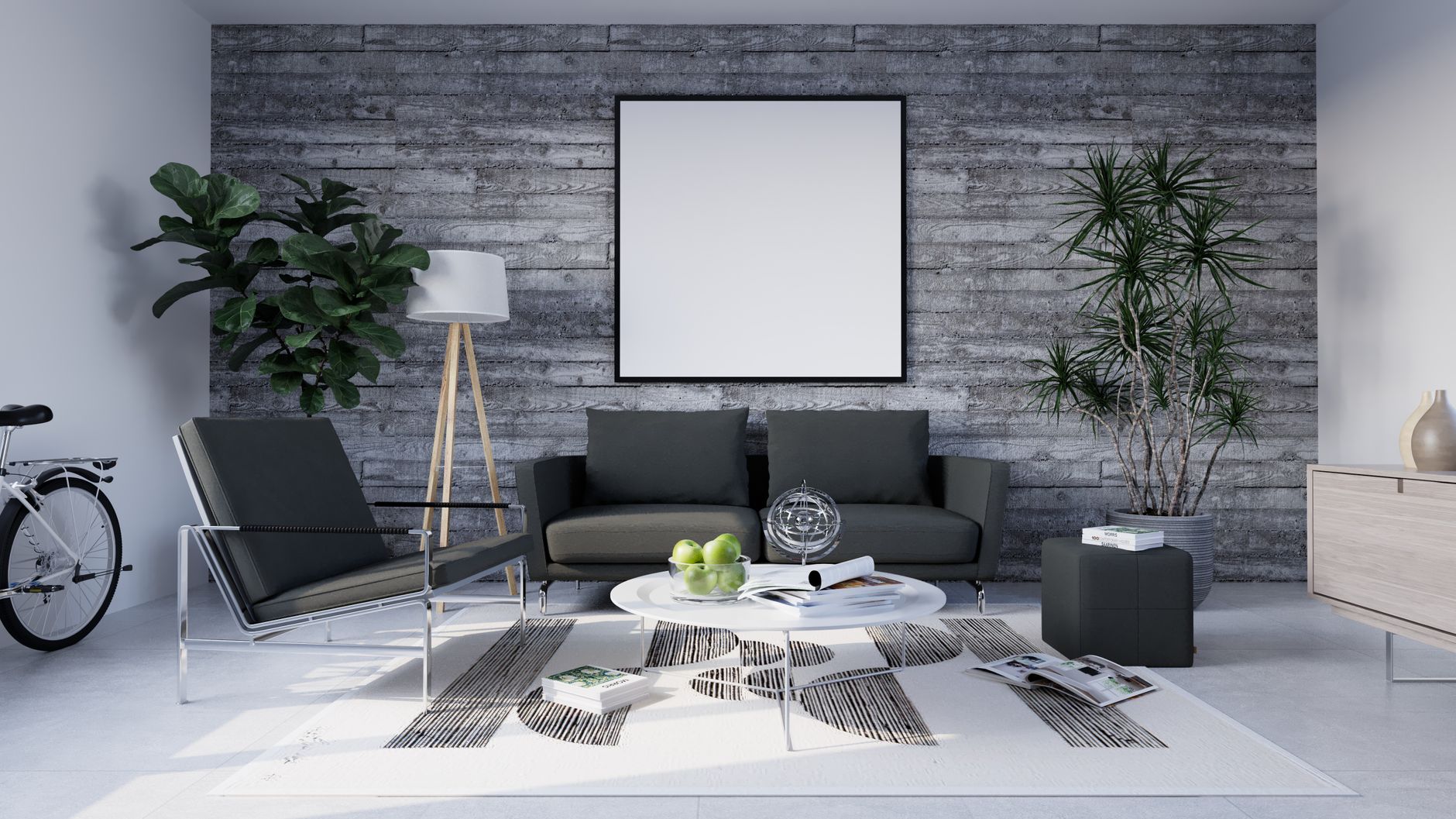
What Is Virtual Staging Software and How Does It Work?
📚
Definition
Virtual staging software is a specialized AI-powered tool that digitally adds furniture, decor, and finishes to photographs of empty or under-furnished real estate properties, creating a compelling visual narrative for potential buyers.
Empty rooms are the silent killer of real estate listings. When a buyer walks into a vacant property, the brain struggles to anchor itself. There are no reference points for scale, flow, or lifestyle. The result? Shorter viewing times, lower offers, and longer days on market. Virtual staging software solves this problem by digitally furnishing spaces in minutes, replacing the costly and time-consuming process of physical staging.
At its core, virtual staging uses computer vision algorithms to detect room geometry, lighting, and surfaces within a photograph. The software then overlays a library of 3D furniture models, textures, and decor items, rendering them with realistic shadows, reflections, and perspective. The process is entirely nondestructive. The original photo remains unchanged — the software generates a new layer that can be toggled on or off.

Modern platforms like RealVisionAI Blog - AI Real Estate Photography & Virtual Staging leverage generative adversarial networks (GANs) to produce photorealistic results. According to a 2025 study by the National Association of Realtors, staged homes sell 73% faster than unstaged ones. Virtual staging democratizes this advantage. A real estate agent can now stage a 3-bedroom home in under 60 seconds, at a fraction of the cost of physical staging ($29–$89 per room versus $2,000–$5,000 per property for physical staging).
💡
Key Takeaway
Virtual staging software transforms empty spaces into emotionally resonant environments, accelerating the sales cycle and increasing perceived property value.
For a comprehensive overview of the entire ecosystem, see our Complete Guide to Virtual Staging Software for Realtors.
Why Does Virtual Staging Software Matter for Real Estate Professionals in 2026?
Answer-first: Virtual staging software matters because it directly addresses the three biggest pain points in modern real estate — time, cost, and buyer psychology. In 2026, with inventory levels at historic lows in many markets, every listing must perform at maximum efficiency.
1. Accelerated Sales Cycles
The National Association of Realtors reports that staged homes spend 68% less time on the market. Virtual staging achieves this without the logistical nightmare of coordinating movers, renting furniture, and scheduling installation crews. A listing photo can be staged and uploaded in under 12 seconds with RealVisionAI's instant processing. This speed means properties hit the market faster, capturing peak buyer interest windows.
2. Dramatically Lower Costs
Physical staging for a standard 2,000-square-foot home costs $2,000–$5,000 per month. For a property that sits for 90 days, that's $6,000–$15,000 in staging fees alone. Virtual staging, by contrast, costs $25–$150 per room, with no recurring monthly charges. The ROI is immediate. If a property sells for even 1% more due to staging, on a $400,000 home, that is $4,000 in additional value — far exceeding the cost of virtual staging.
3. Scalability Across Entire Portfolios
A real estate team with 50 active listings cannot physically stage every property. Virtual staging software makes it possible to stage every single listing in the portfolio, ensuring consistent visual quality. According to a 2025 survey by the Real Estate Staging Association, listings with professional staging receive 87% more inquiries than those without. Virtual staging closes this gap for teams of any size.
4. Enhanced Buyer Emotional Connection
Buyers are not purchasing square footage; they are purchasing a future lifestyle. An empty dining room is a void. A staged dining room with a table set for four, ambient lighting, and a vase of flowers tells a story. Virtual staging software excels at creating these narratives. The technology can adapt to any design style — modern, traditional, farmhouse, minimalist — allowing agents to target specific buyer demographics.
5. Competitive Advantage in a Crowded Market
In 2026, the average homebuyer views 15–20 listings online before scheduling a showing. The first impression is the photograph. Properties with high-quality, staged images dominate the search results. According to a study by the MIT Center for Real Estate, listings with staged photos receive 40% more clicks on Zillow and Realtor.com. Virtual staging is no longer a luxury; it is a competitive necessity.
For more on the specific advantages, see our guide on Key Benefits of Virtual Staging Software for Real Estate Agencies.
How to Implement Virtual Staging Software Step by Step
Answer-first: Implementing virtual staging software is a three-phase process: selecting the right platform, preparing your photos, and applying staging with a strategic eye. The entire workflow can be mastered in under an hour.
Phase 1: Choose the Right Platform
Not all virtual staging software is created equal. The key differentiators are processing speed, realism, and design flexibility. RealVisionAI processes images in 12 seconds, while some competitors take 5–10 minutes per image. Look for platforms that offer:
- Multiple design styles (modern, contemporary, traditional, farmhouse, minimalist)
- Room-specific libraries (living room, dining room, bedroom, home office, basement)
- Exterior enhancement (sky replacement, grass restoration, twilight conversion)
- Batch processing for high-volume agents
Phase 2: Prepare Your Photos
The quality of the output depends on the quality of the input. Follow these guidelines:
- Shoot in RAW format for maximum editing flexibility
- Use a wide-angle lens (14–24mm) to capture the full room
- Ensure even lighting — avoid harsh shadows or blown-out windows
- Clean the space completely before photographing
- Shoot from a low angle (waist height) to emphasize room depth
Phase 3: Apply Staging Strategically
Upload your photo to the platform and select the room type. The AI will automatically detect walls, floors, and ceiling lines. Then choose a design style. Here is where strategic thinking matters:
- For small spaces: Use minimalist staging with a single focal point (a sofa, a bed) to avoid overwhelming the room
- For open floor plans: Define zones with distinct furniture groupings (a living area, a dining area) to help buyers visualize functionality
- For home offices: Emphasize natural light and clean lines — this is the #1 requested feature in 2026 post-pandemic market
- For bedrooms: Prioritize the bed as the anchor, then add soft texture (throw pillows, a rug) to create warmth
Phase 4: Review and Refine
After the AI generates the staged image, review it for spatial accuracy. The furniture should align with the perspective lines of the room. Check that shadows fall correctly relative to the light source. Most platforms allow manual adjustments. RealVisionAI's system includes a human-in-the-loop option for quality assurance.
Phase 5: Integrate with Your MLS
Once the staged image is ready, upload it to your MLS listing. Follow MLS guidelines for virtual staging disclosure — most require a note that the image is digitally staged. Add the original empty photo as a secondary image to build trust.
Common Mistakes to Avoid with Virtual Staging Software
Answer-first: The most common mistake real estate professionals make is over-staging — filling rooms with too much furniture, using unrealistic decor, or choosing styles that clash with the property's architecture. Less is always more.
Mistake 1: Over-Furnishing
A virtual staging novice treats every room as a furniture showroom. The result is a cluttered, unrealistic image that confuses buyers. Follow the 60-30-10 rule: 60% of the room should remain empty floor space, 30% should be the main furniture piece, and 10% should be accent decor. An empty corner is not a flaw — it is an invitation for the buyer to imagine their own space.
Mistake 2: Choosing the Wrong Design Style
A mid-century modern ranch house should not be staged with ultra-contemporary chrome and glass furniture. The staging should complement the property's existing architecture. A 1920s craftsman bungalow calls for warm woods, mission-style furniture, and earth tones. A 2025 glass-and-steel loft demands minimal, sleek lines. Study the property first, then choose the style.
Mistake 3: Ignoring Lighting and Shadows
Virtual staging algorithms are powerful, but they cannot create realistic lighting that wasn't in the original photo. If the original photo has harsh shadows on one side of the room, do not place a virtual sofa in that shadow. The result will look like a cut-and-paste job. Instead, work with the existing light. Position furniture to face the window, not away from it.
Mistake 4: Using Inconsistent Scale
A common telltale sign of amateur virtual staging is furniture that is too large or too small for the room. A sofa that spans the entire wall looks like a toy in a dollhouse. A coffee table that is dwarfed by the surrounding furniture looks lost. Trust the AI's default scale, but always preview before finalizing.
Mistake 5: Failing to Disclose
The National Association of Realtors, the Federal Trade Commission, and the American Real Estate Society all recommend clear disclosure when images are digitally staged. Failure to do so can lead to buyer complaints, legal liability, and loss of trust. Always include a caption: "This image has been digitally staged to show the potential of the space."
Mistake 6: Neglecting the Exterior
Virtual staging is not just for interiors. Exterior shots benefit from AI sky replacement, grass restoration, and twilight conversion. A property photographed on a cloudy day can be transformed into a sun-drenched listing. RealVisionAI's night mode converts daylight photos to twilight, creating dramatic, high-engagement listing images.
Frequently Asked Questions
What is the best virtual staging software for real estate agents in 2026?
The best virtual staging software depends on your specific needs, but RealVisionAI stands out for its 12-second processing time, photorealistic output, and comprehensive feature set. Other notable options include BoxBrownie and VirtualStaging.com, but RealVisionAI's AI-powered platform offers the fastest turnaround and highest consistency. For agents handling high-volume portfolios, the speed and scalability of AI-driven staging are unmatched.
How much does virtual staging software cost?
Virtual staging software pricing varies widely. Basic platforms charge per-image fees ranging from $15 to $50 per room. Premium services with human review and custom design can cost $75–$150 per image. RealVisionAI offers subscription plans that reduce the per-image cost to under $10 for high-volume users. Compared to physical staging at $2,000–$5,000 per property, the cost savings are dramatic. Some platforms also offer free trials, allowing agents to test the quality before committing.
Is virtual staging software legal and ethical?
Yes, virtual staging is legal and ethical as long as it is disclosed. The National Association of Realtors, the Federal Trade Commission, and the American Real Estate Society all require clear labeling of digitally staged images. The standard disclosure is a caption stating: "This image has been digitally staged to show the potential of the space." The original empty photo should also be included in the listing to provide an accurate representation of the property. Transparent disclosure maintains buyer trust and avoids legal liability.
How long does it take to virtually stage a photo?
Processing times vary by platform. Traditional virtual staging services that rely on human designers can take 24–48 hours per image. AI-powered platforms like RealVisionAI deliver results in under 12 seconds. This speed is critical for agents who need to publish listings quickly — especially in fast-moving markets where the first 48 hours determine a property's success. RealVisionAI's batch processing feature allows agents to stage an entire property in under two minutes.
Can virtual staging software be used for commercial real estate?
Absolutely. Virtual staging is equally effective for commercial properties. Office spaces, retail storefronts, and industrial lofts benefit from staged environments that help tenants visualize the space in use. Commercial real estate agents use virtual staging to show potential layouts, furniture configurations, and branding opportunities. The technology is especially valuable for shell spaces that lack any interior finishes. RealVisionAI's platform supports commercial staging with appropriate furniture libraries and design styles.
What file formats are supported by virtual staging software?
Most virtual staging platforms accept standard image formats: JPEG, PNG, TIFF, and RAW files from professional cameras. High-resolution images (300 DPI or higher) produce the best results. Some platforms also accept drone footage and 360-degree panoramic images for virtual tour integration. RealVisionAI supports all major formats and optimizes the output for web and print use. The platform also generates a side-by-side comparison image showing the original and staged versions.
Does virtual staging software work on mobile devices?
Yes, many modern virtual staging platforms offer mobile-optimized web applications or dedicated mobile apps. RealVisionAI's platform is fully responsive and works on smartphones and tablets. This allows agents to stage photos in the field immediately after a shoot, without returning to the office. The mobile interface includes all the core features: room detection, furniture selection, style application, and instant preview. This on-the-go capability is a game-changer for busy agents.
How do I choose a design style for virtual staging?
The design style should complement the property's architecture and target buyer demographic. A starter home aimed at first-time buyers benefits from modern, approachable staging with neutral colors. A luxury waterfront property demands high-end, sophisticated furnishings. A historic home calls for period-appropriate decor. RealVisionAI offers a style quiz that recommends the optimal design direction based on property type, location, and target buyer. The platform also provides a preview feature that lets you compare different styles side by side.
Recommended Readings
To deepen your understanding of these topics, we recommend reading the following articles:
Conclusion
Virtual staging software has evolved from a niche tool to a standard operating procedure for successful real estate agents in 2026. The combination of speed, cost efficiency, and buyer psychology makes it an indispensable asset for any property listing. Empty rooms are no longer acceptable — they signal neglect, slow sales, and reduced offers. Virtual staging transforms those spaces into compelling narratives that drive engagement, inquiries, and ultimately, higher sale prices.
RealVisionAI leads the market with its 12-second processing, photorealistic output, and comprehensive feature set. Whether you are staging a single-family home, a condo, or a commercial property, the platform delivers consistent, professional results. The return on investment is clear: faster sales, higher offers, and a stronger competitive position.
Ready to transform your listings? Try RealVisionAI Blog - AI Real Estate Photography & Virtual Staging today and experience the difference AI-powered virtual staging can make.
Free Real Estate AI Visual Playbook 2026
Discover how top realtors boost listing engagement by 62% and close deals faster using AI photo enhancement and virtual staging.