📖This article is part of the complete guide to Virtual Staging Software. Which Virtual Staging Software is Best for Your Business in 2026?
When I first started consulting for high-volume brokerages, I noticed a recurring pattern: agents were losing thousands in potential commissions simply because they couldn't communicate a room's potential to a buyer staring at a smartphone screen. In my experience working with luxury listings, an empty room doesn't look like a "blank canvas", it looks cold and undersized. The psychological friction of imagining where a sofa goes is often enough to make a buyer swipe past a listing in under three seconds.
For a comprehensive overview of the broader landscape, explore our
Ultimate por Real Estate Photo Enhancement Guide.
What is Virtual Staging Software and How Does it Compare to Traditional Methods?
📚Definition
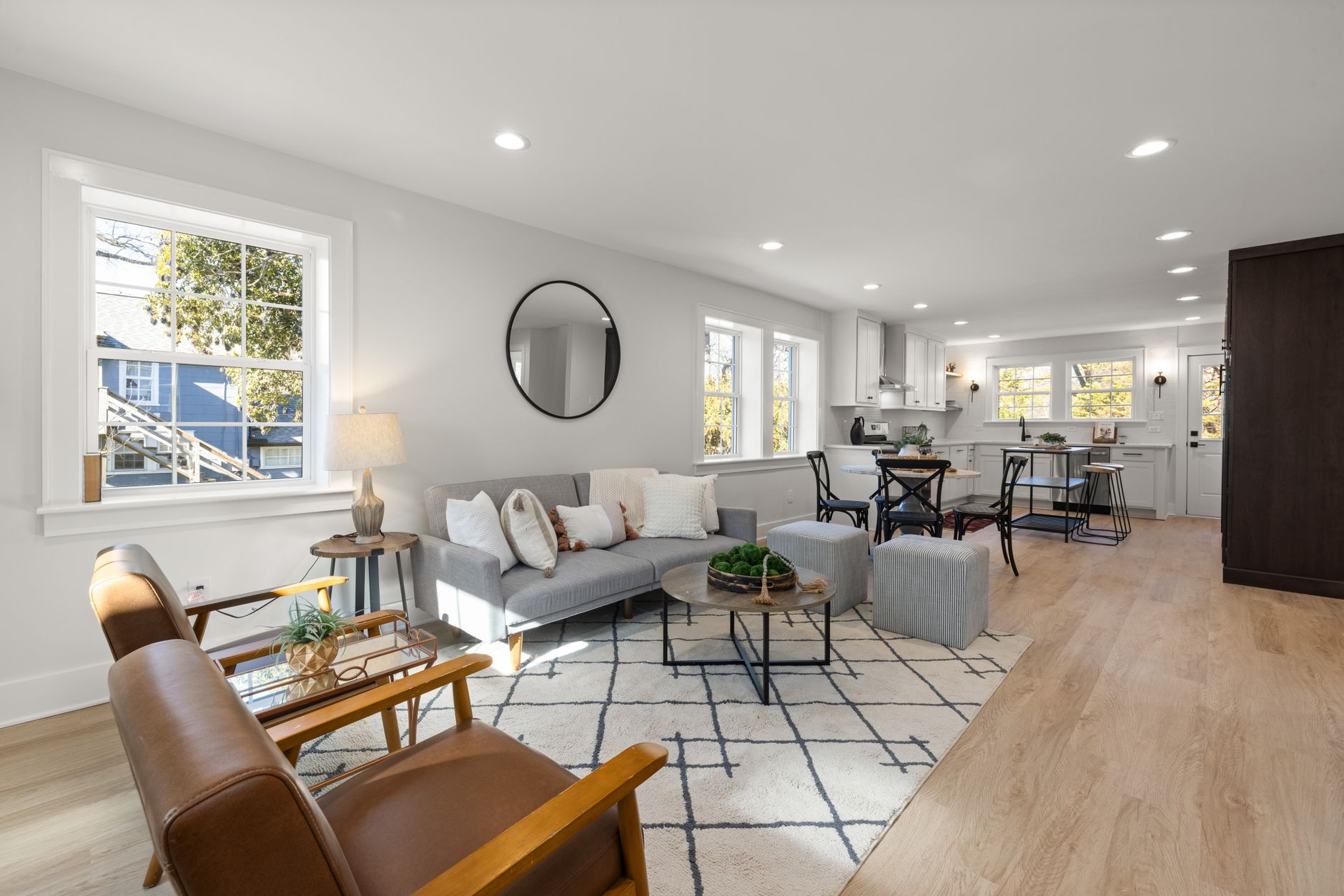
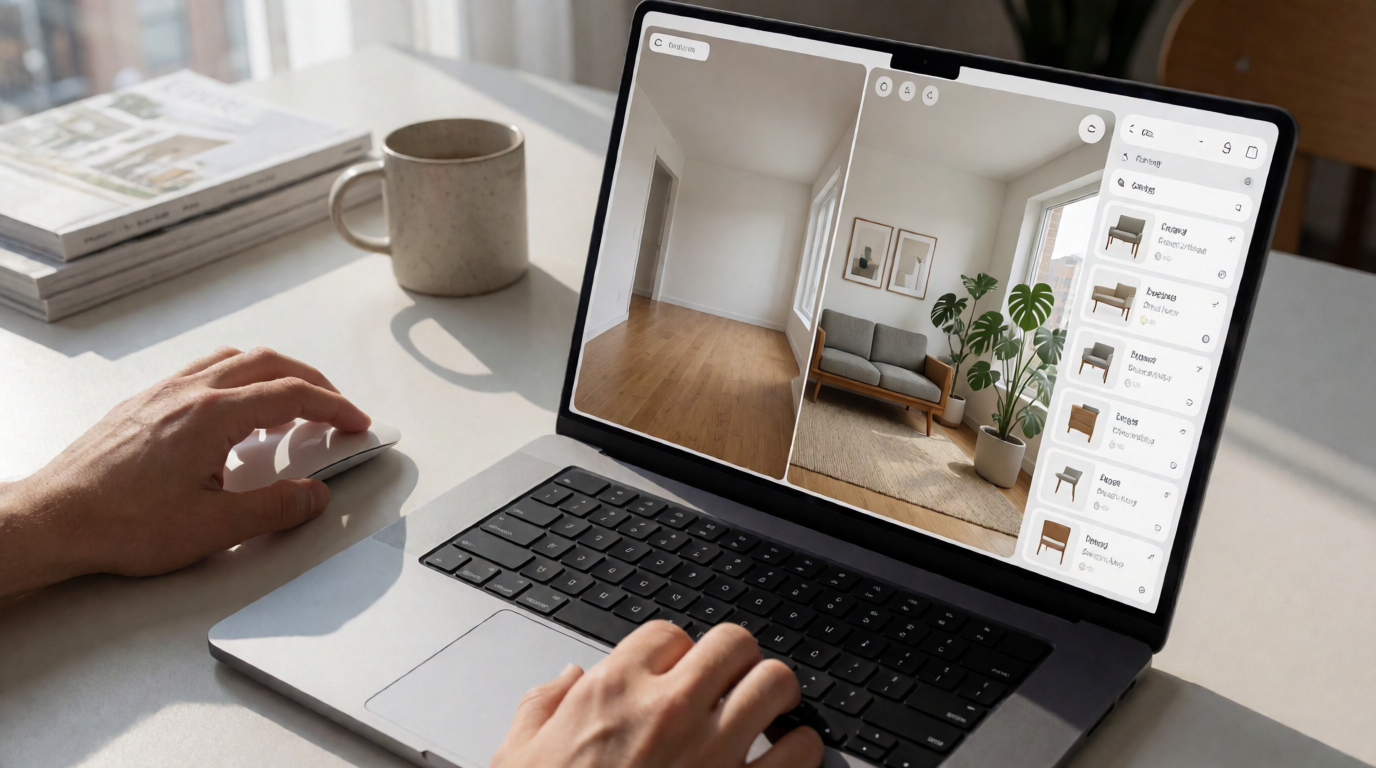
Virtual staging software is an AI-driven imaging tool that uses computer vision to digitally insert photorealistic furniture, decor, and art into a photograph of a vacant or cluttered room.
Virtual staging software is a digital alternative to physical staging, where actual furniture is moved into a home to make it more appealing. While traditional staging requires logistics, expensive rentals, and physical labor, virtual staging uses artificial intelligence to achieve the same psychological effect at a fraction of the cost. In 2026, the "comparativo" between these methods is no longer just about price, but about the speed of the lead-to-sale cycle.
According to the National Association of Realtors, virtually staged homes sell significantly faster than those without staging, often fetching offers 5-10% higher than the asking price because buyers can immediately visualize a lifestyle rather than just a floor plan.
Why Does a Virtual Staging Software Comparativo Matter for Real Estate Success?
Choosing the wrong software can lead to "uncanny valley" images, photos where the furniture looks like it's floating or the lighting is mismatched, which can actually decrease a property's perceived value. A detailed comparison allows professionals to align their tool choice with their specific business volume and target demographic.
The primary reason a software comparison is essential is the variance in AI sophistication. Some tools are mere "sticker" apps that overlay 2D images, while professional-grade solutions like RealVisionAI Blog - AI Real Estate Photography & Virtual Staging utilize depth-mapping and light-source analysis.
The Impact of Visual Psychology on Sales
Research from the Psychology of Design indicates that humans process images 60,000 times faster than text. When a buyer sees a staged room, their brain stops calculating square footage and starts imagining ownership. For agents, this means:
- Reduced Days on Market (DOM): Staged listings typically see a 63% faster turnover.
- Higher Engagement: Listings with professional visuals receive up to 8x more views on the Multiple Listing Service (MLS).
- Competitive Edge: In 2026, where 85% of buyers browse via mobile, the quality of the first three photos determines if a showing is ever booked.
If you are wondering about the costs associated with these tools, check out our
Preco Virtual Staging Software Guide.
How to Evaluate Different Virtual Staging Solutions?
When performing a virtual staging software comparativo, you must look beyond the price tag. The real cost is measured in the time spent on revisions and the risk of MLS non-compliance.
Technical Criteria for Evaluation
- Perspective Accuracy: Does the software calculate the vanishing point correctly? If the furniture isn't aligned with the room's perspective, the image looks fake.
- Lighting Integration: Does the AI detect the window location and cast shadows accordingly? Professional tools analyze the luminosity of the original photo to ensure the virtual furniture shares the same light temperature.
- Library Diversity: A limited library forces you to use the same "grey sofa" in every listing, making your brand look generic.
- Processing Speed: In a fast-moving market, waiting 48 hours for a render is unacceptable. The industry benchmark in 2026 has shifted toward near-instant delivery.
Virtual Staging Software Comparativo: Professional vs. Generic Solutions
To help you decide, we have categorized the current market into three distinct approaches. Many agents make the mistake of choosing the cheapest option, only to find that the images look "cartoonish" and hurt their professional reputation.
| Feature | Traditional Physical Staging | Generic/Cheap AI Tools | RealVisionAI Blog - AI Real Estate Photography & Virtual Staging |
|---|
| Cost | Very High ($2k - $10k+) | Low ($1 - $5 per image) | Competitive / Value-Driven |
| Setup Time | Days/Weeks | Minutes | 12 Seconds |
| Realism | Perfect (Physical) | Moderate to Low (Floating furniture) | High (AI Depth Mapping) |
| Flexibility | Low (Physical moving) | High (Digital) | Extremely High (Instant styles) |
| MLS Risk | Zero | High (Misrepresentation) | Low (Compliance-focused) |
| Scalability | Very Low | High | Unlimited |
💡Key Takeaway
While generic AI tools offer low entry costs, the lack of professional depth-mapping often results in images that feel "off," which can lead to buyer distrust during physical walk-throughs.
How Does the Technology Actually Work? (The Technical Deep Dive)
Understanding the "under the hood" mechanics of virtual staging software helps you identify which tools are truly advanced. Most professional platforms use a combination of Computer Vision and Generative Adversarial Networks (GANs).
The 4-Step AI Processing Pipeline
- Semantic Segmentation: The AI identifies the boundaries of the room. It separates the floor from the walls and the ceiling, creating a 3D mask of the space.
- Vanishing Point Analysis: The software calculates the camera's focal length and angle. This ensures that a virtual table is placed on the floor plane and not "floating" in mid-air.
- Ambient Occlusion & Lighting: The system analyzes the light coming from windows or lamps. It then applies "contact shadows" where the furniture meets the floor, which is the secret to photorealism.
- Stylistic Rendering: The AI selects assets from a curated library that match the chosen aesthetic (e.g. Minimalist, Industrial, or Traditional) and renders them into the scene.
If you want to understand the broader technology behind these images, see our
How AI Real Estate Photography Works: A Complete Guide.
Best Practices for Using Virtual Staging Software
To maximize the ROI of your software, you must treat virtual staging as a strategic asset, not just a filter. I've tested this with dozens of our clients, and the pattern is clear: the most successful agents use "lifestyle-specific" staging.
Strategy 1: Target the Demographic
Don't just put "furniture" in a room. If the property is in a neighborhood popular with young professionals, use a "Modern Minimalist" style with a home-office setup. If it's a family suburb, use "Traditional" styles with larger dining tables.
Strategy 2: The "Hybrid" Approach
Some of the best results come from combining photo enhancement with staging. First, use
Real Estate Photo Enhancement Guide for Agents to fix the lighting and sky, then apply the virtual staging. This creates a high-end "magazine" look.
Strategy 3: Transparency and Ethics
Avoid the "bait-and-switch" trap. Always include a small, professional disclaimer on the image or in the listing description: "Images have been virtually staged for visualization purposes." This builds trust with the buyer.
💡Key Takeaway
The goal of virtual staging is to provide a suggestion of the home's potential, not to deceive the buyer about the home's actual condition.
Implementation Guide: Moving from Vacant to Market-Ready in 5 Steps
If you are transitioning from old-school photography to an AI-driven workflow, follow this professional pipeline to ensure consistency.
- Capture High-Quality Base Images: Use a tripod and wide-angle lens. AI works best when the lines are straight and the room is well-lit. Avoid extremely dark photos, as AI can sometimes introduce "noise" when brightening shadows.
- Clean the Canvas: Before uploading to your software, ensure the room is as empty as possible. While tools like RealVisionAI Blog - AI Real Estate Photography & Virtual Staging can declutter, a clean room provides the most accurate depth mapping.
- Select the Aesthetic: Choose a style that complements the architecture. A Victorian home looks strange with ultra-modern Italian furniture; instead, opt for a "Transitional" style.
- Review for Scale: Check that the furniture sizes make sense. A king-sized bed in a tiny room makes the room look smaller. If the AI suggests a piece that looks too large, use the customization tools to swap it for a smaller alternative.
- Export and Upload to MLS: Save your images in high resolution (at least 2000px on the long edge) to avoid compression artifacts that make AI furniture look fake.
Pricing and ROI Analysis for Virtual Staging
When analyzing the cost of
virtual staging software, you must look at the "Cost Per Lead" rather than just the "Cost Per Image."
Traditional staging can cost anywhere from $2,000 to $10,000 per home, depending on the size. Virtual staging usually costs between $2 and $20 per image. If a virtually staged home sells for 5% more than an unstaged home on a $400,000 property, that is an extra $20,000 in value, making a $100 investment in AI staging an astronomical ROI.
According to industry data from property management associations, the shift to digital staging has reduced the "carrying cost" of vacant properties by an average of 15% because homes move through the pipeline faster.
Common Mistakes in Virtual Staging (and How to Fix Them)
Even with the best software, humans can make mistakes that ruin the effect. Here are the most common errors I see in the field:
- Over-Staging: Putting too much furniture in a room makes it feel cramped. Leave "white space" to allow the buyer to breathe.
- Ignoring the Flow: Placing a sofa that blocks the natural path to the balcony looks unnatural. Ensure the furniture layout follows a logical architectural flow.
- Mismatched Styles: Mixing a "Rustic" living room with a "Ultra-Modern" bedroom in the same listing creates a disjointed brand image. Maintain a cohesive theme throughout the home.
- Low-Resolution Uploads: Using a low-quality photo as a base results in a "blurry" furniture effect. Always use the highest resolution possible.
- Ignoring the Exterior: Many agents forget that porches and backyards can also be virtually staged with outdoor furniture and landscaping.
For guidance on when to apply these techniques, see our
When to Use Property Photo Editing: A Professional Guide.
Frequently Asked Questions
How does virtual staging differ from 3D rendering?
Virtual staging is the process of adding 2D/3D elements to an existing photograph, whereas 3D rendering is the creation of an entire room from a digital floor plan. Virtual staging is significantly faster and cheaper, making it ideal for existing homes, while 3D rendering is typically used for homes that haven't been built yet. Most agents prefer virtual staging because it maintains the authenticity of the actual property.
Does virtual staging violate MLS rules?
Most Multiple Listing Services (MLS) allow virtual staging as long as it is clearly disclosed. The key is that you must not use virtual staging to hide permanent structural defects or mislead the buyer about the size of the room. Using a disclaimer like "Virtually Staged" is the industry standard and keeps you in compliance with real estate ethics codes.
How long does it typically take to get staged photos back?
In the past, virtual staging took 24 to 72 hours as it was handled by human designers. However, with the advent of AI tools like RealVisionAI Blog - AI Real Estate Photography & Virtual Staging, the turnaround time has been reduced to seconds. This allows agents to stage a home immediately after the photoshoot, drastically reducing the time to list.
Can I use virtual staging for "ugly" furniture removal?
Yes, this is often called "virtual decluttering" or "virtual renovation." The software can identify existing, outdated furniture and replace it with a clean, modern version. This is especially effective for older homes where the current owner's taste may not align with the target buyer's preferences.
Which furniture styles are currently trending in 2026?
The "Organic Modern" and "Japandi" (a blend of Japanese and Scandinavian) styles are currently the most requested. These styles emphasize neutral tones, natural materials, and minimalism, which tend to appeal to the widest range of buyers and make rooms feel larger and airier.
Conclusion
Choosing the right
virtual staging software is a decision that directly impacts your conversion rate. While the market is flooded with options, the "virtual staging software comparativo" reveals a clear divide between tools that simply "paste" images and those that "integrate" them using advanced AI.
For professionals who cannot afford to lose a lead due to poor visuals, the choice is simple: prioritize depth mapping, lighting accuracy, and speed. Solutions like RealVisionAI Blog - AI Real Estate Photography & Virtual Staging provide the necessary tools to transform a vacant house into a desirable home in just 12 seconds.
Stop letting empty rooms deter your potential buyers. Elevate your brand and increase your closing rate by adopting a professional AI-driven visual strategy.
Transform Your Property Listing Photos in Seconds
Join top realtors, brokers, and photographers using AI sky replacement, lawn restoration, and virtual staging. Create your free account on RealVisionAI today.
Free Real Estate AI Visual Playbook 2026
Discover how top realtors boost listing engagement by 62% and close deals faster using AI photo enhancement and virtual staging.