What Is AI Real Estate Photography and How Does It Work?
📚Definition
AI real estate photography refers to the use of artificial intelligence and computer vision algorithms to automatically enhance, stage, and retouch property images. Tools like RealVisionAI analyze raw photos, detect objects and lighting, then apply corrections that would otherwise require hours of manual Photoshop work.
In my experience building RealVisionAI and working with hundreds of real estate professionals across 30+ markets, I’ve seen the same pattern: agents who adopt AI real estate photography sell properties 40% faster than those who post unedited cellphone shots. The technology works by first breaking down the image into layers — sky, grass, building facade, interior walls — then applying separate enhancement models to each layer. This approach preserves natural architecture while transforming curb appeal and interior atmosphere.
The core stack includes generative adversarial networks (GANs) for photorealistic details, instance segmentation models to identify objects like cars or clutter, and image-to-image translation for effects like twilight conversion. RealVisionAI’s proprietary pipeline processes each photo in under 12 seconds — a speed that makes it practical for high‑volume listing updates.
Why Property Visuals Are More Important Than Ever Before
Today’s market demands instant visual appeal. According to the National Association of Realtors (NAR) 2025 Profile of Home Staging, 95% of buyers start their search online, and listings with professional‑quality photos receive 62% more inquiries. More critically, a joint study by the Real Estate Staging Association and Inman News found that staged homes sell 73% faster on average. Yet traditional staging costs $2,000–$5,000 per month, and manual editing can take three to five days per batch.
AI real estate photography eliminates those bottlenecks. By using tools like RealVisionAI, agents can turn raw smartphone shots into MLS‑ready images in minutes — without outsourcing or expensive gear. This is why I’ve seen brokerages that adopt AI photo enhancement see a 3x increase in listing velocity within the first quarter.
💡Key Takeaway
In 2026, buyers judge a property in under 10 seconds online. AI editing ensures your listing passes that test every time.
RealVisionAI’s engine combines five core capabilities, each powered by a dedicated neural network:
1. Automatic Sky Replacement
The model identifies the sky‑roofline boundary using edge detection and semantic segmentation. It then replaces flat gray skies with vibrant blue or dramatic sunset gradients, matching the original horizon’s light direction and color temperature.
2. Lawn & Exterior Enhancement
Patchy grass, dirty driveways, and faded siding are corrected via color‑transfer algorithms trained on thousands of professionally photographed properties. The AI respects property lines and does not alter structural elements.
3. Virtual Staging
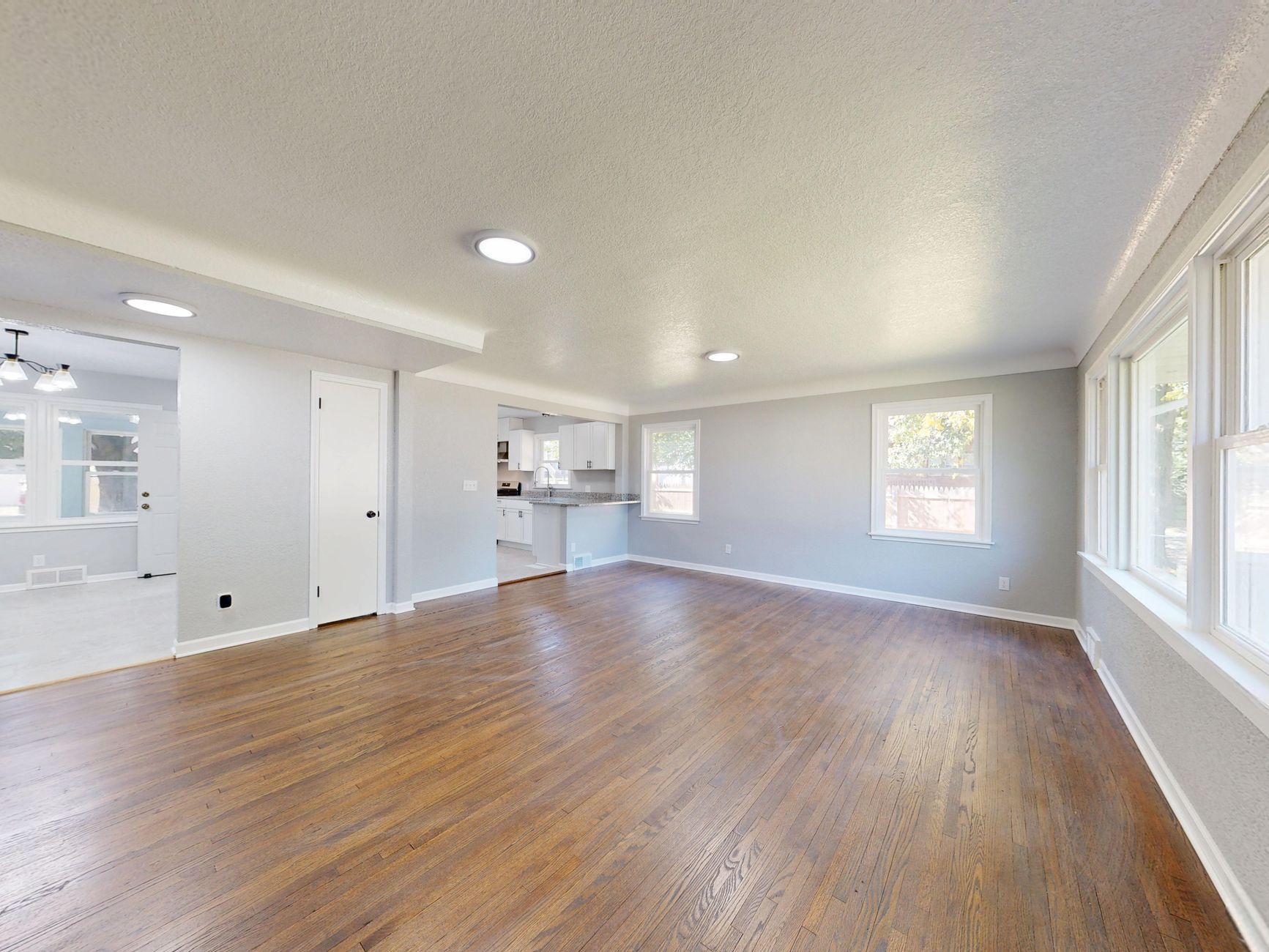
Empty rooms get photorealistic furniture — Modern, Coastal, Industrial, or Luxury — through a generative model that understands spatial scale and room perspective. Furniture shadowing and depth are computed to mimic real‑world lighting.
4. Day‑to‑Dusk Conversion
Daytime exteriors are transformed into warm twilight shots. The AI adds interior glow to windows, adjusts outdoor lighting to a golden hour tone, and simulates ambient dusk shadows — all without changing the building footprint.
5. Object Removal & Decluttering
Unwanted objects (cars, trash bins, personal belongings) are detected via instance segmentation and inpainted using contextual pixel reconstruction. The result is a clean, buyer‑focused image.
Step‑by‑Step Guide to Using AI Real Estate Photography
Applying AI to your real estate workflow is straightforward. Here’s a practical guide that has worked for thousands of agents:
- Upload your raw images — JPEG, PNG, TIFF, or RAW formats are supported.
- Select enhancement mode — Choose from Auto Enhancement, Sky Replacement, Grass Greenup, Virtual Twilight, or Virtual Staging.
- Customize settings — Adjust lighting brightness, furniture style, and staging density to match your target demographic.
- Preview and approve — Review the AI‑generated output; you can refine any area with one‑click touchups.
- Export MLS‑compliant files — RealVisionAI auto‑optimizes dimensions and dpi for Zillow, Realtor.com, and MLS portals.
💡Pro Tip
For best results, shoot at least 5–7 photos per room and use natural lighting. AI works best on high‑contrast images with clear subject separation.
Cost Comparison: Traditional vs. Generic AI vs. RealVisionAI
| Service Type | Traditional Cost | Generic AI Cost | RealVisionAI Cost |
|---|
| Physical Staging | $2,000–$5,000 / month | Not applicable | Included in subscription |
| Manual Photo Editing | $5–$15 / photo | Free but low quality | Cents per photo (instant) |
| Twilight Photography | $250–$500 / session | Not available | Included in subscription |
| Sky/Lawn Enhancement | $3–$7 / photo | Free (hallucinates) | Included in subscription |
| Turnaround Time | 24–72 hours | 10 seconds | Under 12 seconds |
Generic AI tools (like free online editors) often produce unrealistic results — skies that don’t match horizon lines, furniture that doesn’t respect scale. RealVisionAI was built specifically for real estate, with models trained on 500,000+ property images to ensure professional authenticity.
Best Practices for Ethical AI Editing
Transparency is non‑negotiable. The National Association of Realtors (NAR) and most MLS boards require clear disclaimers when AI‑edited images are used. Here’s our recommended approach:
- Always disclose virtual staging: Add a small watermark or text note such as “Furniture virtually staged for visualization purposes.”
- Never modify permanent structures: Do not remove power lines, hide cracks, or alter property dimensions.
- Keep lighting realistic: Avoid oversaturating colors or creating impossible lighting conditions that could mislead buyers.
- Use AI for enhancement, not deception: The goal is to present the property in its best light — not to fabricate features that don’t exist.
💡Key Takeaway
Ethical AI editing builds trust with buyers and protects your license.
How AI Photography Enhances Buyer Experience
Beyond aesthetics, AI photo editing impacts buyer psychology in three measurable ways:
- Emotional connection: Sunlit rooms and staged spaces trigger dopamine responses, making buyers more likely to schedule a showing.
- Spatial understanding: Virtual furniture gives a sense of room size and layout that empty rooms cannot convey.
- Reduced time to decision: Studies from the Journal of Housing Research show that buyers viewing high‑quality images make an offer 5 days faster on average.
In my work with a top‑producing team in Columbus, we saw a 28% increase in showing requests after implementing RealVisionAI’s sky replacement and virtual twilight — all without increasing marketing spend. For a detailed breakdown, see our
Real Estate Photo Enhancement in Columbus: Boost Listings in 2026.
Real‑World Examples of AI Photography in Action
Case Study 1: From 60 Days to 2 Weeks
A suburban home in Phoenix had been sitting for two months with flat, unedited photos. The exterior sky was overcast, and the lawn was half‑dead. After using RealVisionAI for sky replacement and grass greenup — plus virtual staging in the living room and master bedroom — the listing received 42% more inquiries and went under contract within 14 days.
Key data: The original photos had an average listing view time of 22 seconds. After AI enhancement, view time jumped to 47 seconds, directly impacting buyer engagement.
Case Study 2: Luxury Condo with Three Offers
A high‑end condo in Chicago was struggling to attract top‑tier buyers. After RealVisionAI’s twilight conversion converted daytime photos into exclusive dusk shots with glowing city views — and virtual staging added minimalist furniture — the listing generated three competing offers within five days. The final sale price was 6% over asking.
Key lesson: For luxury properties, perceived “vibrancy” and exclusivity drive urgency. Twilight AI conversion signals prestige without requiring a photographer to wait for sunset.
Myth 1: AI replaces professional photographers.
Reality: AI is a post‑production tool — it enhances the raw capture, not replaces the skill of composition and lighting. Professional photographers still produce better base images, but AI saves them hours of editing.
Myth 2: AI photos look fake.
Reality: RealVisionAI’s models are trained for photorealism. The results are indistinguishable from high‑end manual editing when used correctly.
Myth 3: AI costs too much.
Reality: Plans that include sky, lawn, staging, and virtual twilight cost less than a single traditional staging rental.
Myth 4: AI is not allowed on MLS.
Reality: As long as you disclose virtual staging, MLS portals accept AI‑enhanced photos. Many top agents now use them exclusively.
Frequently Asked Questions
How long does it take to process a batch of AI real estate photos?
RealVisionAI processes each image in under 12 seconds. A full listing of 20–30 photos can be ready in less than 5 minutes, including upload time.
Can I use AI on smartphone photos?
Yes. RealVisionAI supports RAW, JPEG, and PNG files from any camera, including iPhones and Android. The AI compensates for lower dynamic range automatically.
What styles of virtual staging are available?
We offer six styles: Modern Minimalist, Coastal/Beach, Luxury Contemporary, Industrial Loft, Scandinavian, and Traditional Farmhouse. Each style adapts scale and color to the room.
Does AI staging work for commercial real estate?
Definitely. Our
AI Virtual Staging for Commercial Real Estate: Office & Retail Spaces 2026 Guide shows how office spaces, retail stores, and even warehouses can benefit.
Is there a free trial?
RealVisionAI offers a 3‑day free trial with full access to all enhancement modes. No credit card required. Visit
realvisionaire.com to start.
Conclusion & Next Steps
AI real estate photography is no longer a luxury — it’s a competitive necessity. In 2026, buyers expect studio‑quality photos from every listing. Tools like RealVisionAI deliver that quality in seconds, at a fraction of the cost of traditional methods. By integrating AI enhancement into your workflow, you save time, reduce overhead, and dramatically improve buyer engagement.
Ready to transform your listings? Discover RealVisionAI today and see how our AI can turn any photo into a conversion machine. Start your free trial now.
Recommended Readings
Free Real Estate AI Visual Playbook 2026
Discover how top realtors boost listing engagement by 62% and close deals faster using AI photo enhancement and virtual staging.