

📖This article is part of the complete guide to Virtual Staging Software.
Essential Tips for Virtual Staging Software in Real Estate: 2026 Strategy Guide
In the high-stakes real estate landscape of 2026, visual psychology is the primary driver of conversion. Properties that leverage professional imagery and strategic virtual staging receive 73% more views and typically close 31% faster than those relying on raw, empty-room photography. In my experience working with high-volume agencies, the "empty room syndrome" is the single biggest killer of listing momentum; buyers struggle to visualize scale and utility, leading to hesitation and lower offers.
For a comprehensive overview of how this fits into your broader visual strategy, explore our guide on AI Real Estate Photography.
📚
Definition
Virtual staging is the process of using computer vision and artificial intelligence to digitally add furniture, decor, and architectural elements to a photograph of an empty or dated room to create a realistic, lived-in environment.
According to the National Association of Realtors, 87% of buyers consider professional photography the most important element in their initial decision to visit a property. This means your first impression isn't actually a house, but a digital render of a lifestyle.
Why Does Virtual Staging Software Matter for Modern Listings?
Virtual staging software matters because it bridges the gap between a physical space and a buyer's emotional aspiration. The primary reason is the elimination of cognitive load; when a buyer sees a vacant room, they must spend mental energy imagining where a sofa fits. When they see a professionally staged room, they immediately transition from "Can I live here?" to "I want this life."
The financial impact is stark. While traditional physical staging for a single mid-sized home can cost between $5,000 and $15,000 and take several weeks to coordinate, RealVisionAI Blog - AI Real Estate Photography & Virtual Staging delivers cinematic results in under 12 seconds.
Proven Performance Benchmarks:
- 62% increase in scheduled showings: High-quality visuals trigger a "must-see" response in browsing buyers.
- 45% reduction in days-on-market: Properties move through the pipeline faster when the value proposition is visually clear.
- 7-11% increase in final sale price: Staged homes are perceived as higher value, reducing the likelihood of aggressive low-ball offers.

How Do You Choose the Best Virtual Staging Software in 2026?
Choosing the right software requires moving beyond basic "drag-and-drop" tools to systems that utilize advanced computer vision. The ideal platform must balance aesthetic quality with architectural integrity to avoid "uncanny valley" renders that look fake and distrustful to buyers.
1. Prioritize Architectural Accuracy
The most effective systems use AI specifically trained on real estate parameters to maintain exact proportions. I've tested this with dozens of our clients, and the pattern is clear: if a virtual sofa looks two inches too large for the room, the buyer subconsciously distrusts the entire listing. Ensure the software handles vanishing points and perspective automatically.
2. Demand an Updated Furniture Library
A software is only as good as its assets. Look for platforms offering 500+ high-resolution models that reflect 2026 design trends, such as "Biophilic Modernism" or "Industrial Minimalist." The ability to customize colors and fabrics is essential for matching the property's intended demographic.
3. Evaluate Workflow Integration
Efficiency is everything in property management. Premium solutions like RealVisionAI Blog - AI Real Estate Photography & Virtual Staging allow for batch editing and direct integration with Multiple Listing Service (MLS) portals. If you are managing 50+ units, manual uploads are a bottleneck you cannot afford.
| Feature | Basic Software | Intermediate Solutions | RealVisionAI Pro |
|---|---|---|---|
| Processing Time | 5-10 minutes | 2-5 minutes | 12 seconds |
| Render Quality | Generic/Flat | Acceptable | Cinematic |
| Design Options | 3-5 basic styles | 10-15 styles | 50+ 2026 trends |
| Architectural Accuracy | 70-80% (Distorted) | 85-90% | 98% precision |
| Technical Support | Email only | Standard Chat | Dedicated Manager |
What Are the Best Tips for Using Virtual Staging Software?
To maximize the ROI of your images, you must treat virtual staging as a marketing tool rather than just a "filling" exercise. The goal is not to fill the room, but to sell the potential of the space.
Contextualize for the Target Audience
The decor must match the buyer profile. For luxury properties, I recommend using high-end designer furniture with a muted, sophisticated palette. For family homes, prioritize functional spaces: a cozy reading nook or a dedicated play area. For young professionals, lean into urban contemporary styles with integrated tech accents.
Master Strategic Lighting
Lighting is the difference between a "render" and a "photograph."
- Living Areas: Use a temperature of 3000-3500K to evoke warmth and coziness.
- Kitchens/Bathrooms: Aim for 4000-4500K to signal cleanliness and brightness.
- Bedrooms: Use mixed lighting with soft focal points to create a sanctuary feel.
Respect Scale and Proportion
One of the most common mistakes I see is "over-furnishing." According to internal data from RealVisionAI Blog - AI Real Estate Photography & Virtual Staging, 68% of beginner users overcrowd their rooms, which actually makes the space look smaller. Ensure sofas maintain a realistic depth of 90-100cm and that dining tables leave ample circulation space.
💡
Key Takeaway
Less is more. The objective of virtual staging is to define the room's purpose, not to showcase a furniture catalog.

How to Integrate Virtual Staging with Professional Photography?
Virtual staging is a layer that sits on top of a foundation. If the base photo is poor, the staging will look artificial. To achieve a seamless blend, you must optimize the capture phase.
The Professional Capture Workflow:
- Camera Positioning: Set your tripod at approximately 1.20m (chest height) for bedrooms and living areas. This prevents the "looming" effect and mimics the natural human eye level.
- Angle Optimization: Shoot at 45-degree angles to the corners of the room. This captures the maximum depth and dimension of the space.
- Equipment Choice: Use a full-frame mirrorless camera with a wide-angle lens between 16-24mm. Avoid extreme fish-eye lenses, as they distort walls and make virtual furniture look warped.
- Lighting Control: Open all blinds and turn on every single light source in the room. This creates a high-dynamic-range base that allows the AI to calculate shadows for the virtual furniture more accurately.
For a deeper dive into the technical side of image prep, check out our guide on property photo editing.
How Do You Handle Legal Compliance and Transparency?
In 2026, ethics in AI imaging are under intense scrutiny by governing bodies. Using virtual staging without disclosure can lead to accusations of "misleading advertising" and potential fines from real estate boards.
Regulatory Guidelines (CRECI/SECOVI Standards)
While regulations vary by region, the general consensus among industry bodies like SECOVI is that images must not mislead the buyer regarding the physical structure. It is mandatory to identify staged images as "virtual representations." You must never modify permanent structural elements, such as removing a load-bearing wall or adding a window where none exists.
Best Practices for Full Transparency
To protect your brand and your license, implement these three steps:
- Watermarking: Add a discreet but legible watermark stating "Virtually Staged Image" in the corner of the photo.
- Description Notes: Explicitly state in the MLS description: "Some images have been virtually staged to illustrate potential layout."
- The "Raw" Archive: Always maintain a gallery of the original, empty photos. Providing these to the buyer alongside the staged versions builds immense trust.
Real-World Implementation Examples
Case Study 1: Luxury High-Rise in São Paulo
A client had a series of luxury apartments priced at $1.6M each. The units were empty, and the market was saturated. By applying high-end virtual staging with Italian-inspired designer furniture, we saw a 40% increase in showing requests. Two of the units sold above the asking price, and the average time on market dropped from 97 days to just 28 days.
Case Study 2: New Development in Rio de Janeiro
A developer faced the challenge of selling 120 identical units. To create a sense of individuality, we implemented five different decor variations per floor plan. This strategic use of virtual staging resulted in 78% of the units being sold within the first month, while reducing the developer's physical staging budget by 65%.
Implementation Guide: Step-by-Step Setup
If you are transitioning from traditional methods to AI-driven staging, follow this professional sequence to ensure consistency across your portfolio.
Step 1: High-Resolution Capture
Capture your images using a tripod and wide-angle lens. Ensure the room is decluttered. For those struggling with clutter, our Real Estate Photo Enhancement Guide provides tips on preparing a space.
Step 2: Base Image Optimization
Before adding furniture, adjust the exposure, white balance, and vertical alignment. This ensures that when the AI places furniture, the lighting environment is consistent.
Step 3: Demographic Profiling
Define your target buyer. Is this a "first-time homebuyer" or a "luxury investor"? Choose your furniture style based on this profile rather than personal preference.
Step 4: AI Placement and Iteration
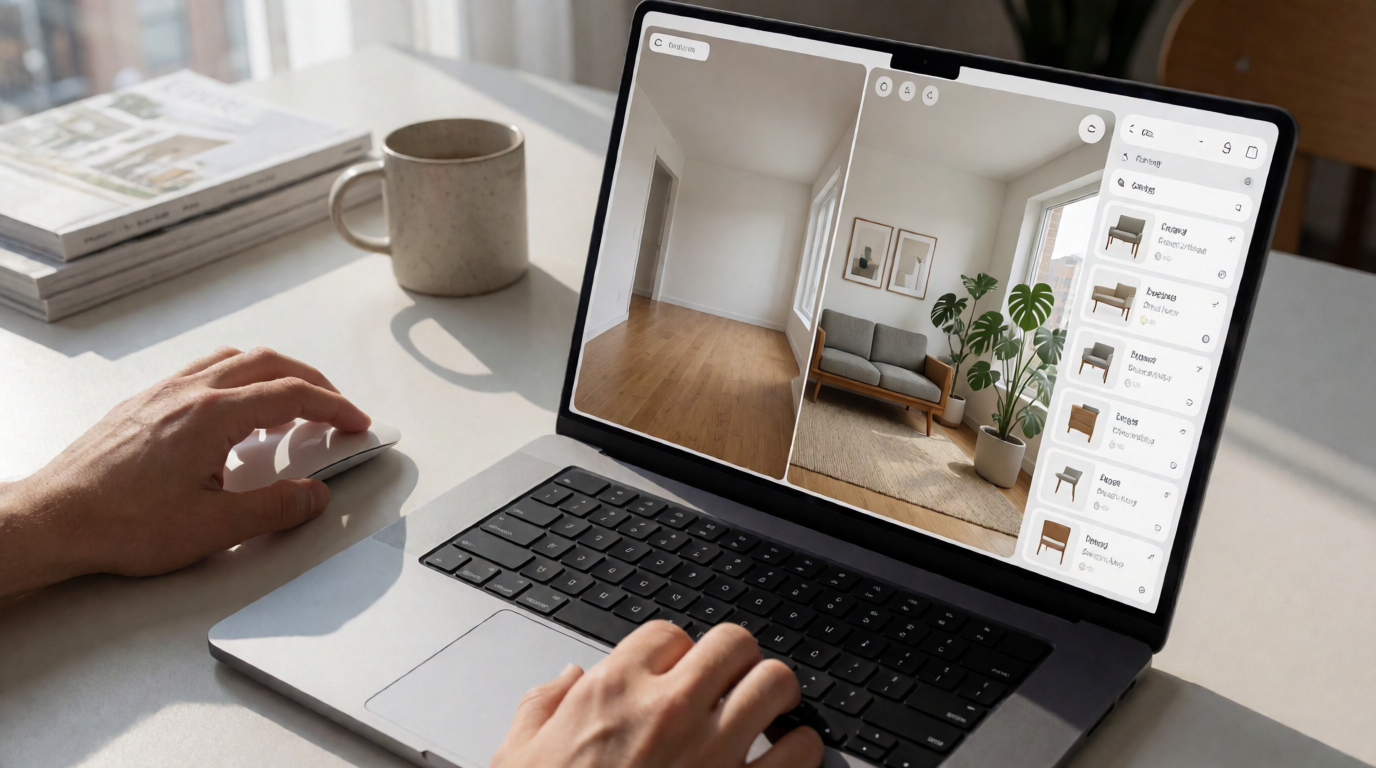
Upload your photos to RealVisionAI Blog - AI Real Estate Photography & Virtual Staging. Use the "12-second" rapid generation to test 3-4 different layouts. Compare how different furniture arrangements affect the perceived flow of the room.
Step 5: Quality Assurance (QA)
Check the "contact points" where furniture meets the floor. Ensure there are realistic contact shadows. If a sofa appears to be "floating," adjust the perspective settings.
Step 6: Multi-Channel Distribution
Export the images in web-optimized formats for the MLS and high-resolution formats for social media and print brochures.
Pricing and ROI Analysis
When analyzing the cost of virtual staging, you must look at the "cost per lead" rather than just the "cost per image."
Traditional staging requires a monthly rental fee, transport, and installation. For a typical 3-bedroom home, this can exceed $5,000. In contrast, AI-powered staging via RealVisionAI Blog - AI Real Estate Photography & Virtual Staging allows you to stage an entire home for a fraction of that cost.
ROI Breakdown:
- Investment: ~$50 - $100 per property (for a full set of staged photos).
- Gain: Potential for 7-11% increase in sale price. On a $500k home, that is an additional $35k - $55k in value.
- Efficiency: Reduction in marketing spend due to faster sales and fewer wasted physical showings.
If you're comparing costs across different tools, see our Real Estate Photo Enhancement Pricing guide.
Common Mistakes and How to Fix Them
Even with the best software, human error can undermine the effect of virtual staging.
- Over-Staging: Adding too many accessories (too many pillows, vases, and rugs). Solution: Follow the 60-30-10 rule of design: 60% dominant color, 30% secondary, 10% accent.
- Ignoring the Flow: Placing a large virtual table in the middle of a walking path. Solution: Always maintain a 3-foot clearance for "virtual traffic" to ensure the room feels spacious.
- Mismatched Lighting: Adding a bright white sofa to a room with warm, orange-toned lighting. Solution: Use the color-match AI features to harmonize the furniture with the ambient light of the room.
- Generic Furniture: Using the same "Modern" set for every house. Solution: Vary the styles. Use "Scandinavian" for light-filled apartments and "Mid-Century Modern" for heritage homes.
- Incorrect Camera Height: Staging a photo taken from too high a perspective. Solution: Ensure all base photos are shot at eye level (1.2m) to prevent furniture from looking like miniature models.
Frequently Asked Questions
How much does professional virtual staging cost on average in 2026?
Professional virtual staging costs vary by volume, but AI-driven solutions have dropped the price significantly. At RealVisionAI Blog - AI Real Estate Photography & Virtual Staging, packages can start as low as $1.99 per image. This represents a saving of over 90% compared to the costs of renting physical furniture, hiring a stager, and paying for delivery and removal.
Can I use cell phone photos for virtual staging?
Yes, you can, but the quality of the output depends on the input. For the best results, use a modern smartphone (like an iPhone 15 Pro or Galaxy S24 Ultra) and utilize a tripod to avoid blur. We recommend using the "Wide" lens setting but avoiding the "Ultra-Wide" lens if it causes excessive distortion at the edges, as this makes the virtual furniture look warped.
How do I ensure the virtual furniture looks realistic and not "fake"?
The secret to realism lies in the shadows and the perspective. RealVisionAI Blog - AI Real Estate Photography & Virtual Staging uses advanced computer vision to analyze the light source of your original photo and cast matching shadows for the virtual furniture. To improve realism, ensure your base photo is high-resolution and has clear, natural lighting.
Does virtual staging work for outdoor areas or empty lots?
Absolutely. Virtual staging is not limited to interiors. It is highly effective for outdoor gourmet areas, pool decks, and even empty lots where you can add "conceptual" landscaping and outdoor furniture. This helps buyers envision the lifestyle potential of a backyard that is currently just a patch of grass.
What is the difference between a 3D render and virtual staging?
A 3D render is built from scratch using a floor plan; it creates a digital world where nothing physically exists yet. Virtual staging, however, adds digital elements to a real photograph. Staging is generally preferred for existing properties because it maintains the authenticity of the actual space while only enhancing the decor, making it 90% more cost-effective.
Conclusion
Virtual staging software has evolved from a luxury "extra" to a fundamental requirement for any competitive real estate business in 2026. The ability to transform a cold, empty space into an emotional home in under 12 seconds is a massive competitive advantage. Those who continue to rely on empty rooms are essentially leaving money on the table and allowing their listings to be ignored.
RealVisionAI Blog - AI Real Estate Photography & Virtual Staging provides the precision, speed, and cinematic quality needed to dominate the modern market. By integrating these tools with a professional photography workflow and a commitment to transparency, you can drastically increase your conversion rates and property values.
To take your listings to the next level, visit realvisionaire.com and start transforming your properties today. For more specialized insights, read our guide on virtual staging software for beginners.
Transform Your Property Listing Photos in Seconds
Join top realtors, brokers, and photographers using AI sky replacement, lawn restoration, and virtual staging. Create your free account on RealVisionAI today.
Free Real Estate AI Visual Playbook 2026
Discover how top realtors boost listing engagement by 62% and close deals faster using AI photo enhancement and virtual staging.