

Where to Find Virtual Staging Software in 2026: Ultimate Guide for Real Estate Professionals
Virtual staging software has become essential for agents who want to reduce physical staging costs (which can reach $3,000 per property) while increasing listing engagement by up to 3x.

What Is Virtual Staging Software and How Does It Work?
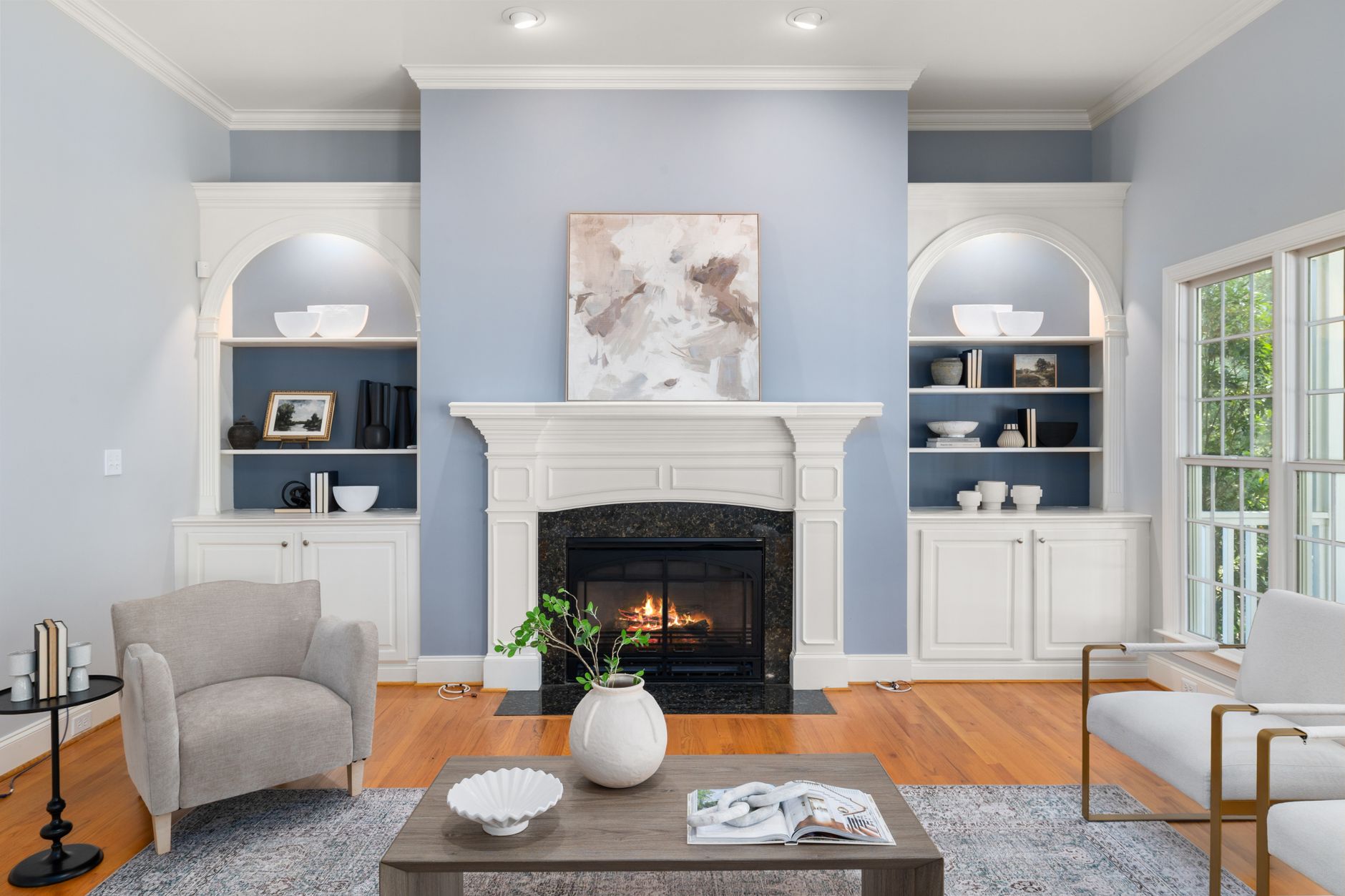
Virtual staging software is an artificial intelligence solution that inserts realistic furniture and decor into photos of empty rooms, allowing buyers to visualize the space's potential without the cost and logistics of physical staging.
- Advanced Computer Vision: Identifies walls, floors, openings, and room proportions with architectural precision
- Generative AI: Creates photorealistic furniture and decor that respects scales and design styles
- Cloud Rendering: Processes images in seconds without the need for specialized hardware
- 89% cost reduction compared to physical staging
- Production time of minutes (vs. weeks for furniture rental)
- Ability to show multiple decor styles in the same property
The 5 Best Virtual Staging Software in 2026
1. RealVisionAI Studio Pro
- Library with 12,000+ premium 3D furniture models
- Direct integration with MLS and portals like Zillow and Realtor.com
- Real-time lighting and shadow editing tools
2. BoxBrownie Enterprise
- Additional manual editing by professional designers
- Support for staged virtual tour videos
- "Destaging" options (removing existing furniture)
3. VisualStager AI
- High-volume agents (up to 500 images/month)
- Specific templates for different property types (luxury, compact, commercial)
- Real estate CRM integration
Detailed Comparison:
| Feature | RealVisionAI | BoxBrownie | VisualStager |
|---|---|---|---|
| Speed | 12 seconds | 24 hours | 30 minutes |
| Available Styles | 18 | 9 | 12 |
| RAW Support | Yes | No | Yes |
| API for Integration | Yes | No | Yes |
| Price per Image | $1.20 | $3.00 | $2.00 |
How to Choose the Best Solution for Your Business
- Image Volume: For 10+ properties/month, unlimited plans are more cost-effective
- Need for Customization: Some platforms offer on-demand editing by designers
- Workflow Compatibility: Check integrations with your CRM and marketing tools
Request free samples from different platforms using the same images to compare rendering quality, especially for: Reflections on shiny floors Natural shadows from furniture Object proportions in small rooms
Step-by-Step Virtual Staging Implementation
-
Image Capture:
- Use a DSLR camera or high-resolution smartphone
- Shoot in RAW when possible for greater post-production flexibility
- Keep vertical lines straight (avoid angular distortions)
-
Processing in Software:
- Select the decor style appropriate for your target audience
- Adjust furniture density (70-80% occupancy is ideal)
- Leave some areas empty to avoid visual overload
-
Final Export:
- Minimum resolution of 1920x1080 pixels for MLS
- JPEG format with quality 90+ to balance file size and detail
- Include "before/after" versions in your online portfolio
Legal and Ethical Aspects of Virtual Staging
- Always include the caption "image with virtual furniture" on edited photos
- Never remove or hide structural defects (leaks, cracks)
- Avoid exaggerating furniture proportions that distort space perception
- Keep original files for 5 years for documentation purposes
- Fines of up to $10,000 from regulatory bodies
- Possible revocation of professional license in severe cases
- Hard-to-repair damage to professional reputation
Frequently Asked Questions About Virtual Staging Software
What is the difference between virtual staging and 3D rendering?
Can I use virtual staging in real estate videos?
How do I handle clients who prefer to see the property empty?
Does virtual staging work well for all types of properties?
- Empty residential properties
- Generic commercial spaces (offices, stores)
- Luxury properties that need premium staging
- Spaces with very irregular architecture
- Industrial environments or those with heavy machinery
- Historic properties with very specific features
What is the average cost per image in 2026?
- Basic (automatic): $0.80-$1.60/image
- Professional (with human review): $2.40-$5.00/image
- Enterprise (custom workflows): $0.40-$1.00/image (at high volume)
Virtual Staging Trends for 2026-2027
- Adaptive Staging: The software suggests decor styles based on the demographic profile of buyers viewing the listing
- Augmented Reality: Staging visualization via smartphone during in-person showings
- Mass Personalization: Ability to swap furniture styles with one click to test different approaches
- Metaverse Integration: Properties automatically staged on 3D real estate platforms
Success Stories with Virtual Staging
- Challenge: Standard apartments with no visual differentiator
- Solution: Staging with 3 distinct styles (young professional, family, investor)
- Result: 40% increase in scheduled visits and 22-day reduction in average time to sell
- Problem: Empty mansions felt cold and impersonal
- Action: Staging with contemporary Brazilian designer furniture
- Impact: Perceived value increased 15% in searches and visit conversion rate rose to 28%
Conclusion: Why Adopt Virtual Staging Now?
✔ Attract 3x more qualified leads per listing
✔ Decrease average time to sell by 30-45 days
✔ Offer personalized experiences for different buyer profiles
- Test RealVisionAI for free with 5 images from your next listing
- Compare results with your current photos on engagement metrics
- Implement as standard for all properties that have been on the market for more than 15 days
Recommended Readings
- AI in Real Estate
- Ultimate AI Lead Generation for Real Estate Agents
- AI Real Estate Photography
- AI staging for realtors
Free Real Estate AI Visual Playbook 2026
Discover how top realtors boost listing engagement by 62% and close deals faster using AI photo enhancement and virtual staging.



