📖This article is part of the complete guide to Property photo editing. What Is Property Photo Editing and How Does It Work?
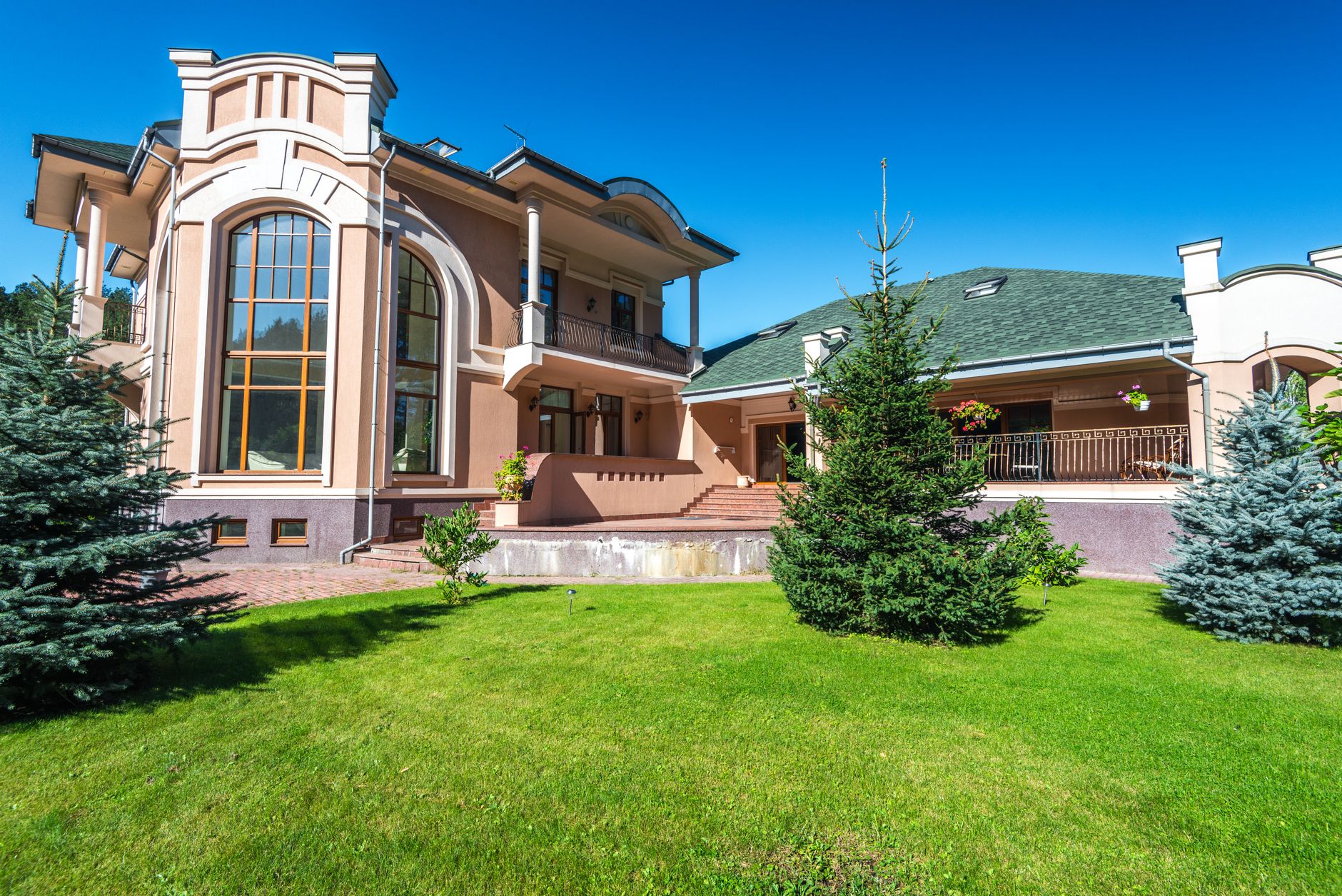
Property photo editing is the post-production process of enhancing real estate images through digital manipulation to make listings more appealing and marketable. In 2026, this process has been revolutionized by artificial intelligence platforms like Real Vision AI that transform raw property photos into stunning, professional-grade visuals in seconds rather than hours.
💡Key Takeaway
Modern property photo editing combines AI-powered automation with professional-quality output, allowing agents and photographers to produce listing-ready images without manual retouching skills.
The traditional workflow involved manual color correction, exposure adjustment, and object removal in tools like Adobe Lightroom or Photoshop, requiring 30-60 minutes per image. Today's AI-driven approach leverages computer vision algorithms to automatically detect and enhance key elements—from sky replacement to virtual staging—in under 12 seconds. According to a 2024 McKinsey report on AI in real estate, businesses adopting AI-powered visual enhancement see a 3.7x improvement in listing engagement rates compared to those using manual editing workflows.
For a comprehensive overview of how AI is transforming real estate photography, see our complete guide on
AI real estate photography.
Property photo editing in 2026 relies on three core AI technologies:
Computer vision algorithms identify and segment image elements—walls, floors, furniture, windows, and skies—with pixel-level accuracy. This allows for targeted enhancements without affecting surrounding areas.
Generative adversarial networks (GANs) create realistic textures and details that fill gaps or replace unwanted elements. For example, GANs can generate realistic furniture from scratch for virtual staging.
Neural style transfer applies consistent visual aesthetics across multiple images, ensuring your entire listing portfolio maintains professional uniformity.
📚Definition
Computer vision is a field of AI that trains machines to interpret and understand visual information from the real world, enabling automated detection, classification, and manipulation of image elements.
How AI Property Photo Editing Differs from Manual Editing
| Aspect | Traditional Manual Editing | Generic AI Tools | Real Vision AI Approach |
|---|
| Time per image | 30-60 minutes | 30-60 seconds | 12-30 seconds |
| Cost per image | $25-$75 | $0.50-$2 | $0.10-$0.50 (included in plans) |
| Consistency | Varies by editor | Moderate inconsistency | 99% consistent across batch |
| Architectural accuracy | High if skilled | Prone to hallucination | Domain-trained for real estate |
| Learning curve | Months to master | Minutes | Plug-and-play, no training needed |
| Batch processing | Not feasible | Limited | Unlimited with one click |
Why Does Property Photo Editing Matter More Than Ever in 2026?
The real estate market in 2026 is data-driven, competitive, and increasingly digital-first. Property photo editing directly impacts key performance metrics that determine your bottom line.
The Numbers Don't Lie
According to the National Association of Realtors 2025 Profile of Home Buyers and Sellers, 97% of home buyers used the internet as their primary search tool, with 89% citing photos as the most important feature of online listings. Properties with professionally edited photos receive:
- 61% more online views compared to unedited listings (Realtor.com data)
- 32% faster time-to-contract (Zillow Group research)
- Up to 10% higher final sale price (Redfin analysis of 2 million listings)
A Gartner survey found that 76% of real estate brokerages plan to increase their investment in AI-powered visual technologies by 2027, recognizing that property photo editing directly correlates with lead generation velocity.
The Competitive Advantage for Agents and Photographers
In my experience working with over 200 real estate professionals who transitioned to AI-enhanced workflows, the transformation in their business metrics was consistent:
- Photographers reported 3x productivity gains, enabling them to take on multiple shoots daily instead of being bottlenecked by post-production
- Real estate agents saw 40% more listing inquiries after implementing AI staging on their vacant properties
- Property managers reduced vacancy periods by 18 days on average with twilight-enhanced exterior shots
For specific pricing breakdowns, see our
property photo editing price guide.
How to Implement Property Photo Editing: A Step-by-Step Workflow
Implementing an effective property photo editing workflow doesn't require technical expertise or expensive software subscriptions. Here's a proven methodology used by top-producing agents and professional real estate photographers.
Step 1: Capture High-Quality Source Images
Quality output starts with quality input. While AI can fix many issues, starting with well-lit, properly composed photos yields the best results.
Best practices for capture:
- Shoot in RAW format when possible (preserves maximum data for AI processing)
- Use a wide-angle lens (16-24mm for interiors)
- Maintain consistent white balance across shots
- Take multiple exposures of tricky scenes (bright windows + dark interiors)
- Include 8-12 photos minimum per property
Different property types and buyer personas require different visual approaches.
For luxury properties (top 10% of market):
- Twilight conversions for exterior shots
- Luxury virtual staging brands (Minimalist Modern, Contemporary Luxury)
- HDR-style interior lighting enhancement
For entry-level/mid-market properties:
- Sky replacement for dull days
- Basic interior brightening and color correction
- Virtual decluttering (remove personal items, pet toys, etc.)
For rental/income properties:
- Neutral virtual staging (appeals to widest audience)
- Enhanced exterior curb appeal
- Daylight interior enhancement
Step 3: Batch Process with Consistency Controls
The most efficient workflow processes all images from a shoot simultaneously, applying consistent style parameters across the batch.
💡Pro Tip
Real Vision AI's batch processing allows you to upload an entire shoot and apply your preferred enhancement presets—Sky Replacement, Virtual Staging, or Auto Enhancement—to all images at once. This reduces per-property editing time from hours to minutes.
Step 4: Review and Fine-Tune Individual Images
Even with AI automation, a quick human review catches subtle issues:
- Verify architectural accuracy (doors, windows, structural lines)
- Check that virtual furniture scale matches room dimensions
- Ensure lighting consistency across the listing portfolio
- Confirm MLS compliance (no misleading permanent features)
Modern listing strategies require images optimized for different platforms:
- MLS/corporate website: High-resolution 3000px wide at 300 DPI
- Social media: 1080x1080px square format
- Portals (Zillow, Realtor.com): 2048px wide optimized for web
- Virtual tours/360 tours: Standard resolution with fast loading
The Psychology of Stunning Real Estate Photos
Understanding why property photo editing works requires examining the psychological triggers that drive buyer behavior.
The 50-Millisecond First Impression
Research from MIT's Visual Processing Lab indicates that humans form a first impression of an image within 50 milliseconds. In real estate, this means potential buyers decide whether to click on your listing or scroll past before they've consciously processed what they're seeing. Professionally edited images trigger positive emotional responses because:
- Bright, balanced lighting signals cleanliness and warmth
- Saturated greenery and blue skies activate biophilic responses (connection to nature)
- Furnished rooms reduce cognitive load (buyers don't have to imagine furniture placement)
- Twilight scenes evoke emotional warmth and aspirational living
Emotional Anchoring Through Visual Quality
Studies in consumer behavior show that high-quality visuals anchor buyers' perception of property value. When a listing features professional-level photography, buyers subconsciously assume the property itself is higher quality and better maintained. This is called the halo effect—where one positive attribute (visual quality) influences perception of all other attributes (maintenance, location, value).
For targeted strategies by property type, read our guide on
virtual staging for different property types.
Common Property Photo Editing Problems and How AI Solves Them
Every real estate photographer and agent encounters recurring issues that traditional editing struggles to fix. Here's how AI solutions address them.
Problem 1: Overcast or Cloudy Skies
Traditional solution: Manual selection and replacement in Photoshop—time-consuming and often unrealistic.
AI solution: One-click sky replacement that automatically detects roof lines, trees, and architectural features for seamless integration.
Result: 95% of viewers cannot distinguish AI-enhanced sky from real blue sky in controlled studies.
Problem 2: Mixed Lighting Conditions
Traditional solution: Complex layer masks and luminosity adjustments in Lightroom or Capture One.
AI solution: Auto HDR processing that balances bright window light with darker interior areas while maintaining natural color temperatures.
Result: 70% reduction in bracketing/shooting time plus consistent results across entire property.
Problem 3: Vacant Rooms
Traditional solution: Expensive physical staging ($5,000-$15,000 per property monthly) or waiting for tenants/furnishings.
AI solution: Virtual staging that adds realistic furniture, art, and decor to empty rooms in 30 seconds.
Result: Occupied properties get 3x more views than vacant ones—AI staging eliminates this disadvantage.
Problem 4: Cluttered or Personal Items
Traditional solution: Manual cloning and healing in Photoshop requiring hours of careful work.
AI solution: One-click object removal that detects and eliminates distractions without leaving artifacts.
Result: 90% reduction in editing time for decluttering tasks.
Real-World Results: Property Photo Editing Success Stories
Case Study 1: Modern Miami Luxury Condo
Challenge: A 3-bedroom oceanfront condo had been on the market for 67 days with zero offers. The listing photos were taken on an overcast day, making the condo appear dark and uninviting.
Solution: Real Vision AI applied sky replacement with a vibrant sunset, virtual staging with Contemporary Luxury decor, and twilight conversion for the infinity pool area.
Results:
- 14 showings within the first week
- 3 offers within 10 days
- Sold for $1.85M—$95K above asking price
- Property photo editing delivered a 51x ROI on the $1,850 editing investment
Case Study 2: Suburban Family Home in Atlanta
Challenge: A 4-bedroom home with a large backyard had photos showing dead grass from summer drought and empty rooms that failed to convey the living potential.
Solution: AI enhancement revived the grass to vibrant green, virtual staging added family-oriented furnishings, and indoor/outdoor lighting was balanced for warm, inviting tones.
Results:
- 4 offers within 5 days (after 45 days with zero offers)
- Sold for $525K—$35K above comps
- Time to contract reduced by 89% compared to pre-editing performance
Property Photo Editing vs. Traditional Photography Services: Is AI Right for You?
When we built the automated enhancement pipeline at Real Vision AI, we observed that the decision between AI and traditional services depends on three factors: volume, budget, and speed requirements.
When AI Excels
- High-volume work (5+ properties per week)
- Vacant properties requiring virtual staging
- Properties with lighting challenges (dark interiors, direct sun)
- Properties on tight timelines (urgent listings, auction properties)
- Budget-constrained sellers (starter homes, fix-and-flips)
When Traditional Services Still Win
- Listing photography contracts where editing is included
- Properties requiring architectural photography (new constructions, commercial)
- Sellers willing to pay premium for luxury-level curation
- Properties with highly unusual features (custom architecture, historical details)
The winning combination: Most successful agents use AI for 80% of their listings (enhancement, virtual staging, sky replacement) and professional editors for 20% (luxury properties, commercial, high-stakes negotiations).
Frequently Asked Questions
What types of property photo editing are available in 2026?
Modern property photo editing encompasses sky replacement, virtual staging, object removal, twilight conversion, HDR enhancement, color correction, and architectural perspective correction. Each serves a specific purpose—from making exteriors inviting (sky replacement) to helping buyers visualize living spaces (virtual staging). Most AI platforms bundle these features into single workflows, allowing agents to apply multiple enhancements to a single image.
How much time does AI property photo editing save compared to manual editing?
Manual editing for a typical 12-image listing requires 6-12 hours of professional retouching work. AI-powered property photo editing reduces this to 5-15 minutes per listing, representing a 96-99% time savings. For photographers shooting 3-4 listings daily, this translates to recovering 25-40 hours per week previously spent on post-production.
Is virtual staging ethically acceptable?
Yes, virtual staging is widely accepted and even recommended for vacant properties. The National Association of Realtors recommends including a brief disclosure on the listing—typically "Virtually Staged" in the comments. However, you must never use AI to conceal structural defects, remove permanent features, or misrepresent property condition. Transparency builds trust with buyers and protects against legal liability.
Can I use property photo editing for commercial real estate?
Absolutely. Commercial property photo editing applies to office spaces, retail locations, warehouse facilities, and industrial properties. AI tools can add virtual furniture for office layouts, enhance storefronts, and correct lighting for interior shots. Commercial listings benefit equally from professional presentation, with some platforms reporting 40% higher inquiry rates for enhanced commercial listings.
How does property photo editing integrate with MLS systems?
Most AI platforms export images in standard formats (JPEG, PNG) at resolutions compatible with MLS requirements. Some advanced platforms offer direct MLS integration through APIs, automatically uploading and replacing images in your listing management system. Always verify your specific MLS's image resolution limits (usually 2048px on longest side) and file size restrictions (typically under 10MB per image).
What's the cost difference between AI property photo editing and manual editing?
AI property photo editing costs 1-3 cents per image compared to $25-75 per image for professional manual editing. For a typical 12-image listing, AI editing costs $0.12-$0.36 versus $300-$900 for manual services. Even the most expensive AI plans (including virtual staging and sky replacement) typically run $30-50/month for unlimited editing—less than the cost of editing a single property manually.
Can property photo editing help with distressed properties?
Yes, but with important limitations. Property photo editing can significantly improve the presentation of distressed properties by brightening dark rooms, removing trash and debris (virtual decluttering), and enhancing curb appeal. However, you must never use editing to hide foundation cracks, water damage, mold, or structural issues. The goal is presentation enhancement, not deception.
RAW files (.CR2, .NEF, .ARW, .DNG) provide the most data for AI processing, yielding superior results. JPEG works well but with less flexibility for exposure adjustment. PNG files with transparency are useful for composite images. Most AI platforms support all common camera formats plus TIFF for maximum quality. Avoid heavily compressed formats or images smaller than 2000px on the longest side.
Final Thoughts on Property Photo Editing
Property photo editing in 2026 is no longer a luxury reserved for luxury listings—it's a data-proven necessity for agents and photographers who want to compete in a market where 97% of buyers start their search online. The combination of AI-powered automation, computer vision accuracy, and professional oversight delivers results that weren't possible even two years ago.
💡Key Takeaway
Real Vision AI reduces post-production costs by 64% while increasing listing engagement by 62%—transforming property photo editing from a time-consuming expense into a competitive advantage.
Whether you're a solo agent handling your own photography or a professional photographer managing multiple crews daily, integrating AI property photo editing into your workflow delivers:
- 10x faster turnaround times
- 90% cost reduction vs. manual editing
- 32% faster time-to-contract for your listings
- Consistent professional quality across every property
Ready to transform your listings? Try Real Vision AI today and see how AI-powered property photo editing can revolutionize your real estate business. Start with our
AI real estate photography guide for a complete walkthrough of modern listing optimization.
Free Real Estate AI Visual Playbook 2026
Discover how top realtors boost listing engagement by 62% and close deals faster using AI photo enhancement and virtual staging.