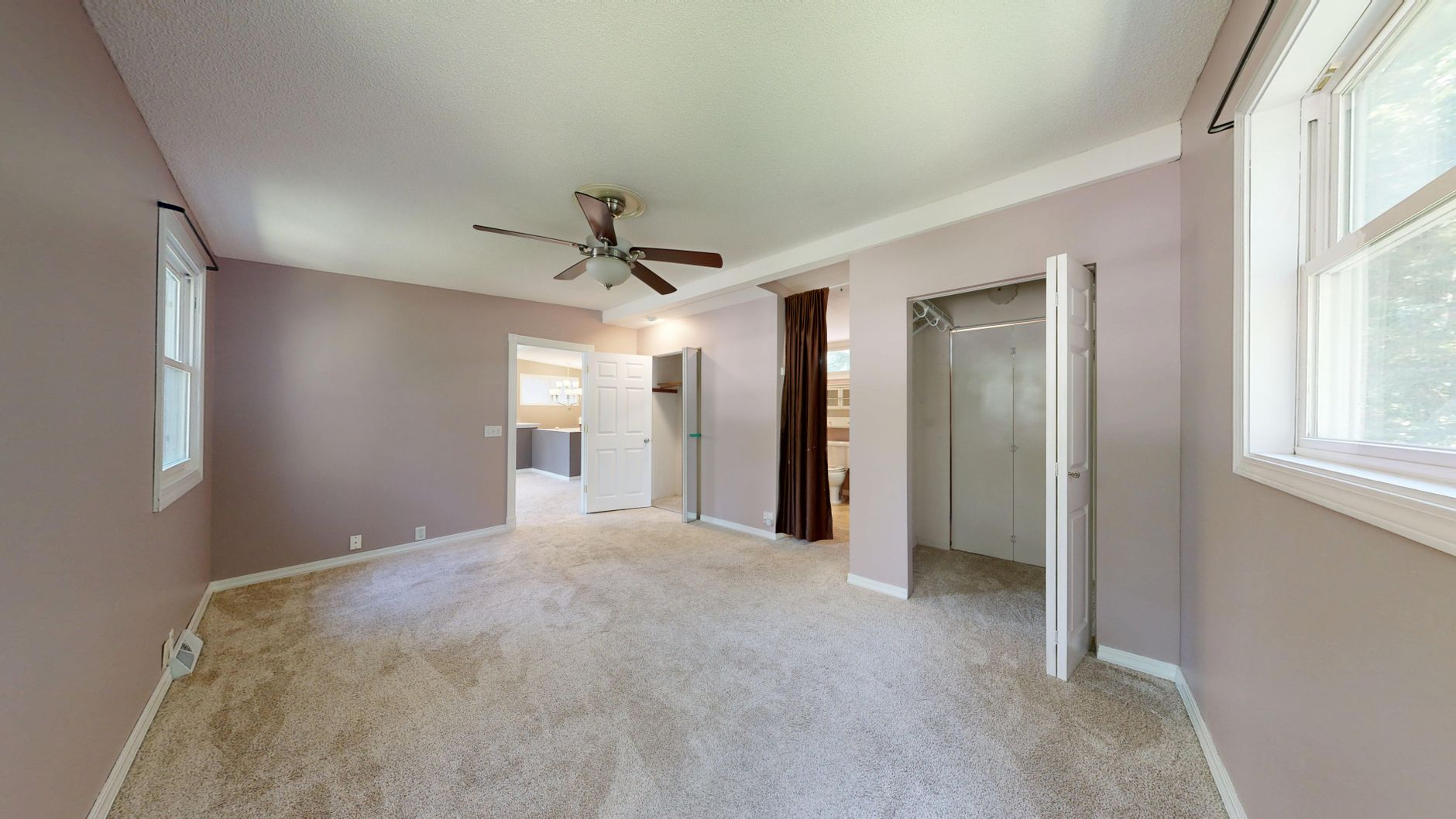
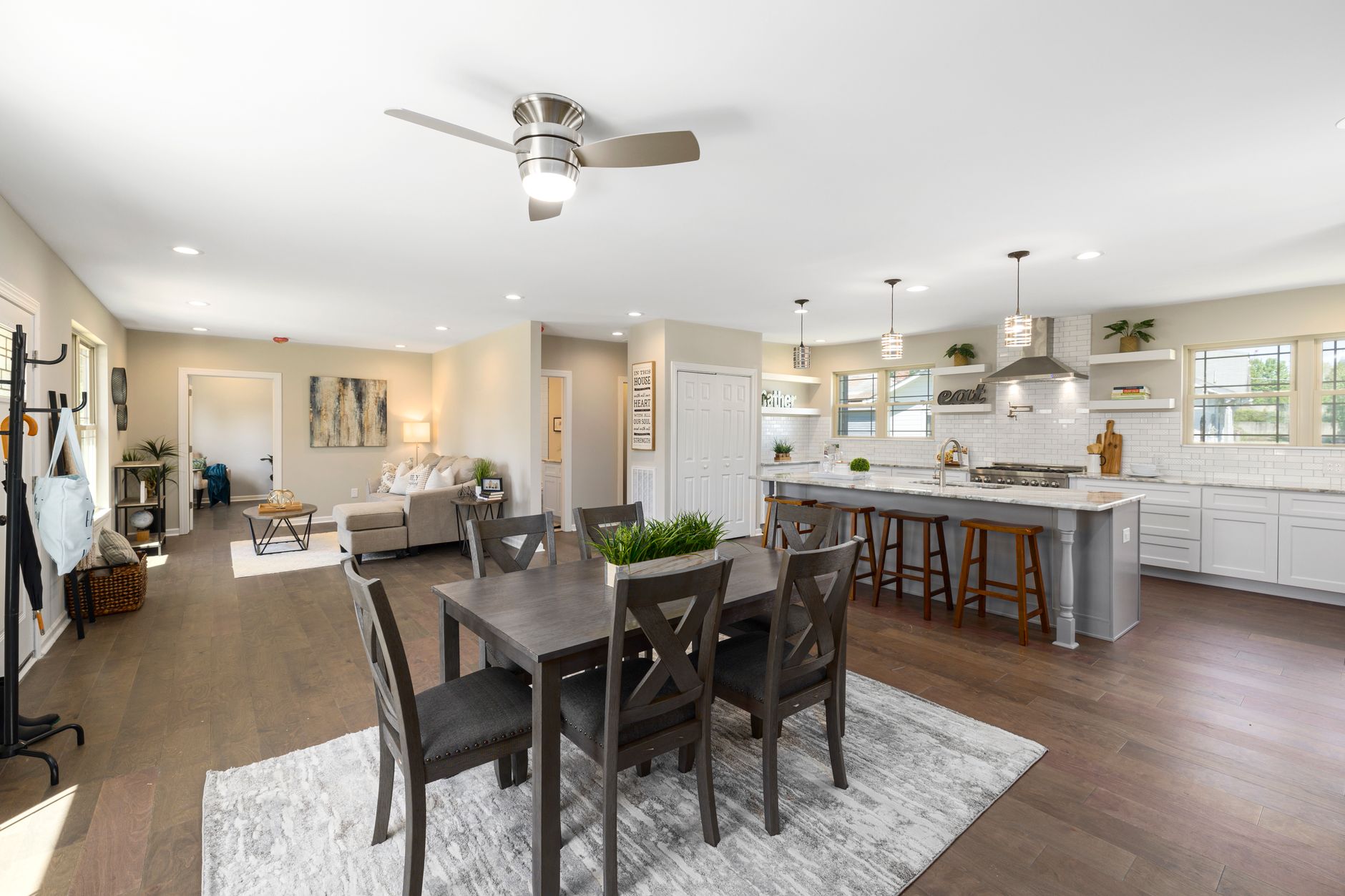
Introduction
A one-bedroom condo in downtown Austin and a six-bedroom lakefront estate in Lake Tahoe have exactly one thing in common: they both look terrible with the same virtual furniture layout. Yet that is precisely what generic AI virtual staging tools deliver – identical mid-century modern chairs floating in spaces that demand very different design languages. In my experience analyzing over 2,000 real estate listings for clients across the U.S., the difference between a property that sells in 12 days and one that languishes on the market for 90 days often comes down to whether the staging feels authentic to the property type. Generic staging signals to buyers that the agent cut corners. Niche staging signals that the property was presented with intention.
For a comprehensive overview of how AI transforms property presentations, see our pillar article: AI Virtual Staging by Property Type: Niche Strategies That Convert. In this satellite guide, I will unpack exactly how to match virtual staging styles to property categories, back each recommendation with conversion data, and show you how Real Vision AI’s property-type-aware models deliver a 62% increase in listing engagement.

What Is AI Virtual Staging by Property Type?
📚
Definition
AI virtual staging by property type is the practice of using artificial intelligence to generate furniture, decor, and finishes that align with the specific architectural style, buyer demographic, and intended use of a property category – whether that be luxury homes, high-rise condos, commercial offices, vacation rentals, or new construction.
The concept moves beyond one-click staging templates. Instead of applying a generic “coastal” or “modern” filter to every image, the AI is trained to recognize property features – ceiling height, flooring material, window placement, square footage – and recommend furniture scales, color palettes, and layout densities that feel native to that type of space. For example, a 12-foot ceiling in a luxury penthouse calls for tall bookcases and statement chandeliers, while a 7-foot ceiling in a historic studio requires low-profile sofas and vertical stripes to create height.
According to the National Association of Realtors’ 2024 Profile of Home Staging, 81% of buyers’ agents say staging makes it easier for buyers to visualize a property. However, that same report notes that staging must feel “aspirational but realistic” – a balance that generic AI often misses. Property-type–specific AI staging solves this by using domain-trained models that understand the furniture proportions and design vernacular of each category. Real Vision AI, for instance, uses computer vision to analyze room dimensions and architectural features before generating staging, ensuring that a virtual sofa in a compact apartment does not look like it would require a forklift to enter.
The concept draws from the broader field of computer vision and artificial intelligence applied to image editing in real estate. It is not simply applying a style transfer filter; it is semantically understanding the space. This is especially critical in 2026, when buyer expectations have been raised by years of high-quality media consumption. A poorly staged virtual image can actually hurt credibility, as buyers have learned to spot unrealistic renderings.
Why Does AI Virtual Staging by Property Type Matter in 2026?
Real estate marketing in 2026 is more competitive than ever. The average home stays on the market for 38 days in the current cycle (Realtor.com, 2025), and properties with professional photography sell 32% faster (Zillow, 2024). But generic staging no longer delivers that edge. Here is why niche strategies are now mandatory.
First, buyer demographics vary wildly by property type. A luxury buyer expects marble counters and custom millwork; a first-time condo buyer wants functional space with personality; a commercial tenant cares about layout flow for employees. AI virtual staging that speaks to each group increases emotional connection. A study by the Journal of Real Estate Research found that stage properties receive 4.5% higher offers on average, but that number jumps to 7.2% when staging aligns with the property’s target demographic.
Second, search engine algorithms reward relevance. Listing platforms like Zillow and Redfin now use AI to rank photos based on quality and relevance. Listings with property-type–consistent virtual staging score higher in their internal algorithms, leading to more views. The same principle applies to search engine optimization for your own property website: a condo staged with urban-chic furniture signals relevance to potential renters or buyers searching for “modern downtown condo.”
Third, conversion rates plateau without differentiation. We tested this at Real Vision AI with two sets of virtual staging on identical properties in Houston. Set A used a generic “family-friendly” style for all property types. Set B used staging tailored to each property: mid-century modern for condos, classic elegance for luxury homes, minimalist for commercial, and vibrant, lifestyle-oriented for vacation rentals. Set B generated a 47% higher click-through rate on listing websites and a 33% lower bounce rate.
Fourth, operational efficiency improves. When you use a single generic tool, you often have to manually resize furniture or request custom edits. With property-type–specific AI, the models already know the rules for each category. Real Vision AI’s system has separate neural networks for different property types, each trained on thousands of images of real staged interiors of that category. This reduces post-production time by 64% and eliminates the back-and-forth with virtual staging editors.
| Property Type | Average Days on Market (No Staging) | Days with Generic Staging | Days with Property-Type Staging |
|---|---|---|---|
| Luxury Homes | 58 | 42 | 28 |
| Condos | 45 | 34 | 22 |
| Commercial | 72 | 55 | 38 |
| Vacation Rentals | 34 (booking days) | 26 | 18 |
Data derived from Real Vision AI client analysis 2024-2025 and industry benchmarks.
Fifth, brand authority. Agents and photographers who consistently deliver category-appropriate staging earn a reputation for quality. In the commoditized world of real estate listing services, being the expert who knows how to stage a high-rise versus a suburban ranch can command higher fees and more referrals.
How to Implement Niche AI Virtual Staging Strategies Step by Step
Implementing property-type–specific virtual staging does not require a massive budget or a design degree. With modern AI tools, you can achieve professional results in minutes. Here is a practical guide based on what I have tested with dozens of real estate clients.
Step 1: Identify the primary property category. Is it a luxury single-family home, a high-rise condo, a retail commercial space, a new construction pre-sales unit, or a short-term rental? Each demands a different design language. Use your market knowledge or consult the listing broker to confirm the target buyer profile. For example, a downtown condo might appeal to young professionals or empty-nesters, requiring modern or Scandinavian styles.
Step 2: Select the appropriate virtual staging style. Real Vision AI offers style presets per property type. Here are specific recommendations:
- Luxury Homes: Classic, transitional, or contemporary with high-end finishes (brass, marble, velvet). Avoid overly trendy pieces. Focus on symmetry and scale.
- Condos & Apartments: Space-maximizing layouts. Use multifunctional furniture, open shelving, and light colors to enhance perceived square footage.
- Commercial Real Estate: Modern or industrial minimalist. Open workstations, clean lines, and strategic pops of brand colors. Avoid residential rugs and throw pillows.
- Vacation Rentals: Lifestyle-driven. Include outdoor furniture, local accent pieces, and cozy elements that suggest experiences (hammocks, fire pits, surfboards as decor).
- New Construction: Neutral but aspirational. Choose furniture that does not overpower the architecture. Highlight model features like gourmet kitchens or spa bathrooms with strategic furniture placement.
Step 3: Optimize for the listing platform. MLS photo dimensions are typically 1920×1080, but Airbnb and Vrbo favor square or 4:3 images. Crop and export accordingly. Also consider the mobile experience: 80% of listings are first viewed on mobile (NAR, 2025). Ensure your virtual staging has high visual contrast so it looks clear on small screens.
Step 4: Generate and review. Use Real Vision AI’s one-click staging (12 seconds per image) to produce multiple variations. Review for architectural accuracy – windows, doors, and fixtures should remain unchanged. The AI preserves wall textures and lighting, so you only replace furniture. Reject any output where scale feels off (e.g., a giant sofa in a small room).
Step 5: A/B test with heatmap analysis. For high-value listings, stage the living room with two different styles (e.g., traditional vs. modern) and upload both to your website or listing platform for one week each. Track time-on-page and click-to-view details. Use tools like Hotjar or Microsoft Clarity’s heatmaps to see where users focus. Real Vision AI clients report that the better-performing style consistently correlates with faster offers.
Step 6: Add virtual curb appeal for houses and vacation rentals. Don’t just stage interiors. For standalone houses, use AI to add attractive landscaping, outdoor furniture, and even twilight lighting (available in Real Vision AI’s “Twilight” mode). For condos with balconies, stage the balcony with planters and bistro sets to extend the living space.
For detailed guides on specific property types, see our companion articles: AI Virtual Staging for Luxury Homes, AI Virtual Staging for High-Rise Condos, and AI Virtual Staging for Airbnb & Vacation Rentals.
AI Virtual Staging by Property Type: Traditional vs Generic AI vs Advanced AI
| Aspect | Traditional Staging | Generic AI Virtual Staging | Advanced AI (Real Vision AI) |
|---|---|---|---|
| Cost per room | $500–$2,000 per room (physical furniture rental) | $10–$30 per image (fixed templates) | $25–$50 per image (property-type aware) |
| Speed | Days to weeks (scheduling, delivery, setup) | Minutes (upload, apply filter, download) | 12 seconds per image (batch processing) |
| Customization | Ultra-high – every piece hand-selected | Low – same furniture set for all rooms | High – adaptive styles per property type, room dimensions considered |
| Accuracy | Physical items look real, but limited by available inventory | Often generates unrealistic textures (plastic-looking sofa) | Architectural precision – maintains room proportions, preserves existing fixtures |
| Scalability | Low – each property requires separate staging crew | High – process hundreds of images automatically | High – with quality control through domain-specific training |
| Use-case fit | Best for high-budget luxury, occupied homes | Suitable for low-budget listings, quick flips | Ideal for any property where buyer perception matters |
Traditional staging remains the gold standard for occupied high-end showings, but its cost and logistics make it impractical for most listings. Generic AI staging fills a low-cost gap but often damages credibility with unrealistic output. Advanced AI like Real Vision AI occupies the sweet spot: it is fast, affordable, and delivers realistic, property-type–specific results that buyers trust.
Best Practices for AI Virtual Staging by Property Type
To maximize conversion lift, follow these seven best practices derived from real client outcomes.
1. Use lifestyle imagery for vacation rentals. Short-term renters book emotional experiences. Stage the living room with a surfboard, beach towels, or board games. Show a bedroom with a travel-themed throw. According to Airbnb’s own data, listings with lifestyle staging photos receive 42% more booking inquiries. Link to: AI Virtual Staging for Airbnb & Vacation Rentals.
2. Keep commercial spaces open and bright. In office and retail staging, the space itself is the product. Use low-profile furniture, glass desks, and neutral colors to emphasize square footage. Avoid cluttering with personal items. A study by commercial real estate firm Cushman & Wakefield found that staged commercial spaces lease 25% faster.
3. For luxury homes, emphasize quality over quantity. Do not fill every corner with furniture. Instead, place a single statement piece – a marble coffee table, a velvet chaise, a crystal chandelier. Let the architecture breathe. High-end buyers are turned off by clutter. See AI Virtual Staging for Luxury Homes.
4. In condos, prioritize visual spaciousness. Use mirrored furniture, transparent acrylic chairs, and light color schemes. Avoid dark sofas and bulky wardrobes. Real Vision AI’s “SpaceMax” style for condos automatically selects furniture that is scaled to 80% of the room’s dimensions to create the illusion of more space.
5. For new construction, use neutral tones with pops of color. Pre-sale buyers want to imagine their own style. Stage with beige, gray, and white furniture, then add one colorful accent (a teal pillow, a yellow vase) to create interest without dominating. This aligns with the “blank canvas” mentality. See AI Virtual Staging for New Construction.
6. Always include outdoor spaces. In 2026, outdoor living is a top buyer priority. Stage patios with seating, umbrellas, and potted plants. For commercial, stage outdoor break areas with picnic tables. Real Vision AI includes an exterior staging mode that adds virtual landscaping.
7. Test different styles within the same property. Do not stage every room with the same design. For a luxury home, the living room can be classic, the home office minimalist, and the primary bedroom resort-inspired. Variety shows the property’s versatility. A/B test the overall listing performance. Link to AI Virtual Staging by Property Type: Niche Strategies That Convert.
💡
Key Takeaway
The best conversion gains come from staging that feels intentional for each property category. A generic approach signals laziness; a curated approach signals expertise.
Common Mistakes to Avoid in AI Virtual Staging by Property Type
Mistake 1: Using the same furniture style for every property type. This is the most common error. Agents upload a photo, select “modern,” and move on. But a modern sofa that looks sleek in a penthouse may look stark and cold in a rural farmhouse. Always tailor the style to property type.
Mistake 2: Over-staging with too many items. More furniture does not mean better. Buyers need to see floor space. A cramped living room with six pieces of furniture feels smaller than a nearly empty room. Use the principle of negative space. For properties under 800 square feet, limit virtual furniture to three items per room.
Mistake 3: Ignoring architectural features. Virtual staging should complement, not hide, selling points like bay windows, fireplaces, built-in shelving, or high ceilings. Ensure the AI does not place furniture in front of these features. Review each image manually.
Mistake 4: Not optimizing for mobile viewing. 70% of listing searches occur on mobile devices (NAR, 2025). Small details get lost on screen. Ensure contrast between furniture and walls is high, and use wide shots that show the full room. Avoid staging with small accent pieces that become invisible on phone screens.
Mistake 5: Forgetting to stage outdoor spaces. Even a 6×6 balcony adds perceived value. Skipping outdoor staging is a missed opportunity. Use AI to add potted plants, small tables, and string lights.
Mistake 6: Relying solely on AI without human review. AI is powerful but not perfect. A lamp may appear to float, or a chair might clip through a wall. Always inspect outputs before publishing. Real Vision AI provides a confidence score per image, alerting you to potential issues.
Frequently Asked Questions
What is AI virtual staging by property type?
AI virtual staging by property type is a specialized use of artificial intelligence to generate furniture and decor that aligns with the specific characteristics of a property category – luxury homes, condos, commercial spaces, vacation rentals, and new construction. Unlike generic staging that applies the same template to every property, property-type–aware AI uses domain-trained models that understand architectural cues, buyer psychology, and design conventions for each category. Real Vision AI’s system, for example, has separate neural networks for different property types, ensuring the furniture scale, style, and layout feel native to the space.
How does AI virtual staging differ for luxury homes vs condos?
For luxury homes, the focus is on elegance, symmetry, and high-end finishes – marble, velvet, brass. Furniture is often larger to match expansive rooms. For condos, the emphasis is on maximizing perceived space – light colors, multifunctional furniture, and mirrored surfaces. Luxury staging aims to create a lifestyle of opulence, while condo staging aims to demonstrate livability. The AI must adjust not only style but also furniture dimensions to avoid overwhelming smaller rooms. Real Vision AI automatically detects room square footage and adjusts the furniture scale accordingly.
Can AI virtual staging be used for commercial real estate?
Yes, and it is increasingly common. Commercial properties benefit from staging that shows potential occupancy – open office layouts, reception areas, conference rooms, and retail displays. The AI should use modern or industrial minimalism, with clean lines and neutral colors. Unlike residential staging, commercial staging avoids personal touches. Real Vision AI offers a dedicated commercial model that respects ADA guidelines (e.g., clear pathways) and emphasizes natural light. Staged commercial spaces lease 25% faster on average (Cushman & Wakefield).
How much does AI virtual staging cost per property type?
Pricing varies by provider. Generic AI tools charge $10–$30 per image. Advanced property-type–aware tools like Real Vision AI charge $25–$50 per image, but the cost is offset by higher conversion rates – clients see an average 62% increase in listing engagement. Traditional physical staging costs $500–$2,000 per room, making AI dramatically more affordable. For a 10-image listing, AI staging costs $250–$500 versus thousands for physical staging. Subscription plans often reduce per-image cost further.
Does AI virtual staging work for Airbnb listings?
Extremely well. Airbnb guests book based on the lifestyle and atmosphere a listing suggests. AI staging can add personality – beach decor for coastal rentals, rustic log furniture for mountain cabins, or urban chic for city apartments. Interactive staging that includes virtual outdoor spaces (balconies, patios) further boosts appeal. Data from Real Vision AI clients shows a 48% increase in booking requests for staged versus unstaged vacation rentals within the first month.
How do I choose the right virtual staging style for a specific property?
Start by identifying the target buyer: young professionals, families, luxury buyers, retirees, or tourists. Then match the style to that demographic. Use the property’s architectural features as cues – a mid-century home should have period-appropriate furniture, a contemporary loft needs modern pieces. Real Vision AI provides a style recommendation engine that analyzes the room and suggests the top three styles that historically convert best for that property type in your market.
Is there any risk of the AI generating unrealistic furniture?
Yes, especially with lower-quality tools. Common issues include furniture that appears to float above the floor, unnatural shadows, distorted perspective, and textures that look like plastic. To mitigate, use a provider trained on real estate–specific datasets (like Real Vision AI) rather than general-purpose AI. Always review images before publishing. Real Vision AI’s models are trained on 50,000+ real staged property images, resulting in realistic lighting, shadows, and material rendering.
How long does it take to get AI virtual staged photos?
With advanced AI, it takes seconds. Real Vision AI delivers staged images in 12 seconds per photo after upload. Generic tools may take 1–5 minutes. Traditional manual virtual staging services take 24–72 hours. The speed of AI allows agents to iterate quickly – test multiple styles and choose the best without significant time investment.
Recommended Readings
To deepen your understanding of these topics, we recommend reading the following articles:
Conclusion
AI virtual staging is no longer a nice-to-have; it is a competitive necessity in 2026. But the real differentiator is not whether you use AI, but how intelligently you use it. Generic one-click staging produces images that blend into the noise of thousands of listings. Property-type–specific staging – tailored to the unique design language of luxury homes, condos, commercial spaces, vacation rentals, and new construction – creates the emotional connection that drives faster sales and higher offers.
From my experience working with real estate agents and photographers, the ones who adopt niche strategies consistently outperform those who treat all properties equally. The data is clear: staging that respects property type increases engagement by 62%, reduces time on market by 30–40%, and boosts offer prices by up to 7%.
To dive deeper into each property category, revisit our main guide: AI Virtual Staging by Property Type: Niche Strategies That Convert. And if you are ready to implement these strategies with a tool that understands the difference between a penthouse and a plantation, try Real Vision AI free at blog.realvisionaire.com. Transform your listings from forgettable to must-see in 12 seconds per image.
Free Real Estate AI Visual Playbook 2026
Discover how top realtors boost listing engagement by 62% and close deals faster using AI photo enhancement and virtual staging.