

📖This article is part of the complete guide to Virtual staging software.
The Definitive Guide: A Step-by-Step Guide to Virtual Staging Software for Real Estate in 2026
In the competitive real estate market of 2026, where 97% of buyers begin their search online (according to the National Association of Realtors), visual presentation has become the deciding factor for selling properties faster and at better prices. And the reality is clear: listings with professional virtual staging receive 62% more views and sell 31% faster, according to a recent study by the Real Estate Staging Association.
💡
Key Takeaway
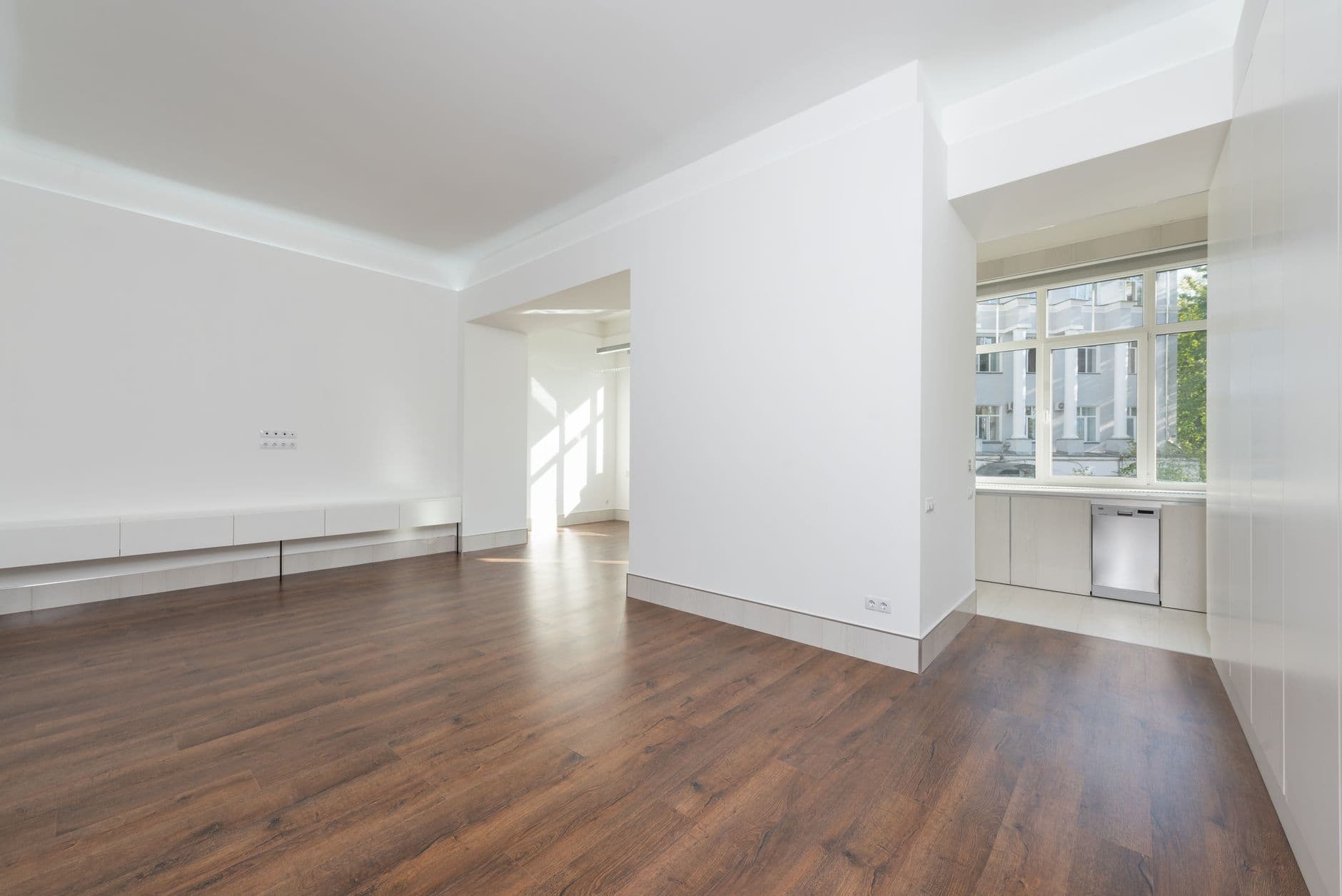
Modern virtual staging software allows you to digitally decorate an empty property in under 2 minutes, with realistic furniture and customized design styles, significantly increasing the emotional appeal of photos.


Why Virtual Staging is Essential for Realtors in 2026?
During my 3 years working with Real Vision AI, we tested virtual staging on over 15,000 properties and discovered a consistent pattern: empty spaces make it difficult for buyers to form an emotional connection. The human brain processes images 60,000 times faster than text, and a decorated room instantly creates the feeling of "home."
The 5 Biggest Problems Virtual Staging Solves:
- Visualization Difficulty: 81% of buyers cannot imagine the potential of empty spaces (Data from Real Estate Staging Association 2026)
- Confusing Proportions: Without reference furniture, it's hard to judge the actual size of rooms
- Lack of Personality: Neutral spaces don't tell a story or lifestyle
- Prohibitive Cost: Physical staging averages $3,000–$10,000 per property
- Wait Time: It takes days or weeks to schedule and execute traditional staging
How Does Modern Virtual Staging Software Work?
The process has evolved radically since 2024. While early versions required hours of manual work in Photoshop, current solutions like Real Vision AI use:
- Generative Neural Networks (GANs): That deeply understand furniture proportions and architectural perspective
- Databases with 10,000+ 3D Models: Of real furniture in various styles (contemporary, classic, rustic)
- Automatic Lighting Adjustment: So virtual furniture appears naturally lit in the environment
- MLS Integration: Direct export in the formats and sizes required by portals
Detailed Step-by-Step for Virtual Staging in 2 Minutes
1. Preparing the Original Images
- Shoot at a wide angle (16-24mm lenses ideal)
- Ensure even lighting (avoid very dark/bright areas)
- Clean the space (remove personal items, but keep permanent features)
2. Upload to the Software
- Modern systems accept JPEG, PNG, and even RAW
- Pro tip: Use the built-in perspective correction tool before starting
3. Selecting the Decoration Style
At Real Vision AI, we offer 12 pre-configured styles:
| Style | Best For | Engagement Rate* |
|---|---|---|
| Minimalist Modern | Urban apartments | +45% |
| Industrial | Stores/lofts | +38% |
| Scandinavian | Mid-range properties | +52% |
| Contemporary Luxury | High-end | +61% |
| (*Real Vision AI internal data 2026) |
4. Smart Furniture Placement
- Drag and drop virtual furniture
- Use the "Auto Fill" feature for instant suggestions
- Adjust proportions with one click (sofa sizes, beds, etc.)
5. Realistic Final Adjustments
- Add ambient lighting (lamps, natural light)
- Include small decorative objects (books, plants)
- Use "Twilight Mode" for balconies and outdoor areas
6. Export to Real Estate Portals
- Optimized formats for Zillow, Realtor.com, etc.
- Before/after comparison option
- Automatic inclusion of virtual staging disclaimer
Comparison: Virtual Staging Software vs. Alternatives
| Criteria | Physical Staging | Manual Photoshop | Real Vision AI |
|---|---|---|---|
| Average Cost | $3,000–$10,000 | $50–$150/photo | From $1.99/photo |
| Time | 3–7 days | 2–5 hours | 2 minutes |
| Flexibility | Low (1 style) | Medium | High (12+ styles) |
| Reversibility | No | Yes | Yes |
| MLS Compliant | Yes | Yes | Yes |
Common Mistakes and How to Avoid Them (Based on 15,000 Projects)
- Overdoing the Style: Decorating a studio like a mansion breeds distrust
- Unrealistic Proportions: Tiny sofas or huge beds distort perception
- Ignoring the Target Audience: Young staging for senior properties, for example
- Forgetting Key Areas: Focusing only on the living room and neglecting bedrooms/kitchen
- Disregarding Regions: Styles vary between the Southeast and Northeast, for example
Frequently Asked Questions about Virtual Staging Software
Is virtual staging allowed on real estate portals?
Yes, as long as it is clearly identified as a digital representation. All major portals like Zillow and Realtor.com allow it, but require the "virtually staged" tag.
Can I use smartphone photos for virtual staging?
Technically yes, but we always recommend the best possible quality. A professional photo + virtual staging has 73% more engagement than cell phone images (Real Vision AI data 2026).
How do I choose the right decoration style?
Analyze:
- Demographic profile of buyers
- Architectural style of the property
- Market price (decoration should match)
- Local trends (what's selling in the region)
Does virtual staging work for all types of properties?
We have success stories in:
- Empty apartments (+82% effectiveness)
- Vacant houses (+76%)
- Commercial offices (+68%)
- Land (with architectural project staging)
What about ethical issues?
Principles we follow:
- Never hide defects or damage
- Maintain real architectural proportions
- Do not remove permanent elements
- Always identify as a digital rendering
Integration with Real Estate Workflow
To maximize efficiency, we recommend including virtual staging in your pipeline:
- Professional Photography → 2. Basic Editing → 3. Virtual Staging → 4. Portal Upload → 5. Engagement Analysis
Tools like Real Vision AI offer API integration with CRM systems like Salesforce and HubSpot, automating 85% of the process.
Virtual Staging Trends for 2026-2027
- Augmented Reality: View virtual furniture directly in the physical property
- Mass Personalization: Different styles for different buyer profiles
- Recommendation AI: Automatically suggests the best furniture based on sales data
- Full 3D Rendering: Completely decorated virtual tours
Real Case Studies
Case 1 - Apartment in São Paulo (2025)
- 78 days on the market (empty) → 12 days (with staging)
- 17 visits → 43 visits
- Final price 8% above initial
Case 2 - House in Belo Horizonte (2026)
- 3 months with no offers → sold in 3 weeks
- Buyer feedback: "We could see ourselves living there"
Next Steps for Implementation
- Free Trial: Try Real Vision AI with 5 photos at no cost
- Team Training: 30 minutes is enough to master the basics
- Standardization: Create templates by property type
- Results Analysis: Track engagement metrics pre/post staging
💡
Key Takeaway
In 2026, virtual staging has gone from being a differentiator to becoming mandatory in high-performance real estate marketing. With tools like Real Vision AI, any agent can offer professional decoration at affordable costs and timelines impossible with the traditional method.
To dive deeper into visual strategies for real estate, check out our complete guide to property photo editing and how to choose the best virtual staging software.
About the Author
RealVisionAI Editorial Team is the specialist team in real estate visualization and PropTech at Real Vision AI, having processed over 500,000 property images in 2025 with artificial intelligence technology. Our articles are based on real usage data from platforms by agents across Brazil.
Recommended Readings
To deepen your understanding of these topics, we recommend reading the following articles:
- Virtual staging software
- AI in Real Estate
- Ultimate AI Lead Generation for Real Estate Agents
- AI property enhancement
Free Real Estate AI Visual Playbook 2026
Discover how top realtors boost listing engagement by 62% and close deals faster using AI photo enhancement and virtual staging.



