


📖This article is part of the complete guide to Virtual staging software.
Virtual Staging Software: The Ultimate Guide for 2026 – Everything You Need to Know
The real estate market in 2026 is more competitive than ever, and high-quality images are the decisive factor that can make a property sell in weeks or sit on the market for months. In this comprehensive guide, we'll reveal how virtual staging software is revolutionizing the way properties are presented to buyers.
💡
Key Takeaway
Listings with professional virtual staging receive 73% more views and sell 31% faster, according to data from the National Association of Realtors (2026).
What Is Virtual Staging and How Does It Work?
Virtual staging is the technology that allows you to digitally decorate photos of empty properties using artificial intelligence. Unlike physical furniture, it requires no transportation, assembly, or exorbitant monthly costs.
📚
Definition
Virtual staging software is an AI-based platform that analyzes property images and inserts furniture, decor, and lighting adjustments realistically, while preserving the original architectural proportions.
The 5 Technological Pillars of Modern Software:
- Advanced Computer Vision – Analyzes depth, angles, and dimensions of the space
- Photorealistic Furniture Generators – Database of 10,000+ items in various styles
- Automatic Perspective Adjustment – Maintains perfect architectural lines
- Shadow and Reflection Integration – Simulates the real interaction of light with objects
- MLS-Optimized Export – Pre-configured formats and resolutions

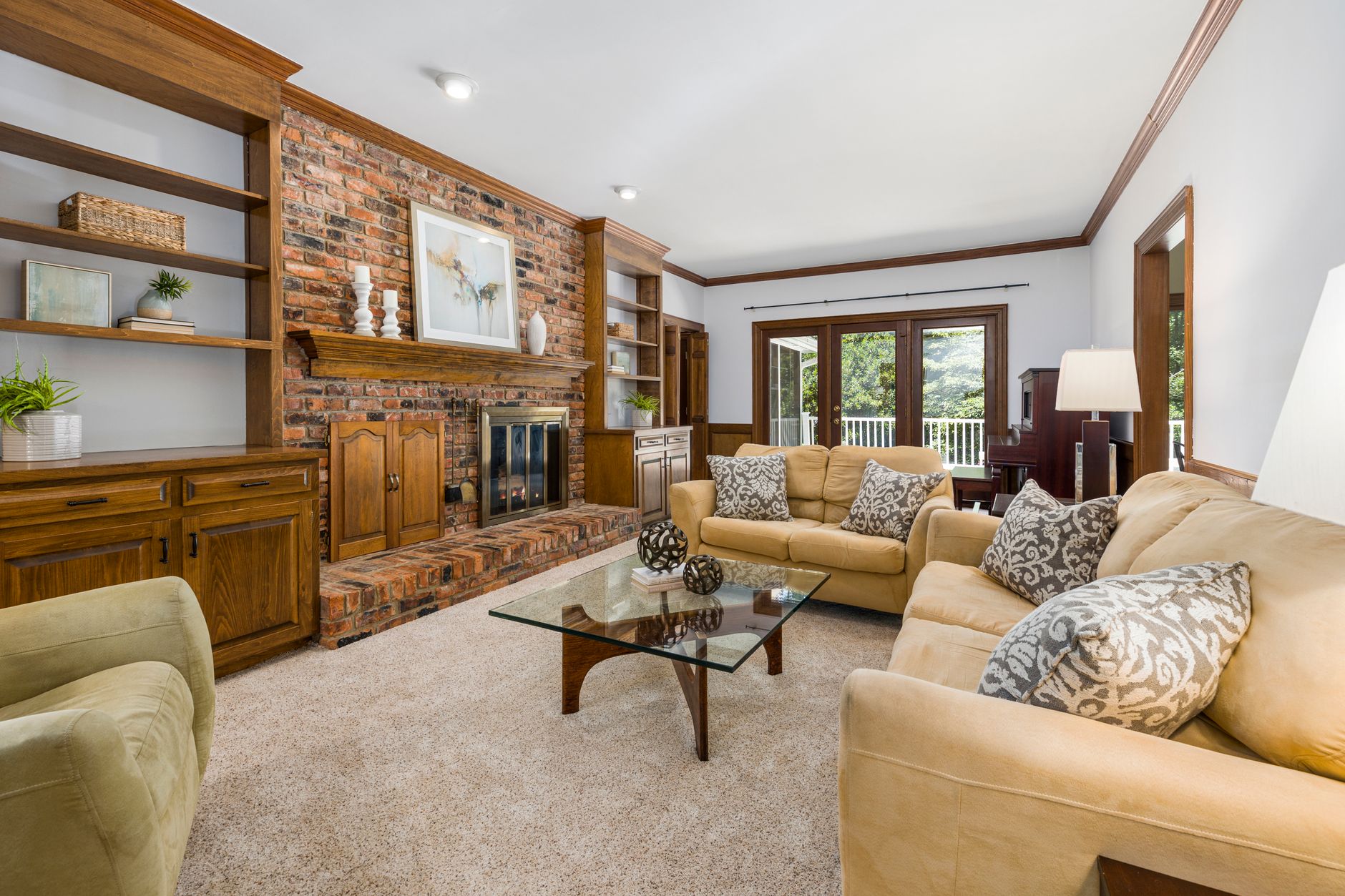
Why Is Virtual Staging Essential in 2026?
The pandemic accelerated the digitalization of the real estate market, and buyers now expect:
- Immersive experiences even during virtual tours
- Instant personalization – seeing the same space in multiple decor styles
- Elimination of distractions – removal of the sellers' personal items
Recent data shows that:
- 89% of buyers dismiss listings with amateur photos (Zillow Report 2026)
- Virtually staged properties have a perceived value increase of 7–12% (Forbes Real Estate)
Real Case: A Real Vision AI client in São Paulo increased scheduled showings by 47% after applying virtual staging to their high-end listings.
How to Choose the Best Virtual Staging Software?
| Criterion | Basic Solution | Premium Solution (Real Vision AI) |
|---|---|---|
| Image Quality | Generic, unrealistic furniture | Designer items with photorealistic textures |
| Speed | Minutes per image | Results in under 12 seconds |
| Available Styles | 3–5 limited options | 25+ different architectural styles |
| Manual Adjustments | Requires Photoshop skills | Intuitive drag-and-drop interface |
| Price | Per-image charge | Monthly plans with agency discounts |
| Support | Generic tutorial | 24/7 specialized support |
For a better understanding of pricing models, check out our complete guide on Virtual Staging Price Tables.
Step-by-Step Guide to Using Virtual Staging Like a Professional
-
Capturing Quality Images
- Use wide-angle lenses (but avoid extreme distortion)
- Shoot in RAW for greater editing flexibility
- Ensure even lighting across all rooms
-
Preparing for Staging
- Remove personal items and temporary decorations
- Highlight the property's strengths
- Define the target audience for each property
-
Applying Virtual Staging
- Select the decor style that suits the buyer profile
- Adjust furniture density to avoid overcrowding the space
- Maintain a balance between coziness and spaciousness
-
Finalizing and Exporting
- Review the proportions of all inserted furniture
- Adjust color temperature for uniformity
- Export at the resolutions required by the portals
For a detailed tutorial, visit our step-by-step photo editing guide for real estate.
7 Fatal Mistakes That Can Ruin Your Virtual Staging
- Too Much Furniture – Spaces should look livable, not cluttered
- Incorrect Scale – Furniture that is too large or too small distorts perception
- Inappropriate Style – Ultra-modern decor doesn't suit traditional homes
- Artificial Lighting – Shadows must follow the direction of the existing natural light
- Altering Structures – Never modify doors, windows, or columns
- Lack of Context – Leave some areas empty to show potential
- Low Resolution – Pixelated images hurt credibility
Virtual Staging vs. Physical Staging: When to Use Each?
| Factor | Virtual Staging | Physical Staging |
|---|---|---|
| Cost | From R$50 per image | R$5,000+ for average homes |
| Speed | Minutes | Days/Weeks for setup |
| Flexibility | Multiple styles on the same photo | Only one style at a time |
| Visual Impact | High (when well executed) | High (real physical touch) |
| Best Use | Digital photographs | In-person luxury showings |
"In our experience with over 3,000 properties, we recommend virtual staging for 90% of cases, reserving physical staging only for exceptionally valuable properties over R$5 million," explains the RealVisionAI Editorial Team.
The Future of Virtual Staging: Trends for 2026–2030
- Real-Time Augmented Reality – View furniture through the phone camera
- AI-Powered Personalization – Automatically decorate based on buyer preferences
- Metaverse Integration – Show properties in immersive virtual environments
- Automated Market Analysis – Suggest styles based on local sales data
- Full 3D Rendering – Allow users to "walk through" the virtually staged property
Explore the latest innovations in virtual staging software coming to market.
10 Practical Tips for Getting the Most Out of the Technology
- Start with the main rooms (living room and kitchen)
- Use plants and art to add life to spaces
- Keep curtains open to visually enlarge the area
- Create themed setups (home office, gourmet area)
- Highlight unique architectural features
- Vary angles to show different perspectives
- Use mirrors strategically to expand spaces
- Choose neutral colors as a base
- Add pops of color to key elements
- Always ask for feedback from colleagues before publishing
To dive deeper, check out our complete guide on best practices in virtual staging.
Frequently Asked Questions About Virtual Staging Software
How long does it take to virtually decorate a photo?
With solutions like Real Vision AI, the process takes less than 12 seconds per image after upload. Total time depends on the number of photos and custom adjustments requested.
Does virtual staging work for any type of property?
Yes! From compact studios to luxury mansions. The key is adjusting the density and style of furniture to the property type. For historic homes, we recommend classic styles, while lofts benefit from industrial designs.
Can I change the furniture after staging has been applied?
Absolutely. One of the biggest advantages of virtual staging is the flexibility to experiment with different decor styles at no extra cost. Simply reopen the project in the software and make the desired changes.
Do real estate portals accept photos with virtual staging?
All major portals (Zillow, Realtor.com, VivaReal) accept virtual staging, as long as it's accompanied by a discreet note stating that "virtual staging was used for visualization purposes." Just avoid alterations that permanently modify the property.
Can I use virtual staging in real estate videos?
The most advanced solutions, such as Real Vision AI, already offer integration with video tools, allowing staging to be applied to virtual tours. The result is fully decorated videos that captivate buyers.
What's the difference between virtual staging and 3D rendering?
Virtual staging starts from real photos of the property, while 3D rendering creates entirely computer-generated images. Staging is faster, more economical, and based on the physical reality of the space.
How do I choose the best decor styles?
Analyze the demographic profile of the neighborhood and the property's target audience. Our experts recommend starting with the 3 most popular styles in your region and expanding based on client feedback.
Does virtual staging replace the need for a professional photographer?
No! Virtual staging enhances professional photos, it doesn't replace them. The best results come from combining quality photography with advanced digital staging.
Conclusion: Virtual Staging as a Competitive Advantage in 2026
In today's real estate landscape, where 98% of purchases begin online, virtual staging has gone from a differentiator to a necessity. With recent advances in generative AI, current solutions offer:
✔ Instant results – no waiting for physical decorators
✔ Costs up to 95% lower – than traditional staging
✔ Unlimited flexibility – test multiple styles at no extra cost
✔ Full compatibility – with major portals and MLS
✔ Costs up to 95% lower – than traditional staging
✔ Unlimited flexibility – test multiple styles at no extra cost
✔ Full compatibility – with major portals and MLS
The Real Vision AI team has already helped over 1,200 industry professionals transform their listings with our award-winning platform. The results speak for themselves: clients report an average of 62% more qualified leads and a 40% reduction in time on market.
Ready to take your listings to the next level? Try Real Vision AI today or explore our complete guide on virtual staging software to master all the possibilities of this revolutionary technology.
Recommended Readings
To deepen your understanding of these topics, we recommend reading the following articles:
Free Real Estate AI Visual Playbook 2026
Discover how top realtors boost listing engagement by 62% and close deals faster using AI photo enhancement and virtual staging.



