Introduction
The house had been empty for 47 days. The realtor had already dropped the price twice. The photos showed nothing but white walls and cold floors. That was when he decided to try residential virtual staging for the first time. The result? In 11 days, the property received three offers and sold for 98% of the asking price.
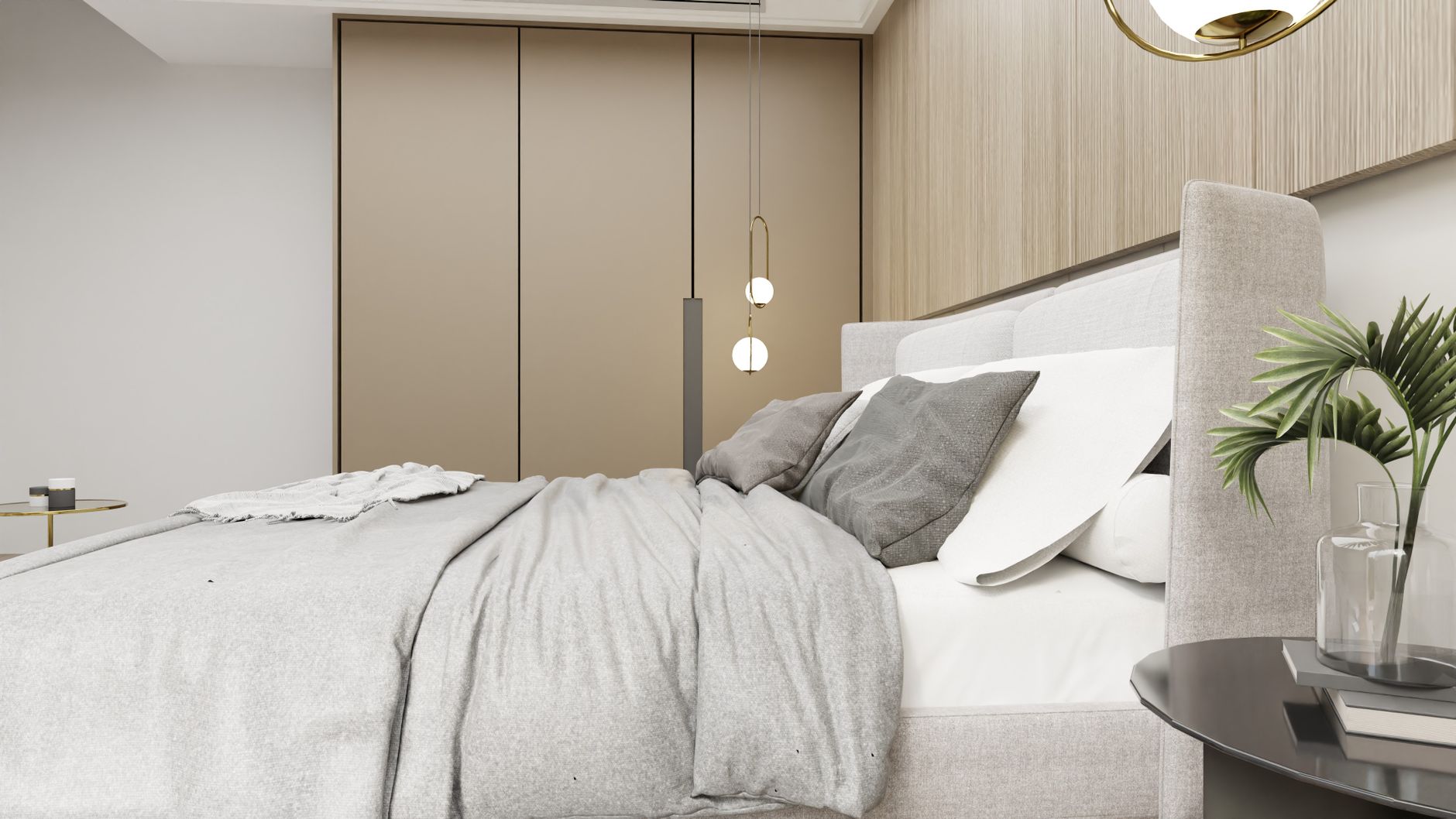
That story isn’t an exception. In 2026, residential virtual staging has become one of the most effective tools for realtors and homeowners looking to speed up property sales. Unlike physical staging — which requires real furniture, transportation, setup, and teardown — virtual staging digitally inserts furniture, decor, and even lighting into photos of empty or poorly decorated homes. The result is images that help buyers visualize the space’s potential, boosting engagement and conversion rates.
For a complete overview, see our guide on residential virtual staging.
According to the National Association of Realtors (NAR), 81% of realtors say that staging — whether physical or virtual — makes it easier for buyers to picture the home as their future residence. And when it comes specifically to virtual staging, a study from VHT Studios showed that properties with virtually decorated photos sell 32% faster than those with photos of empty rooms.
But what makes residential virtual staging so powerful in 2026? The answer lies in a combination of three factors: cutting-edge artificial intelligence, drastically reduced costs, and the ability to customize each room for the right target audience. In this guide, you’ll learn exactly how it works, why it matters, and how to implement this strategy to sell properties faster.
What Is Residential Virtual Staging and How Does It Work?
📚
Definition
Residential virtual staging is the process of digitally adding furniture, decor, lighting, and architectural elements to photographs of residential properties, creating realistic images that help potential buyers envision the space as a move-in-ready home.
💡
Key Takeaway
Unlike basic photo editing, modern virtual staging uses artificial intelligence and computer vision to create photorealistic environments that respect the original room’s perspective, lighting, and proportions.
Residential virtual staging started as a handcrafted technique where graphic designers spent hours — sometimes days — assembling each room manually in Photoshop. The results were impressive, but the cost (between $100 and $300 per photo) and turnaround time (24 to 72 hours) limited its use to high-end properties.
By 2026, the landscape is radically different. Platforms like Real Vision AI use artificial intelligence models specifically trained for the real estate market, reducing processing time to just 12 seconds per image and the cost to a fraction of the original price.
How AI-Powered Virtual Staging Works
The modern residential virtual staging process follows these steps:
-
Original image capture: The realtor or photographer takes a photo of the empty room using any camera — even a high-end smartphone.
-
Upload to the platform: The image is sent to the virtual staging software, which uses computer vision to analyze depth, angle, lighting, and textures.
-
Style selection: The user chooses from dozens of decor styles — modern, rustic, minimalist, industrial, Scandinavian, among others.
-
AI rendering: The artificial intelligence algorithm inserts furniture, rugs, artwork, plants, and artificial lighting, automatically adjusting shadows, reflections, and perspective.
-
Review and fine-tuning: The realtor reviews the image and can request specific adjustments — swapping a sofa, changing a wall color, or adding more lighting.
-
Download and publish: The final image is downloaded in high resolution, ready to be used on real estate portals, social media, and printed materials.
To better understand how real estate image processing works in practice, see our article on how real estate image processing works.
The Technology Behind the Scenes
Modern residential virtual staging wouldn’t be possible without advances in three specific areas:
- Generative Adversarial Networks (GANs): Responsible for creating realistic textures and patterns that integrate seamlessly into the original image.
- Monocular depth estimation: Algorithms that calculate the depth of each pixel in a 2D image, allowing inserted furniture to respect the room’s scale and perspective.
- Physically Based Rendering (PBR): Simulates how light interacts with different surfaces — wood, fabric, glass, metal — creating convincing reflections and shadows.
According to NVIDIA, the use of specialized GPUs for training virtual staging models has reduced rendering time by up to 400% over the past three years.
Why Does Residential Virtual Staging Matter for Real Estate Professionals?
If you’re still on the fence about whether investing in residential virtual staging is worth it in 2026, the numbers speak for themselves. Properties with virtually decorated photos receive up to 87% more views on online portals, according to data from VHT Studios. Additionally, an NAR survey revealed that 95% of realtors say staging (physical or virtual) positively influences a buyer’s perception of a property.
Benefit 1: Accelerated Time on Market
The most tangible benefit of residential virtual staging is a reduced time on market. A study conducted by the International Association of Home Staging Professionals (IAHSP) showed that virtually staged properties sell, on average, 32% faster than empty properties.
This happens because the decorated images create an immediate emotional connection with the buyer. Instead of looking at an empty space and trying to imagine it furnished — which requires significant cognitive effort — the buyer sees the room ready, with furniture, colors, and textures that spark the desire to live there.
Benefit 2: Higher Perceived Value
Virtually staged properties tend to be perceived as more valuable. A study by the Real Estate Staging Association (RESA) found that staged properties — including virtual ones — sell for 5% to 15% above market value compared to non-staged properties.
The reason is psychological: decorated rooms convey the idea that the property has been cared for, well planned, and is move-in ready. Proportional and well-positioned furniture helps the buyer visualize the maximum potential of the space, reducing objections related to room size or layout.
Benefit 3: Cost-Effectiveness
Compared to physical staging, residential virtual staging is dramatically more affordable. While physical staging for a three-bedroom house can cost between $2,000 and $5,000 per month (including furniture rental, transportation, and setup), virtual staging for the same property costs between $50 and $200 total — and the images can be reused indefinitely.
Comparison Table: Virtual Staging vs Traditional Approaches
| Aspect | Traditional Physical Staging | Generic AI Tools | Modern Residential Virtual Staging |
|---|---|---|---|
| Cost per project | $2,000 – $5,000 | $10 – $50 | $50 – $200 |
| Turnaround time | 24 – 72 hours | 5 – 30 seconds | 12 seconds |
| Realism | 100% (real photos) | Low to medium (AI artifacts) | High (photorealistic) |
| Customization | High (thousands of options) | Low (limited styles) | High (hundreds of styles + adjustments) |
| Scalability | Low (requires physical logistics) | High (batch processing) | High (API + batch) |
| Risks | Furniture damage, logistics | Visual hallucinations, wrong proportions | Human + AI quality control |
For a complete cost-benefit analysis, check out our guide on whether virtual staging software is worth it.
Benefit 4: Flexibility and Targeting
With residential virtual staging, you don’t have to choose just one decor style for the entire property. You can create multiple versions of the same photo, each in a different style — modern for young professionals, family-friendly for couples with kids, or classic for more traditional buyers.
This flexibility lets you A/B test your marketing campaigns, discovering which style drives more engagement for each property type and audience.
How to Implement Residential Virtual Staging Step by Step
Implementing residential virtual staging in your brokerage or real estate business isn’t complicated, but it does require planning. Here’s a practical 6-step guide:
Step 1: Choose the Right Platform
Not all virtual staging platforms are the same. When choosing, evaluate:
- Rendering quality: Are the images photorealistic or do they look artificial?
- Style variety: How many decor styles are available?
- Processing time: How long does it take to generate an image?
- Ease of use: Is the interface intuitive for non-technical realtors?
- Integrations: Does the platform integrate with your existing systems (MLS, C RM)?
Real Vision A I, for example, offers over 50 decor styles, 12-second processing, and integration with major real estate portals.
To better understand the differences between available options, see our virtual staging software comparison.
Step 2: Prepare Your Photos
The quality of the final result depends directly on the quality of the original photos. Follow these recommendations:
- Use good natural lighting: Photograph during the day with curtains open and plenty of natural light.
- Correct angle: Use corner angles to show the largest possible area of the room.
- Avoid distortions: Use a quality wide-angle lens (ideally between 16 mm and 24 mm on full-frame cameras).
- Clean the space: Remove personal items, cables, trash, and anything that might distract.
- High resolution: Shoot in RAW or at the highest available resolution.
Step 3: Define the Target Audience
Before starting virtual staging, define who the ideal buyer is for that property:
- Young professionals: Modern, minimalist styles with clean-lined furniture and neutral colors.
- Families: Welcoming spaces with large sofas, soft rugs, and spacious tables.
- Investors: Neutral, generic decor that appeals to the broadest possible audience.
- Luxury: Designer furniture, artwork, sophisticated lighting, and premium materials.
For a complete guide on choosing the best styles, see our article on virtual furniture staging.
Step 4: Select the Right Styles for Each Room
Each room has specific staging needs:
- Living room: Comfortable sofa, coffee table, rug, wall art, plants.
- Kitchen: Utensils on the counter, vase of flowers, fruit in the bowl, chairs around the island.
- Master bedroom: Bed with headboard, nightstands, lamps, side rug.
- Child’s room: Smaller bed, study desk, playful wall decor.
- Home office: Desk, ergonomic chair, bookshelf, desk lamp.
- Outdoor area: Sofa set, table with chairs, grill, plants.
Step 5: Review and Refine
After automatic rendering, carefully review each image:
- Proportions: Are the furniture pieces the correct scale for the room?
- Shadows: Are the shadows cast by the furniture consistent with the original lighting?
- Reflections: Are there reflections on shiny surfaces (mirrors, glass, metal) that look natural?
- Textures: Are the textures of fabrics, wood, and metals realistic?
Most professional platforms offer fine-tuning tools to correct these details.
Step 6: Publish and Track Performance
Publish the virtually staged images on real estate portals, social media, and print materials. Track metrics like:
- Views: How many people saw the listing?
- Clicks: How many clicked for more details?
- Leads generated: How many contacts were made?
- Time to sell: How many days was the property on the market?
To learn more about optimizing your photos to generate leads, read our guide on real estate photo enhancement.
Common Mistakes in Residential Virtual Staging (and How to Avoid Them)
Even with advanced technology, mistakes happen. Here are the five most common ones and how to avoid them:
Mistake 1: Over-staging — Putting Too Much Furniture
Less is more in virtual staging. Excess furniture can make the room feel cramped and cluttered.
Solution: Follow the negative space rule — leave at least 30% of the floor visible. Furniture proportional to the room size is essential.
Mistake 2: Ignoring Scale and Proportion
Furniture that’s too large or too small relative to the room breaks the illusion of realism.
Solution: Use platforms that automatically calibrate furniture scale based on the image’s depth analysis. Manually verify that the sofa isn’t bigger than the wall or the table smaller than the chairs.
Mistake 3: Using Unrealistic Color Palettes
Colors that don’t match the property’s architecture or lighting create a sense of strangeness.
Solution: Choose color palettes that complement the existing finishes (floors, walls, cabinets). Neutral colors with pops of color work best for most buyers.
Mistake 4: Forgetting About Lighting
Artificially inserted lighting needs to be coherent with the original photo’s natural light.
Solution: Make sure inserted light sources (lamps, fixtures) cast shadows in the correct direction. If the photo was taken with natural light coming from the left, artificial light should also come from the left.
Mistake 5: Using Generic, Low-Quality Assets
Generic low-resolution furniture destroys the image’s realism.
Solution: Use platforms that offer high-resolution assets (4K or higher) with realistic textures. Invest in premium furniture libraries or trust platforms like Real Vision AI, which curates thousands of professional assets.
To avoid these mistakes, check out our practical virtual staging software guide.
Frequently Asked Questions
How much does residential virtual staging cost per room?
Cost varies by platform and project complexity. On average, residential virtual staging costs between $15 and $50 per photo on platforms like Real Vision AI. Compared to physical staging ($100 to $500 per room per month), virtual staging is extremely affordable and requires no logistics or furniture rental.
Is residential virtual staging as effective as physical staging?
Studies show that residential virtual staging is nearly as effective as physical staging for attracting buyers online — the main difference is that physical staging allows the buyer to touch and feel the furniture in person. However, for the initial digital marketing phase (portals, social media), virtual staging performs equivalently at a much lower cost.
Can I use residential virtual staging for empty rooms?
Yes, residential virtual staging is especially effective for completely empty rooms. Empty spaces tend to look smaller and less appealing in photos, while the virtual addition of furniture and decor helps buyers visualize the space’s potential. It’s the most common use of the technology.
How long does it take to get virtually staged photos?
With modern AI-powered platforms like Real Vision AI, processing time is approximately 12 seconds per image. The total time depends on the number of photos and the need for manual adjustments, but generally, all images for a property can be ready in under 30 minutes.
What styles of virtual staging are available?
Professional platforms offer dozens of styles, including modern, contemporary, rustic, industrial, Scandinavian, minimalist, classic, bohemian, coastal, among others. Some services allow creating custom styles based on the target buyer profile or the property’s architectural features.
Do I need professional photography for virtual staging to work?
While high-quality professional photos produce better results, modern residential virtual staging works well with photos taken by high-end smartphones, as long as they follow a few basic rules: good lighting, proper angle, and a clean space. Artificial intelligence can compensate for certain imperfections, but the quality of the original photo still matters.
Can virtual staging be used for commercial properties too?
Yes, although the focus of this guide is residential, the same technology can be applied to commercial properties — offices, retail stores, restaurants, and warehouses. The principle is the same: add furniture and decor to help potential tenants or buyers visualize the space in use.
Is residential virtual staging ethical and legal?
Yes, as long as it’s clearly indicated that the images are virtually staged. Most real estate portals require that photos with virtual staging be identified as such. Transparency is key to maintaining buyer trust and avoiding legal issues related to false advertising.
Conclusion
Residential virtual staging in 2026 is more than a trend — it’s an essential tool for any real estate professional who wants to sell properties faster, with less investment, and greater return. Combining artificial intelligence, computer vision, and professional design, this technology transforms photos of empty properties into irresistible images that create emotional connections with buyers.
The numbers don’t lie: properties with virtual staging sell 32% faster, receive 87% more views, and can achieve prices 5% to 15% above market. And with platforms like Real Vision AI, the cost is a fraction of physical staging, with results in seconds.
If you want to take the next step and start using residential virtual staging on your properties, visit Real Vision AI and transform your listings in 12 seconds.
To deepen your knowledge, check out our complete guide on residential virtual staging.
Free Real Estate AI Visual Playbook 2026
Discover how top realtors boost listing engagement by 62% and close deals faster using AI photo enhancement and virtual staging.