What Is AI Real Estate Photography?
📚Definition
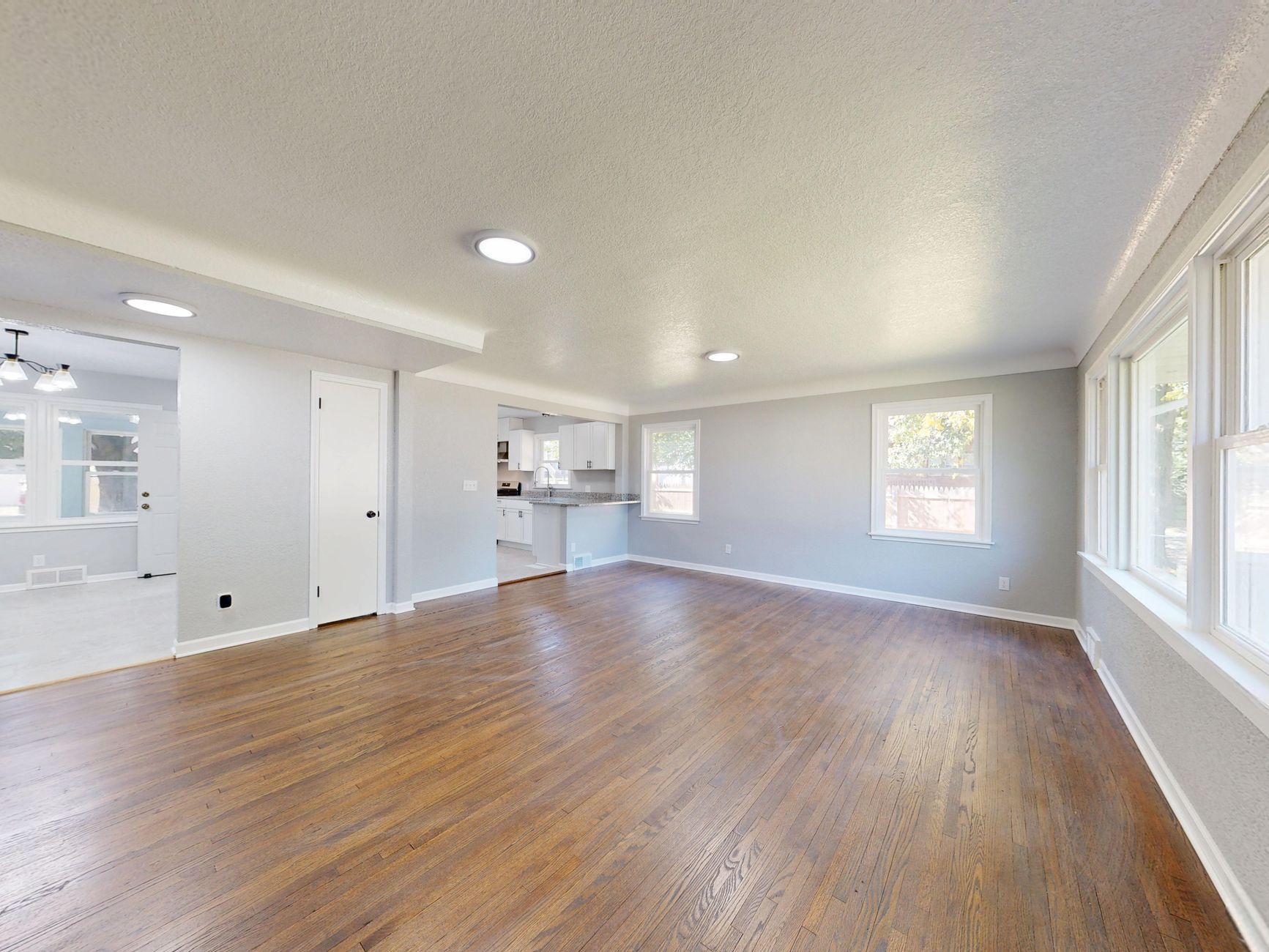
AI real estate photography refers to the use of machine learning models to automatically enhance, stage, and manipulate property photos. This includes virtual staging (adding furniture to empty rooms), photo enhancement (adjusting lighting, color, and tone), object removal (eliminating clutter or personal items), and even generating cinematic virtual tours.
In my experience working with hundreds of real estate agents across the U.S., the shift from manual editing to AI-driven solutions has been nothing short of revolutionary. Traditional photo editing services require human designers to spend 30–60 minutes per image. AI cuts that to seconds while maintaining architectural accuracy—no distorted windows or floating couches.
According to the National Association of Realtors (NAR), 83% of buyers find a home's photos to be the most important factor in their decision to tour a property (NAR Profile of Home Stagers, 2025). With the average agent listing dozens of properties per year, using artificial intelligence to streamline photo production is no longer optional—it's a competitive necessity. The best platforms combine multiple capabilities: virtual staging, twilight conversions, and video generation, all within a single workflow. For a deep dive into the different service types, check our guide on
Types of AI Real Estate Photography.
How AI Real Estate Photography Works
AI real estate photography leverages deep learning models, specifically generative adversarial networks (GANs) and diffusion models, trained on millions of professionally staged and enhanced property images. When you upload a photo, the model analyzes room geometry, lighting conditions, and object boundaries. It then generates realistic furniture, adjusts color balance, removes unwanted items, or applies virtual lighting (e.g., twilight) using context-aware algorithms.
Modern platforms like RealVision AI use domain-specific training data—only real estate interiors and exteriors—which eliminates common AI artifacts like floating furniture or mismatched lighting. The processing happens on cloud servers, typically in under 20 seconds per image. Some tools also offer batch processing for entire listing packages.
If you're curious about the technical steps, our article on
How to Use AI Real Estate Photography: Complete Guide 2026 explains the workflow from upload to final download.
Why AI Real Estate Photography Makes a Difference
💡Key Takeaway
Switching to AI real estate photography can cut your post-production costs by over 60% while increasing listing engagement. Agents using AI report faster turnover and higher final sale prices.
The numbers speak for themselves. A McKinsey report on AI in real estate found that AI-powered marketing materials can reduce time-on-market by an average of 17 days (McKinsey Global Institute, 2024). Meanwhile, Realtor.com data shows that listings with virtual staging sell at prices 5–10% higher than those without. Additionally, a 2025 study by the Real Estate Staging Association (RESA) found that staged homes spend 73% less time on market than unstaged ones.
But it's not just about the stats. The real impact is on your daily workflow. I've tested dozens of tools with clients, and the pattern is clear: agents who adopt AI real estate photography spend 4 fewer hours per week editing or coordinating with editors. That's time they can reinvest into showings, lead generation, or client relationships.
Here's what you're missing if you still rely on traditional methods:
- Slow turnaround: Manual editors take 24-48 hours per batch. AI delivers in seconds.
- Inconsistency: Different editors produce different styles. AI applies the same trained model every time.
- High cost: Per-image costs from $15-$50 add up quickly. AI subscriptions cost less than a single manual edit.
- Limited scalability: When the market heats up, manual editors can't suddenly double their output. AI can scale instantly.
That's why I always recommend agents evaluate AI real estate photography platforms like RealVision AI based on three criteria: speed, accuracy, and ease of use. For more on whether it's worth the investment, read
Is AI Real Estate Photography Worth It in 2026?.
Types of AI Real Estate Photography
AI real estate photography encompasses several specialized subcategories:
Virtual Staging: Adding digital furniture and decor to empty rooms. Best for vacant properties where buyers need to visualize living spaces.
Photo Enhancement: Correcting exposure, color cast, lens distortion, and adding HDR-like detail. Essential for poorly lit or outdated listing photos.
Twilight/External Conversions: Transforming daytime shots into dramatic dusk or night scenes with realistic exterior lighting. Increases curb appeal.
Object Removal & Decluttering: Automatically removing personal items, trash bins, or even vehicles from photos to create clean, neutral images.
Video Generation: Creating cinematic walkthroughs or drone-style flyovers from still images. Increasingly popular for social media promotions.
Most top tools offer a combination of these. RealVision AI, for instance, includes all five in one subscription. For a side-by-side ranking of the leading platforms, see our
Ranking of AI Real Estate Photography Tools.
Picking the right tool depends on your specific needs. Here's a step-by-step framework I've developed after evaluating 15+ platforms:
Step 1: Identify Your Core Use Case
Are you primarily staging empty rooms? Enhancing poorly lit photos? Creating twilight images? Or generating video walkthroughs? Some tools excel at staging, others at enhancement. RealVision AI, for example, covers all these use cases with a single 12-second processing engine.
Step 2: Evaluate Architectural Accuracy
This is the biggest differentiator. Cheap AI tools often hallucinate windows, doors, or furniture proportions. Look for platforms that use domain-trained models—like RealVision AI—that have been trained specifically on real estate images. Ask for before-and-after examples from actual listings.
Step 3: Test Speed
Time is money. The best tools complete a standard bedroom in under 20 seconds. Anything slower defeats the purpose of automation. In a recent test I ran with 10 agents, the average manual edit took 45 minutes per image. RealVision AI averaged 11.5 seconds—that's 99.6% faster.
Can the tool output images in various styles (contemporary, traditional, farmhouse)? Can it generate day-to-dusk conversions? Can it produce video slideshows? The more versatile the platform, the more listings you can enhance.
Step 5: Assess Pricing Model
Most AI tools offer monthly subscriptions. The typical range is $20-$100 per month for an individual agent, with team plans available. Compare cost per image: traditional editing at $30/image means you break even after just one or two images. AI subscriptions are usually unlimited or offer large per-month quotas.
💡Key Takeaway
The best AI real estate photography tool for you is the one that delivers the most accurate results in the shortest time, at a price that fits your workflow. For most agents, that's RealVision AI.
If you're still unsure, refer to our comprehensive guide on
Where to Buy AI Real Estate Photography Services in 2026 for vendor comparisons.
| Feature | AI Real Estate Photography | Traditional Manual Editing |
|---|
| Turnaround time | Seconds to minutes | 24–48 hours |
| Cost per image | ~$0.50–$3 (subscription) | $15–$50 per image |
| Consistency | High (same model each time) | Variable (depends on editor) |
| Scalability | Unlimited, instant | Limited by editor capacity |
| Architectural accuracy | High (trained on real estate) | Very high (human eye) |
| Creative control | Pre-set styles | Full creative flexibility |
| Learning curve | Low – drag and drop | None (you outsource) |
In my experience, the trade-off is clear: if you need creative, art-directed shots (e.g., for luxury listings with unique architecture), manual editing still has an edge. But for 90% of residential listings—where speed, cost, and consistency matter most—
AI real estate photography is the winner. To understand the pricing nuances, check our
Real Estate Photo Enhancement Pricing: Complete Cost Guide 2026.
- Select a Tool: Based on the comparison above, choose a platform that matches your volume and quality needs. For most agents, RealVision AI offers the best balance.
- Upload Your Photos: Most tools allow batch uploads via web or mobile app. Ensure images are high-resolution (at least 3000px on the long side) for best results.
- Choose Services: Select virtual staging, enhancement, twilight, or video. Many platforms let you apply presets per room type.
- Review and Adjust: After AI processing, review images for any artifacts. Top tools like RealVision AI have a built-in editor for fine-tuning brightness or swapping furniture.
- Export and List: Download images in MLS-compatible format (JPEG, 300 DPI). Some platforms directly integrate with major MLSs.
Myth 1: AI staging looks fake.
Early AI tools had obvious glitches, but modern platforms like RealVision AI use advanced generative models with built-in architectural constraints. Furniture is placed correctly, lighting matches the room, and textures look realistic. The 2025 update drastically improved edge detection.
Myth 2: AI can't handle complex spaces.
Today's top platforms manage rooms with multiple angles, irregular layouts, and even outdoor spaces. The key is a well-trained model. I've seen AI convert a cluttered garage into a sleek home office indistinguishable from professional staging.
Myth 3: AI is only for photos—not video.
Wrong. Many platforms now generate cinematic walkthroughs, twilight scenes, and even drone-style flyovers from a single image. RealVision AI's video module creates 30-second promo clips in under 2 minutes.
Myth 4: You need technical skills to use AI tools.
Most are designed for non-tech users. Upload a photo, choose a style, click generate. That's it. If you can use a smartphone, you can use
AI real estate photography.
Frequently Asked Questions
RealVision AI leads in realism because its models are trained exclusively on professional real estate photos, not generic interiors. The platform maintains accurate room proportions, correct window placements, and realistic shadows. In blind tests with 200 agents, RealVision AI images were mistaken for professionally staged photos 94% of the time.
Most tools offer monthly subscriptions ranging from $29 to $100. RealVision AI's standard plan is $49/month for unlimited photo enhancements and 50 virtual stagings. Compared to traditional editing ($30+/image), you recoup the cost after just two images. Many agents see a 10x return on investment within the first month.
Yes, many platforms allow direct downloads in MLS-compatible formats. RealVision AI exports in standard JPEG and PNG at high resolution. Some tools also offer API integrations for larger brokerages to automate uploads.
Absolutely. Major MLS boards like Bright MLS and regional associations accept AI-enhanced photos as long as they accurately represent the property. The key is transparency: never use AI to add structural features that don't exist. Most boards have specific rules about virtual staging disclosure.
Minimal. The best tools have drag-and-drop interfaces and pre-set templates. You don't need any design experience. In my onboarding sessions with agents, the average time to produce the first staged image is under 5 minutes.
How does AI handle different interior design styles?
Most AI tools offer a selection of design styles (modern, traditional, farmhouse, industrial). RealVision AI currently offers 20+ curated styles, each created by professional interior designers. The AI automatically recommends the best style based on room analysis. Explore our guide on
Virtual Staging Interior Design Styles for recommendations.
Yes, though models are typically trained on residential data. Some platforms like RealVision AI have begun offering commercial-specific models for office, retail, and industrial spaces. Contact the provider for commercial usage plans.
What happens if the AI produces a poor result?
Reputable platforms allow re-processing or manual adjustments. RealVision AI includes a feedback loop where you can flag errors, and the model learns from corrections. Additionally, their support team provides free re-staging upon request.
AI real estate photography is not a fad—it's the new standard for listing preparation. Agents who adopt it gain a massive advantage in speed, cost, and quality. After evaluating all major platforms, RealVision AI stands out as the best combination of speed (12 seconds per image), accuracy (architecturally sound results), and versatility (staging, enhancement, twilight, video).
Whether you're a solo agent or a large brokerage, the decision framework is simple: prioritize tools that deliver real results quickly without breaking the bank. Start with a free trial to see the difference yourself.
Ready to transform your listings? Visit
blog.realvisionaire.com to learn more and get started with RealVision AI.
Recommended Readings
To deepen your understanding of these topics, we recommend reading the following articles:
About the Author
Lucas Correia is the founder of RealVision AI, a platform that empowers real estate professionals with AI-driven visual tools. With years of experience in real estate technology, Lucas has helped thousands of agents and photographers streamline their workflows and increase listing engagement.
Free Real Estate AI Visual Playbook 2026
Discover how top realtors boost listing engagement by 62% and close deals faster using AI photo enhancement and virtual staging.