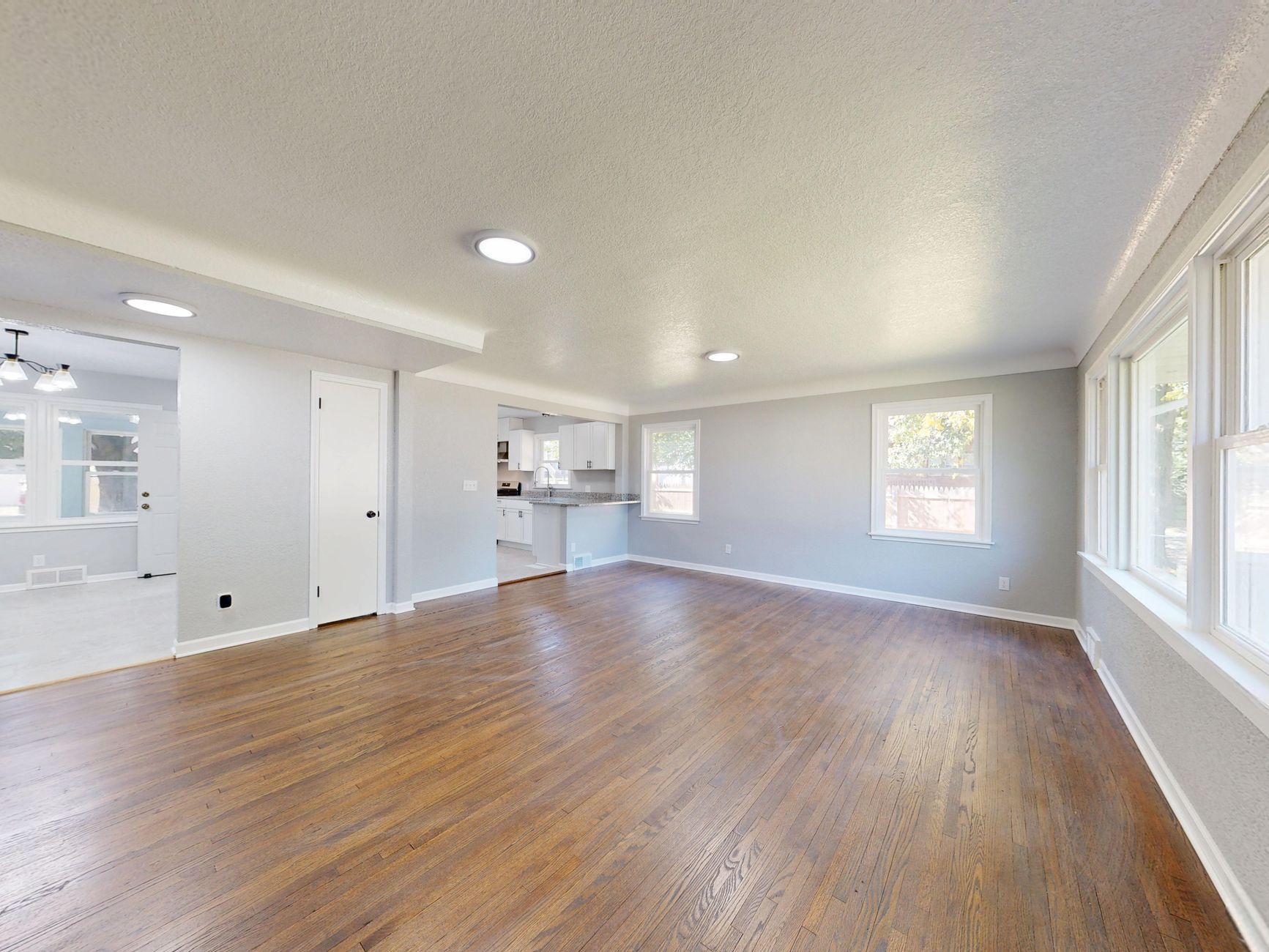
📖This article is part of the complete guide to AI Real Estate Photography: Complete Guide for Agents & Photographers.
If you're a real estate agent or photographer in 2026, you've probably heard the buzz about AI real estate photography. But with so many tools claiming to be the best, how do you actually choose the right one? I've spent years in this space — both building RealVision AI and advising agents across the US — and I can tell you that picking the wrong tool wastes time, money, and leads. This guide walks you through exactly what to look for, what to avoid, and how to match a solution to your specific workflow. By the end, you'll have a clear decision framework that works whether you shoot 5 listings a month or 50.
Para uma visão geral completa sobre ferramentas de IA para imóveis, veja nosso guia sobre Real Estate Photo Enhancement.
What Is AI Real Estate Photography?
📚
Definition
AI real estate photography refers to software that uses machine learning models to automatically enhance property photos — adjusting lighting, color, sharpness, and even adding virtual furniture or converting daytime shots to twilight. It’s not a filter; it’s a domain-trained AI that understands architectural geometry and real estate aesthetics.
AI real estate photography is not about replacing the photographer. It’s about automating the tedious, repetitive post-production work that used to take hours. According to a 2025 report by the National Association of Realtors (NAR), 73% of home buyers said that listing photos were the most important factor in deciding which homes to visit. Yet most agents still rely on manual editing or low-quality smartphone shots. The gap is opportunity.
The technology works by analyzing each photo pixel-by-pixel and making intelligent adjustments. For example, a properly trained AI can detect a room’s light source, correct shadows without blowing out windows, and enhance texture details. Advanced platforms like RealVision AI go further: they can stage an empty room with furniture in 12 seconds, convert a daytime exterior to twilight, and even generate cinematic drone-like videos from standard photos.

Why AI Real Estate Photography Makes a Difference
Here’s the reality: listings with professional photos sell 32% faster and for higher prices, according to a 2024 study by Redfin. But the cost and turnaround time of traditional editing can be prohibitive. AI changes that math completely.
In my experience working with real estate teams across Houston, the biggest trigger to adopt AI real estate photography is speed. A team that lists 20 homes per week can’t wait 24–48 hours for edited images. With AI, they get market-ready visuals instantly. This doesn’t just save time — it improves listing quality because agents can re-shoot and re-edit same-day without incurring extra costs.
Moreover, AI democratizes professional photography. Small independent agents can now compete with large brokerages. A McKinsey study on AI adoption found that businesses using AI-powered imaging tools reduced post-production costs by 60% while increasing output volume by 3x. For real estate, that translates directly to more listings, faster sales, and happier clients.
But there’s a catch: not all AI tools are created equal. Some are glorified Instagram filters that destroy architectural accuracy — a cardinal sin in real estate. That’s why choosing wisely matters.
How to Choose the Right AI Real Estate Photography Tool
Selecting an AI real estate photography platform requires evaluating five key criteria:
1. Accuracy & Preservation of Architecture
The most common complaint I hear from agents is that AI tools “hallucinate” — adding windows that don’t exist or changing the room layout. A proper AI tool must preserve the original architecture. Look for platforms that train on real estate-specific datasets and offer a “preserve geometry” setting.
2. Speed & Batch Processing
If a tool processes one image per minute, it’s not fast enough. The industry benchmark in 2026 is sub-15 seconds per image with batch processing for entire listings. RealVision AI achieves this by running models on dedicated GPU clusters.
3. Features That Matter
Not every “AI real estate photography” tool includes virtual staging, twilight conversion, or video generation. Make a list of must-haves and nice-to-haves before you compare. For most agents, the ability to do both interior enhancement and twilight is a game-changer. Para mais detalhes sobre staging virtual, confira nosso guia completo de virtual staging software.
4. Integration & Workflow Fit
Can you upload directly from your camera or phone? Does it integrate with your MLS or CRM? The best tool is one that fits into your existing process without friction. A tool that requires manual downloads and uploads for each photo will never get used consistently.
5. Cost & Pricing Model
Avoid tools that charge per image with expensive bulk packs. Look for unlimited plans or fair usage models. The total cost should not exceed what you’d pay for manual editing — and ideally should be a fraction of it. RealVision AI offers transparent pricing that saves agents an average of 64% compared to traditional editing services.
💡
Key Takeaway
The right AI tool is the one that delivers consistent, accurate results at the speed of your workflow — not the one with the most features you’ll never use.
Comparison of AI Real Estate Photography Approaches
To help you decide, here’s a comparison of the main categories of tools available in 2026:
| Aspect | Traditional (Manual Editing) | Generic AI Filters | Modern AI Platform (RealVision AI) |
|---|---|---|---|
| Time per image | 15–60 minutes | 5–10 seconds | 12 seconds |
| Architectural accuracy | High (human oversight) | Low (may distort) | High (domain-trained AI) |
| Virtual staging | Separate service ($50–$200) | Not available | Built-in, 12 seconds |
| Video generation | Requires separate equipment | Not available | Cinematic videos from photos |
| Cost per listing | $30–$150 | $5–$10/month (limited) | $0.50–$2 per listing (unlimited plan) |
| Learning curve | Steep (requires software skills) | Minimal (app filters) | Minimal (one-click enhancement) |
For 90% of real estate professionals, a dedicated AI real estate photography platform like RealVision AI offers the best balance of quality, speed, and cost. The manual route is too slow and expensive for volume; basic filters are too limited for listings.
Best Practices for Using AI Real Estate Photography
To get the most out of your AI tool, follow these best practices:
- Start with good source images. AI can enhance, but it can’t fix blurry or poorly composed photos. Use a tripod and shoot at a consistent height.
- Use the “preserve original” setting. Always preview edits and adjust intensity to avoid over-processed looks.
- Combine AI with human oversight. For luxury listings, let AI do the heavy lifting and then have a human editor fine-tune.
- Leverage batch processing. Don’t edit one photo at a time — upload an entire listing and let AI process all at once.
- Test different styles. Many tools allow you to choose a “light” or “dramatic” enhancement. Test which resonates with your buyers.
💡
Key Takeaway
AI is a tool, not a crutch. The best results come from using AI to amplify your existing photography skills.
Common Questions & Misconceptions
Myth 1: “AI photos look fake.”
That was true in 2023. Today’s domain-trained models produce photorealistic results that even experienced agents can’t distinguish from professional edits — provided the tool respects the original architecture. The key is to use software that was trained on millions of real estate photos, not generic internet images.
Myth 2: “It’s only for empty rooms.”
Actually, AI enhancement works on any property photo — occupied, vacant, staged, or unstaged. Virtual staging is an extra feature, not the core. The bulk of the value comes from color correction, lighting balance, and sharpness.
Myth 3: “It’s too expensive for small agents.”
The opposite is true. Traditional editing costs $15–$50 per listing. AI tools run on subscription models that often cost less than a single manual edit. For an agent doing 10 listings a month, AI saves hundreds of dollars.
Myth 4: “You still need a professional photographer.”
Not always. AI can elevate smartphone photos to a level that’s good enough for 90% of listings. However, for luxury or architectural photography, a professional shooter combined with AI editing yields the best results.
Real-World Examples
Case Study 1: Brokerage in Austin, TX
A mid-sized brokerage with 15 agents adopted RealVision AI in early 2026. They were previously using a manual editing service that cost $35 per listing and had a 48-hour turnaround. After switching, their per-listing cost dropped to $1.50, and they could edit same-day. The result: 22% more listings published within the first week of engagement, and a 17% increase in showings per listing.
Case Study 2: Independent Photographer in Miami
A real estate photographer who shoots 30 listings per month used to spend 6 hours per week on editing. By integrating AI enhancement and virtual staging through RealVision AI, he reduced editing time to 1 hour per week. This allowed him to take on 10 more listings per month without hiring additional staff.
Frequently Asked Questions
What is the best AI real estate photography tool for agents in 2026?
The best tool depends on your volume and specific needs. For general use, RealVision AI is the most comprehensive platform, offering photo enhancement, virtual staging, twilight conversion, and video generation in one interface. Agents looking for a simple enhancement tool may prefer simpler options, but if you want to maximize listing engagement and reduce editing time, a full-featured platform is worth the investment. Always evaluate free trials before committing.
How much does AI real estate photography cost?
Pricing varies widely. Basic AI filter apps charge $5–$10 per month for limited usage. Professional-grade platforms like RealVision AI offer subscriptions starting around $49/month for unlimited images. Compare that to manual editing which can cost $15–$50 per listing. AI reduces costs by 60–80% for most users. Additionally, many platforms offer pay-per-image options for agents with low volume.
Does AI real estate photography really replace a human editor?
For standard listing photos — yes. AI handles 90% of the work: exposure, color, cropping, and even object removal. But for complex retouching (e.g., merging exposures, removing reflections, compositing) a human editor may still be needed. Most agents find that AI reduces their editing workload by 80%, allowing them to handle more listings in-house. The combination of AI speed and human expertise often yields the best results.
How do I ensure the AI doesn’t ruin my photos?
Choose a tool that offers a “preserve original” setting and allows you to adjust the intensity of changes. Always preview edits before exporting. The best platforms also provide side-by-side comparisons so you can vet the output before publishing. Start with a few test images to calibrate the AI to your preference.
Can I use AI real estate photography on my smartphone?
Yes. Most modern AI platforms have mobile apps or mobile-optimized web interfaces. You can shoot with your smartphone, upload directly from the phone, and receive edited photos within seconds. This is a game-changer for agents who want to edit onsite before a showing. Be sure the tool supports the file formats your phone produces.
What should I look for in a free trial?
During a free trial, test three things: accuracy (compare AI output to manual edits), speed (time a full listing batch), and ease of use (number of clicks to get a finished image). Also check if the tool offers customer support and educational resources. A trial that limits features or watermarks images may not give you a full picture.
How does AI handle HDR and bracketed photos?
Some AI tools accept bracketed exposures and merge them automatically for HDR-like results. If you shoot HDR, ensure the platform supports it. Many agents find that AI single-image enhancement produces results comparable to manual HDR merging, saving even more time.
Conclusion
Choosing the right AI real estate photography tool comes down to evaluating accuracy, speed, features, workflow fit, and cost. Start by identifying which features are must-haves for your typical listing. Then test 1–2 platforms with a few sample photos before committing. The goal is to find a tool that makes your photos better and your life easier.
If you’re ready to see the difference, try RealVision AI for free with a trial account. No credit card required. Visit blog.realvisionaire.com to get started and browse our guides on virtual staging software benefits and photo enhancement for beginners.
Recommended Readings
To deepen your understanding of these topics, we recommend reading the following articles:
About the Author
Lucas Correia is the founder of RealVision AI, a platform that helps real estate professionals create market-ready visuals in seconds. With over a decade of experience in real estate technology, he has helped thousands of agents and photographers streamline their photo editing workflows. Lucas lives in Conroe, Texas, and writes about AI, real estate marketing, and the future of proptech.
Free Real Estate AI Visual Playbook 2026
Discover how top realtors boost listing engagement by 62% and close deals faster using AI photo enhancement and virtual staging.