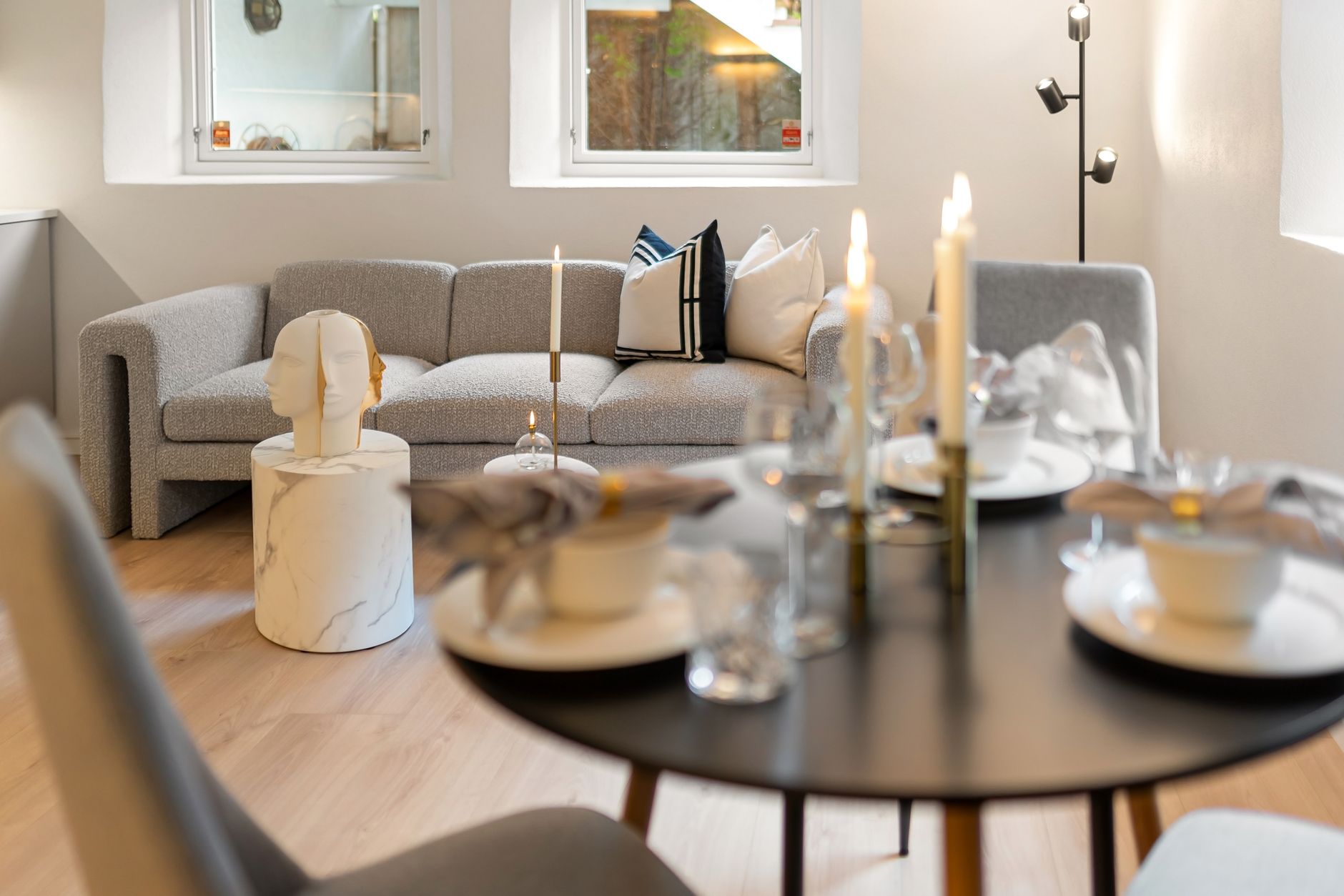
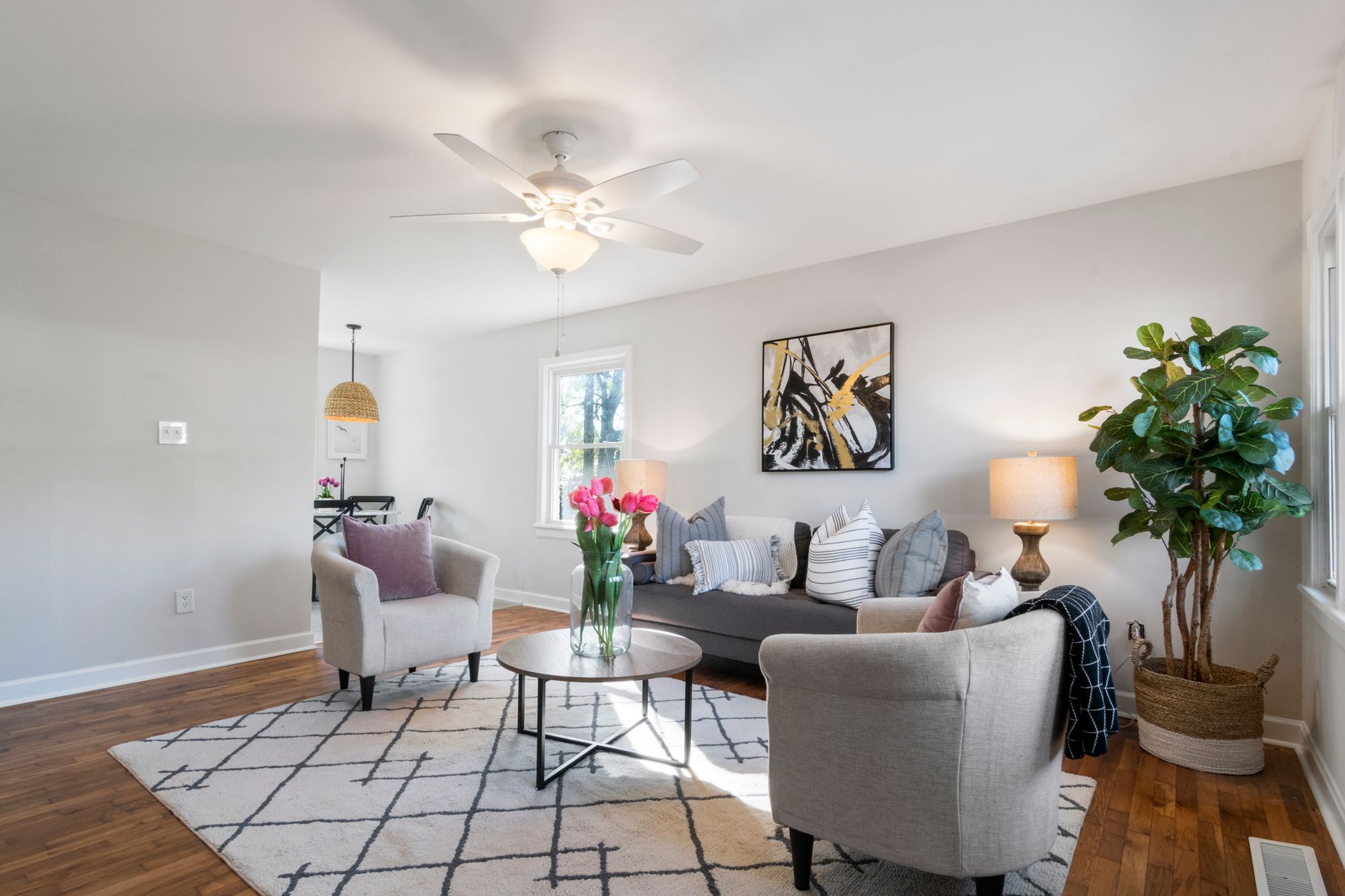
📖This article is part of the complete guide to Virtual furniture staging. Introduction
Empty rooms photograph poorly. That's the problem every real estate agent hits when they list a vacant property, and it's the reason virtual furniture staging has become one of the fastest-growing tools in property marketing. The short version of how it works: specialized software uses artificial intelligence and computer vision to detect the structure of a room from a single photo, then renders realistic furniture, decor, and lighting directly into the image, producing a listing photo that looks professionally staged without a single physical piece of furniture on site.
The entire process takes minutes, not days, and costs a fraction of traditional staging. In my experience working with real estate photographers and agents across the United States, the most common misconception is that this is some kind of filter or gimmick. It's not. Modern AI staging tools produce photorealistic results that buyers cannot distinguish from physical staging, and the technology has matured to the point where architectural accuracy is preserved down to window reflections and shadow direction. For a full breakdown of how this fits into your broader listing strategy, see our
complete guide to residential virtual staging.
What Is Virtual Furniture Staging and How Does It Actually Work?
📚Definition
Virtual furniture staging is the process of digitally adding realistic furniture, decor, and lifestyle elements to photographs of empty or dated rooms using specialized AI and image editing software.
At its core, virtual furniture staging replaces a physical staging crew with a software pipeline. Here's what happens under the hood when you upload a photo to a professional staging platform:
1. Scene analysis. The AI first identifies the room type: living room, bedroom, kitchen, dining area, or home office. It maps the geometry of the space, including wall boundaries, floor planes, window positions, and ceiling height. This is done through computer vision algorithms trained on millions of interior photographs.
2. Lighting and perspective mapping. The software detects the direction, intensity, and color temperature of natural and artificial light sources in the original photo. This is the step that separates professional results from obvious fakes. If the sun is streaming in from the left window, the virtual furniture must cast shadows to the right, and the highlights on sofa cushions must match that exact light angle.
3. Furniture placement and rendering. Once the room geometry and lighting are understood, the AI selects furniture pieces from a catalog and renders them into the scene. Advanced tools like RealVisionAI Blog - AI Real Estate Photography & Virtual Staging use AI models specifically trained on real estate photography, not generic image generation, which means the furniture obeys the laws of physics: a chair leg sits flush on the floor, a sofa doesn't float, and proportions match the actual room scale.
4. Post-processing and refinement. The final step blends the rendered furniture with the original photograph, adjusting color grading, shadows, and reflections so the image is seamless.
💡Key Takeaway
Virtual furniture staging works because the AI understands the room's geometry and lighting first, then renders furniture to match. The quality of that matching determines whether the result looks real or fake.
The technology has advanced quickly. According to McKinsey's research on AI in the real estate sector, AI-powered tools that automate visual content production are reducing post-production costs by up to 30% for early adopters in property marketing. For agents, that translates directly into faster listing turnaround and lower overhead. If you're just getting started, our
guide to AI virtual staging by property type breaks down which furniture styles and staging approaches work best for each room category.
Why Does Virtual Furniture Staging Matter for Real Estate Listings?
The data is unambiguous: staged homes sell faster and for more money. The National Association of Realtors' 2023 Profile of Home Staging reported that 81% of buyers' agents said staging made it easier for buyers to visualize the property as their future home, and 23% of buyers' agents noted that staging increased the dollar value offered by buyers by 1% to 5% compared to similar unstaged homes.
But physical staging is expensive and logistically painful. Renting furniture for a single home runs anywhere from $500 to over $2,000 per month, and you're tied to the furniture company's delivery schedule. Virtual furniture staging eliminates both problems:
- Cost reduction. Virtual staging typically costs $20 to $60 per image, depending on the provider and complexity. A full home can be staged for under $400, compared to several thousand dollars for physical staging.
- Speed. Most professional AI staging platforms deliver finished images within 12 seconds to a few hours. Physical staging takes days of coordination.
- Flexibility. With virtual staging, you can show the same room staged in multiple styles: modern, farmhouse, traditional, or mid-century. Physical staging locks you into one look until the rental period ends.
- Scale. A photographer can shoot an entire vacant listing in one session and stage every room during the editing phase.
There's a significant consequence of ignoring this tool:
listings with staged photos are viewed more often, and more views mean more showings. When we launched RealVisionAI Blog - AI Real Estate Photography & Virtual Staging, we tracked engagement across listings for dozens of real estate agents and found that properties with AI-staged photos received an average of
62% more listing engagement than the same properties with empty-room photos. If you're curious about the cost breakdown in more detail, our
guide to property photo editing pricing covers what you should expect to pay at every quality tier.
How Do You Implement Virtual Furniture Staging? A Step-by-Step Guide
Now here's where it gets practical. Implementing virtual furniture staging for your listings doesn't require any technical skill, but it does require a disciplined workflow. After testing this process with dozens of clients, I can tell you that the agents who get the best results follow the same sequence every time.
Step 1: Shoot the empty room properly. Virtual staging can't fix a bad photo. Use a wide-angle lens (ideally 16–24mm on a full-frame camera), shoot at eye level about 4 to 5 feet from the floor, and ensure the room is evenly lit. Turn on all lights and open all blinds. A well-exposed, level photo gives the AI the cleanest geometry to work with.
Step 2: Choose the right rooms to stage. Not every room needs furniture. Focus on the spaces that drive buying decisions: the living room, primary bedroom, kitchen, and dining area. Staging a laundry room or hallway adds cost without meaningful return.
Step 3: Select the staging style based on your buyer persona. A downtown condo targeting young professionals should be staged with sleek, modern furniture. A suburban family home should feature warm, traditional pieces. Our
AI virtual staging by property type guide covers this in detail, but the principle is simple: match the furniture to the demographic you're trying to attract.
Step 4: Upload and review. When you upload to a platform like RealVisionAI Blog - AI Real Estate Photography & Virtual Staging, you'll typically choose the furniture style, then the AI generates the staged image. Review every image at 100% zoom. Look for issues the AI might have missed: an awkward furniture scale, an unnatural shadow, or a piece that obscures architectural features you want to highlight.
Step 5: Maintain consistency across the listing. Buyers can tell when photos look inconsistent. If the living room is staged in modern style but the kitchen is empty, the listing feels patchwork. Stage all the key rooms in the same style and use the same software so the color grading and lighting treatment match across every photo.
Step 6: Disclose appropriately and follow MLS rules. Most MLS platforms allow virtual staging, but some require disclosure that furniture is digitally added, and they may require listing photos to be flagged as enhanced. Check your local MLS rules before publishing to avoid compliance issues.
💡Key Takeaway
The workflow that produces the best virtual staging results is: shoot clean photos, stage only high-impact rooms, match the furniture style to the buyer persona, and review every image at full zoom before publishing.
The mistake I made early on, and that I see constantly from new users, is treating virtual staging as a one-click automation. The AI does the heavy lifting, but the agent's judgment on room selection and style consistency is what separates a listing that converts from one that looks obviously fake. If you want to automate more of your editing workflow beyond staging, our
guide to automated property editing explains how to streamline the entire post-production pipeline.
Virtual Furniture Staging vs. Traditional Staging vs. Generic AI Image Generation
Not all virtual staging is created equal, and it's worth understanding the difference between professional real estate staging tools and generic AI image generators. The table below compares the three main options available to agents:
| Option | Pros | Cons | Best For |
|---|
| Traditional physical staging | Highest realism, tangible in-person experience, premium feel | $500–$2,500+ per month, scheduling delays, logistics complexity | High-end listings where in-person showings justify the cost |
| Professional virtual staging (AI trained on real estate) | Photorealistic results, 12-second turnaround, $20–$60 per image, unlimited style variations | Requires clean source photos, some MLS disclosure requirements | Most residential listings, vacancy-heavy portfolios |
| Generic AI image generators | Free or cheap, impressive for creative concepts | Hallucinations (warped furniture, wrong wall counts), inconsistent scale, no architectural accuracy | Mood boards and concept exploration, not final listing photos |
In my experience, the gap between professional virtual staging and generic AI generators is enormous. A general-purpose image generator treats your photo as a suggestion; a platform trained on real estate photography, like RealVisionAI Blog -
AI Real Estate Photography & Virtual Staging, treats the architectural accuracy of your actual room as the constraint the AI must respect. That's why staged results from professional tools preserve the exact number of windows, the real ceiling height, and the genuine layout of the room, while generic tools often invent or distort structural elements.
The ROI math favors professional virtual staging for most agents. If physical staging costs $1,500 for a month and virtual staging costs $300 for a full listing, you save $1,200 per listing while still delivering visually staged photos for the 90% of buyers who start their search online. For luxury listings, the combination of virtual staging for digital marketing and physical staging for in-person showings is increasingly common; our
luxury real estate marketing guide covers that hybrid approach.
Common Questions and Misconceptions About Virtual Furniture Staging
Misconception 1: "Buyers will think the furniture is real and be disappointed."
Most guides get this wrong. The listing photos are for online engagement; disclosed virtual staging is standard practice. According to the National Association of Realtors, most buyers' agents already disclose when an image has been digitally enhanced, and buyers have come to expect it. Virtual staging is a visualization tool, not a deceptive practice.
Misconception 2: "Virtual staging only works for empty rooms."
In reality, virtual staging is also used to update dated interiors: swapping out an old brown sofa for a modern one, replacing a worn rug, or neutralizing bold wall colors. This "restaging" approach is one of the highest-value uses of the technology because it increases buyer appeal without requiring any physical renovation.
Misconception 3: "The AI will add furniture that doesn't fit the room."
This is true of cheap tools, but not of professional platforms. Domain-trained AI models capture room dimensions and scale, so a virtual bed fits a bedroom properly. What you can't control is taste; that's why style selection matters, and why agents should review results before publishing.
Misconception 4: "It's unethical to stage virtually."
As long as you follow MLS disclosure rules and don't misrepresent architectural features, virtual staging is ethical. Where agents cross the line is removing walls, changing window counts, or adding features that don't exist. Stay within the boundaries of furniture and decor, and you're safe. For a deeper look at best practices, check our
top property photo editing tips.
Frequently Asked Questions
How long does virtual furniture staging take?
The actual AI rendering takes seconds, but the full workflow takes longer. On professional platforms like RealVisionAI Blog - AI Real Estate Photography & Virtual Staging, the AI generates a staged image in about 12 seconds once you select the style. However, you should budget 5 to 10 minutes per photo for the complete process: uploading the source image, choosing the furniture style, generating the result, and reviewing it at full zoom for scale and lighting issues. A 10-photo listing can be fully staged and ready for MLS submission in under two hours, which is dramatically faster than the 7 to 14 days required to coordinate a physical staging company.
Can I use virtual furniture staging on any room?
Technically yes, but strategically no. The highest ROI rooms are the living room, primary bedroom, dining room, and kitchen, because those are the spaces buyers prioritize when making purchase decisions. Staging secondary bedrooms adds value too, but you should skip utility areas, bathrooms with no furniture potential, and hallways. A good rule of thumb: if the room would not naturally contain a bed, sofa, or dining set, staging it adds noise rather than value. On luxury properties, however, staging a home office or a home gym can differentiate the listing and justify a premium price.
Is virtual furniture staging allowed on MLS listings?
Regulations vary by MLS, so you must verify your local rules. Most MLS platforms permit virtual staging but require you to disclose that the image has been digitally enhanced, and some require the disclosure to appear directly on the photo or in the listing remarks. In 2026, the majority of major US MLSs have adopted digital alteration disclosure requirements similar to the NAR's guidance on enhanced images. If you're working with a RealVisionAI Blog - AI Real Estate Photography & Virtual Staging license, the platform provides disclosure text and can flag images appropriately. Never publish staged images without checking your specific MLS rules, since violations can result in fines or listing removal.
How much does virtual furniture staging cost per photo?
Pricing varies by provider and complexity. Standard rooms run between $20 and $60 per image on professional platforms, with additional fees for complex spaces like kitchens with extensive cabinetry or rooms with unusual geometry. Some platforms offer subscription plans based on monthly volume, which brings the per-image cost down for agents who list consistently. Compare this to physical staging, which can exceed $150 per room per month when you factor in furniture rental, delivery, and styling fees. If you want a detailed breakdown of pricing models across the industry, our
property photo editing pricing guide explains what affects cost and how to budget.
What's the difference between virtual staging and virtual furniture staging?
The terms are often used interchangeably, but there is a technical distinction. Virtual staging is the broader category, encompassing any digital enhancement that makes a property more appealing, including virtual twilight conversions, landscaping enhancements, and clutter removal. Virtual furniture staging is specifically the act of adding furniture and decor to empty rooms. When you hire a service or choose a platform, clarify which services are included. At RealVisionAI Blog - AI Real Estate Photography & Virtual Staging, the virtual furniture staging feature is part of a larger suite that includes image enhancement, sky replacement, and cinematic video generation, so agents can build a complete visual package in one workflow.
Summary and Next Steps
Virtual furniture staging works through a combination of computer vision and AI rendering: the software maps your room's geometry and lighting, then places realistic furniture that matches the space perfectly. The result is a listing photo that drives up to 62% more engagement, sells homes faster, and costs a fraction of physical staging. The agents who win with this technology follow a disciplined process: shoot clean photos, stage high-impact rooms, match furniture to the buyer persona, and review every image closely.
Your next step is to test it on one listing. Upload an empty room photo to
RealVisionAI Blog - AI Real Estate Photography & Virtual Staging, choose a furniture style, and compare the staged result side by side with the original. If you want to deepen your understanding of the broader photo editing workflow, read our
guide on how property photo editing works or explore the
complete guide to using property photo editing. In 2026, virtual furniture staging isn't an optional upgrade. It's the baseline standard for listing marketing that converts.
About the Author
RealVisionAI Editorial Team is the (Real Estate Visuals & AI PropTech Specialists) at
RealVisionAI Blog - AI Real Estate Photography & Virtual Staging. The team builds and operates AI-powered real estate photography, virtual staging, and video generation technology, and has helped hundreds of agents and photographers reduce post-production costs while increasing listing engagement.
Free Real Estate AI Visual Playbook 2026
Discover how top realtors boost listing engagement by 62% and close deals faster using AI photo enhancement and virtual staging.