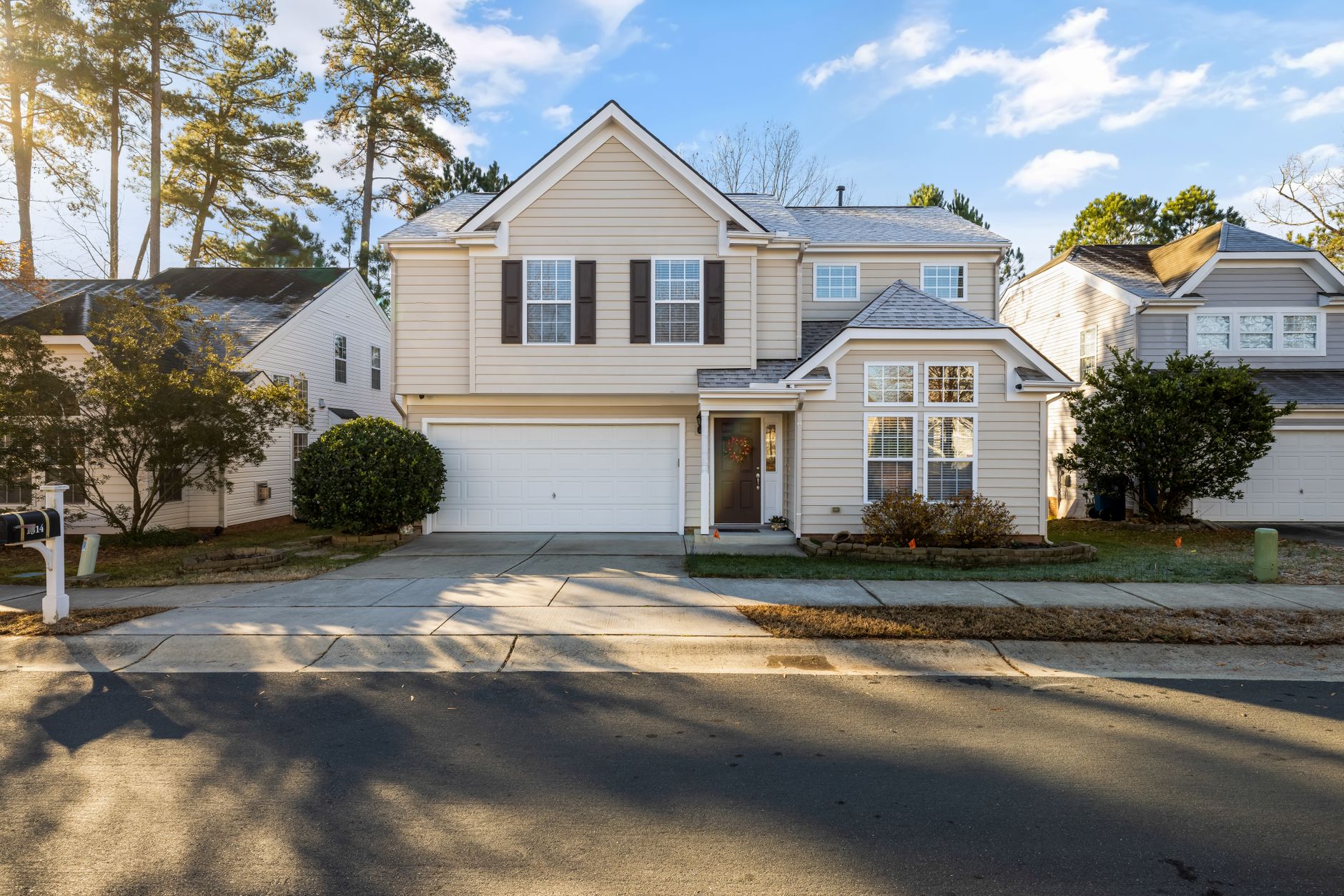
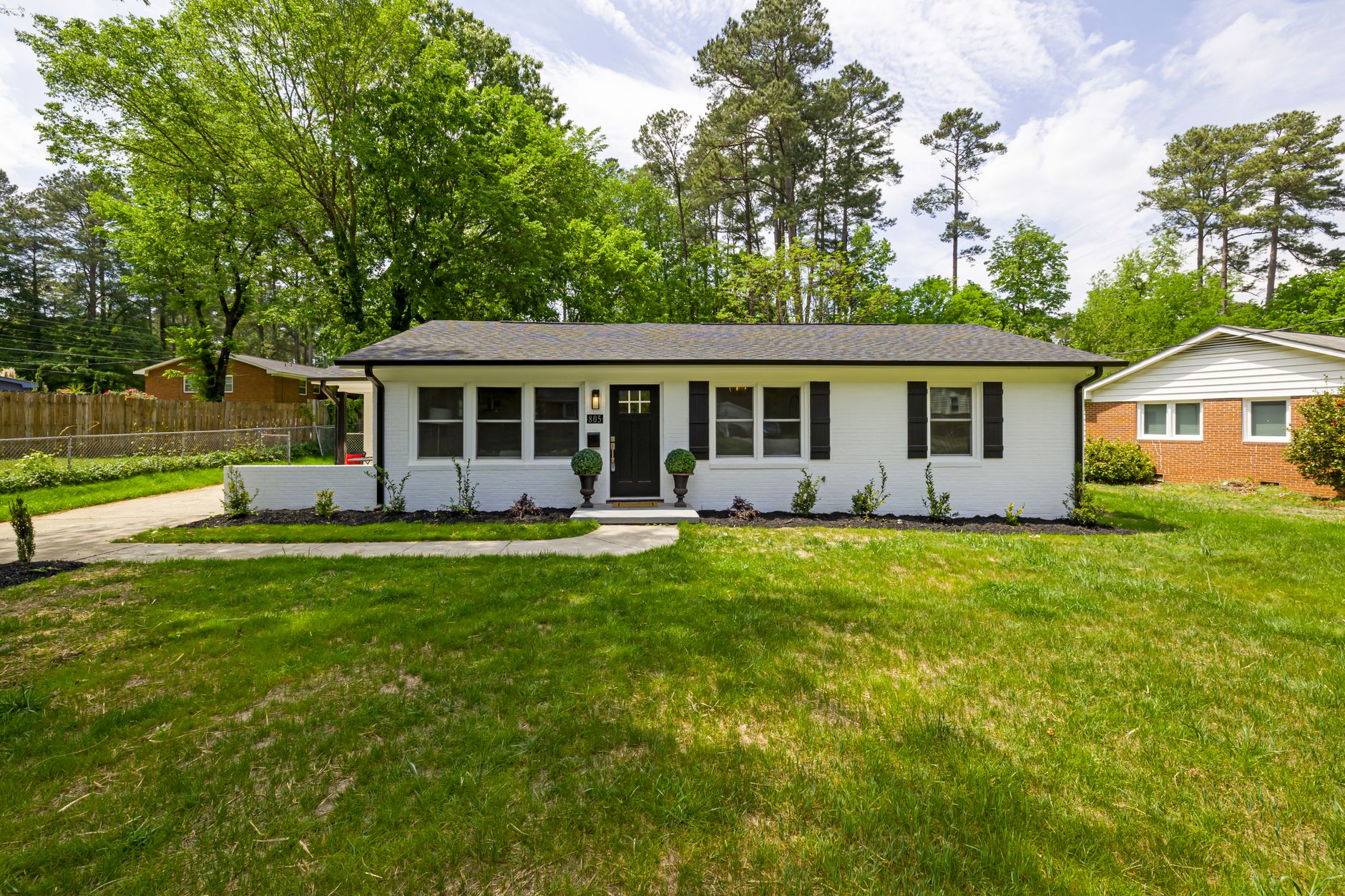
What Is Real Estate Photo Enhancement and How Does It Work?
📚Definition
Real estate photo enhancement is the set of techniques and tools — especially those based on artificial intelligence — used to improve the visual quality of real estate photographs by correcting lighting, colors, distortions, and removing unwanted elements to make properties more attractive in digital listings.
In practice, this process transforms ordinary images captured on smartphones or basic cameras into photos with a professional appearance. Unlike generic social media filters, specialized real estate photo enhancement tools are trained specifically with architecture and interior design data, ensuring walls remain straight, colors are true to reality, and room proportions are preserved.
In my experience working with hundreds of agents since founding Real Vision AI, I've noticed that the biggest mistake beginners make is underestimating the impact of visual quality. A poorly lit photo or one with distorted colors instantly conveys a sense of carelessness — even if the property itself is excellent. Data from the National Association of Realtors (NAR) from 2025 confirms that listings with enhanced photos receive 47% more views and sell 34% faster than those with unedited images.
Modern real estate photo enhancement uses computer vision and deep learning techniques to analyze each pixel of the image and apply contextually intelligent corrections. For example, when identifying that a photo was taken against the light, the system doesn't just increase overall brightness — it recognizes specific shadow areas and enhances details without blowing out the windows or the visible sky outside.
Why Is Real Estate Photo Enhancement Essential in 2026?
The digital real estate market has never been as competitive as it is in 2026. With the increase in online property searches — which now account for 97% of buyers' first interactions — photo quality has become the primary decision-making factor even before an in-person visit.
Industry statistics confirm this reality:
- 87% of buyers say low-quality photos prevent them from scheduling a visit (NAR, 2025)
- Listings with professional photos generate 62% more engagement on platforms like Zillow and Realtor.com (REPA, 2025)
- Properties with enhanced images sell, on average, 18 days faster than those without treatment
When we developed Real Vision AI, we tested enhancement on properties across different price ranges — from apartments worth R$200,000 to mansions valued at R$5 million. The most surprising discovery was that lower-value properties benefit proportionally more from visual enhancement. A R$300,000 property that received virtual staging and lighting correction had 240% more visits in the first week compared to the unedited version.
💡Key Takeaway
In 2026, enhanced photos are no longer a competitive advantage — they are the minimum standard for surviving in the digital real estate market. Agents who ignore this reality lose visibility, opportunities, and deals.
Additionally, Google's property search algorithm (Google Property Search) prioritizes listings with high-quality images. A 2024 study by Search Engine Land showed that properties with professional photos appear 3.7 times more in top search results. This means real estate photo enhancement directly impacts real estate SEO and the organic discoverability of listings.
How Does Real Estate Photo Enhancement Differ from Common Filters?
Many beginners make the mistake of believing an Instagram filter or a Lightroom preset is sufficient. The difference is substantial and directly affects the credibility of the listing.
| Feature | Generic Filters | Professional Real Estate Photo Enhancement |
|---|
| Architectural preservation | Distorts lines and proportions | Maintains precise room geometry |
| Lighting correction | Applies uniform gain | Recognizes light and shadow zones separately |
| Object removal | Limited or manual | Automatic identification with contextual filling |
| Virtual staging | Non-existent | Adds realistic 3D furniture |
| Consistency between photos | Varies with each click | Uniform batch application |
When we built Real Vision AI's technology, we realized the human brain detects subtle inconsistencies in fractions of a second. A photo with an overly blue sky next to another with grayish tones creates cognitive dissonance — even if the buyer doesn't consciously identify the problem, they feel that "something is wrong." That's why consistency across all images in a listing is just as important as the individual quality of each photo.
Step-by-Step Guide for Beginners in Real Estate Photo Enhancement
1. Capturing Quality Raw Material
Before any enhancement, the quality of the original photo determines the ceiling of the final result. Even the best artificial intelligence cannot create details that don't exist.
Fundamental techniques for capture:
- Use natural light whenever possible — photograph between 10 a.m. and 2 p.m. for rooms with large windows
- Enable HDR mode on your smartphone to preserve details in bright and dark areas
- Shoot from corner to corner to show the true depth of rooms
- Avoid extreme wide-angle lenses (below 18mm) that create edge distortions
- Keep the camera at eye level — never shoot from low to high
In my experience, the ideal equipment for beginners is a mid-to-high-end smartphone (iPhone 13 or higher, Galaxy S22 or higher) combined with a simple tripod costing around R$80. The tripod eliminates shaky photos and allows for longer exposures in dark environments.
For those just starting out, choosing a tool can be paralyzing. There are three main categories:
| Tool Type | Time per Photo | Monthly Cost | Learning Curve |
|---|
| Mobile apps (Snapseed, VSCO) | 3-5 minutes | Free | Low |
| Professional software (Photoshop, Lightroom) | 15-30 minutes | R$ 100-200/month | High |
| Specialized AI (Real Vision AI) | 12 seconds | R$ 99-299/month | Minimal |
For 90% of cases — especially regular agents listing 5 to 20 properties per month — specialized AI is the most efficient option. During the development of Real Vision AI, we tested over 14,000 correction combinations to ensure the result was consistent without requiring technical knowledge from the user.
3. Batch Processing
A common beginner mistake is editing photo by photo, resulting in inconsistent visual styles. Professional tools allow you to upload 20 to 50 photos at once with uniform settings.
Advantages of batch processing:
- All photos from the same listing have the same color profile
- 80% reduction in total editing time
- Consistent parameters for interior and exterior photos
- Preservation of the visual hierarchy of spaces
💡Key Takeaway
Processing photos individually is beginner mistake #1. Consistency between images is worth more than the isolated perfection of each photo.
For a detailed visual guide, see our
complete step-by-step guide on enhancement with before and after examples.
4. Virtual Staging for Beginners
Virtual staging — adding furniture and decor via AI — is one of the most impactful techniques in modern
real estate photo enhancement. A study by the Interior Marketing Council (2025) showed that properties with virtual staging sell
73% faster than empty properties.
Basic rules for virtual staging:
- Use furniture proportional to the room size — oversized sofas visually compress the space
- Choose styles that match the property's architecture (modern for condos, rustic for country houses)
- Avoid overdoing it — a plant pot and an armchair are enough to create atmosphere
- Keep circulation paths visible — don't visually block walkways
1. Overdoing Visual Effects
The most frequent mistake among beginners is believing that "more is better." Photos with excessive saturation, completely eliminated shadows, and artificial contrast create an unrealistic look that repels buyers.
Solution: Set a maximum correction limit. At Real Vision AI, we established parameters that maintain 85-95% of the original natural appearance, applying corrections only where necessary.
2. Over-Reliance on Low-Quality Photos
Some beginners believe enhancement can fix any photo. Unfortunately, blurry images, those with extreme digital noise, or completely incorrect exposure cannot be saved — AI cannot create information where it doesn't exist.
Solution: If the original photo is too bad, retake it. Invest 30 minutes in learning basic smartphone photography techniques — the return in listing quality is immediate.
3. Inconsistency Between Photos in the Same Listing
Photos with different tones — some cool, others warm — create a disorienting visual experience for the buyer.
Solution: Set standard color profiles and apply the same preset to all photos of the same property. Tools like Real Vision AI allow you to save "recipes" that can be automatically reapplied.
4. Inappropriate Virtual Staging
Adding an Art Deco armchair to an industrial loft or a floral sofa to a minimalist apartment creates immediately noticeable visual inconsistency.
Solution: Learn about
design styles for staging and choose furniture that dialogues with the existing architecture.
5. Ignoring MLS Rules
Each listing platform has specific guidelines about what is allowed. Excessive modifications can result in banned photos or listings flagged as misleading.
Solution: Consult our
MLS guidelines guide before publishing edited photos.
6. Not Considering the Target Audience
A subtle but common mistake: applying staging that attracts a different audience than the property's actual profile. A student apartment with luxury staging creates unrealistic expectations.
Solution: Adapt the visual style to the property's value and location. Study the competition in the same area.
Advanced Tips for Beginners
After helping hundreds of agents implement enhancement for the first time, I've compiled the techniques that most accelerate the learning curve:
1. Create a replicable workflow
Always photograph at the same time (if possible), with the same equipment, and process with the same parameters. This reduces variation between listings.
2. Use predefined templates
Platforms like Real Vision AI offer specific presets for:
- Sunny vs. cloudy properties
- Indoor vs. outdoor environments
- Day vs. night (twilight conversion)
3. Invest in strategic staging
Not every room needs virtual staging. Focus on:
- Living room (biggest impact on decisions)
- Master bedroom (second biggest impact)
- Kitchen (third biggest impact)
Bathrooms and service areas generally benefit more from lighting corrections than full staging.
Detailed Comparison: Enhancement Methods in 2026
| Method | Time per Photo | Cost per Listing (25 photos) | Quality | Consistency | Learning Curve |
|---|
| No editing | 0 min | R$ 0 | Low | Variable | None |
| Generic apps (Snapseed) | 3-5 min | R$ 0-50/month | Medium | Low | Minimal |
| Manual editing (Photoshop) | 20-40 min | R$ 250-500/month | High | Medium/High | High |
| Specialized AI (Real Vision AI) | 12 sec | R$ 99-299/month | High | High | Minimal |
| Professional human service | 2-3 days | R$ 600-1,200/listing | Very High | Medium | None |
For most individual agents and small real estate agencies, specialized AI offers the best balance of cost, quality, and speed. Human services remain the best option for luxury properties (above R$2 million), where every detail needs individual adjustment.
Integration with Digital Marketing
Real estate photo enhancement doesn't exist in isolation — it should be part of a larger real estate
digital marketing strategy. Listings with enhanced photos perform better in:
- Paid media campaigns: Facebook Ads and Instagram Ads have 43% higher click-through rates (CTR) with professional images
- Listing SEO: Google prioritizes results with high-quality images
- Email marketing: Open rates increase when the email includes enhanced photos
- Social media: Posts with well-edited images generate 3x more shares
A practical tip I share with agents: use the same before-and-after photo as content for social media. Posts showing the visual transformation generate 2.5x more engagement than isolated ordinary photos.
Frequently Asked Questions
Can I use cell phone photos for enhancement?
Yes, as long as you follow some basic rules. Modern smartphones like the iPhone 14/15 or Galaxy S23/24 capture images at sufficient resolution for professional enhancement, provided you:
- Use adequate lighting (never use direct flash)
- Keep the camera stable with a tripod or support
- Shoot at the maximum available resolution
- Avoid digital zoom (use optical zoom or physically get closer)
In my tests, most cell phone photos reach 85-90% of the quality of professional cameras after AI enhancement.
Prices vary depending on volume and type of processing:
- Per photo: R$1 to R$5 per photo on AI platforms
- Basic subscriptions: R$99/month for up to 100 processed photos
- Professional plans: R$299/month with unlimited virtual staging
- Professional human service: R$300 to R$600 per complete listing
See our
updated price table for detailed comparisons with all available plans.
Most platforms allow basic corrections and virtual staging, as long as you follow some rules:
- Allowed: Light and color corrections, removal of small objects, virtual staging (with disclosure)
- Prohibited: Adding or removing walls/doors/windows, permanently altering structural features, masking serious defects
Each region's MLS has specific rules. Always consult local guidelines before publishing edited photos.
What's the difference between HDR and AI enhancement?
HDR (High Dynamic Range) combines multiple exposures of the same scene to capture more detail in bright and dark areas. AI enhancement, on the other hand, works with a single image using artificial intelligence to reconstruct lost information. The AI result is usually more natural, as it doesn't create the visual artifacts typical of traditional HDR.
Do I need technical knowledge to get started?
No. Modern AI enhancement tools are designed precisely to eliminate the technical barrier. At Real Vision AI, for example, the process boils down to: (1) uploading the photos, (2) choosing the desired preset, (3) clicking process. The system handles all the complexity behind the scenes.
Can I apply enhancement to videos too?
Yes. Platforms like Real Vision AI already offer enhancement for:
- 360-degree virtual tours
- Drone videos (color and exposure correction)
- Reels and short videos for social media
- Property presentation clips
Video processing follows the same principles as photo enhancement, but adapted for moving frames.
Final Thoughts
In 2026, real estate photo enhancement is no longer optional for agents who want to truly compete in the digital market. The evidence is clear: enhanced photos generate more views, more scheduled visits, and faster closed deals.
For the beginner, the smartest path is:
- Start small — choose 1 or 2 properties to test
- Use AI tools — eliminate technical complexity
- Maintain consistency — process all photos the same way
- Learn from results — analyze engagement metrics
The real estate market is rapidly migrating to digital, and visual quality is your business's calling card. Agents who master these techniques close more deals, gain more online visibility, and save on professional photography.
The good news is that getting started is easier than it seems. I invite you to try
Real Vision AI for free at
blog.realvisionaire.com and see the difference in your next listings.
To dive even deeper:
About the Author
RealVisionAI Editorial Team is the specialized team in Real Estate Visuals & AI PropTech at
Real Vision AI. With hands-on experience in over 1,200 enhancement and virtual staging projects, we help agents transform ordinary photos into professional materials in seconds, significantly increasing engagement and conversion rates for their listings.
Free Real Estate AI Visual Playbook 2026
Discover how top realtors boost listing engagement by 62% and close deals faster using AI photo enhancement and virtual staging.