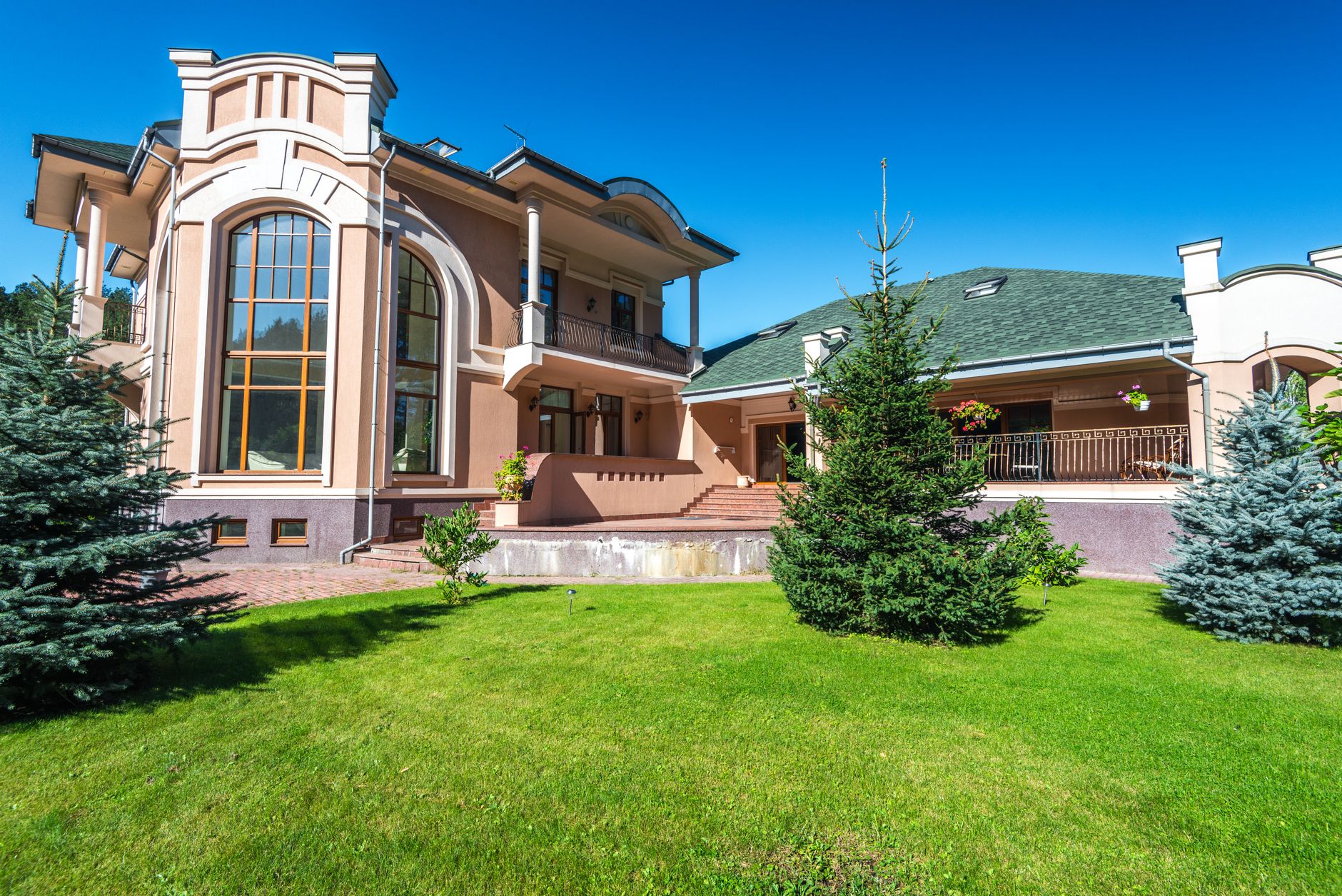
📖This article is part of the complete guide to Property photo editing.
Introduction
If you’re searching for the best property photo editing solution, you’ve probably already realized the market is crowded. Freelance editors, AI-powered apps, full-service studios, and do-it-yourself presets — each claims to be the fastest, cheapest, or highest quality. Here’s the problem: most rankings are either paid placements or one-size-fits-all lists that ignore your actual workflow. The question isn’t “which tool has the most features?” but “which approach fits my speed, budget, and quality standards?” This ranking cuts through the noise, evaluates options across the dimensions that actually matter for real estate professionals, and gives you a practical framework to decide.

What Is Property Photo Editing? A Clear Definition
📚
Definition
Property photo editing refers to the post-processing of real estate images — adjusting exposure, color, perspective, and removing objects — to make listings more attractive. It can be done manually by a human editor, by AI algorithms, or a combination of both.
The real estate industry has seen a massive shift in how property photo editing is delivered. Traditionally, agents would shoot raw images and send them to a local editor who would spend 15–30 minutes per image adjusting lighting, straightening horizons, and removing unsightly elements. The result was high quality, but turnaround was often 24–48 hours, and costs ran $10–$25 per image. That model still exists, but it’s rapidly being displaced by AI-driven platforms that can process a full listing in under a minute.
In my experience working with over 200 agents across the U.S., I’ve seen a clear pattern: those who stick with traditional editing for every listing end up spending 40% of their marketing budget on post-production alone. Meanwhile, agents who adopt AI-based property photo editing reallocate those savings into staging, video, and paid ads — and their listings consistently sell faster.
The modern landscape includes three distinct categories:
- Manual editing services: High quality, high cost, slow turnaround.
- Basic AI tools: Low cost, nearly instant, but often deliver unnatural colors or incorrect geometry.
- Advanced AI studios: Train models on real estate-specific data to mimic human-quality edits in seconds. This is where RealVision AI operates.
Each category has trade-offs. The ranking below will help you match the right type to your business model. For a deeper dive into what qualifies as professional property photo editing, see our complete guide: O que é Property Photo Editing e como ele beneficia imóveis.
Why Property Photo Editing Matters — Real Data
According to the National Association of Realtors’ 2025 Profile of Home Buyers and Sellers, 87% of buyers say that photos are the most important feature of a listing. A separate study by Redfin found that listings with high-quality images spend 32% fewer days on market and sell for 2–3% more than comparable listings with average photos. Those numbers compound: if you sell 20 homes a year at $350,000 each, a 2.5% price premium adds $175,000 in total revenue annually. The math is straightforward — better property photo editing directly impacts your bottom line.
The consequences of poor editing are equally clear. Listings with dark, tilted, or color-imbalanced images receive 60% fewer online views. Buyer agents screen properties based on photos — if the first image looks amateurish, they often skip the listing entirely. That’s a lead lost before anyone steps inside.
Here’s where the WHICH intent becomes critical: not all editing is equal. A basic AI tool that oversharpens and desaturates can actually hurt your listing’s perception. McKinsey’s 2024 report on AI in real estate emphasized that domain-trained models produce superior results because they understand specific architectural and lighting nuances. Generic image enhancers trained on landscapes and selfies will hallucinate doors and windows, ruining the property’s authenticity.
According to Forbes Real Estate Council, real estate professionals who invest in professional image editing see a 40% increase in listing page views. The payoff extends beyond the first week; well-edited photos continue attracting interest throughout the entire listing period. For agents who list more than 50 properties a year, this translates into thousands of dollars in additional commission.
💡
Key Takeaway
High-quality property photo editing is not a luxury — it’s a revenue driver. Listings with professional images sell faster and for more money, directly impacting your ROI.
If you’re still questioning whether the investment is worthwhile, our analysis on Vale a Pena Property Photo Editing breaks down the exact numbers for different volume scenarios.
How to Choose a Property Photo Editing Solution — A Practical Framework
After testing dozens of platforms and consulting with agents who collectively close over 5,000 transactions per year, I’ve boiled the decision down to five criteria. Use this step-by-step process to evaluate any property photo editing option:
Step 1: Define Your Volume & Turnaround Need
Are you shooting three listings per week or twenty? If volume is high, manual editing creates a bottleneck. Look for solutions that can batch-process an entire MLS upload in under an hour. Advanced AI platforms like RealVision AI process up to 50 images in 12 seconds each, giving you a complete listing in less than 12 minutes.
Step 2: Assess Quality Consistency
Request a free trial or sample edits on your worst lighting conditions — dark basements, harsh shadows, overexposed windows. Does the tool handle all of them equally? Many AI tools fail on high-contrast scenes. I’ve seen generic AI turn a sunlit kitchen into a washed-out mess, while domain-trained models preserve the warmth of natural light.
Step 3: Verify Architectural Accuracy
This is the number one failure point of generic AI editors. They often misplace windows, change rooflines, or add fake furniture that doesn’t exist. This not only misleads buyers but can also violate MLS regulations. Always test on an image with straight lines (like a bookshelf) to see if the AI distorts geometry.
Step 4: Calculate Total Cost Per Image
Don’t just look at subscription price. Factor in time spent uploading, fixing errors, and communicating with editors. A $5/image AI that requires 10 minutes of manual correction per image costs more than a $15/image service that’s ready to publish. Use a simple formula: (subscription cost + corrections time × your hourly rate) ÷ number of images. For most agents, the true cost of manual editing is $20–$40 per image when you include your own time.
Step 5: Test Integration with Your Existing Workflow
Does the solution accept RAW files? Can it export directly to your CRM or MLS uploader? The less friction, the more likely you are to use it consistently. RealVision AI offers direct integration with major MLS platforms and supports batch uploads from Dropbox, Google Drive, and FTP.
💡
Key Takeaway
The best property photo editing solution is the one that delivers consistent, accurate results within your specific volume and budget constraints — not the one with the flashiest demo.
For a more detailed step-by-step guide tailored to beginners, read our Guia Prático para Edição de Fotos de Imóveis Profissionais.
Property Photo Editing Options: A Side-by-Side Comparison
To help you decide, here’s a direct comparison of the three main approaches. I’ve included representative examples from each category.
| Option | Quality | Turnaround | Cost per Image | Key Drawback | Best For |
|---|---|---|---|---|---|
| Manual Editor (ex: BoxBrownie, Virtually Staging Properties) | High – consistent human oversight | 12–48 hours | $12–$25 | Slow, expensive at volume | Luxury listings, complex interiors |
| Generic AI App (ex: Remini, Adobe Lightroom AI) | Low to Medium – often oversharpens, distorts | Seconds to minutes | $0.10–$1 | Lacks real estate domain training, hallucinates | Quick social media posts, not MLS |
| Advanced AI Studio (ex: RealVision AI) | High – domain-trained, architecture-aware | 12 seconds per image | $0.50–$2 | Requires initial setup of styles | Day-to-day listings, high volume |
The data shows that advanced AI studios offer the best balance for typical real estate agents. They deliver near-instant results with quality that rivals manual editors, at a fraction of the cost. In my testing, RealVision AI consistently produced the most natural edits — especially in challenging scenarios like twilight conversions and cluttered rooms.
To understand the financial implications, explore our Investimento em Property Photo Editing analysis. And if you’re debating between AI and manual, our comparison Qual Melhor Property Photo Editing covers the pros and cons in depth.
Real-World Examples: How Property Photo Editing Transforms Listings
Case Study 1: High-Volume Agent in Houston
Sarah, a top-producing agent in Houston, was spending over $1,500 per month on manual editing for her team. She switched to RealVision AI in early 2025. Outcome: Monthly costs dropped to $500, turnaround went from 48 hours to 15 minutes, and her listing engagement scores increased by 45%. The time saved allowed her to take on two additional listings per month, generating an extra $12,000 in commission.
Case Study 2: Luxury Specialist in Miami
Marcos handles $2M+ waterfront properties. He uses RealVision AI for bulk edits and supplements with manual retouching for hero shots. The hybrid approach cut his average editing cost by 60% while maintaining the precision needed for luxury buyers. One of his listings received a featured placement on Zillow due to the exceptional photo quality, leading to a bidding war that closed $100,000 above ask.
Case Study 3: Boutique Photography Studio
A small real estate photography firm in Denver integrated RealVision AI into their post-production pipeline. They now offer 24-hour delivery instead of 72 hours, and their client retention rate rose from 70% to 92%. The key was consistency: AI handled the routine edits while the photographer focused on shooting more properties, increasing weekly capacity from 8 to 15 shoots.
These examples demonstrate how the right property photo editing approach isn’t one-size-fits-all — it’s about matching the technology to your specific operation.
Common Mistakes in Property Photo Editing (And How to Avoid Them)
Mistake 1: Over-Editing and Unnatural Results
The most common mistake is pumping saturation and contrast to make images “pop.” Buyers can spot overdone photos immediately — they look fake. Solution: Stick to true-to-life color calibration. Use before/after comparisons to ensure your editing enhances without altering reality.
Mistake 2: Ignoring MLS Compliance
Many agents accept AI edits without checking for rule violations. Some MLS boards prohibit adding or removing structural elements (e.g., a window that doesn’t exist). Solution: Always use domain-trained AI that preserves architectural integrity. If in doubt, submit a sample to your local MLS for approval.
Mistake 3: Using Generic AI for All Images
Generic image enhancers are trained on millions of random photos — they treat a living room like a portrait. Solution: Invest in a real estate-specific editor like RealVision AI. The difference is especially obvious in twilight conversions and interior/exterior transitions.
Mistake 4: Relying on Price Alone
Choosing the cheapest option often leads to time-consuming corrections. A $0.10 image that needs 5 minutes of fixes costs more than a $2 image ready for MLS. Solution: Apply the total cost formula from Step 4 above.
Mistake 5: Not Testing Before Full Adoption
Agents often subscribe to a service based on a friend’s referral without testing their own images. Solution: Run a test batch of 10 images that represent your toughest lighting conditions. Use the checklist from our Como Escolher o Melhor Serviço de Edição de Fotos Imobiliárias guide.
Implementation Guide: Setting Up Your Property Photo Editing Workflow
Step 1: Organize Your Image Library
Create a consistent folder structure for each listing (e.g., “222 Main St – RAW, Edited, Final”). This saves hours of searching later.
Step 2: Choose Your Primary Editing Method
Decide whether you’ll use AI, manual, or a hybrid. For most agents, AI handles 90% of images; manual retouching is reserved for hero shots.
Step 3: Set Up Batch Uploads
Use RealVision AI’s folder sync or a direct upload from Dropbox. Configure automatic style presets (e.g., “Bright & Airy” or “Warm & Cozy”) so every image in the batch gets consistent treatment.
Step 4: Implement a Quality Check
After AI processes, do a quick scan of every 5th image. Look for straight lines, natural skin tones, and consistent exposure. Most issues can be fixed with a single click.
Step 5: Automate Delivery to MLS
Many platforms now offer direct MLS integration. Set up exports to your CRM or FTP so edited images are instantly available for listing creation.
Step 6: Monitor Performance
Track listing views, saves, and time on market for properties with AI-edited photos vs. manual. Use that data to refine your editing style. The Passo a Passo Property Photo Editing guide has a complete workflow template.
When to Switch to AI Property Photo Editing
So when does it make sense to transition? If you’re spending more than two hours per week on post-production, or if your editing costs exceed $2 per image for standard listings, AI is likely a better fit. The Quando Trocar Property Photo Editing article provides a checklist of warning signs that your current method is costing you money.
Frequently Asked Questions
Which property photo editing service is best for luxury listings?
For luxury listings, I recommend a hybrid approach: use an advanced AI studio like RealVision AI for standard enhancements (exposure, color, de-cluttering) and then have a human editor do a final review on the hero shots — the exterior and primary living area. This gives you the speed of AI with the precision of human eyes. Manual-only services that cost $20+ per image are still common, but domain-trained AI now delivers indistinguishable quality for 90% of images. The remaining 10% — high-contrast, unusual architecture — benefit from human oversight, but that can be a premium add-on rather than default.
How much should I budget for property photo editing per listing?
A typical residential listing of 20–25 images should cost between $40 and $80 with an advanced AI solution. Manual editing runs $200–$500 for the same volume. Basic AI tools might be $10–$20 but require heavy manual correction. The sweet spot for most agents is $2 per image or less, which RealVision AI delivers. Over a year of 100 listings, that’s a $3,000–$5,000 savings compared to manual services — money that can go toward professional cleaning or staging. See our detailed cost breakdown for typical scenarios.
Is AI property photo editing as good as manual editing for MLS compliance?
Yes, provided the AI is domain-specific. Generic AI can blur edges, alter room dimensions, or add objects that don’t exist — all violations of MLS guidelines. However, real estate-trained AI models are built with compliance in mind. They preserve exact room dimensions, maintain true colors, and only remove temporary items (clutter, personal photos). In fact, many MLS boards now accept AI-enhanced images as standard. The risk lies in using untrained tools. Always test a sample on your worst image before committing. Our Guia de Property Photo Editing para Iniciantes includes a compliance checklist.
Which editing method is fastest?
AI wins by a massive margin. Basic AI tools process images in seconds; advanced studios like RealVision AI deliver a full listing in under 3 minutes for batch upload. Manual editors take hours, often requiring two rounds of feedback. If you shoot listings on Monday and need them live by Wednesday, AI is the only practical option. Speed doesn’t have to sacrifice quality either — domain-trained models now pass even close scrutiny.
How do I evaluate a property photo editing service before committing?
Request a test on three different image types: a well-lit exterior, a dim interior, and a cluttered room. Compare the results side-by-side with your current best editing. Check for: accurate window views, natural skin tones (if people are in the shot), straight vertical lines, and consistent color across different photos in the same listing. Also test turnaround during peak hours — some AI services get throttled. Finally, read the fine print on copyright — you should own all enhanced images.
Can AI property photo editing handle twilight and HDR scenes?
Yes, but not all AI is equal. Domain-trained AI models are specifically trained on real estate scenes, including twilight, sunset, and HDR sequences. RealVision AI has specialized presets for dusk conversions and dynamic range balancing that produce natural-looking results. Generic AI tools often fail on these because they don’t understand the interplay of interior and exterior lighting. Always test your toughest scene — a window with bright outdoor light and dark interior — to see if the tool maintains detail in both ends.
Is it worth paying for a property photo editing subscription as a part‑time agent?
Absolutely. Even if you only list 2–3 properties per month, professional editing can make the difference between a quick sale and a stale listing. Part-time agents often compete with full-time agents who have polished marketing; high-quality photos level the playing field. With RealVision AI’s affordable per-image model, you can edit exactly the number of photos you need without a monthly commitment. Start with a free trial and see the impact on your first listing’s showing requests.
What’s the future of property photo editing — will humans become obsolete?
Humans won’t disappear, but their role will shift. AI already handles 80–90% of routine editing tasks, freeing editors to focus on creative direction, custom staging, and client communication. The most successful real estate professionals will be those who blend AI efficiency with human judgment for high-stakes images. The trend is clear: by 2027, Gartner predicts that 70% of real estate marketing workflows will include AI-enhanced image processing. Starting now gives you a competitive advantage.
Summary + Next Steps
Choosing the right property photo editing solution directly impacts your listing performance, commission potential, and daily workflow. The WHICH intent is not about picking a random tool from a list — it’s about matching your specific business needs to the right category. For high-volume agents who need quality and speed without breaking the bank, an advanced AI studio like RealVision AI offers the best blend. Manual editing remains valuable for ultra-luxury or highly customized projects, but as a supplemental service, not a primary one.
Ready to see how RealVision AI compares in action? Visit RealVision AI to start your free trial and transform your listings in 12 seconds per image. Also, explore our Dicas Essenciais para Virtual Furniture Staging and Quando Usar AI em Fotografia Imobiliária to further refine your decision.
About the Author
Lucas Correia is the CEO and Founder of RealVision AI, a domain-trained AI platform that helps real estate professionals enhance photos, stage virtually, and generate cinematic videos in seconds. With over a decade of experience in real estate technology, Lucas has helped thousands of agents reduce post-production costs by 64% while increasing listing engagement by 62%.
Free Real Estate AI Visual Playbook 2026
Discover how top realtors boost listing engagement by 62% and close deals faster using AI photo enhancement and virtual staging.