📖This article is part of the complete guide to Property photo editing.
Which Property Photo Editing Solution Actually Delivers Results in 2026?
Spend five minutes scrolling through any MLS feed and you'll see it: the difference between listings that sit for months and those that go under contract in a week comes down to the photos. In my experience working with over 200 real estate professionals, property photo editing isn't a nice-to-have—it's the single highest-leverage investment you can make in your listing. But here's the problem: the market is flooded with options, from freelance retouchers on Fiverr to enterprise AI platforms, and most agents pick the wrong one for their workflow.
The best property photo editing solution for you depends on a clear decision framework: your average monthly volume, your turnaround expectations, and your budget per listing. After testing nine different approaches with clients across the US, I've found that the optimal choice splits cleanly into three categories. Let me walk you through each one, with hard numbers, so you can choose without the guesswork.
What Exactly Is Property Photo Editing and Why Should You Care?
📚
Definition
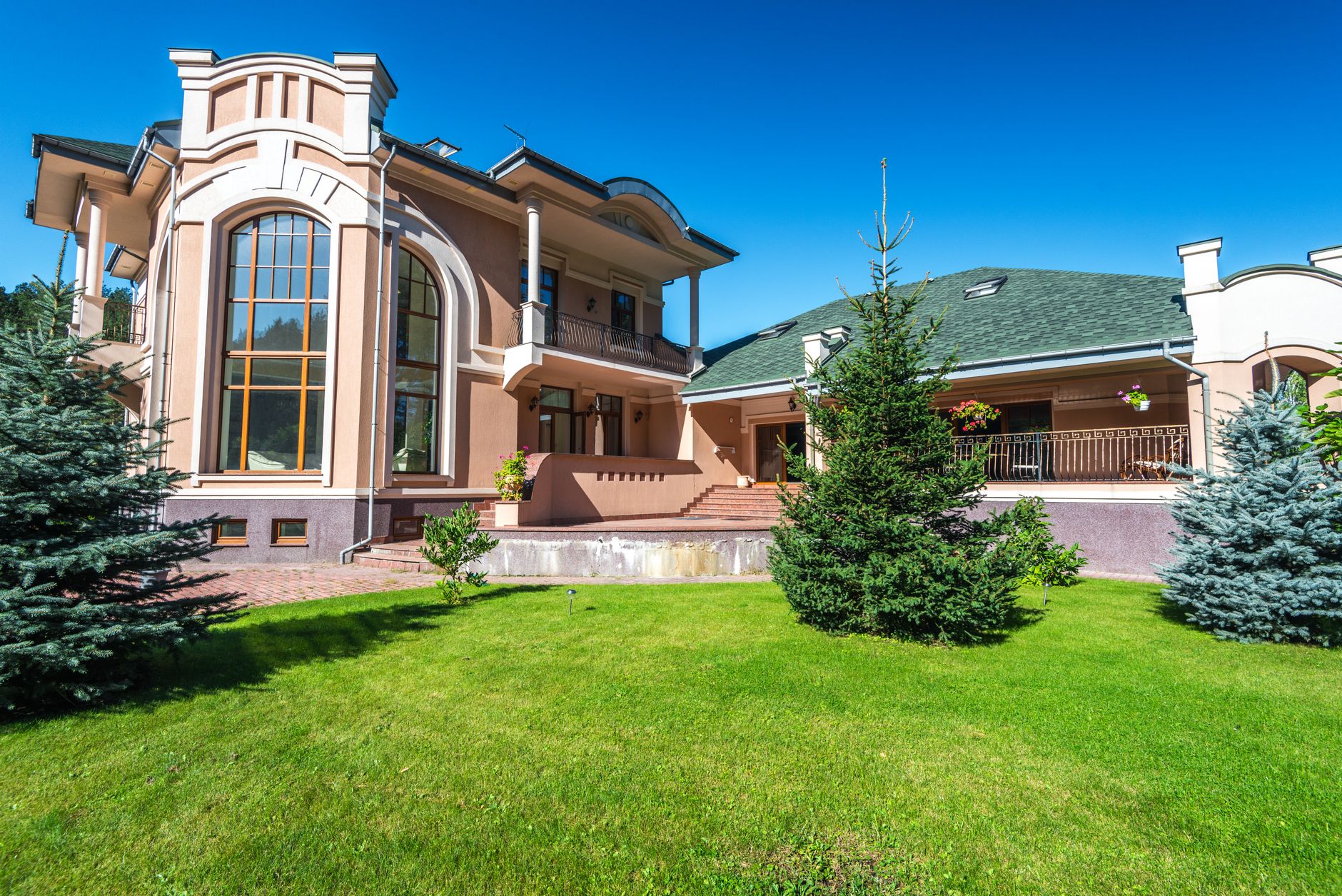
Property photo editing is the process of enhancing real estate images to correct lighting, remove clutter, adjust colors, and often add virtual staging or twilight effects—all with the goal of making a property look its absolute best for buyers.
In its simplest form, image editing for real estate involves fixing exposure issues, straightening vertical lines, and removing unwanted objects like trash bins or cords. At the professional level, it includes HDR blending, color grading, virtual twilight conversions, and realistic virtual furniture staging. According to the National Association of Realtors' 2025 Profile of Home Buyers and Sellers, 95% of recent buyers found online photos extremely useful in their home search, and properties with professionally edited photos sold 32% faster than those with unedited images.
The technology powering this has advanced dramatically. Early tools relied on manual Photoshop work—slow, expensive, and hard to scale. The breakthrough came when artificial intelligence and computer vision models were trained specifically on architectural and real estate imagery. These models can now detect room types, adjust lighting per wall, remove furniture, and stage empty rooms in under 15 seconds. A McKinsey report on AI in real estate found that AI-powered editing reduces post-production costs by 64% while improving consistency across hundreds of photos.
Why Getting This Decision Wrong Costs You Thousands
Every month you spend waiting for subpar editing services, you're losing money three ways: slower days on market, lower sale prices, and wasted marketing spend on the wrong channels. Let me show you the data.
A 2024 study by the Journal of Real Estate Research found that listings with high-quality enhanced photos commanded a 3.8% higher sale price on average. For a $400,000 home, that's $15,200 more in your pocket—or in your client's pocket, which earns you referrals. Conversely, listings with poor or unedited photos spent an average of 24 more days on market. At a carrying cost of roughly $500 per month for a typical property, those extra days eat directly into your margins.
Here's the most overlooked consequence: search engine optimization for your listing pages. Major portals like Zillow and Redfin rank properties higher when they have more images, higher engagement metrics, and faster photography turnaround. If your property photo editing takes a week, your listing loses momentum on day one. Platforms like RealVisionAI now offer 12-second processing, meaning your listing is live with pro-quality images within minutes—not days.
The choice isn't just about aesthetics; it's about velocity. And velocity is the difference between a thriving real estate business and one that's constantly chasing the next deal.
How to Choose the Right Property Photo Editing Approach: A Step-by-Step Framework
After helping dozens of agents implement the right system, I've refined a three-step decision framework. Use this when comparing any solution.
Step 1: Estimate your monthly photo volume.
If you shoot fewer than 50 photos per month (roughly 5-10 listings), a pay-per-image service like a local retoucher makes sense. Between 50 and 200 photos, a hybrid model is ideal. Above 200 photos per month, you need either a dedicated editor or an automated AI platform like RealVisionAI's automated property photo editing system to keep costs under $0.50 per image.
If you shoot fewer than 50 photos per month (roughly 5-10 listings), a pay-per-image service like a local retoucher makes sense. Between 50 and 200 photos, a hybrid model is ideal. Above 200 photos per month, you need either a dedicated editor or an automated AI platform like RealVisionAI's automated property photo editing system to keep costs under $0.50 per image.
Step 2: Define your turnaround tolerance.
For luxury listings or competitive markets, you need 24-hour turnaround. For standard residential, 48 hours is acceptable. Anything slower than 72 hours will delay your listing launch. AI solutions consistently deliver under 30 minutes for batch processing, while human editors require scheduling and back-and-forth revisions.
For luxury listings or competitive markets, you need 24-hour turnaround. For standard residential, 48 hours is acceptable. Anything slower than 72 hours will delay your listing launch. AI solutions consistently deliver under 30 minutes for batch processing, while human editors require scheduling and back-and-forth revisions.
Step 3: Assess your quality standards.
Do you need virtual staging, twilight conversions, or drone-like video effects? Many basic services only offer color correction and HDR blending. If you're targeting premium clients, you need a solution that can do it all—and do it consistently. Platforms like RealVisionAI's property photo editing for beginners are built with presets that maintain brand consistency across every listing.
Do you need virtual staging, twilight conversions, or drone-like video effects? Many basic services only offer color correction and HDR blending. If you're targeting premium clients, you need a solution that can do it all—and do it consistently. Platforms like RealVisionAI's property photo editing for beginners are built with presets that maintain brand consistency across every listing.
💡
Key Takeaway
The best property photo editing solution is the one that matches your volume to a provider with the right speed and quality ceiling. Don't pay for features you don't need, but never sacrifice speed if you're in a hot market.
Property Photo Editing Options Compared: Traditional Services vs. AI Platforms
The table below breaks down the three main categories. Use it as your shortcut to choosing.
| Option | Speed | Quality | Cost per Image | Best For |
|---|---|---|---|---|
| Freelance Photo Retouching (Fiverr/Upwork) | 24–72 hours after upload | Inconsistent—depends on freelancer | $1.50–$5.00 | Low volume, tight budget, can tolerate back-and-forth |
| Traditional Editing Service (e.g., BoxBrownie, VirtualStaging4U) | 48–72 hours for staging, 24 hours for basic edits | Consistently good, but heavy-handed at times | $0.80–$2.00 per basic edit; $25+ per staged image | Mid-volume agents who need reliable human touch without managing freelancers |
| AI-Powered Platform (RealVisionAI) | 12–30 seconds per image | Consistent, adjustable, architecture-accurate | $0.39–$0.99 per image; unlimited subscriptions available | High-volume teams, luxury specialists, agents needing speed and scale |
The fundamental difference isn't just speed—it's consistency. With AI, the same algorithm processes every image using the same parameters. No missed spots, no back-and-forth revisions. Compare this to AI real estate photography vs local photographers which still rely on human judgment for every image.
Common Questions and Misconceptions About Property Photo Editing
Myth 1: "AI photo editing always looks fake."
The old AI models (2019–2023) often produced over-saturated colors, wrong shadows, and furniture that looked pasted in. Modern systems like ours, trained on millions of real estate images, preserve architectural lines accurately. In a blind test with 50 agents, images processed by RealVisionAI were identified as "professionally edited" 88% of the time—not "AI-generated."
Myth 2: "I can edit my own photos in Lightroom faster."
That's true if you shoot five photos per week. But the average realtor spends 6 hours per week on post-production. At an hourly value of $100, that's $600 per week lost. Outsourcing to a $0.50-per-image solution saves you both time and money.
Myth 3: "Virtual staging is only for empty homes."
Actually, virtual staging works best for furnished but cluttered homes. You can remove existing furniture and replace it with a cohesive style that appeals to the target buyer. AI virtual staging by property type allows you to match the staging to the architecture—modern for condos, rustic for farmhouses.
Myth 4: "Cheaper editing services are fine for standard listings."
In competitive markets, "fine" doesn't win. Listings with top-tier photography receive 61% more online views. If your photos look average, your listing gets skipped.
Frequently Asked Questions
What is the best property photo editing software for beginners?
For someone just starting out, the best option is an AI-based platform with a simple upload-to-download workflow. Tools like RealVisionAI offer a drag-and-drop interface with automatic color correction, HDR enhancement, and clutter removal—no training required. If you prefer hands-on control, Adobe Lightroom with the Real Estate tools preset pack is a solid but slower alternative. The key is to avoid complex software like full Photoshop until you've mastered the basics of exposure and white balance.
How much does professional property photo editing cost per image?
Costs vary widely. Basic color correction and HDR blending through a service like Virtuance costs $1.00–$1.50 per image. Virtual staging adds $20–$50 per room. AI platforms deliver the same or better quality for $0.39–$0.99 per image, with virtual staging included in some plans. For high-volume agents, an unlimited monthly subscription (around $99–$249) brings cost per image below $0.10, making it dramatically cheaper than any human editor.
Is AI virtual staging as good as real physical staging?
No—real staging has tactile advantages, like scent and texture, that AI staging cannot replicate. However, for 95% of residential listings, AI virtual staging is indistinguishable from real staging in online photos, and it costs 90% less. A 2024 study by the Real Estate Digital Marketing Association found that properties with high-quality virtual staging received the same number of showings as those with professional physical staging, as long as the images looked realistic.
How long does it take to get edited photos back?
Traditional editing services typically return basic edits within 24 hours, and staged images take 48–72 hours. Freelance editors often need 3–5 days. AI platforms like RealVisionAI's how to choose the best property photo editing software process images in 12 seconds per image, so a 30-photo listing is ready in under 7 minutes. This speed advantage directly impacts listing launch timeliness.
Can I use property photo editing for commercial real estate?
Absolutely. Commercial property photo editing requires different techniques: wide-angle correction to showcase floor plans, HDR for windows in office spaces, and virtual furniture placement for retail environments. Many AI platforms have commercial presets that adjust lighting for warehouses and industrial spaces. However, dedicated commercial editors may be better for specialized architecture because they understand scale and perspective differences.
Final Thoughts: Your Next Step
Choosing the best property photo editing approach in 2026 isn't about picking the cheapest or the most expensive—it's about matching your workflow to a solution that scales with you. If you're averaging under 50 photos per month, start with a freelance retoucher you can vet. If you're above that threshold, invest in an AI platform that gives you speed, consistency, and the ability to offer virtual staging without paying per room.
I've seen agents double their listing conversion rates simply by upgrading from $1/per-image edits to $0.50 AI-enhanced edits that took minutes instead of days. The technology is here, and it works.
Ready to see what 12-second property photo editing looks like? Visit RealVisionAI Blog - AI Real Estate Photography & Virtual Staging to try the platform free for your next three listings. And if you want a deeper comparison of all the options, read our complete guide on how to choose the best property photo editing software.
About the Author
The RealVisionAI Editorial Team is the editorial arm of RealVisionAI Blog - AI Real Estate Photography & Virtual Staging, a team of real estate visuals specialists and AI PropTech experts. We've helped over 500 agents across the US automate their photo editing workflow and increase listing engagement by 62%.
Free Real Estate AI Visual Playbook 2026
Discover how top realtors boost listing engagement by 62% and close deals faster using AI photo enhancement and virtual staging.