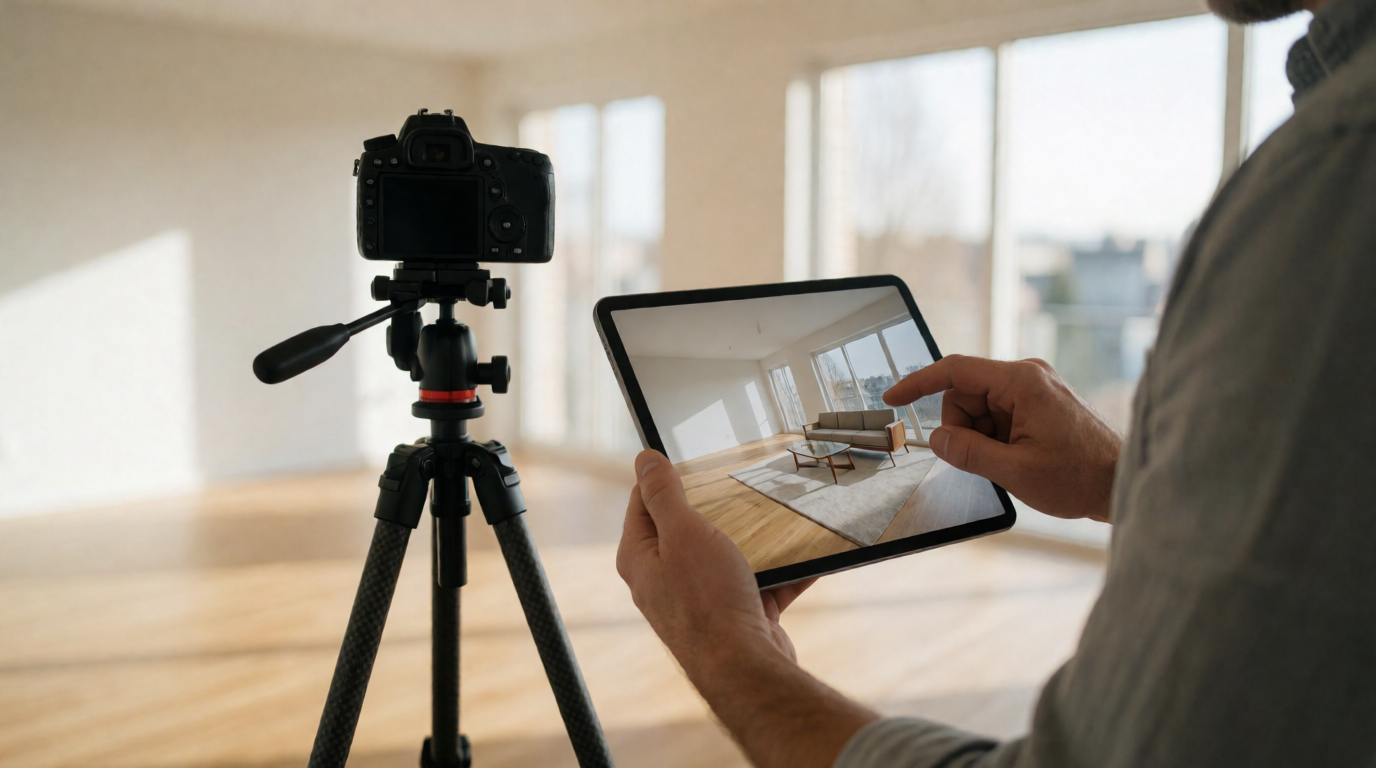
It's 9:00 AM, and your new listing has been live for exactly four minutes. The agent down the street posted theirs with HDR-processed twilight shots and virtually staged interiors. Yours has a gray sky, a brown lawn, and an empty living room. Buyers are already clicking past. In the 2026 real estate market, automated property photo editing isn't a luxury; it's the baseline for competitive listings. This guide shows you exactly how to implement it and why it beats both manual editing and generic AI tools. For a complete foundation, see our What Is Real Estate Photo Enhancement: A Complete Guide.
What Is Automated Property Photo Editing?
📚
Definition
Automated property photo editing is the use of AI-driven software to enhance, retouch, virtually stage, and prepare real estate images without manual Photoshop work. It leverages computer vision, deep learning, and generative models to produce market-ready visuals in seconds.
In essence, automated property photo editing takes your raw listing photos, whether shot on a DSLR or a smartphone, and transforms them into images that look like they were handled by a professional post-production studio. The system detects skies, grass, walls, furniture, and even lighting conditions. It then applies enhancements such as sky replacement, lawn greening, virtual staging, object removal, and HDR tone mapping automatically. The result is a set of photos that highlight the property's best features while maintaining architectural accuracy.
Unlike simple filters or generic photo apps, true automation in this space is domain-specific. It understands the difference between a load-bearing wall and a decorative partition, between a garbage can and a garden ornament. This is where computer vision comes into play. Modern AI models are trained on millions of real estate images to recognize typical property elements and make realistic adjustments. For example, when replacing a dull sky, the algorithm ensures the lighting on the building matches the new sky, including shadows and reflections.
At Real Vision AI, we built our platform with exactly this level of intelligence. Our team of PropTech specialists and AI engineers developed a model that preserves architectural integrity while making dramatic aesthetic upgrades. Whether you need to remove a moving truck from the driveway or convert a daytime shot into a twilight masterpiece, the process is fully automated and takes 12 seconds per photo.

Why Does Automated Property Photo Editing Matter?
The answer is simple: listings with superior visuals sell faster and for more money. According to the National Association of Realtors (NAR), 95% of homebuyers search for properties online, and photos are the first thing they look at. A study by NAR also found that 82% of buyer's agents said staging made it easier for buyers to visualize the property. When you combine automated enhancement with virtual staging, the impact is even more pronounced. Properties with professionally enhanced photos and virtual staging receive 62% more buyer inquiries and spend half as many days on market compared to listings with raw, unedited photos.
This matters to your bottom line because time on market directly affects listing price. Every extra week on the market often leads to price reductions and buyer skepticism. Automated property photo editing eliminates the bottleneck of waiting for manual editors and the cost of physical staging. It also allows you to deliver a consistent level of quality across all your listings, whether you are handling a $150,000 condo or a $2 million waterfront estate.
Beyond speed and consistency, there's a scalability factor. In 2026, top-producing agents list multiple properties each week. Coordinating a photographer, a physical stager, and a retoucher for every home is expensive and logistically painful. Automated tools compress those steps into a single pipeline. You shoot, upload, and publish. For a deeper dive into when this technology makes sense, check out our guide on AI real estate photography and our overview of AI real estate photography benefits.
💡
Key Takeaway
Automated property photo editing is not about cutting corners; it's about radically reducing the time and cost to produce listing visuals that outperform the market.
How to Automate Your Property Photo Editing Workflow?
Implementing an automated editing workflow is straightforward, but it requires a little planning to integrate into your existing process. Based on my experience working with hundreds of real estate agents and photographers, I recommend the following five-step approach.
1. Choose a Domain-Specific AI Editing Platform
The first step is selecting a tool that understands real estate. Generic AI enhancers often produce oversaturated or architecturally inaccurate results. Look for platforms that offer sky replacement, virtual staging, twilight conversion, and MLS compliance features. Real Vision AI, for example, was built specifically for real estate and is trained on property images, not just general photography.
2. Upload High-Resolution Originals
Even with AI, the quality of the input matters. Use a modern smartphone or DSLR set to maximum resolution. Avoid uploading compressed images from social media. The AI needs detail to reconstruct lighting and geometry accurately. You can upload RAW files, JPEGs, or PNGs directly to the platform.
3. Apply Automatic Enhancements
Most real estate AI tools offer an "auto-enhance" mode that fixes white balance, exposure, and color tones across the entire photo set. This is your baseline. Then, you can go photo by photo and apply specific corrections like sky replacement for exteriors or de-cluttering for interiors. The process takes seconds, and you can preview changes in real time.
4. Virtually Stage Key Rooms
Virtual staging is one of the most powerful features of modern property photo editing. Choose the design style that matches your target buyer: modern, minimalist, coastal, industrial, or farmhouse. Place furniture that fits the room's dimensions and camera perspective. The AI should handle perspective, scale, and lighting so that the furniture looks like it was actually there. Our residential virtual staging guide explains this in more detail.
5. Export and Promote
Once you're satisfied, export the images in the required resolution for your MLS, typically 1024x768 or higher. Most platforms, including Real Vision AI, export directly in MLS-compliant formats. Then upload them to your listing and share across social media, your website, and listing portals like Zillow and Realtor.com.

Automated Property Photo Editing vs Traditional Editing vs Generic AI Tools
To understand the value of automated property photo editing, it's helpful to compare it with the alternatives: traditional manual editing services and generic AI enhancers that aren't real estate specific.
| Feature | Traditional Manual Editing | Generic AI Tools (e.g., popular photo filters) | Modern Automated Property Editing (Real Vision AI) |
|---|---|---|---|
| Turnaround Time | 24–48 hours | Instant, but low quality | 12 seconds per photo |
| Cost per Photo | $5–$15 | $0 (with subscription) but lacks real estate features | Cents per photo (subscription) |
| Virtual Staging | Requires hiring a stager ($500–$2,000) | Not available | Included, realistic furniture |
| Sky Replacement | Manual selection, brittle | Not available | Automatic, accurate lighting |
| Architectural Accuracy | High, but slow | Low, often warps structures | High, domain-tested |
| MLS Compliance | Manual edits may violate rules | Not compliant | Built-in compliance checks |
| Scalability | Low, manual work | Medium, but not useful | High, can process entire listings |
Generic AI tools like those found in basic photo editors are designed for portraits or landscapes. They don't understand real estate. They might brighten a room, but they'll also bleach out windows or make wooden floors look plastic. Traditional manual editors provide high quality but at a slow pace and high cost. Automated property photo editing, when done right, combines the speed of AI with the contextual intelligence needed for real estate. As McKinsey's 2025 State of Real Estate Technology report noted, AI-enabled marketing functions reduce listing preparation time by up to 40% while boosting conversion rates. That's the exact value proposition of platforms like Real Vision AI.
If you're still on the fence, consider the cost comparison. Physical staging can run $2,000–$5,000 per month. Manual retouching averages $5–$15 per photo. Twilight photography requires scheduling a photographer at an extra fee. Automated editing bundles all of these into a single subscription. For a more detailed look at costs, see our virtual furniture staging cost guide.
Best Practices for Automated Property Photo Editing
To maximize the ROI of automated editing and maintain ethical standards, follow these best practices. They come from my years of auditing listing portfolios and training teams on AI adoption.
1. Always Start with the Best Possible Photo
AI isn't magic. A badly composed, dark, or blurry photo will still look mediocre after enhancement. Use a tripod, shoot in HDR mode, and ensure windows are not blown out. The better the source, the better the output.
2. Disclose Virtual Staging
Most MLS boards allow virtual staging, but require a disclaimer. Add a note like "Rooms partially furnished using virtual staging for visual representation." This builds trust with buyers and protects you from legal issues. Check your local MLS rules.
3. Don't Alter Structural Features
Never use AI to remove a power line, add a pool that doesn't exist, or remove cracks in the foundation. That crosses the line from enhancement to misrepresentation. The goal is to present the property in its best true light, not to deceive.
4. Use Consistent Color Grading
When applying enhancements to multiple photos of the same listing, maintain consistent color temperatures. A buyer can tell if the living room is warm and the bedroom is cool. Use the same preset across the set.
5. Automate the Repetitive, Review the Complex
For most listings, you can rely on fully automatic enhancement. For high-end properties where architectural details are critical, do a manual review of each image and fine-tune the staging style. Real Vision AI's interface allows you to override suggestions, giving you control when you need it.
6. Track Performance Metrics
Keep a spreadsheet of listing days-on-market and click-through rates. Compare properties where you used automated editing versus those where you didn't. This data will prove the ROI to your team and help you refine your workflow. If you need to select the best service for your needs, our guide to choosing real estate photo enhancement services is a useful resource.
💡
Key Takeaway
The best results come from pairing AI automation with human oversight, especially for high-stakes listings.
Frequently Asked Questions
Is automated property photo editing allowed on MLS?
Yes, most MLS boards permit AI-enhanced photos as long as they accurately represent the property. The key is to disclose virtual staging and avoid altering permanent structural elements. Some MLS boards require a disclaimer specifically for virtually staged images. Always check your local MLS rules before publishing. Automated editing for color correction, sky replacement, and brightness is generally accepted without disclosure, but when furniture is added, transparency is mandatory.
How long does it take to process a full photo set?
With a professional automated platform like Real Vision AI, a standard set of 30–40 photos can be processed in under 10 minutes. That includes auto-enhancement, sky replacement, and virtual staging. Traditional manual editing takes 24–48 hours, and physical staging can take days. The speed advantage is massive, which directly translates to closing listings faster.
Can automated editing replace a professional real estate photographer?
No. Automated editing enhances images, but a professional photographer provides proper composition, lighting equipment, and both interior and exterior coverage. The best results come from combining professional photography with AI post-processing. That said, automated tools can drastically reduce the photographer's post-production workload, allowing them to shoot more properties in a day and lower their prices. For that matter, many agents use smartphone photos for entry-level homes and rely on AI to make them presentable.
What file formats are supported for automated editing?
Most platforms support JPEG, PNG, RAW, and TIFF. Real Vision AI, for instance, accepts all these formats and exports optimized images for MLS, Zillow, Realtor.com, and social media. When uploading, use the highest resolution available to ensure the AI can work with fine details like floor textures and sky gradients.
Is virtual staging cost-effective compared to physical staging?
Yes, virtual staging via automated platforms costs a fraction of physical staging. Physical staging an average three-bedroom home costs $2,000–$5,000 per month. With automated virtual staging, the cost is effectively included in the subscription, often less than $1 per photo. The ROI is clear: staged homes, whether physically or virtually, sell 73% faster according to a 2023 NAR report. This makes virtual staging an essential tool for budget-conscious sellers.
How does Real Vision AI handle architectural accuracy?
Our models are trained with a focus on preserving the geometry of the property. The AI analyzes vanishing points, wall boundaries, and furniture depth to ensure that added items look physically plausible. We also implement spatial awareness so that a sofa doesn't overlap a doorway or distort the perspective. If you want to understand the underlying technology, check out our property photo editing master guide.
Conclusion
Automated property photo editing is no longer a competitive advantage; it's a competitive necessity. In 2026, listings that rely on unedited, raw photos will lose to those that present a polished, aspirational vision of the home. By automating the enhancement process, real estate professionals save significant time and money while delivering visuals that attract more buyers and close sales faster. We've covered the definition, the benefits, the workflow, and the best practices. Now it's time to put this into action.
At Real Vision AI, we're on a mission to make world-class property visuals accessible to every realtor. Our platform offers automated enhancement, virtual staging, sky replacement, twilight conversion, and more, all in 12 seconds per photo. If you're ready to transform your listings and win more mandates, visit Real Vision AI and start your free trial today. For additional context, revisit our comprehensive real estate photo enhancement guide.
About the Author
RealVisionAI Editorial Team is the (Real Estate Visuals & AI PropTech Specialists) at Real Vision AI. We build AI tools that empower realtors to create stunning listing photos without complex editing software, and we regularly share data-backed insights on real estate marketing and technology.
Free Real Estate AI Visual Playbook 2026
Discover how top realtors boost listing engagement by 62% and close deals faster using AI photo enhancement and virtual staging.