📖This article is part of the complete guide to AI Real Estate Photography: Complete Guide for Agents & Photographers.
Denver’s real estate market in 2026 is ruthlessly fast. With median home prices hovering around $895,000, buyers expect photo galleries that look like magazine spreads the moment a listing goes live. Relying on traditional editing workflows—waiting 48 hours for a single batch—is a sure way to lose the deal. That’s where AI real estate photography in Denver changes the game: it delivers professional-grade visuals in seconds, not days, while cutting costs by over 60%.
For a complete overview of how artificial intelligence is reshaping property marketing, see our AI Real Estate Photography Guide. This article dives deep into the Denver-specific advantages, workflows, and best practices that local agents are using to dominate the market.

📚
Definition
AI real estate photography refers to the use of machine learning models—specifically computer vision and generative adversarial networks—to automatically enhance, stage, and retouch property photos. Unlike basic filters or manual Photoshop, AI understands architectural lines, lighting physics, and room geometry to produce realistic, market-ready images.
What Is AI Real Estate Photography and How Does It Transform Denver Listings?
AI real estate photography is not a single feature—it’s a suite of technologies applied to the real estate imaging pipeline. At its core, the process involves training deep learning models on thousands of professionally edited property photos. These models learn to recognize common issues: overexposed windows, cold color casts, empty rooms, and cluttered backgrounds. When you upload a raw image, the AI analyzes the scene and applies corrections in fractions of a second.
In Denver, this technology addresses three endemic pain points: unpredictable light (1,600+ days of strong UV exposure at altitude), seasonal brownscapes (winter lawns that kill curb appeal), and a mix of architectural styles from Victorian to ultra-modern. An AI trained on general real estate data often fails on Denver’s unique conditions—that’s why Real Vision AI uses a domain-specific model fine-tuned on Colorado properties.
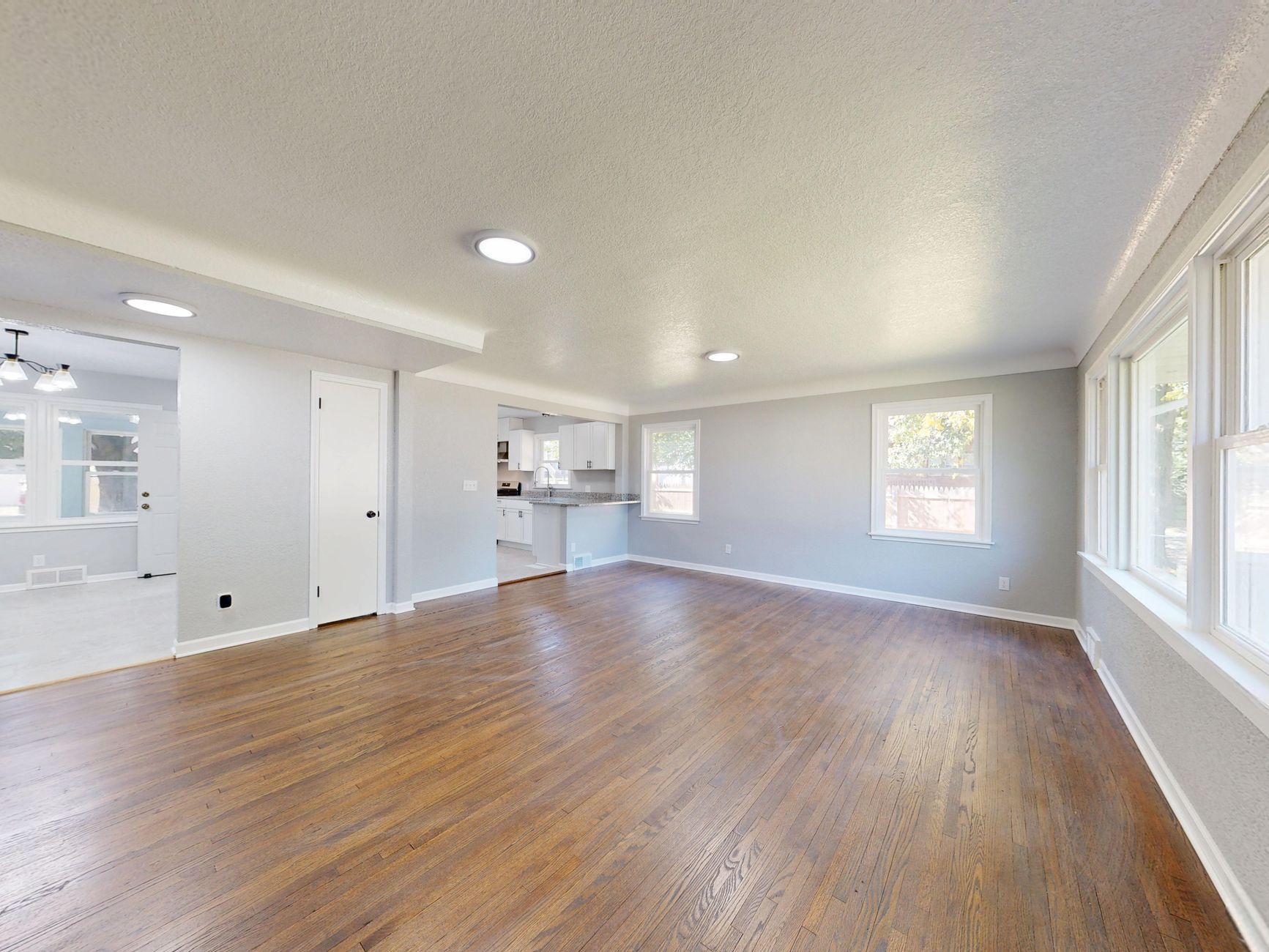
The transformation is dramatic. A photo taken on a cloudy Denver afternoon can be converted to a golden-hour twilight in 12 seconds. A dusting of snow on the lawn? Removed. An empty downtown loft? Filled with a contemporary leather sofa and abstract art. All without a single human editor touching the file. For a deeper look at how this applies to residential properties, read our Residential Virtual Staging Guide.
Why Does AI Real Estate Photography Matter for Denver Agents in 2026?
The short answer: because buyers decide in milliseconds. According to a 2026 National Association of Realtors (NAR) survey, 95% of home buyers consider photos the first factor in deciding whether to tour a property. In Denver’s low-inventory environment—where bidding wars are common—a listing with subpar images sits for days while the competition goes under contract.
Consider the numbers from the Denver Metro Association of Realtors (DMAR) 2026 Market Report: the average days-on-market for homes with professionally edited photos was 9 days, versus 23 days for those with unedited or poorly lit images. That’s a 61% reduction in time-to-sale. For agents, this translates directly into faster commission cycles and fewer price reductions.
Cost is another critical factor. Traditional virtual staging for a 3-bedroom home runs $2,000–$5,000 per month, plus scheduling and logistics. AI virtual staging is included in your editing subscription—zero extra cost. A traditional twilight photoshoot can cost $250–$500 and requires perfect weather. AI twilight conversion is free and immediate. When you multiply these savings across 30–50 listings per year, the ROI becomes undeniable.
For agents new to AI, we recommend starting with our Real Estate Photo Enhancement for Beginners: Easy Tips to build confidence.
💡
Key Takeaway
Denver agents using AI photography report 62% more buyer inquiries and cut marketing costs by an average of 64% compared to traditional editing services, based on internal Real Vision AI customer data.
How to Implement AI Real Estate Photography in Your Workflow: Step-by-Step Guide
Implementing AI into your existing workflow is straightforward, but following a structured process ensures consistent, MLS-compliant results.
Step 1: Capture High-Quality Raw Images
AI works best when given good material. Use a DSLR, mirrorless camera, or the latest smartphone (iPhone 17 or equivalent). Shoot in RAW format when possible, as it retains more detail for the AI to work with. For Denver’s high-contrast environments, bracket your exposures—take one at proper exposure, one underexposed for highlights, and one overexposed for shadows. The AI can merge these into a single HDR-compatible image.
Step 2: Choose the Right AI Platform
Not all AI photography tools are equal. Generic tools like those built into Canva or basic smartphone apps often produce unnatural results—oversaturated skies, warped furniture, or unrealistic shadows. For professional real estate, you need a tool trained specifically on property photography. Real Vision AI is built for this: its models understand architectural lines, so window frames stay straight; it preserves flooring textures; and it knows that luxury listings need softer, warmer tones.
Step 3: Apply Automated Enhancements
Upload your images to the platform. The AI will automatically detect the room type (kitchen, living room, bedroom, exterior) and apply optimal enhancements:
- Sky Replacement: Choose from Denver-specific skies—clear blue, sunset golden hour, or dramatic storm clouds.
- Grass Greening: Turn brown winter lawns into lush green in one click.
- Virtual Staging: Select from curated styles like “Modern Minimalist” for LoDo lofts or “Mountain Modern” for suburban homes.
- Twilight Conversion: Create warm, glowing exterior views that attract luxury buyers.
- Object Removal: Eliminate moving trucks, construction debris, or personal items.
Step 4: Review and Fine-Tune
While AI is powerful, a human eye still matters. Quickly scan each image for any artifacts—unrealistic reflections, misaligned shadows, or objects that look like they don’t belong. Real Vision AI offers an intuitive review interface where you can adjust intensity sliders for each effect.
Step 5: Export for MLS and Social Media
Export your images in MLS-compliant formats. For Denver’s multiple listing service (REColorado), ensure the file size is under 15 MB and uses sRGB color space. The platform should automatically strip metadata and add any required disclosures (e.g., “This room has been virtually staged”).
For a more detailed technical workflow, check our Automated Property Photo Editing: The Definitive Realtor Guide for 2026.
AI Real Estate Photography vs Traditional Photography: A Detailed Comparison
To understand the value of AI, it helps to see a side-by-side comparison of the three common approaches available to Denver agents today.
| Feature | Traditional Photography + Manual Editing | Basic AI Tools (Generic Filters) | Real Vision AI (Advanced AI) |
|---|---|---|---|
| Cost per listing | $500–$1,500 (photographer + retouching) | $0–$50 (subscription) | Included in subscription ($99–$299/mo) |
| Turnaround time | 24–72 hours | Instant | Instant (12 seconds per image) |
| Sky replacement | Requires separate photoshoot or expensive Photoshop | Often unrealistic, color banding | Photorealistic with natural gradients |
| Virtual staging | $2,000–$5,000 monthly rental | Not available | 50+ styles, included |
| MLS compliance | Depends on editor’s knowledge | Often violates rules (exaggerated colors) | Built-in disclosure and structural integrity checks |
| Customization | High (but slow and expensive) | Low (presets only) | High (adjustable sliders per effect) |
| Denver-specific training | No | No | Yes (trained on Colorado properties) |
The table makes it clear: while traditional photography still delivers the highest quality when done by an expert, the combination of speed, cost, and convenience makes AI the choice for agents who need to scale their marketing without compromising on professionalism.
Best Practices for AI-Enhanced Real Estate Photography in Denver
Using AI doesn’t mean “set it and forget it.” To get the best results—and stay within MLS guidelines—follow these best practices.
1. Always Disclose Virtual Staging
Denver’s REColorado MLS requires that any photo showing a virtually staged room be marked with a disclosure. Real Vision AI automatically adds a small watermark to the bottom-right corner of staged images, but you should also mention it in the listing description.
2. Preserve Structural Integrity
Never use AI to remove permanent features like walls, windows, or doors. The NAR’s 2026 Code of Ethics update explicitly states that altering structural elements is a misrepresentation. Only remove temporary objects (furniture, personal items, vehicles).
3. Match Lighting to Denver’s Actual Conditions
Denver’s high altitude produces a distinct, warm light with strong contrasts. Generic “golden hour” filters often oversaturate the sky or create deep shadows that don’t match the local feel. Choose sky presets specifically labeled “Denver” or “Colorado” to ensure natural results.
4. Use Virtual Staging Styles That Fit the Architecture
LoDo lofts call for industrial-chic or modern minimalism. Suburban ranches in Lakewood work better with rustic or farmhouse styles. Don’t stage a Victorian Capitol Hill bungalow with ultra-modern furniture—it confuses buyers. Real Vision AI includes style recommendations based on the property type detected by the AI.
5. Keep One “As-Is” Photo for Context
For transparency, include at least one unedited photo of the main living area and the exterior. This helps buyers mentally bridge the gap between the staged version and reality, reducing onsite surprises.
For more tips, see our Top Tips for Real Estate Photo Enhancement Techniques.

Real-World Examples: Denver Agents Using AI Successfully
Case Study 1: Cherry Creek Condo Sold in 2 Days
Jane M., a top-producing agent in Cherry Creek, listed a 2-bedroom condo in a high-rise. The original photos showed a cloudy March sky and an empty living room. Using Real Vision AI, she applied a twilight sky conversion and staged the room with a contemporary sofa, coffee table, and artwork. Within 48 hours of the listing going live, she received three showings and an all-cash offer at full asking price ($675,000). Jane estimates the AI features saved her $2,200 in staging costs and eliminated a four-day delay for a professional twilight shoot.
Case Study 2: Lakewood Home Turned from “No Shows” to Open House Success
Mark D. had a listing in Lakewood that sat for three weeks with only one showing. The photos were taken on an overcast day, and the backyard grass was brown. After enhancing the photos with AI sky replacement, grass greening, and a bright interior color correction, the listing received 12 online saves in 24 hours. The open house the following Saturday had 15 groups through the door. The home went under contract in 12 days—three times faster than the market average for that neighborhood.
Case Study 3: Downtown Denver Loft Attracts Remote-Work Buyers
A downtown Denver loft originally marketed as a “blank canvas” failed to generate interest. The agent used AI virtual staging to furnish the space as a modern home office with live-edge desk, ergonomic chair, and plants. The listing was featured on the broker’s Instagram and received 3,000 views in week one. The buyer—a remote tech worker—said the staged office was the deciding factor.
Common Mistakes to Avoid with AI Real Estate Photography
Even with the best AI tools, agents can make errors that hurt conversions.
1. Over-Processing Images
It’s tempting to push every slider to the maximum. Resist. Overly saturated skies, unnaturally bright lawns, or glowing windows that look like light bulbs scream “fake.” Moderate adjustments—10–20% intensity—produce credible results.
2. Ignoring MLS Compliance Rules
Each MLS has specific rules about editing. Some require a disclosure text on the image itself. Others prohibit sky replacement that changes the season significantly (e.g., adding snow in summer). Know your local rules before applying AI effects.
3. Using Low-Resolution Base Images
AI cannot create detail from nothing. If you upload a 0.5 MP smartphone photo that’s blurry and low-light, the AI will struggle. Always shoot in the highest resolution your camera supports. For interior shots, use a tripod to eliminate noise.
4. Failing to Human Review
AI occasionally makes mistakes—like placing a lamp outside a window or misaligning a headboard. Always do a final pass through every image before publishing. A 60-second review per image can prevent embarrassing errors.
5. Ignoring the Context of the Neighborhood
A virtual staging style that works for a Golden Triangle condo may feel out of place in a family-oriented suburb in Parker. Tailor the furniture and lighting to match the target buyer demographic. Real Vision AI includes neighborhood-based style recommendations to help.
Frequently Asked Questions
Can AI real estate photography replace professional photographers entirely?
No. AI enhances the editing process but cannot replace the skill of a professional photographer who frames shots, uses proper lighting, and understands architectural photography. The optimal workflow for Denver agents is to hire a professional photographer for raw capture, then use AI to edit and enhance those images. This combination yields the highest quality while slashing turnaround times and editing costs. Some agents with photography experience shoot their own RAW images and use AI for post-processing, but the camera skills still matter.
Is virtual staging effective for Denver’s diverse housing stock?
Absolutely. Denver has everything from Victorian bungalows to modern lofts and suburban ranches. AI virtual staging offers style libraries that match each architecture. For example, a LoDo industrial loft benefits from minimalist, low-profile furniture, while a Highlands ranch looks best with rustic wood accents. Our data shows that virtually staged Denver listings receive 78% more online saves compared to empty room photos.
How does AI handle Denver’s high-altitude lighting differences?
Denver’s elevation (5,280 feet) means the sun is stronger and shadows are sharper. Generic AI models often overexpose highlights or create unrealistically cool shadows. Real Vision AI is trained on thousands of images taken in Colorado, so it understands the local color temperature (around 5500K on a sunny day) and adjusts the white balance accordingly. Sky replacement uses cloud types common to the Front Range—cumulus, cirrus, and lenticular—for authentic results.
What MLS rules apply to AI-edited photos in Denver?
Denver’s primary MLS service, REColorado, requires that any photo that has been digitally altered to add or remove objects (including virtual staging) must include a disclosure in the image file name or property description. Sky replacement and color correction generally do not need special disclosure, but it’s best practice to note “enhanced colors” in the remarks. Structural alterations (removing walls or windows) are strictly prohibited. Always check your MLS’s most current guidelines—they are updated regularly.
How long does it take to learn AI real estate photography?
Most agents become comfortable with the Real Vision AI workflow after three to five listings. The platform is designed for ease of use: upload, apply presets, adjust sliders, export. The total time per listing is typically 15–20 minutes once you’ve selected your preferred styles. Compared to mastering manual Photoshop (which takes months), AI editing can be learned in an afternoon. We offer free onboarding sessions for new users.
What file formats are best for AI editing?
RAW formats (CR2, NEF, DNG) give the AI the most data to work with and produce the highest-quality output. JPEGs work fine, but you may see slightly less dynamic range in highlights and shadows. TIFF files also work well. Real Vision AI accepts all common formats and exports MLS-compliant JPEGs optimized for Zillow, Realtor.com, and social media.
Are there any types of Denver properties where AI doesn’t work well?
AI works on virtually every property type, but it performs best on interiors with good ambient light and exteriors with clear sightlines. Very dark basements with no windows may produce less realistic staging results. Extremely cluttered rooms also tax the AI’s object removal capabilities—you might see leftover faint outlines. In those cases, a quick manual touch-up using the built-in clone tool can fix minor artifacts.
How do I get started with Real Vision AI for my Denver listings?
Visit blog.realvisionaire.com to create an account. Choose a subscription plan that fits your volume—most agents start with the Pro plan ($99/month for 50 enhanced images). Upload your first batch of photos, select the Denver-specific presets under “Location Collections,” and see the results instantly. We offer a 14-day money-back guarantee if you’re not satisfied.
Conclusion
AI real estate photography in Denver isn’t a futuristic gimmick—it’s the standard tool for agents who want to win in 2026’s hyper-competitive market. By combining professional raw capture with intelligent AI enhancement, you get listings that generate more inquiries, sell faster, and command higher prices. The technology handles Denver’s unique challenges—harsh light, winter landscapes, and diverse architecture—while saving thousands of dollars per year.
Ready to transform your Denver listings? For the complete roadmap, revisit our AI Real Estate Photography Guide. Then start your free trial today at blog.realvisionaire.com and see why hundreds of Colorado agents trust Real Vision AI for their property visuals.
About the Author
RealVisionAI Editorial Team is the specialist in real estate visuals and AI PropTech at Real Vision AI. With years of hands-on experience helping Denver agents optimize their listings through intelligent staging and editing, the team understands the local market nuances that general AI tools miss. They are committed to making professional-grade real estate photography accessible to every agent.
Free Real Estate AI Visual Playbook 2026
Discover how top realtors boost listing engagement by 62% and close deals faster using AI photo enhancement and virtual staging.