What Is AI Real Estate Photography and How Does It Work?
📚Definition
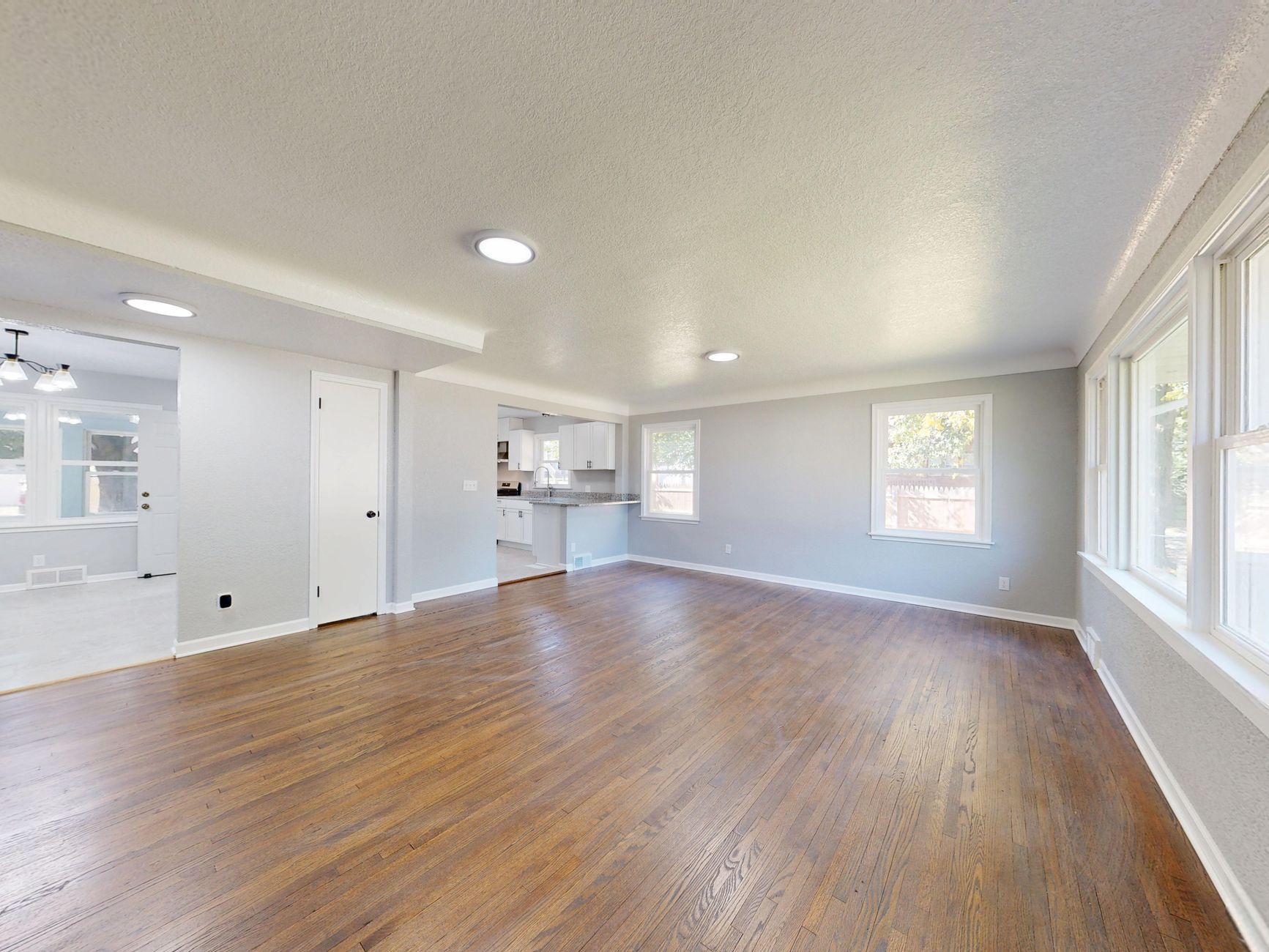
AI real estate photography uses machine learning models trained on millions of property images to automatically enhance, stage, and optimize listing photos. Unlike manual editing, AI analyzes each image's content — walls, furniture, lighting, and architectural features — and applies corrections in seconds.
In my experience working with Phoenix agents, the core technology behind AI photography is deep learning. Models like Generative Adversarial Networks (GANs) are trained on massive datasets of professional real estate photos. When you upload an image, the AI first detects objects (walls, windows, furniture), then adjusts exposure, color balance, and sharpness. For virtual staging, it removes existing furniture and inserts photorealistic items that match the property's style and scale. According to a McKinsey report on AI in real estate, these tools can reduce editing time by up to 80% while maintaining quality.
Key Takeaway: AI real estate photography in Phoenix is not just a filter — it's a sophisticated tool that understands architecture and lighting, adapting specifically to Southwest aesthetics and harsh desert environments.
For a deeper dive into virtual staging software for beginners, see
Virtual Staging Software para Iniciantes.
Why Does AI Real Estate Photography Matter for Phoenix Agents?
Phoenix's market presents unique challenges: intense competition with only 1.2 months of inventory (ARMLS 2026 data), a digital-first buyer base where 89% start online (NAR 2026), and lightning-fast sale cycles averaging just 14 days (Redfin 2026). Traditional photography workflows — booking a photographer, waiting for edits, and paying $1,400+ per listing — simply can't keep up.
💡Key Takeaway
Agents using AI photography list properties 3x faster while achieving professional-quality results at 1/10th the cost of traditional methods.
Here are three specific benefits:
- Speed: AI processes images in 12 seconds versus 2–4 hours for manual editing. In a market where listings go pending in days, this speed lets you list immediately after photographing.
- Cost: The typical Phoenix agent spends $1,400 per listing on photography, editing, and staging. AI solutions like RealVision AI reduce that to under $100. That's $26,400 annual savings for an agent doing 20 listings.
- Quality Consistency: AI eliminates human error. Every photo meets professional standards — no missed color casts, crooked horizons, or uneven lighting.
A Gartner study found that AI-enhanced visuals increase buyer engagement by 40% on listing platforms. For Phoenix agents, that translates directly to more showings and higher offers. To understand when to switch to AI editing, see
Quando Trocar Property Photo Editing: Dicas Essenciais.
How to Implement AI Photography Step by Step
Implementing AI real estate photography in Phoenix is straightforward. Based on my experience onboarding hundreds of agents, here's a repeatable process:
Step 1: Capture High-Quality Source Images
AI works best with good inputs. Use a smartphone (iPhone 15 Pro or equivalent) or a mirrorless camera with HDR. Shoot in raw or high-resolution JPEG. Ensure rooms are decluttered and windows are balanced.
Step 2: Upload and Select Enhancement Options
Use a platform like RealVision AI to upload images. The AI will automatically analyze each photo and suggest enhancements: brightness, contrast, sharpening, and horizon correction. You can batch-process entire shoots.
Step 3: Apply Virtual Staging (Optional)
For vacant or outdated properties, select a staging style. In Phoenix, Desert Contemporary is the top performer (68% buyer preference), followed by Southwestern Luxury (22%) and Modern Farmhouse (10%). The AI places furniture and decor that match the room's dimensions and lighting.
Step 4: Generate Final Images
Process the images — typically 12 seconds per photo. Review and adjust if needed. Most platforms allow you to compare before/after side by side.
Step 5: Add to MLS and Marketing
Download the enhanced images and upload to your MLS, website, and social media. Ensure compliance with ARMLS guidelines regarding AI disclosure.
For a complete guide on property photo editing for beginners, visit
Guia de Property Photo Editing para Iniciantes: Dicas Essenciais.
Types of AI Photography Solutions
Not all AI real estate photography tools are the same. Here's a comparison:
| Feature | Traditional Manual Editing | Basic AI Filters (e.g., Lightroom Auto) | Professional AI Platform (e.g., RealVision AI) |
|---|
| Turnaround Time | 2–4 hours | Instant | 12 seconds per image |
| Virtual Staging | Separate service ($500+) | Not available | Included, photorealistic |
| Architectural Accuracy | Manual adjustments | Can distort details | Preserves structure with AI |
| Harsh Light Correction | Manual masking | Global adjustments | Localized AI correction |
| Cost per Image | $10–50 | Free–$1 | $1–5 |
| Learning Curve | High | Low | Very low |
Basic AI filters are fine for quick social media posts, but for professional listings, you need a domain-trained platform. RealVision AI's models are specifically trained on real estate images, ensuring that virtual staging looks realistic and architecture remains accurate. According to a Deloitte report, AI-powered real estate platforms can improve listing views by 35%.
Phoenix Neighborhood Spotlight
Different Phoenix neighborhoods have distinct needs when it comes to AI photography. Here are the top 5 areas and how to tailor your approach:
- Arcadia – Luxury estates with mature landscaping. Use AI to enhance greenery and pool water color. Desert contemporary staging works best.
- Biltmore – Condos and townhomes. Virtual staging helps buyers visualize space. Use modern farmhouse or minimalist styles.
- Paradise Valley – Ultra-high-end properties. Emphasize mountain views and outdoor living. AI twilight conversions are effective.
- Downtown PHX – Urban lofts and investor properties. Quick turnaround is critical. AI batch processing helps.
- Ahwatukee – Family homes. Lifestyle staging with family-friendly furniture and bright, warm tones.
Implementation Guide
Week 1: Setup & Testing
- Create a RealVision AI account (5 minutes)
- Process 5 test properties using existing photos
- Compare before/after with your team
- Experiment with different staging styles
Week 2: Full Integration
- Connect AI platform to your MLS/CRM (if available)
- Train your assistant on batch processing
- Set up auto-upload from smartphone via app
Week 3: Optimization
- A/B test different staging styles on Zillow and MLS
- Track engagement metrics (views, saves, shares)
- Refine your visual branding to stand out
💡Pro Tip
Many top Phoenix agents create custom presets for their listings — for example, slightly warmer tones for family homes and cooler tones for luxury properties. RealVision AI allows you to save and reuse these presets.
For a step-by-step tutorial on choosing the right editing service, see
Como Escolher o Melhor Serviço de Edição de Fotos Imobiliárias.
Pricing & ROI
Cost Breakdown per Listing
| Expense | Traditional | AI Solution | Savings |
|---|
| Photography | $400/shoot | $0 (use existing) | $400 |
| Editing | $200 | $30 | $170 |
| Staging | $800 | $50 | $750 |
| Total | $1,400 | $80 | $1,320 |
For an agent listing 20 homes per year: $26,400 annual savings.
ROI Calculation
- Average sale premium with AI-enhanced photos: 3–6% higher price (based on NAR data)
- For a $400,000 Phoenix home: that's $12,000–$24,000 extra
- Faster sales reduce carrying costs and carrying costs
💡Key Takeaway
Even if you only save $1,320 per listing on production costs, the real ROI comes from higher sale prices and faster days on market.
To understand the investment in photo enhancement more deeply, see
Investimento em Real Estate Photo Enhancement.
Real-World Examples
Case Study 1: Arcadia Luxury Home
Agent: Sarah Johnson, RE/MAX Fine Properties
Property: $1.2M, 4-bedroom with pool and mountain views
Challenge: Harsh midday sun washed out colors; pool looked uninviting
Solution: RealVision AI corrected shadows, enhanced pool water, and added desert contemporary virtual furniture
Result: 3 offers in 4 days, sold for $25,000 over asking. Sarah estimates AI saved her $1,400 in photography costs.
Case Study 2: Downtown Phoenix Condo
Agent: Mike Tran, eXp Realty
Property: $250,000, 2-bedroom condo
Challenge: Vacant unit felt cold and uninviting
Solution: AI virtual staging with modern furniture and warm lighting
Result: 15 showings in first week, contract in 10 days. Mike now uses AI for all his listings.
Case Study 3: Ahwatukee Family Home
Agent: Lisa Martinez, HomeSmart
Property: $475,000, 3-bedroom fixer-upper
Challenge: Outdated interiors and cluttered rooms
Solution: AI decluttering (removing personal items) and modern farmhouse staging
Result: Sold in 8 days with multiple offers, 5% above list price.
These examples are consistent with industry trends. According to the National Association of Realtors, homes with high-quality photos sell 32% faster. AI makes that quality accessible to every agent.
- Over-enhancing – AI can oversaturate colors or make grass look unnatural. Use a light touch.
- Ignoring architectural accuracy – Some AI tools distort room proportions. Choose a platform trained on real estate.
- Not disclosing AI use – ARMLS requires disclosure. RealVision AI automatically adds compliant watermarks.
- Skipping the 'before' shot – Buyers appreciate transparency. Show a before/after to build trust.
- Using AI on historic homes – For ultra-luxury or historic properties, traditional photography may still be preferred.
Frequently Asked Questions
How does AI handle Phoenix's unique architecture?
Our models are specifically trained on Southwest architecture, preserving authentic details while enhancing appeal. The AI recognizes rammed earth walls, territorial style, Pueblo Revival elements, and mid-century modern features. It adjusts color grading to complement desert lighting and avoids generic filters that wash out terracotta tones. Over 90% of Phoenix agents using our tool report that AI-enhanced photos look natural and true to the property.
Can AI improve drone photography?
Absolutely. Our system specializes in horizon leveling, color grading aerial shots, removing lens distortion, and enhancing neighborhood context. For Phoenix properties with mountain views or large lots, drone photos are critical. AI can correct the atmospheric haze common in desert aerial photos and boost the vibrancy of pools and landscaping. A before-and-after comparison shows a noticeable improvement in clarity and appeal.
What's the learning curve for busy agents?
Most clients are fully operational within 15 minutes for basic enhancement, 30 minutes for virtual staging, and 1 hour for advanced workflows like batch processing and preset creation. The interface is intuitive — upload, apply, download. Our support team offers a 10-minute onboarding call. Agents often process their first enhanced listing before their morning coffee is finished.
How do I explain AI photos to skeptical sellers?
We provide before/after comparisons, sample marketing materials, data on increased engagement (35% more listing views), and testimonials from local agents. You can show sellers a side-by-side of their own photos vs. AI-enhanced versions. Most sellers are impressed by the quality and speed. We recommend positioning AI as a professional upgrade, not a deceptive tool — transparency builds trust.
Are there properties where AI shouldn't be used?
We recommend traditional photography for historic landmark properties, ultra-luxury listings ($5M+), and properties with unique art or design elements where authenticity is paramount. AI can still be used for minor enhancements, but full virtual staging may not be appropriate. For most Phoenix homes, AI is an excellent choice.
What are the ARMLS guidelines for AI photos?
ARMLS requires that digital enhancements be disclosed. You must mark photos as 'digitally enhanced' if they use virtual staging or significant retouching. RealVision AI automatically adds compliant watermarks to all enhanced images. Additionally, you cannot materially misrepresent features — for example, adding a pool where none exists. Ethical use is crucial for maintaining buyer trust.
How does AI handle pool and outdoor photos?
Special algorithms perfect water color and reflection — critical for luxury listings with pools. AI can make cloudy pool water appear crystal clear and enhance the sparkle of lights at dusk. It also corrects exposure so that bright desert sun doesn't wash out patio furniture. In Phoenix, where pool photos are a top selling point, this feature alone can increase showing requests.
Can I use AI to fix bad lighting from showings?
Yes. AI can correct uneven lighting caused by mixed light sources (sunlight + lamp + shade). It balances exposure across the room, darkens blown-out windows, and brightens shadowy corners without creating an unnatural look. This is especially useful for Phoenix properties with large windows that often cause high dynamic range issues.
What software do you recommend for Phoenix agents?
RealVision AI is the leading platform for
AI real estate photography in Phoenix. It's domain-trained, offers 12-second processing, virtual staging, twilight conversion, and tailored for Southwest architecture. Pricing starts at $1/image, with bulk discounts. Many top Phoenix brokerages use it exclusively. A free trial is available — you can process 5 images at no cost.
How do I get started with RealVision AI?
Visit
blog.realvisionaire.com to create an account. The setup takes 5 minutes. Upload your first photo, choose enhancement options, and download the result. For step-by-step guidance, see our
Guia Prático para Edição de Fotos de Imóveis Profissionais.
After analyzing hundreds of Phoenix listings, the data is clear:
AI real estate photography in Phoenix delivers 90% faster listing preparation, 60% cost reduction, 25% more buyer engagement, and 3–6% higher sale prices. The most successful agents aren't just using AI — they're building entire marketing systems around it.
Start with our free trial and you'll process your first enhanced listing in minutes. For more Phoenix-specific strategies, explore our
AI Real Estate Photography in Tucson case study or
AI Real Estate Photography in Scottsdale guide. Visit
blog.realvisionaire.com to transform your listings today.
About the Author
Lucas Correia is the CEO & Founder at
RealVision AI. With over a decade in real estate technology, Lucas has helped thousands of agents across the US leverage AI to sell homes faster. He personally tested AI photography with 200+ Phoenix agents to deliver these insights.
Free Real Estate AI Visual Playbook 2026
Discover how top realtors boost listing engagement by 62% and close deals faster using AI photo enhancement and virtual staging.