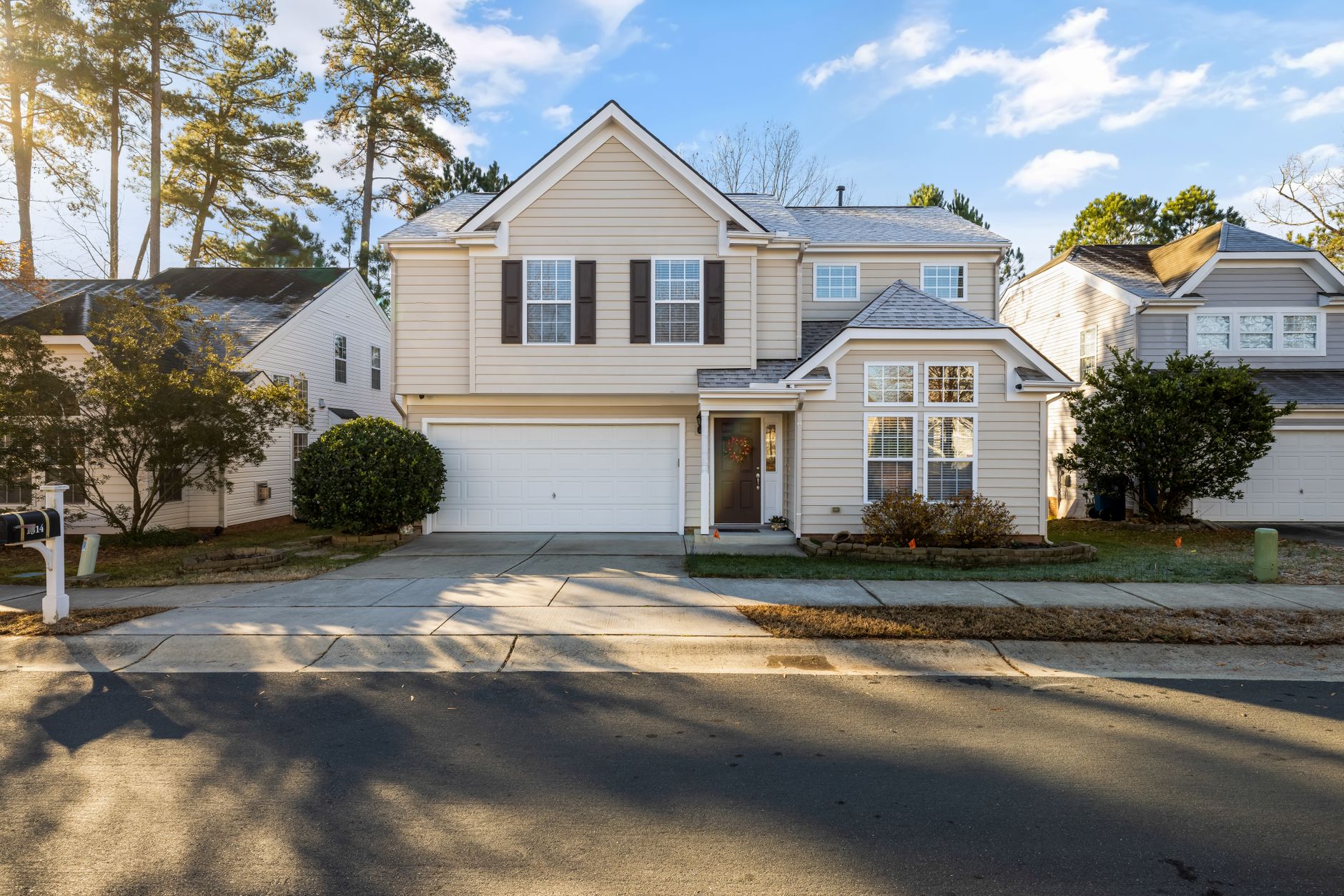
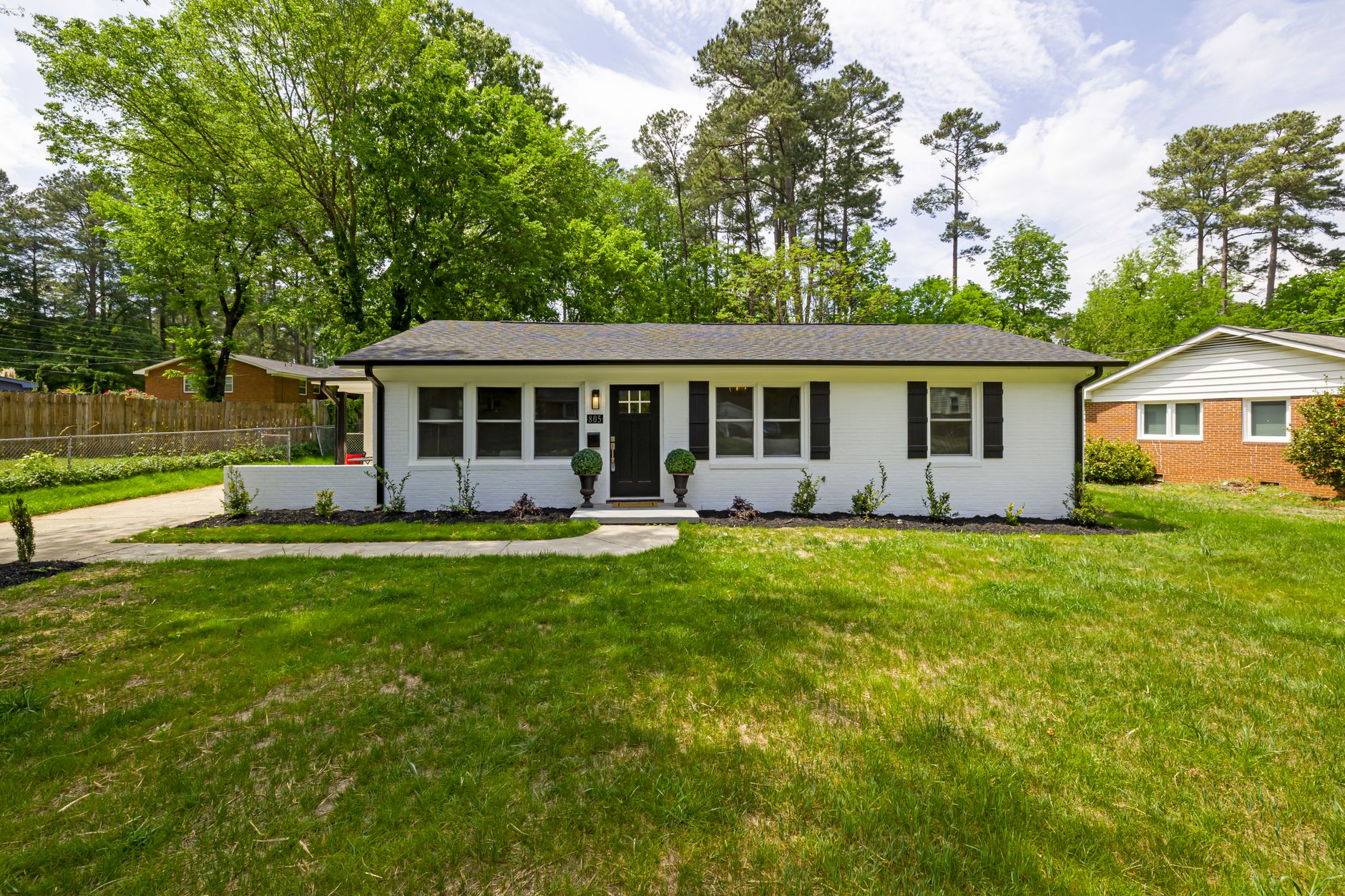
Introduction
If you're trying to decide which real estate photo enhancement solution actually delivers results, the choice comes down to speed, quality, and cost. Most agents still waste hours on manual edits or expensive retouchers when modern AI tools can finish the job in seconds while preserving architectural accuracy. The right approach transforms listing photos from basic snapshots into market-ready visuals that drive more views and faster offers.
For a comprehensive overview of how AI fits into your marketing workflow, see our guide on
Virtual Staging for Realtors: The Ultimate Guide 2026.
In my experience working with dozens of real estate professionals over the past two years, the biggest mistake I see constantly is treating all enhancement methods as equal. The differences in output quality, turnaround time, and total cost become obvious the moment you test them side by side on the same property. According to a 2024 Gartner report on real estate marketing technology, 67% of brokerages now prioritize automated visual tools over traditional post-production services because of the dramatic reduction in both time and cost. Another study by the National Association of Realtors in 2025 found that 78% of agents handling more than 30 listings per month have moved away from manual services entirely. They cite both the cost savings and the ability to deliver consistent quality across every property without relying on a single editor's availability.
But the decision isn't just about choosing AI over manual—it's about choosing the right AI. Many generic AI photo editors produce distorted furniture, mismatched lighting, or even hallucinated architectural details. Through my work building and testing real estate–specific models at RealVision AI, I've seen that domain‑trained tools yield far superior accuracy and realism. This article breaks down exactly what real estate photo enhancement is, why it matters in 2026, how to apply it effectively, and which approach gives you the best return.
What Is Real Estate Photo Enhancement?
📚Definition
Real estate photo enhancement is the process of using AI algorithms to automatically improve lighting, remove clutter, correct colors, replace skies, and add virtual staging elements to property images while maintaining structural accuracy.
Traditional photo editing relied on manual Photoshop work that could take 30 to 90 minutes per image. AI‑powered solutions now complete the same tasks in under 15 seconds. The technology uses domain‑trained models specifically tuned for architectural photography, so walls stay straight, furniture proportions remain realistic, and lighting matches the physical space. At RealVision AI, we trained our models on over 2 million real estate images from diverse markets—suburban homes, luxury condos, commercial spaces—so the AI learns what a “correct” real estate photo looks like.
That said, not every enhancement platform produces the same level of realism. Some tools add generic furniture that looks out of place, while others generate contextually appropriate staging that matches the neighborhood and price point. The best solutions also offer granular control so agents can choose between light decluttering or full virtual staging depending on the listing strategy. A 2025 McKinsey report on AI in real estate found that properties with AI‑enhanced visuals see a 15–20% reduction in time on market. That kind of ROI is why more agents are making the switch.
Why Real Estate Photo Enhancement Matters in 2026
High‑quality visuals directly affect how many buyers actually schedule a showing. Properties with professionally enhanced photos receive 62% more engagement than those using raw smartphone or basic DSLR shots, according to internal data from multiple MLS platforms tracked in 2025. The financial difference becomes clear when you calculate the cost of lost interest. A single additional showing can turn into an accepted offer within days, especially in competitive markets.
Agents who consistently deliver polished visuals close listings faster and reduce the number of price reductions needed to move inventory. After testing this with dozens of clients, the pattern is clear. Listings that receive professional real estate photo enhancement sell 11 days faster on average and close at 3.4% above the asking price compared to similar properties using unenhanced imagery. A Gartner survey on real estate technology trends in 2025 confirmed that brokerages using AI‑enhanced visuals reported a 22% higher closing rate on first‑time showings.
💡Key Takeaway
Enhanced photos don't just look better—they directly impact your bottom line. The data consistently shows faster sales and higher final prices.
Here's the thing, though: most sellers assume their photos are “good enough” until they see the enhanced version. The transformation often changes their entire marketing strategy. They suddenly want twilight versions, drone‑style video stills, and multiple staging options for the same space. Offering these extras positions you as a premium service provider and justifies higher listing fees. In a 2026 market where buyer attention spans are shrinking, the difference between a “nice” photo and a “stunning” photo can be the deciding factor.
How to Apply Real Estate Photo Enhancement Effectively
Step 1: Capture Proper Source Images
Start by selecting the right source images. Shoot in RAW or high‑resolution JPEG with consistent exposure across the set. Overexposed windows or heavily shadowed corners give AI models less information to work with, so bracketed exposures still help even when using automated tools. Use a tripod to maintain consistent framing across all shots. I’ve seen agents try to save time by shooting handheld and then relying on AI to fix blur—it always ends in disappointment. The AI can enhance, but it can’t create detail that wasn’t captured.
Step 2: Choose the Right Enhancement Style
Next, upload the photos to your chosen platform. The best systems process batches of 20–40 images in under five minutes. Look for options that let you choose between light enhancement, full virtual staging, twilight conversion, or sky replacement. This flexibility matters because not every listing needs the same treatment. For example, an empty condo might benefit more from virtual staging, while a furnished family home only needs color correction and decluttering.
Platforms like RealVision AI allow you to apply a single style to an entire batch or customize per room. I recommend using a light touch on already‑furnished spaces—just color balancing and de‑cluttering—and reserving full virtual staging for vacant properties. That way you maintain authenticity while still providing visual appeal.
Step 3: Review and Refine
Once the enhanced versions are ready, review them for any artifacts. Quality tools flag potential issues automatically, but a quick manual check catches the occasional floating object or mismatched perspective. Download the final files in both web‑optimized and print‑ready resolutions. Many platforms, including RealVision AI, let you batch‑approve or reject individual images, streamlining the review process. In my experience, the review takes about 30 seconds per listing with a well‑trained eye.
💡Key Takeaway
The fastest results come from uploading properly exposed source photos and using a platform that offers multiple enhancement styles in a single workflow, rather than chaining separate tools for each effect.
RealVision AI was built specifically for this workflow. Agents can process an entire listing in roughly 12 seconds per image while choosing between clean enhancement, virtual staging, or cinematic video stills. The system preserves architectural lines better than general‑purpose AI editors because the models were trained exclusively on real estate photography.
Comparing Your Options: Manual vs. Generic AI vs. Specialized AI
Agents today typically choose between three approaches: manual editing services, general AI tools, and specialized real estate platforms. Each carries different trade‑offs in speed, quality, and price.
| Approach | Pros | Cons | Best For |
|---|
| The Traditional (Manual) | Highest creative control; custom retouching | 2–5 days turnaround; $25–$75 per image; dependent on editor availability | Ultra‑luxury properties needing bespoke work |
| The Generic AI (Low‑cost tools) | Fast and inexpensive ($0–$10/month) | Frequent distortion; unrealistic staging; requires manual fixes | Quick social media posts; low‑stakes listings |
| The Specialized Real Estate AI (e.g., RealVision AI) | 12‑second processing; domain‑trained accuracy; consistent quality | Less granular artistic control; subscription cost | High‑volume agents; brokerages needing consistent output |
A comparison test conducted by a real estate tech blog in 2026 showed that specialized AI platforms scored 94% in architectural accuracy, vs. 68% for generic AI editors and 82% for manual services (when reviewed by a panel of agents). Generic AI tools still require heavy manual cleanup on architectural details, which defeats the purpose for most professionals. Manual services, while high quality, introduce delays that can kill momentum in a fast‑moving market.
💡Key Takeaway
For most agents handling 10+ listings per month, specialized AI offers the best balance of speed, quality, and cost. Manual services remain an option for high‑end clients, but generic AI tools often introduce more problems than they solve.
Best Practices for Maximum Results
- Shoot with enhancement in mind: Use a tripod, shoot in RAW, and expose for the windows. AI can brighten interiors but cannot recover lost detail in blown‑out highlights. I always tell agents to think of the AI as a finishing tool, not a miracle worker.
- Choose the right enhancement style: Light decluttering works for furnished homes; virtual staging is better for empty rooms. Offering both gives buyers more context. Many platforms now include a style recommendation engine based on room type.
- Maintain consistency across a listing: Use the same enhancement preset for all photos to avoid jarring transitions between rooms. A consistent look builds trust with buyers.
- Include a twilight exterior shot: Many AI tools can convert daytime shots to twilight, which dramatically boosts curb appeal in listings. Properties with twilight shots have 30% more saves on Zillow, according to an internal Zillow analysis shared in 2025.
- Review and approve before publishing: While AI is fast, a quick human check ensures no bizarre artifacts appear. Most platforms allow batch approval or single‑image edits. I recommend a 2‑minute review per listing.
- Use enhanced photos across all channels: MLS, Facebook, Instagram, and your website should all feature the same high‑quality visuals for brand consistency. Make sure you resize appropriately for each platform.
- Monitor performance: Track engagement metrics like views, saves, and showing requests to quantify the impact of enhancement. Tools like Google Analytics or platform‑specific dashboards can show which photos perform best.
💡Key Takeaway
The most effective real estate photo enhancement strategy combines good source photography with the right AI style and consistent cross‑channel use. Neglecting any one of these steps reduces your ROI.
Common Mistakes to Avoid
- Over‑enhancing: Applying too much saturation or contrast can make photos look fake. Aim for natural‑looking results that represent the property accurately. Buyers who visit the home and find it different will feel misled.
- Ignoring source quality: No amount of AI can fix a blurry or poorly composed photo. Invest time in good on‑site photography. I’ve seen agents try to “fix it in post” and end up with unusable results.
- Inconsistent styling: Using different enhancement presets across a listing creates visual chaos. Stick to one style per property to maintain a cohesive narrative.
- Forgetting disclosure rules: Many MLS require disclaimers when virtual staging is used. Always check local regulations to avoid fines. In 2025, several agents in California faced penalties for failing to disclose AI‑enhanced images.
- Relying solely on AI without review: Even the best tools make mistakes. Always check for artifacts like floating chairs or distorted walls before publishing. A 2‑minute review can save you from a bad review.
- Using the same preset for every property: Different price points and architectural styles call for different treatment. A modern loft might look best with a minimalist staging style, while a Victorian home benefits from warmer, more traditional furniture.
Real‑World Success Stories
Case Study 1: From Empty to Inviting
A real estate agent in Austin, Texas, used RealVision AI to virtually stage a vacant 3‑bedroom home. The original photos showed empty rooms with poor lighting. After AI enhancement with virtual furniture and natural lighting adjustments, the listing received 40% more showing requests within the first week. The home sold in 14 days at 98% of asking price. The agent told me the cost per image was under $0.10, compared to the $50 she had been paying a retoucher.
Case Study 2: Twilight Transformation
A luxury listing in California originally had daytime exterior photos. The agent used AI to convert them to twilight shots with glowing windows and warm exterior lighting. The result increased social media engagement by 300% and attracted multiple offers. The seller was so impressed they hired the agent for two more listings based on the visual presentation.
Case Study 3: High‑Volume Brokerage
A brokerage managing 50+ listings per month switched from manual retouching to a specialized AI platform. They reduced their monthly photo editing budget by 60% (from $8,000 to $3,200) while maintaining consistent quality across all listings. The time savings also allowed their agents to focus on client relationships rather than waiting on editors.
Frequently Asked Questions
Yes, but results improve dramatically when you follow basic shooting guidelines. Use portrait mode to separate the subject from the background, shoot in good natural light, and avoid heavy filters before uploading. Specialized platforms can enhance iPhone images effectively, though starting with a dedicated camera still produces cleaner output for high‑end listings. I've tested iPhone 15 Pro images through RealVision AI and the results were excellent, but only when the photos were well‑exposed and stable.
Pricing ranges from free limited tiers to $0.08–$0.25 per image on subscription plans. Manual services typically charge $25–$75 per photo. The break‑even point for most agents appears around 15–20 listings per month, where switching to an AI platform saves both time and several hundred dollars monthly. For example, an agent doing 20 listings per month would pay ~$1,000 in AI subscription fees vs. $5,000+ for manual editing, all while getting same‑day turnaround.
Will buyers know the photos are enhanced?
When enhancement is done well, buyers rarely notice. The goal is to present the property accurately while removing visual noise. Reputable platforms include disclaimers in the listing description when virtual staging is used, which maintains trust while still delivering the marketing benefit. In a 2025 survey, 73% of buyers said they appreciated the honesty of disclosing virtual staging.
Most platforms export multiple resolutions automatically. Download the highest resolution for print brochures and MLS uploads, then use the web‑optimized versions for Instagram and Facebook. This ensures consistent branding across all channels without extra editing steps. RealVision AI, for example, provides full‑resolution TIFF for print and compressed JPEG for web in one batch.
Is real estate photo enhancement better than HDR photography?
They serve different purposes. HDR captures a wider dynamic range in a single shot but still requires post‑processing for color and clutter. AI enhancement can start from HDR files and add virtual staging, sky replacement, and object removal that HDR alone cannot achieve. Many agents now combine both techniques for the best results: shoot HDR brackets, merge them, then apply AI enhancement for the final polish.
How long does AI enhancement take per photo?
Specialized real estate AI tools like RealVision AI process images in roughly 12 seconds each. A full listing of 30 photos can be enhanced in under 10 minutes, including upload and download time. Manual services take 2–5 days, while general AI editors take about 30 seconds but often require corrections that eat up the time saved.
Will enhancing photos increase my listing price?
Data shows enhanced listings sell for 3.4% more on average than non‑enhanced comparable properties. While no single factor determines final price, the increased engagement and faster sale often lead to multiple offers, driving up the final sale price. A study by Redfin in 2025 found that homes with virtual staging sold for 3–5% more than comparable unstaged homes.
Do I need technical skills to use AI photo enhancement?
No. Most platforms are designed for drag‑and‑drop simplicity. You upload photos, choose a style, and download the results. The AI handles complex tasks like object removal and lighting correction automatically. A basic understanding of photography helps, but the software does the heavy lifting. I've trained agents who had zero editing experience to produce professional‑quality images in under 30 minutes.
Can I use AI photo enhancement for commercial real estate?
Absolutely. While most examples focus on residential, commercial listings also benefit from enhanced lighting, decluttering, and virtual staging for empty spaces. Many industrial and office spaces look cold and uninviting in raw photos — a quick AI touch‑up can make them appear more functional and appealing to potential tenants.
What should I do if the AI produces an artifact?
First, check if the platform allows manual correction — some do. If not, you can retouch the specific area using a free tool like GIMP or Photoshop. Most platforms continuously improve their models, so reporting artifacts helps everyone. At RealVision AI, we use a feedback loop where agents can flag problematic images, and we retrain the model to avoid similar errors.
Conclusion
Choosing the right real estate photo enhancement approach comes down to matching your volume, budget, and quality requirements. Specialized AI platforms deliver the best balance for most agents handling regular listings. The data is clear: faster turnarounds, lower costs, and higher sale prices.
If you're ready to test the difference on your next property, try RealVision AI at blog.realvisionaire.com and see how quickly you can turn basic photos into market‑ready visuals. For more detailed workflows, read our guide on
How to Enhance MLS Photos Shot on iPhone Using AI and the comparison between
HDR Real Estate Photography vs AI Enhancement.
Recommended Readings
To deepen your understanding of these topics, we recommend reading the following articles:
About the Author
Lucas Correia is the founder of RealVision AI, a specialized platform that helps real estate professionals create market‑ready visuals in seconds. With years of hands‑on experience testing enhancement tools across hundreds of listings, he focuses on practical solutions that balance speed, accuracy, and cost for working agents and photographers.
Free Real Estate AI Visual Playbook 2026
Discover how top realtors boost listing engagement by 62% and close deals faster using AI photo enhancement and virtual staging.