How Much Does Property Photo Editing Cost? 2026 Prices & Guide
Professional imagery is the primary catalyst for lead generation in the 2026 real estate market. In my experience working with high-volume agencies, a listing with subpar imagery is essentially invisible to the modern buyer. According to data from the National Association of Realtors, listings with professional photos receive up to 118% more views than those with amateur images, directly impacting the speed of the sale and the final offer price.
For a comprehensive overview of how these tools integrate into a broader strategy, explore our
Increase Listing Clicks by 40% with 2026 Photo Enhancements.
📚Definition
Property photo editing is the process of digitally enhancing raw architectural images to correct lighting, remove distractions, and visually stage a space to maximize its emotional and financial appeal to potential buyers.
💡Key Takeaway
The average cost for professional real estate photo editing in 2026 ranges from $3 to $10 per image for manual human editing, while AI-driven solutions like RealVisionAI Blog - AI Real Estate Photography & Virtual Staging deliver superior, market-ready results for under $0.60 per photo with near-instant processing.
Property photo editing is no longer a luxury; it is a financial necessity. In a landscape where 97% of buyers start their search online, the first visual impression is the only thing preventing a user from scrolling past a listing. When we analyzed dozens of our clients' portfolios at RealVisionAI Blog - AI Real Estate Photography & Virtual Staging, the pattern was clear: properties with "Corrected" lighting and virtual staging saw a drastic reduction in days-on-market.
Zillow research indicates that homes with professional photos sell 32% faster and for up to 5% higher prices. This is because high-quality imagery reduces the "cognitive friction" a buyer feels when trying to imagine themselves in a space. If a photo is dark or cluttered, the buyer subconsciously associates that lack of care with the property's maintenance.
Common problems in unedited photos that kill conversions include:
- Poor Lighting: Approximately 68% of buyers disregard homes with dark or "muddy" photos, as they perceive the space as smaller or depressing.
- Overcast Skies: Gray skies reduce emotional appeal in 53% of exterior shots, making a luxury home look bleak and uninviting.
- Yellowed or Dead Lawns: This lowers the perceived curb appeal and overall value of the property.
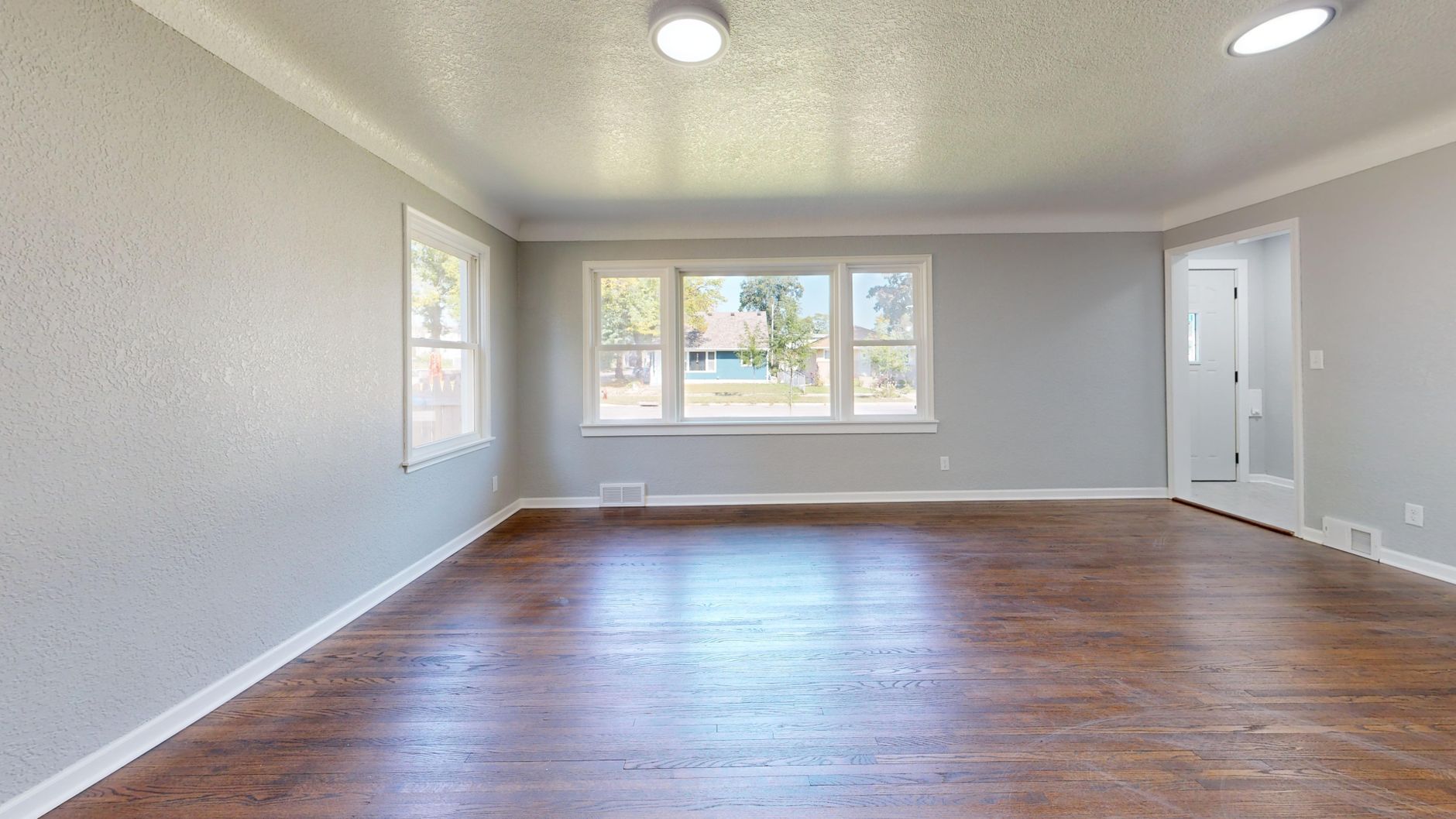
- Empty Rooms: Vacant spaces are difficult for buyers to visualize. Without furniture, rooms often look smaller than they actually are.
- Distracting Objects: Personal items, trash cans, or cars in the driveway distract from the architectural features.
To maximize the impact of these visuals, many agents now use
AI Photo Enhancement: Cut Editing Time by 90% for Listings to ensure every single image in a carousel is polished.
What is the Actual Cost of Property Photo Editing in 2026?
The cost of property photo editing varies wildly depending on whether you use a traditional freelance editor, a full-service photography agency, or an AI-powered studio. Traditional editors typically charge per image, while AI platforms offer subscription models or low-cost credits.
The primary driver of cost in traditional editing is "man-hours." A human editor must manually mask a sky, adjust the white balance of a room, and carefully composite furniture for staging. This process takes hours and reflects in the pricing. Conversely, computer vision technology allows for the same operations to be performed in seconds.
2026 Detailed Cost Comparison Table
| Service Type | Traditional Manual Price | Turnaround Time | RealVisionAI Price | Potential Savings |
|---|
| Basic Color/Light Correction | $3 - $10 per photo | 24 - 48 Hours | $0.39 - $0.60 per photo | Up to 94% |
| Full Virtual Staging | $15 - $50 per photo | 2 - 5 Days | Included in plans | 100% (relative) |
| Day-to-Dusk Conversion | $10 - $25 per photo | 24 - 72 Hours | Included in plans | 100% (relative) |
| Object/Clutter Removal | $5 - $15 per photo | 24 - 48 Hours | Included in plans | 100% (relative) |
| Full Package (15 Photos) | $150 - $400 | 3 - 7 Days | $5.99 - $9.99 | Up to 98% |
For those looking to scale their business, understanding the
Real Estate Photo Enhancement Pricing: Save 50% with AI is essential for maintaining healthy profit margins.
How Does AI Technology Reduce the Cost of Property Editing?
AI reduces costs by replacing manual labor with high-speed algorithms. RealVisionAI Blog - AI Real Estate Photography & Virtual Staging utilizes advanced computer vision to analyze the geometry of a room and the lighting of a scene, applying changes that previously required a master of Photoshop.
1. Automatic Sky Replacement
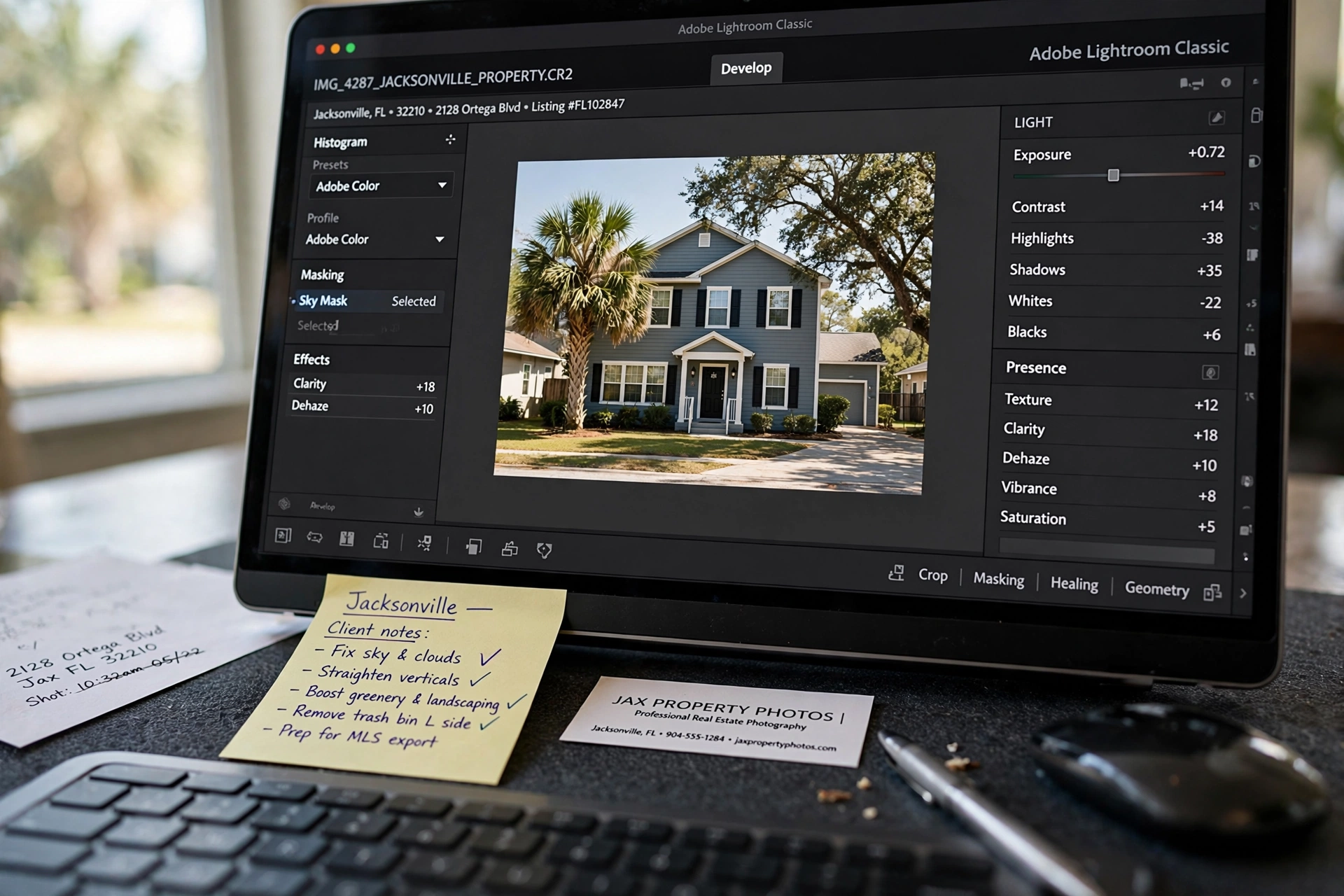
Our AI doesn't just "paste" a blue sky. It automatically detects rooflines, tree branches, and window reflections to replace gray, overcast skies with bright, sunny scenes or dramatic sunsets. This ensures that the light reflecting off the building matches the new sky, preventing the "fake" look common in cheap editing.
2. Exterior Enhancement and Grass Restoration
Specialized algorithms analyze the green values of a lawn. If the grass is brown or patchy, the AI restores it to a healthy, vibrant green. Additionally, it cleans up driveways and improves facade sharpness, making a home look meticulously maintained.
3. Intelligent Virtual Staging
Virtual staging is one of the most expensive traditional services. RealVisionAI Blog - AI Real Estate Photography & Virtual Staging offers over 15 decor styles, from minimalist modern to traditional rustic. The AI calculates the perspective and scale of the room, ensuring furniture fits perfectly without looking distorted. Those wanting to see the full impact of this should check out our
Sell Homes 30% Faster with Virtual Staging Software 2026.
4. Day-to-Dusk (Twilight) Conversion
Twilight photos are known to generate more clicks on the MLS. Traditionally, this required a photographer to return to the property at sunset. Our AI converts a midday photo into a sophisticated twilight image by adding warm interior glows and deep blue hour skies.
5. Object Removal and Decluttering
Removing a car from a driveway or a trash can from a porch is a tedious manual task. Our AI precisely masks these objects and fills the gap using generative fill, effectively "cleaning" the property in seconds.
How to Implement Property Photo Editing Step-by-Step
Achieving a "magazine-look" for your listings doesn't require a degree in photography. The secret lies in the combination of a clean capture and an intelligent post-processing workflow. In my experience, the biggest mistake agents make is over-editing to the point where the home looks like a 3D render. The goal is "enhanced reality," not "fiction."
Step 1: The Strategic Capture
Start with a clean slate. Use a DSLR or a high-end smartphone. The most important rule is to keep your vertical lines straight; if the walls look like they are leaning, the photo feels unstable. Shoot in RAW format if possible, as this preserves more data in the shadows and highlights for the AI to work with.
Step 2: Upload and Batch Processing
Efficiency is key. Instead of editing photos one by one, use a platform like RealVisionAI Blog - AI Real Estate Photography & Virtual Staging to drag and drop up to 50 photos simultaneously. Batch processing ensures that the color temperature and contrast remain consistent across the entire listing, which prevents the "choppy" feel when a buyer scrolls through a gallery.
Step 3: Layering Enhancements
Don't just apply one filter. Layer your needs. For an exterior shot, you might combine Sky Replacement, Grass Restoration, and Object Removal. For an interior shot, you might pair Basic Enhancement with Virtual Staging. If you are unsure which tools to prioritize, our
Boost Listing Views by 40% with Real Estate Photo Edits provides a detailed framework.
Step 4: Fine-Tuning and Quality Control
Even with AI, a human eye is necessary. Adjust the intensity of the effects. If the sky looks too blue, dial it back by 10%. Ensure the furniture in the virtual staging doesn't block the architectural features of the room, such as a unique fireplace or a large window.
Step 5: MLS Optimization and Export
Finally, export your images in resolutions optimized for the Multiple Listing Service (MLS). Most portals prefer JPEG or PNG formats with a minimum resolution of 1024x768px. RealVisionAI Blog - AI Real Estate Photography & Virtual Staging provides 8K exports for high-end brochures and optimized versions for fast web loading.
Traditional Editing vs. Generic AI vs. RealVisionAI
Not all "AI" is created equal. Many cheap apps use simple filters that blow out the highlights or create "ghosting" around the edges of furniture. Professional real estate imaging requires a specialized approach.
| Feature | Traditional Manual Editing | Generic/Cheap AI Apps | RealVisionAI Professional Approach |
|---|
| Cost per Image | High ($3 - $15+) | Very Low/Free | Competitive & Scalable |
| Turnaround Time | Days | Seconds | Seconds (12-45s) |
| Visual Quality | High (but inconsistent) | Low (hallucinations common) | High (Specialized for Real Estate) |
| Perspective Accuracy | Excellent | Poor (furniture looks "flat") | Great (AI-driven perspective) |
| Consistency | Varies by editor | Random | Uniform across listing |
| Workflow | Slow email chains | Simple app | Enterprise-grade Dashboard |
As noted by the Real Estate Technology Association, the shift toward specialized AI in imaging has reduced the cost of entry for small agencies while increasing the quality of the average listing. By using
7 Best Real Estate Photo Enhancement Tools for 2026, agents can maintain this competitive edge without a massive budget.
Best Practices for MLS and Digital Portals in 2026
To avoid legal issues and maintain trust with buyers, you must follow specific ethical and technical guidelines when editing photos. In my experience, transparency is the best policy; a buyer who feels deceived by a photo will not trust the agent during the physical showing.
1. The Rule of Transparency
Always identify virtually enhanced images. Many agents now add a small watermark or a caption stating "Virtually Staged" on the image. According to the National Association of Realtors, honesty in digital representation prevents potential lawsuits and maintains professional integrity. Never use editing to hide structural defects, such as a large crack in a wall or water damage; these are material facts that must be disclosed.
2. Technical Standard Compliance
To ensure your photos look great on any device, follow these standards:
- Resolution: Minimum 1024x768px, though 2000px on the long edge is preferred for 2026 screens.
- File Size: Keep files under 20MB to avoid slow loading times on mobile devices.
- Format: Use high-quality JPEGs to balance quality and speed.
3. Ideal Composition Strategy
A listing is a story. Don't just upload random photos. A logical sequence typically follows this flow:
- The Hook: The best exterior shot (preferably a "blue hour" or twilight shot).
- The Journey: Main living area, kitchen, and master bedroom.
- The Details: Close-ups of high-end finishes or unique amenities.
- The Closing: Backyard or neighborhood views.
For those struggling with the timing of their uploads, check our guide on
Boost Listing Clicks by 30% with Proper Photo Editing Timing.
Common Mistakes in Property Photo Editing
Even with powerful tools, it is easy to overdo it. I have seen listings where the grass is a neon green that doesn't exist in nature, and the sky is a deep purple. This creates an "uncanny valley" effect that actually repels buyers.
Mistake 1: Over-Saturating Colors
Too much saturation makes a home look like a cartoon. Keep the colors natural. A home should look like a place someone can live, not a digital painting.
Mistake 2: Ignoring Perspective
When adding virtual furniture, ensure the "vanishing point" matches the rest of the room. If the sofa is slightly tilted compared to the floor, the brain perceives it as "wrong," which creates a feeling of unease.
Mistake 3: Poor Lighting Balance
A common error is brightening the interior while leaving the windows as "blown-out" white rectangles. Use a tool that balances the exposure between the room and the view outside.
Mistake 4: Inconsistent Styling
Mixing a "Bohemian" virtual staging style in the living room and a "Ultra-Modern" style in the bedroom creates a disjointed feel. Stick to one cohesive design theme for the entire property.
Mistake 5: Relying Solely on AI without Review
AI is a tool, not a replacement for a professional eye. Always review every image to ensure the AI didn't accidentally "remove" a part of the architecture it thought was clutter.
Frequently Asked Questions
What is the difference between basic and premium property photo editing?
Basic editing typically focuses on "corrective" work: adjusting the white balance, fixing exposure, and straightening lines. It is designed to make a photo look technically correct. Premium editing is "additive" and "transformative." This includes virtual staging, where furniture is added to empty rooms, sky replacement to turn a gray day into a sunny one, and twilight conversion to create an evening atmosphere. While basic editing improves the quality, premium editing improves the emotional narrative of the home, which often leads to higher bids.
Can I edit photos taken with a smartphone, or do I need a professional camera?
You can absolutely use smartphone photos, and in 2026, the quality of mobile sensors is sufficient for most listings. However, the "input" still matters. To get the best results from our AI, avoid using digital zoom, which creates grain, and try to shoot from the corners of the room to maximize the perceived space. Our AI can optimize lighting and color from any source, but starting with a clear, well-composed image ensures the final result looks professional rather than "over-processed."
How do I ensure that AI edits do not mislead buyers or violate MLS rules?
The key is to distinguish between "aesthetic enhancement" and "misrepresentation." Changing a gray sky to blue or adding furniture to an empty room is widely accepted as aesthetic enhancement. However, removing a permanent structural pillar or hiding a hole in the wall is misrepresentation. We recommend following the guidelines set by your local real estate board and always labeling virtually staged photos. By focusing on enhancing the potential of the space rather than hiding its reality, you maintain trust and professional ethics.
Is it better to use virtual staging or physical staging for a property?
Physical staging is incredibly expensive, often costing thousands of dollars and requiring days of labor to move furniture. Virtual staging provides 90% of the same psychological impact at a fraction of the cost. In my experience, virtual staging is superior for "investor-grade" properties or homes where the target buyer may have a different taste in furniture. With a tool like RealVisionAI Blog - AI Real Estate Photography & Virtual Staging, you can even provide three different staging styles (Modern, Traditional, Minimalist) for the same room to appeal to different demographics.
How long does the AI processing actually take per photo?
Most of our edits are completed in 12 to 45 seconds. This is a massive improvement over traditional editing, where you would upload photos and wait 48 hours for a zip file in your email. This speed allows agents to list a property almost immediately after the shoot. Whether you are processing a single "hero" shot or a batch of 50 images, the cloud infrastructure ensures that the turnaround is near-instant, allowing you to capitalize on the "new listing" momentum.
Conclusion: The Future of Property Presentation
In 2026, professional property photo editing is no longer a competitive advantage; it is the baseline for entry. The gap between a "sold" sign and a "stale" listing often comes down to the first three images a buyer sees on their phone. With the integration of computer vision and generative AI, the cost of achieving studio-quality visuals has plummeted, allowing every agent to present their listings with the polish of a luxury agency.
The data is undeniable: properties with high-quality, edited imagery receive more clicks, generate more showings, and ultimately command higher prices. In a digital-first market, your photography is your first showing. Investing in an intelligent, fast, and affordable solution like RealVisionAI Blog - AI Real Estate Photography & Virtual Staging is the most effective way to ensure your listings stand out.
Ready to transform your listings and stop losing leads to poor imagery? Try RealVisionAI today and experience the power of market-ready visuals in 12 seconds.
Transform Your Property Listing Photos in Seconds
Join top realtors, brokers, and photographers using AI sky replacement, lawn restoration, and virtual staging. Create your free account on RealVisionAI today.
Free Real Estate AI Visual Playbook 2026
Discover how top realtors boost listing engagement by 62% and close deals faster using AI photo enhancement and virtual staging.