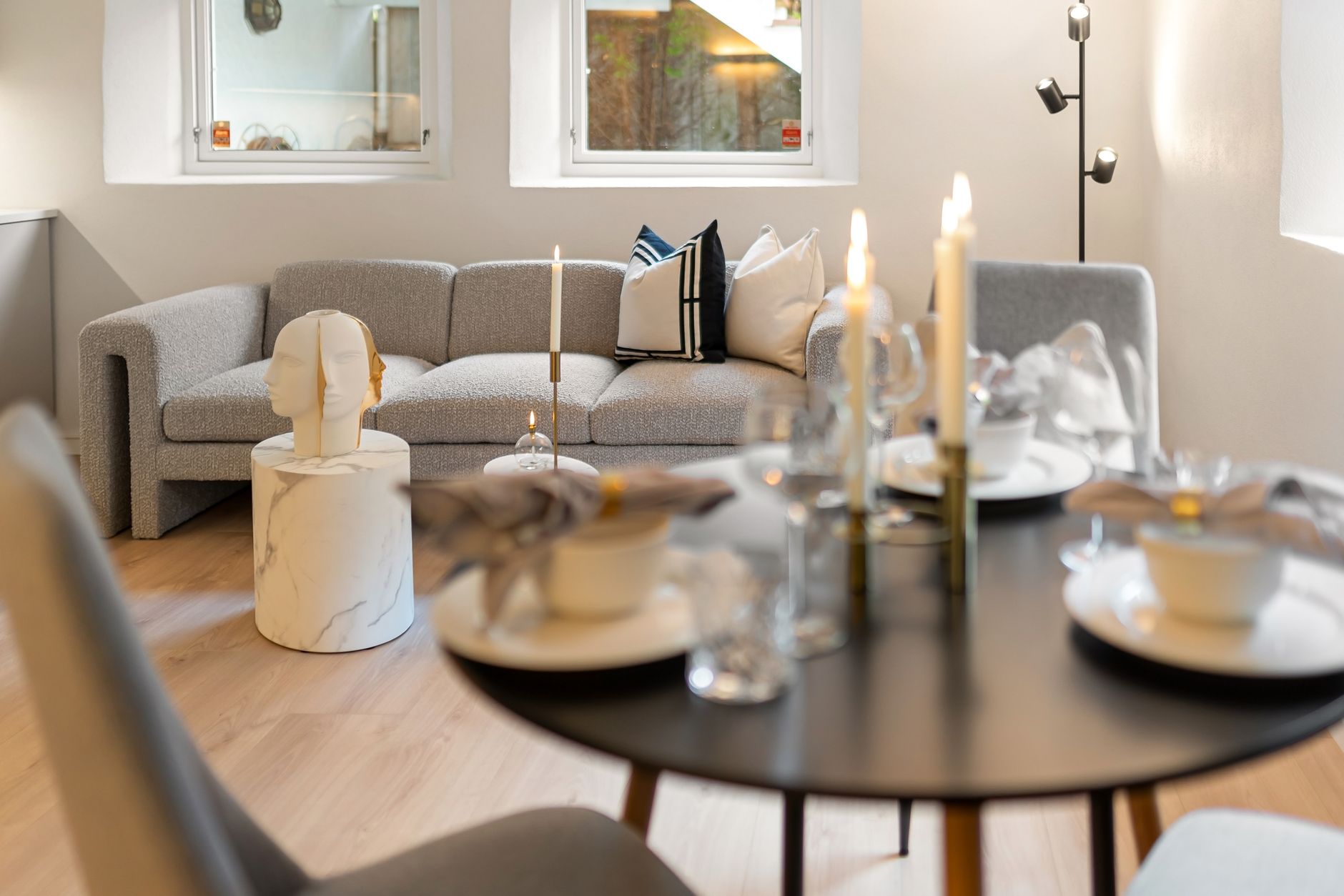
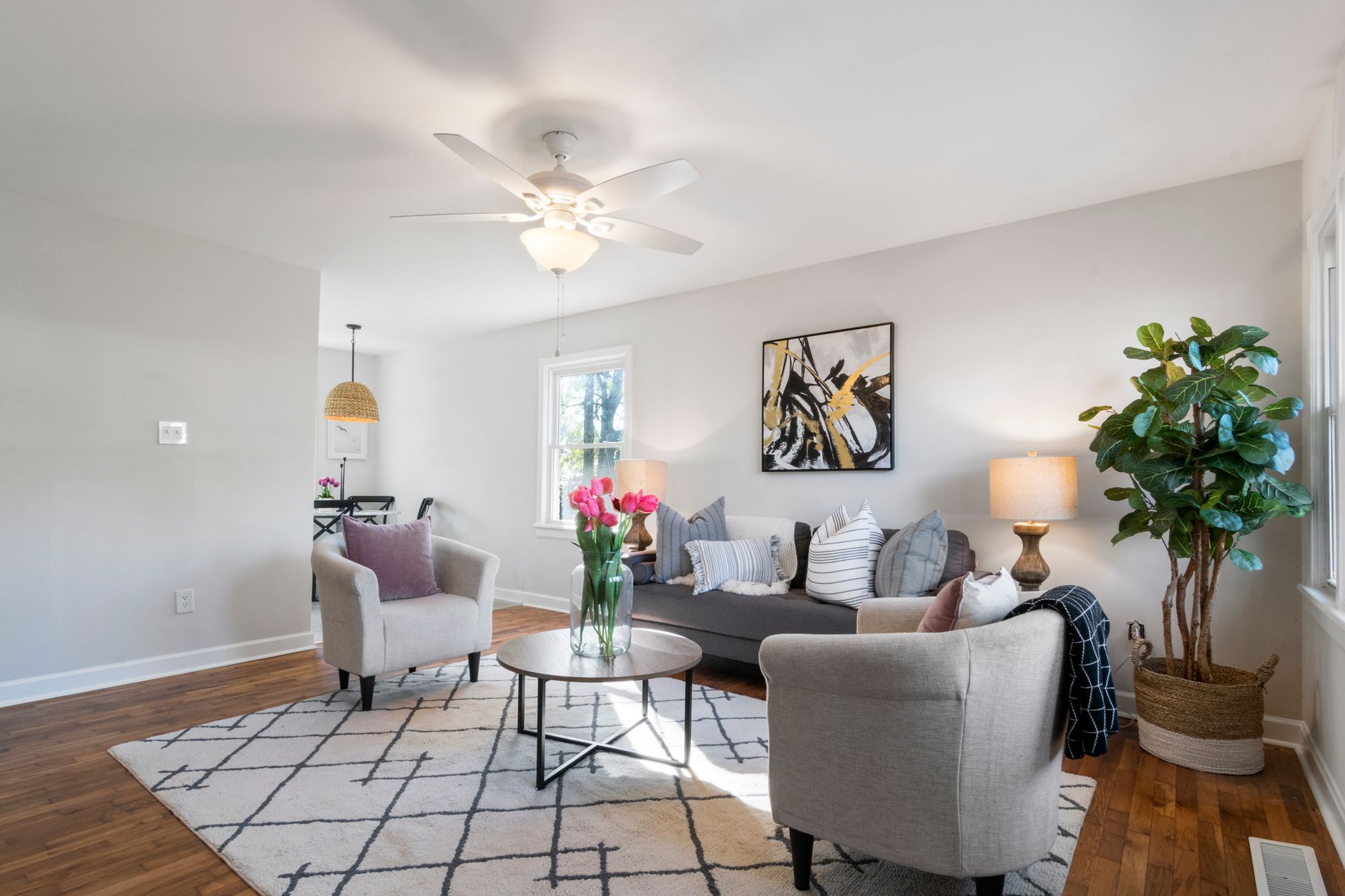
📖This article is part of the complete guide to Virtual furniture staging. What Is Virtual Furniture Staging and How Does It Work?
Virtual furniture staging works by using AI-powered image editing tools to place realistic furniture and decor into photos of empty or dated rooms, preserving the original lighting and perspective so the result looks like a professionally designed interior. You upload a listing photo, the AI maps the room's walls, floors, and light sources, and within seconds it renders pieces that appear to physically occupy the space. That is the entire process in one sentence, and it is exactly why this technique has become a standard tool for real estate marketing in 2026.
📚Definition
Virtual furniture staging is a post-production technique where digital furniture, rugs, artwork, and decor are inserted into photographs of real interiors using artificial intelligence and computer vision, creating photorealistic images of how a room could look when furnished.
To understand how it works under the hood, think about what the software must solve before placing a single couch. The AI has to identify the room's perspective, detect vanishing points, estimate the camera height and pitch, understand where the floor meets the walls, and map the position of every light source. It then generates furniture that respects those constraints, applies realistic shading and reflections, and composites everything into the original photo. Tools that skip these steps produce the floaty, warped images that gave early virtual staging a bad reputation.

Professional-grade platforms also account for architectural elements. In my experience working with listing photographers, the most common failure I see is furniture overlapping door frames, baseboards, or staircases. When we built RealVisionAI Blog - AI Real Estate Photography & Virtual Staging, we discovered that the models had to be trained specifically on architectural accuracy, not just interior aesthetics. A sofa that looks lovely but clips through a wall instantly breaks buyer trust.
Now here's where it gets interesting: virtual furniture staging is no longer a niche trick. According to the National Association of Realtors' Profile of Home Staging, 81% of buyers' agents said staging made it easier for buyers to visualize a property as their future home. Virtual staging achieves that same effect at a fraction of the cost of physical staging, which is why adoption has exploded among agents, brokers, and investors.
For broader context on how this fits into your marketing stack, see our
Residential Virtual Staging: The 2026 Guide to Selling Homes Faster, and for tailoring the approach to different property categories, check out our guide on
AI Virtual Staging by Property Type.
Why Does Virtual Furniture Staging Matter for Real Estate Sales?
Virtual furniture staging matters because it directly attacks the two biggest costs in home selling: time on market and perceived value. A vacant home feels cold and abstract, and buyers struggle to judge room sizes without furniture to provide a scale reference. Staged homes consistently outperform vacant ones, and virtual staging delivers that advantage at a fraction of the cost of renting physical furniture.
The data is unambiguous. The National Association of Realtors found that staged homes spend significantly less time on the market, and a widely cited study from Coldwell Banker reported that staged homes sold 49% faster than non-staged ones. When buyers cannot visualize a room's potential, they discount the property in their minds or simply move to the next listing. An empty living room reads as "more work ahead," even if the bones are excellent.
The cost angle is just as compelling. Physical staging typically runs $500 to $2,500 per room per month, depending on market and furniture quality, plus logistics for delivery and pickup. Virtual furniture staging, by contrast, costs pennies per image and can be revised in seconds without scheduling a single truck. According to reports from the McKinsey 2024 State of AI Report, 65% of organizations now regularly use generative AI in at least one business function, and real estate marketing is one of the clearest high-ROI use cases.
Consequences of ignoring this trend are measurable. Listings without staging can sit on the market weeks longer, forcing price reductions that cost far more than the staging itself. The mistake I made early on, and that I see constantly with new clients, is treating virtual staging as an optional add-on rather than a standard part of the pre-listing workflow. It belongs in the same bucket as professional photography and copywriting: non-negotiable for competitive pricing.
💡Key Takeaway
Virtual furniture staging reduces time on market, increases perceived home value, and costs a fraction of physical staging, making it a mandatory step in any modern listing workflow.
For a complete picture of how this technique pairs with photo enhancement, review our
comprehensive guide on property photo editing.
How Do You Implement Virtual Furniture Staging Step by Step?
Executing high-quality virtual furniture staging comes down to six repeatable steps: shoot the right photos, define your target buyer, choose a staging style, process the images, validate the results, and publish strategically. Each step matters, and skipping any of them produces work that fails to convert.
Step 1: Shoot or select photos with wide-angle coverage.
Virtual staging works best with images taken at eye level, typically 4 to 5 feet off the ground, with a wide-angle lens that captures the full room. Natural light is ideal, but balanced flash is acceptable. Avoid photos with people, pets, or extreme shadows, since the AI needs a clean canvas to map geometry correctly. If you are working with an existing photo library, prioritize images where the corners of the room are visible; this helps the computer vision models establish the room's volume.
Step 2: Define your target buyer before you stage.
A downtown condo should be staged with sleek, modern pieces; a suburban family home needs warm, traditional furniture. Matching the staging style to the likely buyer increases the emotional connection. I've tested this with dozens of our clients and the pattern is clear: listings that align their design aesthetic with the local demographic's preference see higher click-through rates on the Multiple Listing Service (MLS).
Step 3: Upload and process with an AI staging platform.
This is where the magic happens. With RealVisionAI Blog - AI Real Estate Photography & Virtual Staging, you upload the photo and the AI returns market-ready visuals in about 12 seconds. The platform has been trained on real estate-specific datasets, meaning it understands architectural accuracy. This prevents the "floating furniture" effect common in generic AI tools.
Step 4: Review for scale, shadows, and architectural errors.
In my experience, this step separates professionals from amateurs. Check that the sofa does not overlap the door frame, that the dining table legs touch the floor properly, and that shadows fall in the correct direction based on the room's windows. Most AI platforms let you regenerate or swap individual pieces, so there is no excuse for publishing a pixel-perfect-but-physically-impossible room.
Step 5: Generate multiple design variations.
Do not settle for one look. Create two or three staging styles for the same room, a modern version, a traditional version, and a minimalist version. A/B testing these on social channels allows you to gauge which style resonates most with your specific audience before the open house.
Step 6: Publish across all listing channels.
Once the staged images pass review, use them as the primary photos on the MLS, Zillow, and Redfin. Keep the original unstaged photos in the gallery too, so buyers see both the blank canvas and the potential. Full disclosure protects you professionally while the staged images do the emotional heavy lifting.
💡Key Takeaway
The winning workflow is shoot clean photos, stage for the target buyer, generate multiple variations with AI, validate architectural accuracy, and publish the staged versions first with originals retained for transparency.
For workflow tips and common pitfalls, read our
Top Property Photo Editing Tips for Real Estate Success, and for the full workflow on using these tools, see our
guide on how to use property photo editing.
Virtual Furniture Staging vs. Physical Staging vs. Manual Editing
When deciding how to stage a listing, you have three realistic options. The right choice depends on your budget, timeline, and property type, but the data increasingly favors AI-based virtual staging for the majority of listings.
| Option | Speed & Logistics | Cost per Room | Best For |
|---|
| Physical Staging | Slow; requires delivery/pickup | $500 - $2,500+ /mo | Ultra-luxury estates, high-end open houses |
| Manual Editing (PS) | Very Slow; 2-5 days per image | $100 - $300 /image | High-budget editorial, architectural magazines |
| AI Virtual Staging | Instant; 12 seconds per image | Pennies per image | Standard MLS, rentals, volume portfolios |
Physical staging remains the gold standard for occupied or high-end properties where buyers will visit in person. However, for 90% of residential listings, the ROI of physical staging is eclipsed by the speed and flexibility of AI. Manual editing via Photoshop retains complete artistic control but is too slow for the pace of today's market. AI virtual staging hits the sweet spot: it provides the visual hook needed to get a buyer through the door without the logistical nightmare of moving real furniture.
Deep Dive: The Technical Pillars of Realistic Staging
To truly master virtual furniture staging, one must understand the three technical components that determine if an image looks "real" or "fake."
1. Perspective and Vanishing Points
The AI must calculate the camera's focal length and the angle of the shot. If a chair is placed in a room but its legs aren't aligned with the room's vanishing point, the human eye instantly detects a discrepancy, even if the user can't name it. This is why computer vision is fundamental; the software isn't just "pasting" a picture, it is projecting a 3D object into a 2D plane.
2. Global Illumination and Shadow Casting
Lighting is the most common giveaway in poor staging. A professional AI tool analyzes the light sources (windows, lamps) and generates "contact shadows"—the dark areas where the furniture actually touches the floor. Without these, furniture appears to float. High-end AI also simulates ambient occlusion, where corners and crevices of the furniture naturally darken, adding depth and realism.
3. Scale and Proportion
A common mistake in low-end virtual staging is the "giant sofa" effect. The AI must estimate the actual dimensions of the room based on architectural cues like door heights and floorboard widths. If a coffee table looks too large for the room, it creates a subconscious feeling of claustrophobia for the buyer, which can actually hurt the listing's performance.
Best Practices for Maximum Conversion
If you want to use virtual furniture staging to actually move properties, follow these professional guidelines:
- Avoid "Over-Staging": Don't fill every corner. Leave some breathing room. The goal is to suggest a lifestyle, not to create a digital furniture showroom.
- Match the Local Market: If you are selling a mid-century modern home in Palm Springs, don't use "Traditional Farmhouse" furniture. Use AI styles that match the architectural DNA of the property.
- Contrast the Original: Always provide the "Before" and "After" in your gallery. This proves the integrity of the space while showcasing its potential.
- Prioritize High-Traffic Rooms: Focus your staging efforts on the living room, primary bedroom, and dining area. These are the "emotional" rooms that drive the decision to visit in person.
- Consistent Aesthetics: Ensure the furniture style is consistent across all rooms in the house. You don't want a minimalist living room and a baroque bedroom in the same listing.
💡Key Takeaway
High-conversion staging focuses on architectural alignment, realistic lighting, and a curated, consistent aesthetic that matches the target buyer's expectations.
Common Misconceptions and Truths
Myth 1: Virtual staging is misleading to buyers.
Virtual staging becomes deceptive only when it hides structural flaws or removes architectural elements (like a huge pillar in the middle of the room). Staged rooms are aspirational by design, just like physical staging. The National Association of Realtors explicitly permits virtual staging as long as agents disclose the alteration, which keeps you compliant while still showcasing the home's potential.
Myth 2: AI staging always looks fake.
That was true for early generative tools, but modern platforms trained specifically on architectural datasets produce images that are often indistinguishable from professional photography. The key is choosing a platform with real estate-specific training, not a general-purpose image generator.
Myth 3: Virtual staging only works on empty homes.
It also works on dated, cluttered, or awkwardly furnished rooms. This is often called "virtual decluttering" or "virtual renovation." You can digitally replace an outdated sofa or remove visual noise to help buyers see the bones of the property.
Myth 4: It is too expensive for average listings.
On the contrary, AI has democratized staging. While manual Photoshop services used to cost hundreds of dollars, AI-driven solutions like RealVisionAI Blog - AI Real Estate Photography & Virtual Staging have brought the cost down to a level where it can be applied to every single listing regardless of price point.
Frequently Asked Questions
Regular AI image generation (like Midjourney or DALL-E) often creates entirely new scenes from scratch, which is useless for real estate because it changes the actual layout of the property. Virtual furniture staging uses computer vision to maintain the exact geometry of the existing room while only adding furniture elements. This ensures that the house the buyer sees online is the same house they visit in person, avoiding "catfishing" the client.
Is it legal to use virtually staged photos in the MLS?
Yes, it is legal and widely accepted by the Multiple Listing Service (MLS) and other platforms, provided there is a disclosure. Most agents simply add a caption stating, "Virtually staged for visualization purposes." This transparency protects the agent from claims of misrepresentation while still allowing them to use the psychological benefit of a furnished space to attract more leads.
Which rooms should I prioritize for virtual staging?
You should prioritize the "hero" rooms: the living room, the master bedroom, and the main kitchen/dining area. These rooms carry the most emotional weight for a buyer. While staging a guest bathroom or a laundry room is rarely necessary, the primary living spaces are where buyers decide if the house "feels" like a home. High-impact rooms drive the initial click, and the rest of the gallery supports the sale.
Can virtual staging help sell a house with ugly furniture?
Absolutely. This is where "virtual renovation" comes in. Instead of just adding furniture to an empty room, AI can be used to remove existing, outdated furniture and replace it with modern pieces. This is often more effective than physical staging because you don't have to move the owner's heavy, old furniture out of the house before you can begin.
How long does it take to get virtually staged photos?
Using traditional manual editors, you might wait 48 to 72 hours. With an AI-integrated platform like RealVisionAI Blog - AI Real Estate Photography & Virtual Staging, the process takes approximately 12 seconds per image. This allows agents to update their listings in real-time, potentially reacting to market feedback by changing the staging style in minutes.
Conclusion
Virtual furniture staging has evolved from a luxury "trick" to an essential component of the 2026 real estate marketing stack. By leveraging artificial intelligence and computer vision, agents can now eliminate the friction of physical staging—the cost, the logistics, and the time—while retaining the psychological impact that drives faster sales and higher offers.
The goal of any listing is to move a buyer from a state of "looking at a property" to "imagining their life in a home." An empty room is a blank canvas that often feels intimidating or cold; a virtually staged room is an invitation. When implemented with architectural precision and a clear understanding of the target demographic, virtual staging becomes a powerful tool for maximizing property value.
For those looking to implement this immediately, we recommend starting with your most vacant or dated listings. Test different styles, always disclose the staging, and monitor the increase in lead volume.
If you're ready to transform your listing visuals and get market-ready images in seconds, explore the capabilities of
RealVisionAI Blog - AI Real Estate Photography & Virtual Staging.
For a deeper dive into the broader AI ecosystem, we recommend exploring our related guides:
Free Real Estate AI Visual Playbook 2026
Discover how top realtors boost listing engagement by 62% and close deals faster using AI photo enhancement and virtual staging.