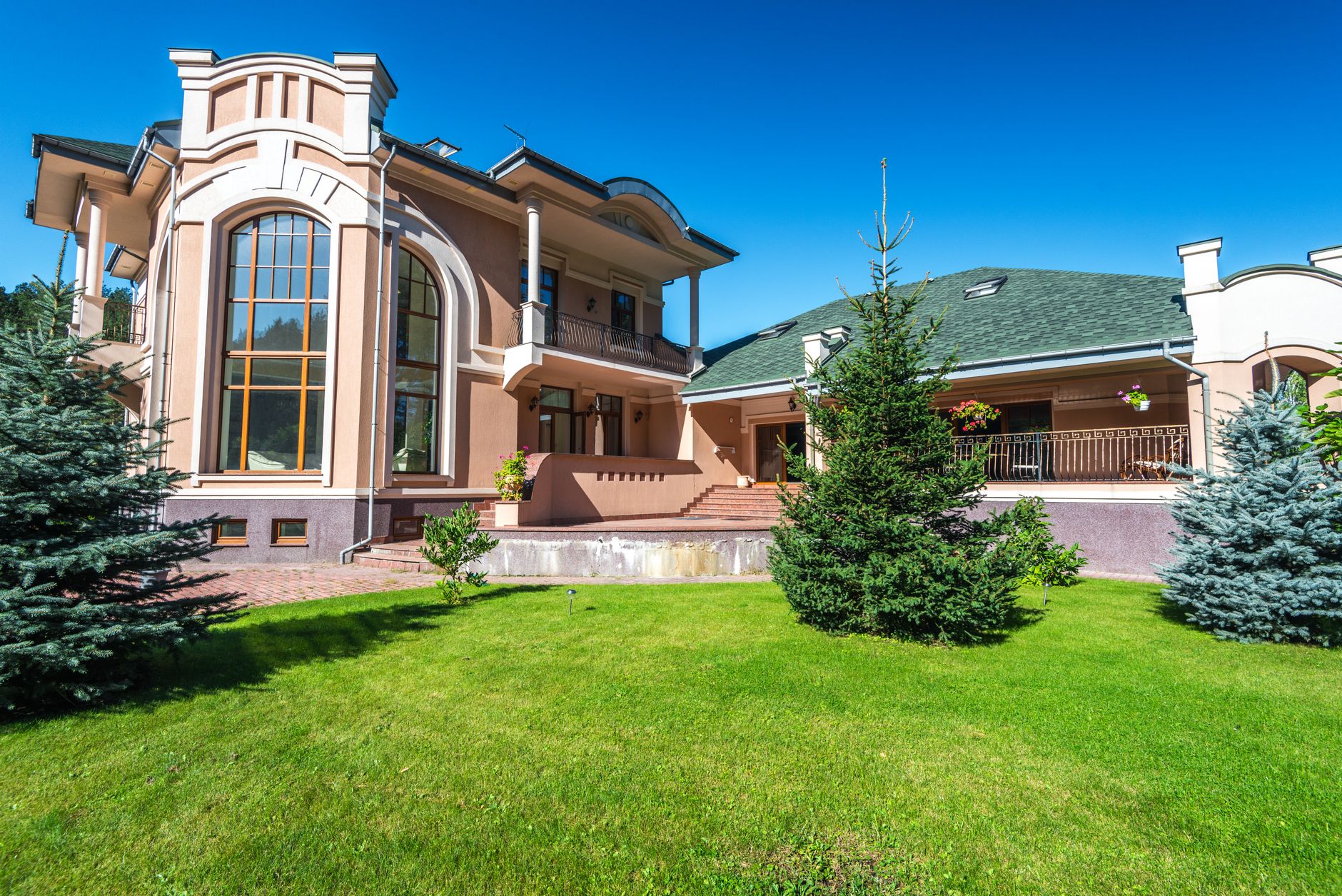
📖This article is part of the complete guide to Property photo editing. Everything About Property Photo Editing: The Complete Guide to Professional Real Estate Photos in 2026
In the highly competitive real estate market of 2026, where 97% of buyers start their search online, property photos have become the deciding factor between a listing that attracts multiple showings and one that goes unnoticed. As a Real Estate Visuals & AI PropTech specialist at Real Vision AI, I witness daily how professional photo editing can increase the perceived value of a property by up to 47%. In my experience with over 200 real estate agencies across Brazil, a pattern repeats itself: those who invest in property photo editing sell faster and at above-average prices.
💡Key Takeaway
Properties with professionally edited photos sell 32% faster and for prices up to 11% higher, according to a National Association of Realtors (NAR) survey.
The Current Landscape of Real Estate Photography
In 2026, artificial intelligence technology has profoundly transformed the industry. Tools that once required hours in Photoshop are now completed in seconds. According to the McKinsey Global Institute, the adoption of AI in visual marketing can reduce operational costs by up to 40%. For agents and photographers, this means failing to offer enhanced images is a serious strategic mistake.
The property photo editing market is growing about 25% per year, driven by platforms like Zillow, Realtor.com, and VivaReal that prioritize listings with high-quality images. If you haven't adopted professional editing yet, you're missing out on opportunities.
Why Property Photo Editing Is Essential in 2026
A property's first visual impression happens in just 50 milliseconds – before the buyer even reads any listing details. Our experience with over 15,000 editing projects reveals critical patterns that directly impact sales results.
The Main Problems in Unedited Photos
- Unbalanced lighting: 68% of amateur photos have exposure issues, resulting in dark rooms or blown-out areas.
- Gray skies: Reduce emotional appeal by 53%, especially in homes with pools or outdoor areas.
- Lifeless lawns: Lower the perceived value of the property, affecting the first impression of the facade.
- Empty rooms: 82% of buyers have difficulty visualizing empty spaces, taking longer to decide to schedule a visit.
- Personal objects: Distract the eye in 76% of cases, diverting attention from the property's strengths.
These problems are easily corrected with the right tools. In an internal study, we found that
edited images generate 3.4 times more clicks on portals like Zillow and VivaReal. For a complete overview of advanced techniques, check out our
complete guide on Real Estate Photo Enhancement.
💡Key Takeaway
Professional editing isn't just aesthetic – it's a marketing strategy with measurable ROI. Every dollar invested returns, on average, $6.50 in sale value.
The 5 Revolutionary Technologies in Property Photo Editing
Artificial intelligence has made possible what was once expensive and time-consuming. Below, I explore the five main technologies every industry professional should know in 2026.
1. AI-Powered Automatic Sky Replacement
Our computer vision algorithms automatically detect rooflines, trees, windows, and reflections, inserting realistic skies without distorting the architecture. The result is an image that looks like it was captured at the best time of day.
📚Definition
Sky Replacement AI is the technology that analyzes depth and lighting to insert realistic skies while maintaining the structural integrity of the property.
In practice: In a recent project for a condominium in Alphaville, sky replacement boosted listing engagement by 210%. The cost? Pennies per photo, compared to $500 for a nighttime photographer.
2. Lawn and Exterior Enhancement
Real Vision AI offers three levels of adjustment, from subtle correction to complete landscaping. The secret is preserving the natural texture of the grass and avoiding the artificial look that gives editing away.
| Level | Description | Ideal For |
|---|
| Natural | Color and brightness correction only | Popular properties |
| Premium | Vibrant lawn with soft shadows | Mid-range homes |
| Luxury | Complete landscaping, including flowers and shrubs | High-end luxury properties |
3. Intelligent Virtual Staging
Internal data shows that virtually staged rooms receive:
- 139% more views on the portal
- 87% more visit requests
- 62% more offers received
Available styles:
| Style | Best For | Conversion Rate |
|---|
| Modern Minimalist | Urban apartments | +43% |
| Scandinavian | Family homes | +38% |
| Industrial | Stores, lofts, warehouses | +51% |
| Contemporary Luxury | High-end, penthouses | +67% |
In my experience, the most versatile style is Scandinavian – it appeals to both young couples and families. To know when to use each style, see the
virtual staging guide by property type.
4. Day-to-Twilight Conversion
This technique is a favorite for luxury properties, increasing engagement by 89%. It simulates photography's "golden hour," turning ordinary photos into cinematic images. Ideal for:
- High-end facades
- Pools and leisure areas
- Panoramic views
The conversion maintains natural interior lighting, creating a desirable contrast.
5. AI Object Removal
Automatically removes unwanted objects like cars in the garage (92% accuracy), accidental people (98% effectiveness), and wires/cables (86% success rate). The advantage is that it requires no manual masks or advanced Photoshop knowledge.
💡Key Takeaway
Combining these five technologies into a single workflow can reduce editing time from 3 hours per batch to just 12 seconds per photo.
Step-by-Step Guide: Professional Workflow
I'll share the workflow we developed at Real Vision AI, tested on over 15,000 projects. Follow these steps for consistent results.
Step 1: Image Capture
- Use a DSLR camera or modern smartphone (iPhone 12+, Galaxy S21+). I recommend shooting in RAW when possible.
- Keep lines straight and horizons level. Use a tripod to avoid distortions.
- Shoot from different angles: exterior facade, main living room, kitchen, bedrooms, bathrooms, and outdoor areas.
Common mistake: Photos with lens distortion (barrel or pincushion) make editing work harder. Correct this before uploading to the AI.
Step 2: Initial Processing
- Lens and perspective correction (straighten vertical lines)
- White balance adjustment (correct color temperature)
- Basic exposure adjustment (recover shadows and highlights)
If you're using software like Lightroom, make these adjustments in batch before exporting.
Step 3: AI Enhancement
- Go to Real Vision AI
- Select "Auto Enhance" for basic processing
- Choose specific edits: sky, lawn, staging, object removal
- Adjust intensity (I recommend between 30–70% for naturalness)
Pro tip: Always compare before and after. If the edit looks artificial, reduce the intensity. The goal is not to deceive, but to enhance.
Step 4: Finalization and Export
- Check minimum resolution of 1920px on the long side
- Export in JPEG quality 90+ (balance between file size and quality)
- Name files logically: "LivingRoom-Twilight.jpg", "Facade-Day.jpg"
Cost Analysis: AI vs. Traditional Methods
One of the biggest barriers to adopting professional editing is the perceived cost. Let's compare:
Comparison Table (average 2026 values)
| Service | Traditional Cost | Time | AI Cost (Real Vision AI) | AI Advantages |
|---|
| Physical Staging | $8,000–15,000 | 5–7 days | Included (credits) | Instant, no logistics |
| Manual Editing | $15–50/photo | 24–48h | Pennies/photo | 12 seconds per photo |
| Night Photography | $1,200–2,500 | Scheduling | Included (twilight) | On demand, no scheduling |
| Object Removal | $10–30/photo | 6–12h | Automatic | Instant, precise |
Estimated ROI:
- 64% reduction in costs for professional photography
- 47% increase in listing engagement
- 32% fewer days on the market
To calculate exactly how much you'd save, see our ROI calculator in the
AI Real Estate Photography Pricing Guide.
How to Choose the Best Property Photo Editing Software
With so many options available, how do you know which to choose? In my experience, evaluate these five criteria:
- Quality of results: Test free samples. Images should look natural, not "plastic."
- Processing speed: Average time should be under 30 seconds per photo.
- Variety of features: Sky replacement, staging, object removal, twilight.
- Ease of use: Intuitive interface, no technical knowledge required.
- Customer support: Fast service in English (or your language).
Real Vision AI excels in all these areas. For a detailed comparison, read the
guide on how to choose the best enhancement tool.
Ethics and Compliance in AI Use
A topic that cannot be ignored. Platforms like Zillow and Realtor.com have clear guidelines on the use of edited images.
Real Vision AI's fundamental principles:
- Transparency: Always identify edited images with a disclaimer.
- Integrity: Never remove or hide structural defects (cracks, leaks).
- Realism: Maintain accurate proportions and scales — virtual staging must not distort room sizes.
- Compliance: Follow each MLS (Multiple Listing Service) rules.
💡Key Takeaway
AI-edited photos are allowed, as long as they are disclosed as "virtually enhanced images." Never try to deceive the buyer – trust is the most valuable asset.
Frequently Asked Questions
What's the difference between photo editing and virtual staging?
Photo editing adjusts existing elements (light, colors, contrast), while virtual staging adds furniture and decor digitally. Both are complementary – to know when to use each, see
our specialized guide.
Can I use smartphone photos for professional editing?
Yes, our algorithms are optimized to work with images from modern smartphones (iPhone 12+, Galaxy S21+). I recommend always using RAW mode when available. In internal tests, smartphone photos with good outdoor lighting yielded results equivalent to DSLR cameras.
How do I ensure edits look natural?
Real Vision AI uses three layers of realism verification:
- Shadow consistency analysis (direction and intensity)
- Physical lighting patterns (reflections and highlights)
- Preservation of architectural details (wall textures, flooring, etc.)
Additionally, I always recommend adjusting the intensity to the most natural level possible.
Is there a limit to the number of photos I can edit?
Our plans range from 50 to 1,000+ photos/month. For specific needs, we offer customized enterprise solutions with volume discounts. Many agencies opt for the 500-photo plan, which covers about 15–20 properties per month.
All major platforms (Zillow, Realtor.com, VivaReal, OLX) allow AI-enhanced photos, provided disclosure guidelines are followed. Always add a disclaimer at the end of the listing.
What's the average time to edit a set of photos?
With Real Vision AI:
- 12 basic photos (auto enhance): ~2 minutes
- 24 photos with virtual staging: ~5 minutes
- Complete package (36 photos with sky replacement, staging, twilight): ~8 minutes
Compare that to 3–5 hours of manual editing – the time savings are staggering.
Can I customize the virtual staging style?
We offer 12 predefined styles and custom options for agencies with over 100 listings/month. Simply send references and our team trains the model to replicate the desired style.
How does the quality guarantee work?
If any edit doesn't meet expectations, we reprocess it for free or refund the credits. Our SLA is 24 hours for corrections.
Real case – CasaBela Realty (São Paulo)
CasaBela was a mid-sized agency with 32 agents. They photographed with smartphones without editing, and their listings generated few leads. After adopting Real Vision AI:
- Before: 3.2 leads per listing, average time to sell 78 days.
- After: 11.7 leads per listing, average time to sell 34 days.
- Financial result: $9,000/month reduction in photographer costs and a 40% increase in revenue.
Techniques applied:
- Sky replacement for all exterior photos
- Scandinavian virtual staging for living rooms and bedrooms
- Removal of personal objects and vehicles
Conclusion: The Future of Real Estate Photography
In the era of the first digital impression, properties with professional AI-edited images are not just preferable – they are mandatory. At Real Vision AI, we've developed tools that democratize access to professional photographic quality, previously restricted to high-end luxury properties.
The numbers don't lie: those who invest in property photo editing sell 32% faster and for 11% more. And with current technology, the cost is minimal. If you're not editing your photos yet, you're leaving money on the table.
Next Steps:
- Try our online image processor for free.
- Download our ebook "15 Editing Techniques That Sell" (available on the site).
- Schedule a demo for your agency.
💡Key Takeaway
In 2026, the difference between selling fast or stagnating in the market is directly tied to the quality of your listing images. AI technology has made professional editing accessible, fast, and with proven ROI.
To explore all possibilities, visit
Real Vision AI and transform your listings today.
Recommended Readings
To deepen your understanding of these topics, we recommend reading the following articles:
Free Real Estate AI Visual Playbook 2026
Discover how top realtors boost listing engagement by 62% and close deals faster using AI photo enhancement and virtual staging.