
How to Use AI Real Estate Photo Enhancement to Drive More Leads
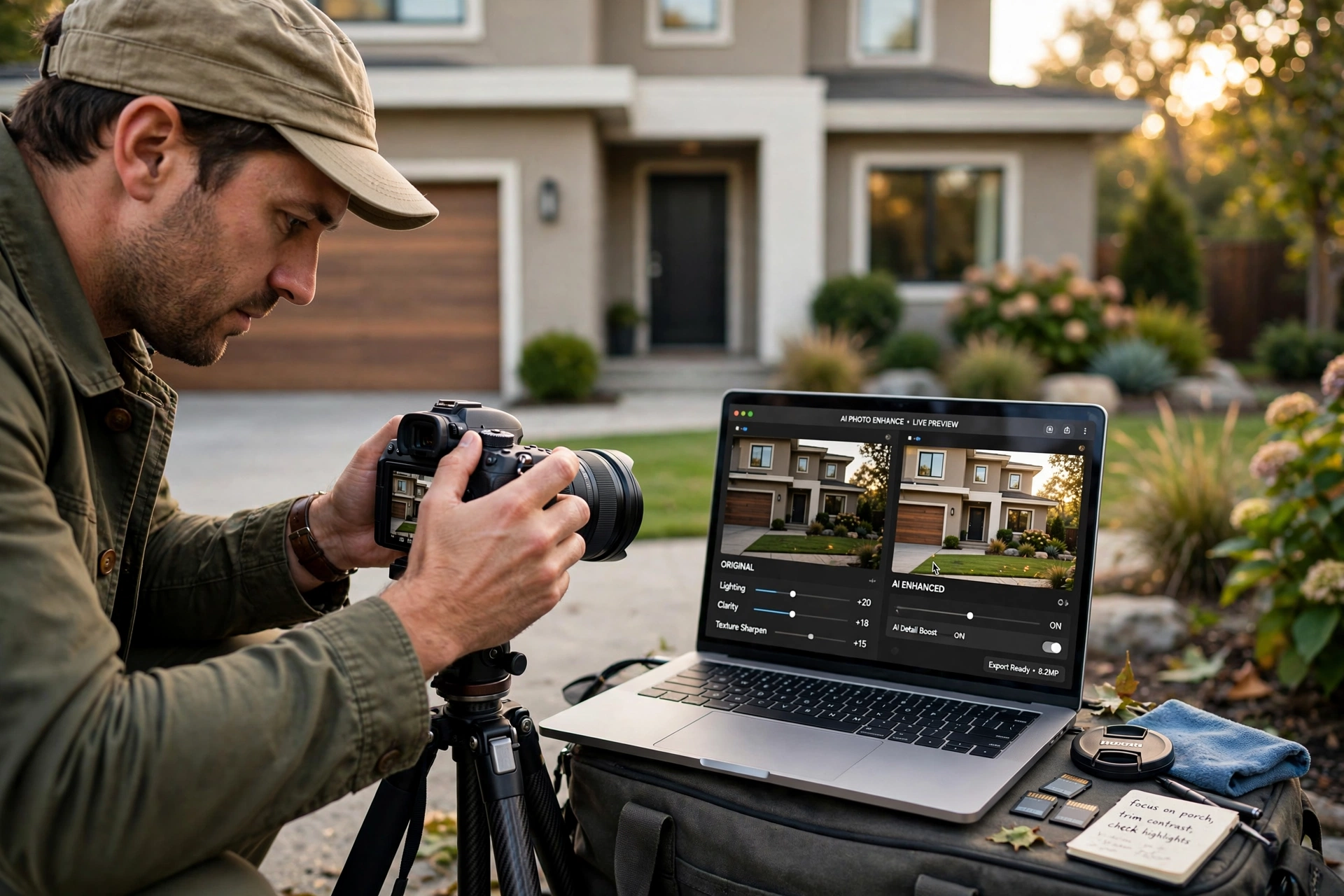
The difference between a listing that sits on the market for 60 days and one that triggers a bidding war in 48 hours often comes down to the first three images in the gallery. High-end ai real estate photo enhancement is no longer just a luxury for multi-million dollar estates; it is the baseline for any agent who wants to remain competitive in 2026. To use this technology effectively, you must move beyond simple filters and implement a workflow that combines AI sky replacement, daylight-to-dusk conversion, and object removal to create an aspirational yet honest representation of a property.
For those looking to scale their visual marketing, understanding the Vantagens Real Estate Photo Enhancement Guide provides the necessary foundation for choosing the right tools. The process begins by identifying the "pain points" of a raw photo—such as a grey, overcast sky or a cluttered living room—and applying specific AI modules to neutralize those distractions. By automating the technical correction of lighting and geometry, agents can focus on the narrative of the home rather than the limitations of their camera equipment.
What Exactly is AI Real Estate Photo Enhancement?
At its core, ai real estate photo enhancement is the application of computer vision and deep learning algorithms to automatically correct, optimize, and augment architectural imagery. Unlike traditional photo editing, which requires a human to manually mask areas and adjust curves, AI analyzes the scene to identify what is a "wall," what is a "window," and what is "grass." It then applies targeted adjustments based on millions of high-quality real estate benchmarks.
📚
Definition
AI Real Estate Photo Enhancement is the process of using generative AI and computer vision to automatically improve the lighting, color balance, and composition of property photos, often including "generative fill" to remove unwanted objects or "sky replacement" to simulate ideal weather conditions.
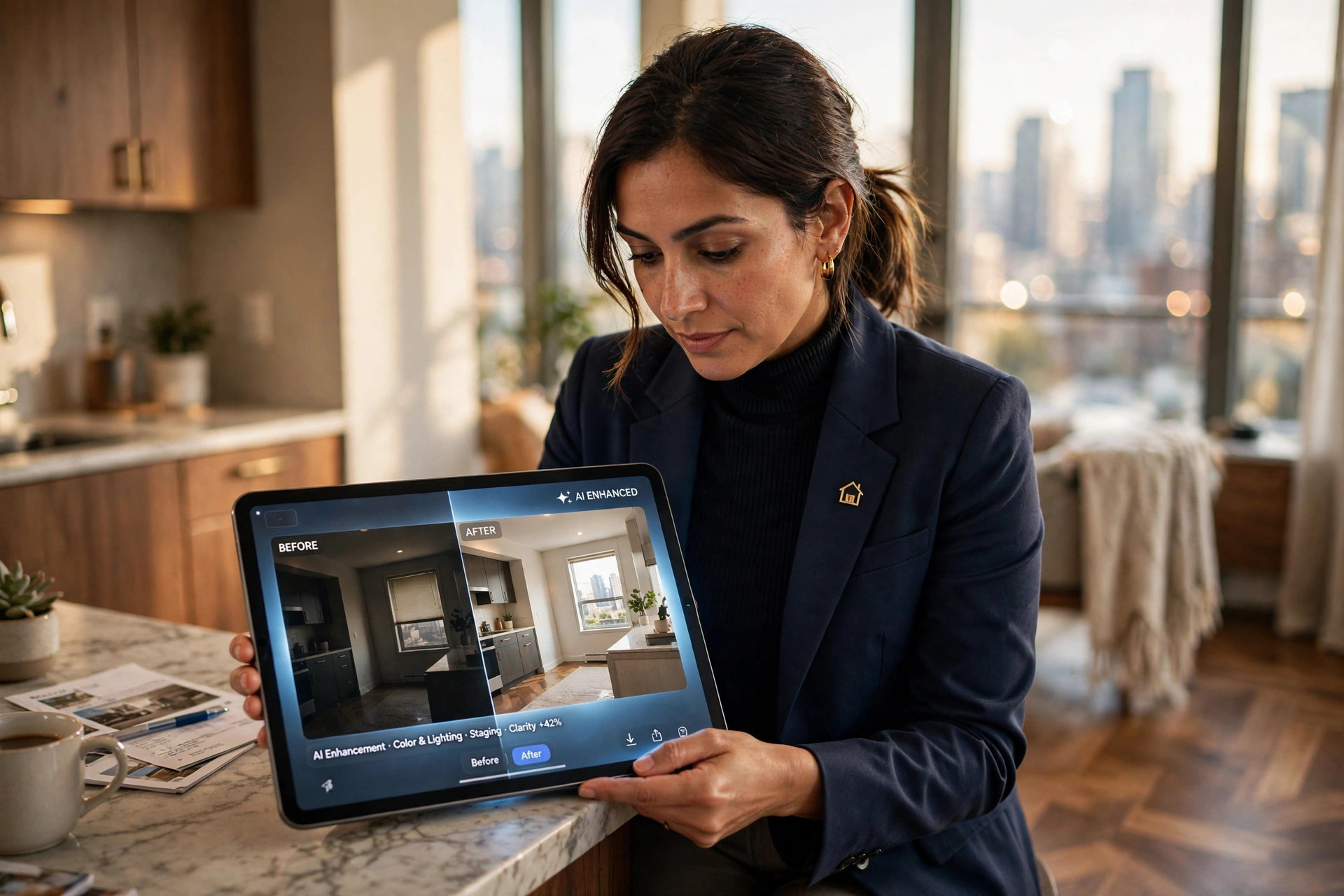
In my experience working with high-volume brokerage firms, the most common mistake I see is the over-reliance on "auto-enhance" buttons found in basic phone apps. These tools often blow out the highlights in windows or create an unnatural, "HDR-gone-wrong" look that makes a home feel artificial. Professional enhancement uses a nuanced approach. For example, it uses a technique called "window pull," where the AI recognizes the brightness outside the window and blends it naturally with the interior exposure, preventing the dreaded "white void" effect.
According to research by Gartner, the adoption of generative AI in visual content creation has shifted from experimental to operational, with businesses seeing a significant reduction in production time when utilizing specialized AI studios. This shift is evident in the real estate sector, where the time to move from a raw shoot to a live MLS listing has dropped from days to mere seconds. By utilizing How AI Real Estate Photography Works: A Complete Guide, professionals can better understand the underlying neural networks that make these instant transformations possible.
Why Does Visual Enhancement Directly Impact Your ROI?
The psychological impact of a high-quality image on a potential buyer is measurable and immediate. In the current digital-first market, the "digital curb appeal" of a property determines whether a lead even schedules a tour. When a buyer sees a dull, dark interior, their brain subconsciously associates the property with "work" and "maintenance." Conversely, an enhanced photo triggers a feeling of "home" and "luxury."
The business implications are stark. Data from the National Association of Realtors (NAR) suggests that listings with high-quality professional photography receive significantly more views and generate more inquiries than those without. When you implement ai real estate photo enhancement, you aren't just making the photo "prettier"; you are reducing the friction in the buyer's decision-making process.
Now here's where it gets interesting: the cost of not enhancing your photos is often higher than the cost of the service itself. A property that looks outdated or poorly lit in photos often suffers from "stale listing syndrome," where the market perceives the home as undesirable, leading to lower offers and longer days on market. According to a report by McKinsey, AI-driven personalization and visual optimization in the customer journey can increase conversion rates by up to 20%. In real estate, this translates directly to more showings and higher closing prices.
Furthermore, the use of Top Benefits of Professional Property Photo Editing in 2026 shows that the ROI is not just in the final sale price, but in the efficiency of the marketing spend. Instead of paying for expensive physical staging that may not fit the buyer's taste, AI enhancement and virtual staging allow agents to present a clean, versatile canvas.
Practical Application: A Step-by-Step Guide to Enhancement
Implementing a professional workflow requires a strategic sequence. You cannot simply upload a photo and hope for the best; you must guide the AI to achieve a realistic result. Here is the professional sequence for using ai real estate photo enhancement:
Step 1: The Raw Capture and Audit
Start by taking photos from the corners of the room to maximize perceived space. Before applying AI, audit your images for "distractions." Look for trash cans in the kitchen, power cords running across the floor, or a grey sky that makes the exterior look gloomy. This is the phase where you decide which specific AI tools you will need.
Step 2: Geometric Correction and Lighting
The first AI pass should always be structural. Use AI to correct vertical lines—ensuring that walls are perfectly straight and not leaning. This removes the "amateur" feel of a photo. Next, apply a global lighting correction. The goal is to balance the shadows in the corners of the room without overexposing the bright areas.
Step 3: Specialized AI Modules (Sky and Grass)
For exterior shots, the sky is the most important variable. Use an AI sky replacement tool to swap a cloudy grey sky for a "golden hour" or a clear blue afternoon. Simultaneously, use grass restoration AI to turn brown, dormant lawns into lush, green carpets. This creates an immediate emotional pull for the viewer.
Step 4: Object Removal and Decluttering
Use "Generative Fill" or AI decluttering to remove unsightly items. In my experience, removing a single distracting element—like a plastic soap dispenser on a granite countertop—can make a kitchen look significantly more expensive.
Step 5: Final Polishing and Export
The final step involves color grading to ensure consistency across the entire gallery. Whether you are using a DIY tool or a specialized service like RealVisionAI Blog - AI Real Estate Photography & Virtual Staging, ensure that the white balance is consistent across all rooms. This prevents the listing from looking like a patchwork of different photo shoots.
💡
Key Takeaway
The secret to believable AI enhancement is "subtraction." The most successful images aren't those with the most effects, but those where the AI has removed the distractions that prevent a buyer from imagining themselves in the space.
For agents who want to avoid the steep learning curve of manual editing, leveraging the Real Estate Photo Enhancement Guide for Agents can help streamline this process. When using RealVisionAI Blog - AI Real Estate Photography & Virtual Staging, these five steps are condensed into a 12-second automated process, removing the need for manual masking and hours of tedious editing.
Choosing Your Path: Manual vs. Generic AI vs. Professional AI
Not all enhancement tools are created equal. Many agents fall into the trap of using "free" AI enhancers that apply a heavy-handed filter to every image, resulting in a "plastic" look that looks fake to the trained eye.
| Feature | Traditional Manual Editing | Generic/Cheap AI Apps | Professional AI (RealVisionAI) |
|---|---|---|---|
| Turnaround Time | 24–72 Hours | Instant (but low quality) | 12 Seconds |
| Visual Accuracy | Very High | Low (Hallucinations common) | High (Architecture-aware) |
| Cost | High per image | Low/Subscription | Scalable & Affordable |
| Consistency | Varies by editor | Inconsistent | Unified Brand Look |
| Skill Required | Professional Grade | Beginner | None (Automated) |
Most guides get this wrong by suggesting that "any AI is better than no AI." That is a dangerous assumption. If you use a generic AI tool that accidentally "hallucinates" a window where there is a wall, or removes a structural pillar, you are not just providing a bad photo—you are potentially creating a legal liability for misrepresenting the property.
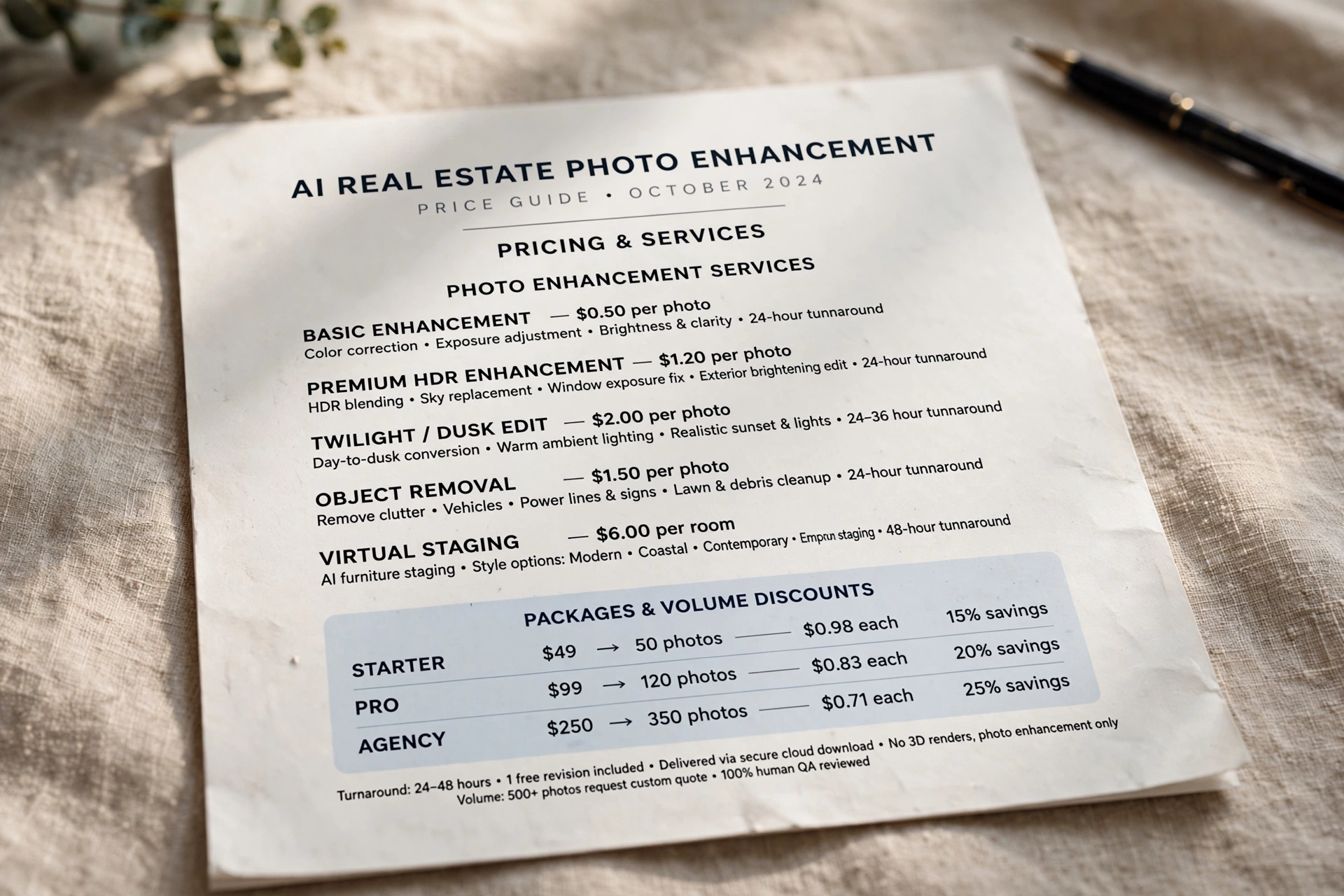
That is why I always recommend a specialized approach. Professional-grade AI, like that found in RealVisionAI Blog - AI Real Estate Photography & Virtual Staging, is trained specifically on architectural data. It understands the physics of light in a room and the geometry of a building, ensuring that the enhancements look natural and honest. If you are unsure about the budget, checking the AI Real Estate Photography Pricing Guide 2026: Costs and ROI can help you balance quality with cost.
Common Questions and Misconceptions
There are several myths circulating in the real estate industry regarding AI that can lead to poor decision-making.
Myth 1: "AI enhancement is basically lying to the buyer."
This is a common misconception. There is a fundamental difference between misrepresentation (adding a swimming pool that doesn't exist) and enhancement (making a dark room look as bright as it does on a sunny day). Enhancement is about removing technical barriers—like bad lighting—to show the property's true potential. As long as the structural elements of the home are accurate, AI enhancement is a legitimate marketing tool.
Myth 2: "I can just use a phone app to get the same result."
Most phone apps use "Global Adjustments," meaning if you brighten the dark corner of a room, you also blow out the window. Professional ai real estate photo enhancement uses "Local Adjustments" powered by computer vision. It knows exactly where the wall ends and the window begins, allowing it to brighten the room while keeping the view outside clear.
Myth 3: "AI is too expensive for mid-tier listings."
The opposite is now true. In 2026, the cost of AI processing has plummeted. The time saved by not having to manually edit or hire a traditional retouching house makes AI the most affordable option for any listing, regardless of price point. Those who still rely on traditional methods are paying a "legacy tax" in both time and money.
Frequently Asked Questions
How long does ai real estate photo enhancement actually take?
When using a professional-grade AI studio like RealVisionAI Blog - AI Real Estate Photography & Virtual Staging, the processing time is typically around 12 seconds per image. Traditional editing services often take 24 to 48 hours to return a set of photos. The speed of AI allows agents to upload photos directly from the field and have them ready for the MLS before they even leave the property. This rapid turnaround is essential in high-competition markets where the first few hours of a listing's life determine its ultimate success.
Can AI really remove a piece of furniture without looking fake?
Yes, provided the tool uses a "generative fill" or "in-painting" neural network. These systems do not simply blur the object; they analyze the surrounding textures, colors, and lighting patterns to "invent" what would realistically be behind the object. For example, if you remove a chair from a hardwood floor, the AI will recreate the grain and reflection of the wood. For those dealing with completely empty homes, combining this with What Is Virtual Staging Software? Transform Vacant Listings can turn a cold, empty room into a warm, inviting space.
Does using AI enhancement affect the SEO of my listing?
Indirectly, yes, and very positively. While search engine optimization (SEO) for a listing is primarily about keywords, the "dwell time" on a page is a critical ranking signal. When buyers are captivated by stunning, enhanced imagery, they spend more time on the listing page. This signals to platforms like Zillow, Redfin, and Google that the content is high-quality, which in turn boosts the listing's visibility in search results. High-quality visuals are the fuel for a successful digital marketing strategy in real estate.
What is the difference between HDR and AI enhancement?
HDR (High Dynamic Range) is a hardware and software technique that blends multiple exposures of the same scene to capture a wide range of light. AI enhancement is a post-processing layer that goes beyond exposure. While HDR focuses on the amount of light, AI focuses on the quality and content of the image. AI can replace a sky, remove a stray power line, or change the color of a wall—things that HDR simply cannot do. For a deeper dive into these technical differences, see our Everything About Property Photo Editing: Complete Guide and Tips.
Is it legal to use AI to enhance property photos?
In the vast majority of jurisdictions, enhancing photos for lighting, color, and clarity is perfectly legal and considered standard marketing practice. However, "material misrepresentation" is where the line is drawn. For instance, using AI to remove a permanent structural crack in a wall or a massive stain on a ceiling could be seen as deceptive. The gold standard is to use AI to make a home look its best, not to make it look like a different home. Always ensure the final images are an honest representation of the property's condition.
Final Thoughts on AI Real Estate Photo Enhancement
Mastering ai real estate photo enhancement is no longer an optional skill—it is a requirement for the modern realtor. By removing the visual noise and technical flaws of a raw photograph, you allow the true value of the property to shine through. Whether you are correcting a gloomy sky or decluttering a lived-in living room, the goal remains the same: to evoke an emotional response from the buyer and drive a faster, more profitable sale.
The leap from "good" photos to "irresistible" photos is now a matter of choosing the right technology. Instead of spending hours wrestling with complex software or waiting days for a freelancer, the industry has shifted toward instant, high-fidelity AI solutions.
To begin transforming your listings today, visit RealVisionAI Blog - AI Real Estate Photography & Virtual Staging and experience how "Market-Ready Listing Visuals in 12 Seconds" can redefine your marketing workflow. If you're ready to optimize your costs, explore our Property Photo Editing Guide: Values and Prices 2026 to see how AI fits into your budget.
Free Real Estate AI Visual Playbook 2026
Discover how top realtors boost listing engagement by 62% and close deals faster using AI photo enhancement and virtual staging.