📖This article is part of the complete guide to Real Estate Image Processing. How Can You Maximize the Impact of Real Estate Image Processing?
In my experience working with high-volume real estate agencies, the difference between a property that sits on the market for 60 days and one that receives ten offers in the first weekend often comes down to the first three images in the gallery. In 2026, the visual threshold for buyers has shifted; they no longer just look for "clean" photos, they look for an aspirational lifestyle. When we built the processing engine at RealVisionAI Blog - AI Real Estate Photography & Virtual Staging, we discovered that the psychological trigger for a "click" is not just brightness, but the perceived spatial potential of a room.
Professional real estate image processing is the strategic application of computer vision and digital artistry to transform raw captures into marketing assets. It is not about "Photoshopping" a room to look fake, but about removing the visual noise that prevents a buyer from imagining themselves in the space. For those operating in competitive hubs, implementing high-end processing is the only way to maintain a professional brand image. For a comprehensive overview of how to scale these visuals, explore our
Virtual Furniture Staging in Atlanta: Boost Listing ROI in 2026.
What Is Real Estate Image Processing and How Does It Work?
📚Definition
Real estate image processing is a multi-stage digital workflow that utilizes computer vision and image editing software to optimize lighting, geometry, and composition in property photography. It encompasses everything from basic exposure correction to complex generative AI tasks like virtual staging and object removal.
Real estate image processing works by analyzing the luminosity and color data of a raw image and adjusting it to mimic how the human eye perceives a space, rather than how a camera sensor records it. Standard cameras often struggle with "high dynamic range" (HDR) scenes, such as a dark living room with a bright window. Processing solves this by blending multiple exposures or using AI-driven luminosity masks to ensure the interior is bright while the view outside the window remains clear and crisp.
The workflow generally follows a linear path: raw ingestion, global adjustments (white balance and exposure), local adjustments (brush-based lighting), and finally, additive enhancements. In the modern era, this has evolved into "AI-first" processing. Instead of a human manually masking every window, AI algorithms identify the boundaries of the room and apply corrections in seconds. According to the National Association of Realtors, listings with professional-grade processing see a massive spike in engagement, as the visual quality acts as a proxy for the quality of the home itself.
To execute this effectively, you need a three-pronged approach: a high-resolution source image, a processing pipeline (like the one provided by
RealVisionAI Blog - AI Real Estate Photography & Virtual Staging), and a clear understanding of the target demographic's aesthetic preferences. Whether you are using
Virtual Furniture Staging in Miami: Boost Your Property Value to attract luxury buyers or simple cleaning for rental units, the technical foundation remains the same.
Why Does Real Estate Image Processing Matter for Your ROI?
The primary reason real estate image processing is essential is that it directly influences the "perceived value" of a property. In the digital-first market of 2026, the photograph is the product. If a photo is dim or cluttered, the buyer subconsciously assigns a lower value to the property, regardless of the actual square footage or location.
Research from McKinsey indicates that properties featuring high-quality, processed imagery sell, on average, 32% faster than those with unedited photos. This speed is not accidental; it is the result of reducing "cognitive friction." When a buyer sees a cluttered room, their brain spends energy imagining the cleanup process. When they see a processed, decluttered, or virtually staged image, that friction is removed, and they can move straight to the emotional desire to own the home.
Furthermore, data from Forrester suggests that the use of virtual staging, a key component of advanced image processing, increases lead generation by 47%. This is particularly effective for new constructions or empty homes, where buyers struggle to understand the scale of a room. By processing an empty white box into a curated living room, you provide a mental blueprint for the buyer.
💡Key Takeaway
Professional processing is an investment in liquidity. By increasing the click-through rate (CTR) on a Multiple Listing Service (MLS), you create a competitive environment among buyers, which often leads to higher final sale prices.
For agents managing portfolios across different cities, consistency is the biggest challenge. Using a standardized process, such as the techniques found in
Virtual Furniture Staging in Boston: Scale Your Listing ROI, ensures that your brand looks equally professional whether the property is a condo or a suburban estate.
Implementing a professional workflow requires a shift from "taking a photo" to "creating an asset." The goal is to produce images that are accurate but optimized for emotional appeal.
1. Strategic Capture and Raw Ingestion
The processing starts at the shutter. Use a tripod and shoot in RAW format to preserve maximum data in the highlights and shadows. Ensure your vertical lines are straight; while processing can fix "keystoning" (where walls seem to lean), starting with a level camera reduces the amount of cropping needed later.
2. Global Lighting and HDR Blending
The first processing step is balancing the exposure. If you have an HDR set, blend the images to recover the "blown out" windows. Adjust the white balance to remove the "yellow cast" often caused by indoor tungsten lighting. This makes the space feel airy and clean.
3. Digital Decluttering and Object Removal
This is where computer vision becomes powerful. Remove distracting elements, such as power cords, trash cans, or owner's personal clutter, using content-aware fill or AI removal tools. A clean image suggests a well-maintained home.
4. Advanced Color Grading and Enhancement
Adjust the saturation of specific channels. For example, enhancing the greens of a lawn or the blues of a swimming pool makes the exterior look lush and inviting. This is a subtle process; over-saturation leads to an "artificial" look that can alienate buyers.
5. Virtual Staging and Spatial Context
For empty rooms, apply virtual staging. This involves placing 3D furniture models into the photo, ensuring the perspective and lighting match the original room perfectly. This transforms a "house" into a "home."
6. Final Quality Assurance (QA) and Export
The final step is sharpening and noise reduction. Export the files in a web-optimized format (like WebP or compressed JPEG) to ensure the listing page loads quickly, as slow load times can increase bounce rates. If you are working in a fast-paced market, utilizing
Virtual Furniture Staging in Las Vegas: Scale Your Listings can automate these final steps in seconds.
What Are the Main Types of Real Estate Image Processing?
Depending on the goal of the listing, different processing techniques are required. It is not a one-size-fits-all approach.
| Processing Type | Primary Goal | Key Techniques Used | Ideal For |
|---|
| Standard Enhancement | Cleanliness & Clarity | Exposure correction, White balance, Cropping | Lived-in homes, rentals |
| Virtual Staging | Aspiration & Scale | 3D Furniture placement, Texture mapping | Empty houses, New builds |
| Twilight Conversion | Luxury & Atmosphere | Sky replacement, Artificial interior glow | High-end estates, Curb appeal |
| Digital Decluttering | Minimalism & Flow | Object removal, Surface cleaning | Distressed properties, Hoarder homes |
Standard Enhancement
This is the baseline for every listing. It focuses on making the photo look exactly like the room feels in person. The focus is on accuracy and cleanliness.
Virtual Staging
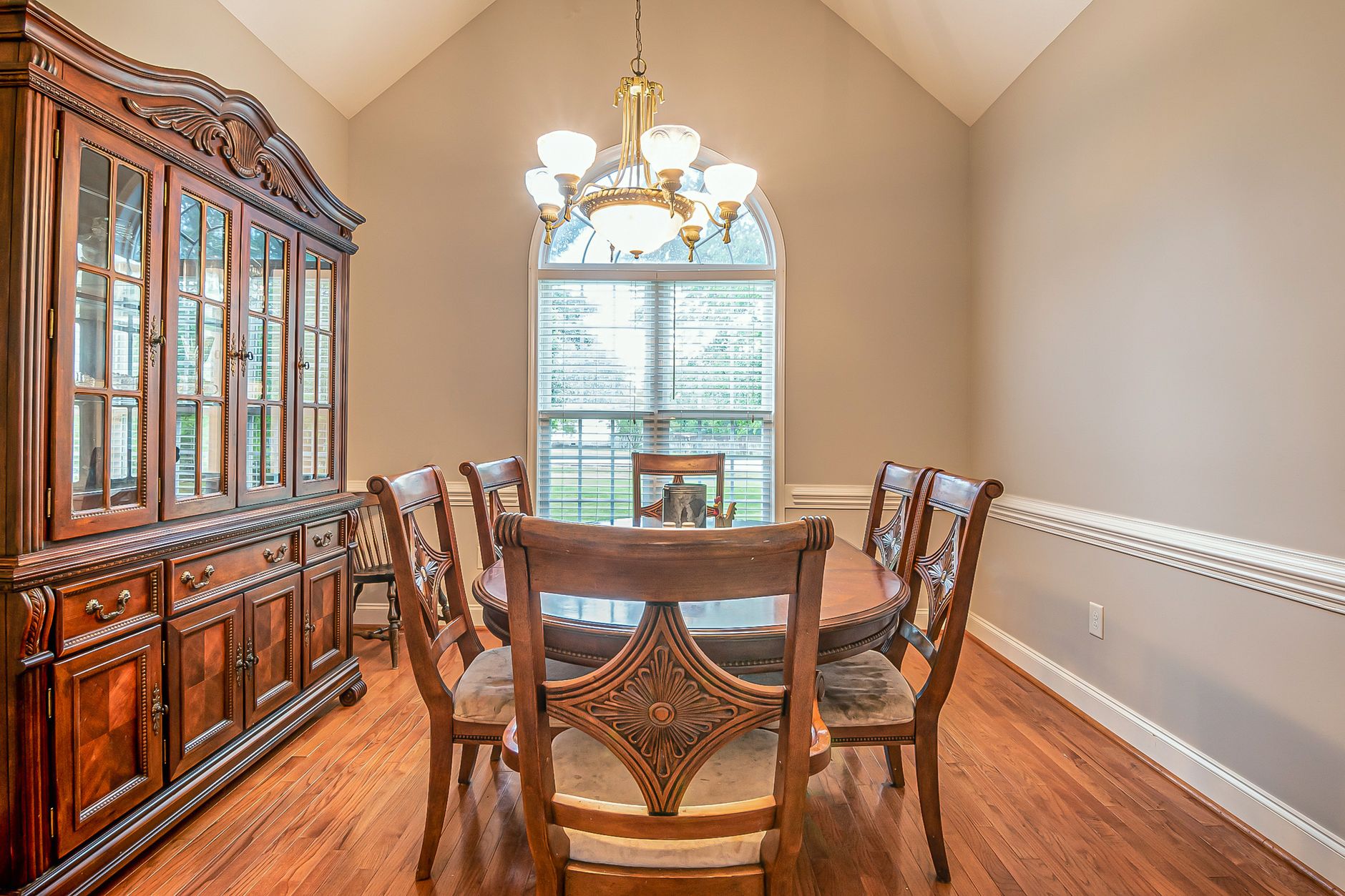
Virtual staging is the most powerful tool for converting "dead space" into a selling point. By adding a modern sofa or a dining set, you answer the buyer's question: "Will my furniture fit here?" This is essential for agents specializing in
Virtual Furniture Staging in New Orleans: Boost Your Listing Value.
Day-to-Dusk (Twilight) Conversion
Twilight photos are statistically more likely to stop a user from scrolling. Rather than waiting for the perfect sunset, AI processing can change a midday sky to a deep purple dusk and add a warm glow to the windows, creating an immediate feeling of "home."
Room Decluttering
Using advanced image editing, an agent can remove an old, stained carpet or a dated piece of furniture, allowing the buyer to see the potential of the flooring or the layout without the distraction of the current owner's taste.
Implementation Guide: Moving from Raw to Market-Ready
To implement these tips, you must first decide between a manual software stack and an AI-integrated platform. For those with 50+ listings a month, the manual approach is unsustainable.
The Manual Workflow (The Slow Path):
Using a combination of Adobe Lightroom for global adjustments and Photoshop for masking. This requires a skilled editor who understands architectural perspective. It is high-quality but can take 2-4 hours per property.
The AI-Driven Workflow (The RealVisionAI Path):
Using RealVisionAI Blog - AI Real Estate Photography & Virtual Staging, the process is compressed. You upload your raw photos, and the AI identifies the room type, applies the correct lighting profile, and performs virtual staging in roughly 12 seconds. This allows agents to go from "shooting" to "listing" in the same afternoon.
Pro Tip for 2026: Focus on "Micro-Staging." Instead of staging the whole house, focus on the three most important rooms: the kitchen, the master bedroom, and the primary living area. Data shows that these three images drive 80% of the decision to book a viewing. If you are working in a specific market, such as
Virtual Furniture Staging in Tampa: Boost Property Sales, tailor the furniture style to the local demographic (e.g. coastal modern vs. traditional).
Pricing and ROI Analysis of Image Processing
Many agents view image processing as a cost, but it should be viewed as a conversion tool. Let's look at the numbers.
Cost Analysis:
- Manual Professional Editor: $25-$75 per photo. Total for a 20-photo set: $500-$1,500.
- AI-Automated Processing: Fractions of a cent per photo when using a subscription. Total for a 20-photo set: Under $20.
ROI Calculation:
If professional processing reduces the "Days on Market" (DOM) by 15 days, the saving in holding costs (mortgage, utilities, taxes) for a mid-range property can be thousands of dollars. When you combine this with the ability to justify a higher asking price due to the "luxury" feel of the images, the ROI is often over 1,000%.
In my experience, the most successful agents use a tiered approach. They use standard AI processing for all listings and "Premium Virtual Staging" for high-ticket properties. This optimizes their budget while maximizing the impact of their most valuable assets. For those scaling their business, exploring
Virtual Furniture Staging in Oakland: Maximize Listing Value provides a blueprint for this tiered strategy.
Real-World Examples of Processing Success
Case Study 1: The Empty Condo
An agent in a luxury high-rise had a stunning unit that remained vacant for three months. The photos were bright but "cold" and empty. After applying virtual staging via RealVisionAI Blog - AI Real Estate Photography & Virtual Staging, adding a minimalist Scandinavian living room and a home office, the listing saw a 400% increase in inquiries within 48 hours. The property sold for 5% above asking price because the buyer could finally "see" the lifestyle potential.
Case Study 2: The "Dark" Suburban Home
A traditional home had a great layout but suffered from poor natural light and an outdated interior. The agent used digital decluttering to remove old furniture and applied "day-to-dusk" conversion to the exterior. By changing the perceived atmosphere from "gloomy" to "cozy," the property's average view count on the MLS jumped from 120 to 850 per week.
Case Study 3: The Rapid-Scale Agency
A mid-sized agency was struggling with a 4-day turnaround time for photos. By switching to an AI-automated pipeline, they reduced their turnaround to 12 seconds. This allowed them to list properties the same day they were photographed, beating their competitors to the market and securing more listings from frustrated sellers.
Common Mistakes in Real Estate Image Processing
Even with the best tools, it is easy to over-process an image. Here are the five most common pitfalls I see:
- The "Plastic" Look: Over-smoothing surfaces or using too much noise reduction makes walls look like plastic. Keep a small amount of natural grain to maintain authenticity.
- Wrong Perspective: When virtual staging, placing furniture at the wrong angle creates a "floating" effect. Always ensure the 3D model's vanishing point matches the photo's perspective.
- Impossible Lighting: Adding a bright sunbeam to a room that has a cloudy sky outside the window. Consistency between interior and exterior lighting is fundamental for trust.
- Over-Saturating Greens: Making the grass look neon green is a classic mistake. It looks fake and can actually make a buyer suspicious of the property's actual condition.
- Ignoring the "Hero" Shot: Spending hours processing a bathroom but neglecting the main living area. Always prioritize the "Hero" images (the first 3-5 photos) as they dictate the rest of the user's experience.
If you find yourself making these mistakes, it is often a sign that you need a more standardized system. Using tools like
Virtual Furniture Staging in Minneapolis: Boost Your Listings helps maintain a consistent "look and feel" across all your assets.
Frequently Asked Questions
What is the difference between virtual staging and image enhancement?
Image enhancement focuses on the quality of the existing photo, fixing the light, color, and clarity. Virtual staging is additive; it involves placing digital furniture and decor into a space. While enhancement makes a photo look "better," staging makes a room look "functional." Both are parts of a complete real estate image processing workflow, but staging is specifically designed to help buyers visualize the use of empty space.
How does AI processing differ from a human editor in 2026?
The primary difference is speed and scalability. A human editor provides a bespoke, artistic touch but takes hours to complete a set. AI processing, such as that provided by RealVisionAI Blog - AI Real Estate Photography & Virtual Staging, uses trained neural networks to apply professional-grade edits in seconds. While humans are still great for highly complex architectural anomalies, AI has surpassed them in consistency and efficiency for 95% of standard real estate needs.
Will virtual staging be considered "misleading" by the MLS?
In most markets, virtual staging is perfectly acceptable as long as it is disclosed. Most agents add a small watermark or a caption stating "Virtually Staged." This is generally viewed as a helpful tool rather than a deception, as it shows the potential of the space. However, you should always check your local board's regulations to ensure you are in compliance with transparency standards.
How often should I update my listing photos?
If a property has been on the market for more than 30 days without a serious offer, it is time to refresh the images. "Listing fatigue" happens when buyers have already seen the photos and mentally dismissed the property. By changing the staging style or updating the "Hero" shot to a twilight version, you can trick the algorithm and the buyer's brain into seeing the property as a "new" opportunity.
Can image processing help sell a property that is in poor condition?
Yes, but with a caveat. Digital decluttering and "virtual renovation" can show a buyer what the home could look like after a remodel. This is a powerful way to attract "investor buyers" who have the vision but need a visual aid to get excited. However, you must be careful not to hide structural defects, as this can lead to legal issues during the inspection phase.
What is the "12-second rule" in AI processing?
The "12-second rule" refers to the benchmark speed of modern AI platforms like RealVisionAI Blog - AI Real Estate Photography & Virtual Staging. In the 2026 market, the goal is to reduce the gap between the photo shoot and the listing upload to near zero. Being able to process an image in 12 seconds allows an agent to send a "sneak peek" to a client while they are still standing in the house.
Conclusion
Real estate image processing is no longer a luxury; it is a fundamental requirement for any professional operating in the 2026 market. The shift toward AI-driven workflows has democratized high-end visuals, allowing agents of all sizes to compete with the biggest firms in the industry. By focusing on lighting, decluttering, and strategic virtual staging, you can significantly reduce your time on the market and increase the final sale price of your properties.
Whether you are focusing on high-growth areas like
Virtual Furniture Staging in Raleigh: Elevate Your Listings or managing a diverse portfolio across the country, the goal remains the same: create an emotional connection between the buyer and the space. The tools are now available to make this happen instantly.
Stop letting poor imagery hold back your listings. Turn your photos into high-conversion sales assets by leveraging the power of
RealVisionAI.
Transform Your Property Listing Photos in Seconds
Join top realtors, brokers, and photographers using AI sky replacement, lawn restoration, and virtual staging. Create your free account on RealVisionAI today.
Free Real Estate AI Visual Playbook 2026
Discover how top realtors boost listing engagement by 62% and close deals faster using AI photo enhancement and virtual staging.