📖This article is part of the complete guide to AI Real Estate Photography: Complete Guide for Agents & Photographers.
Introduction
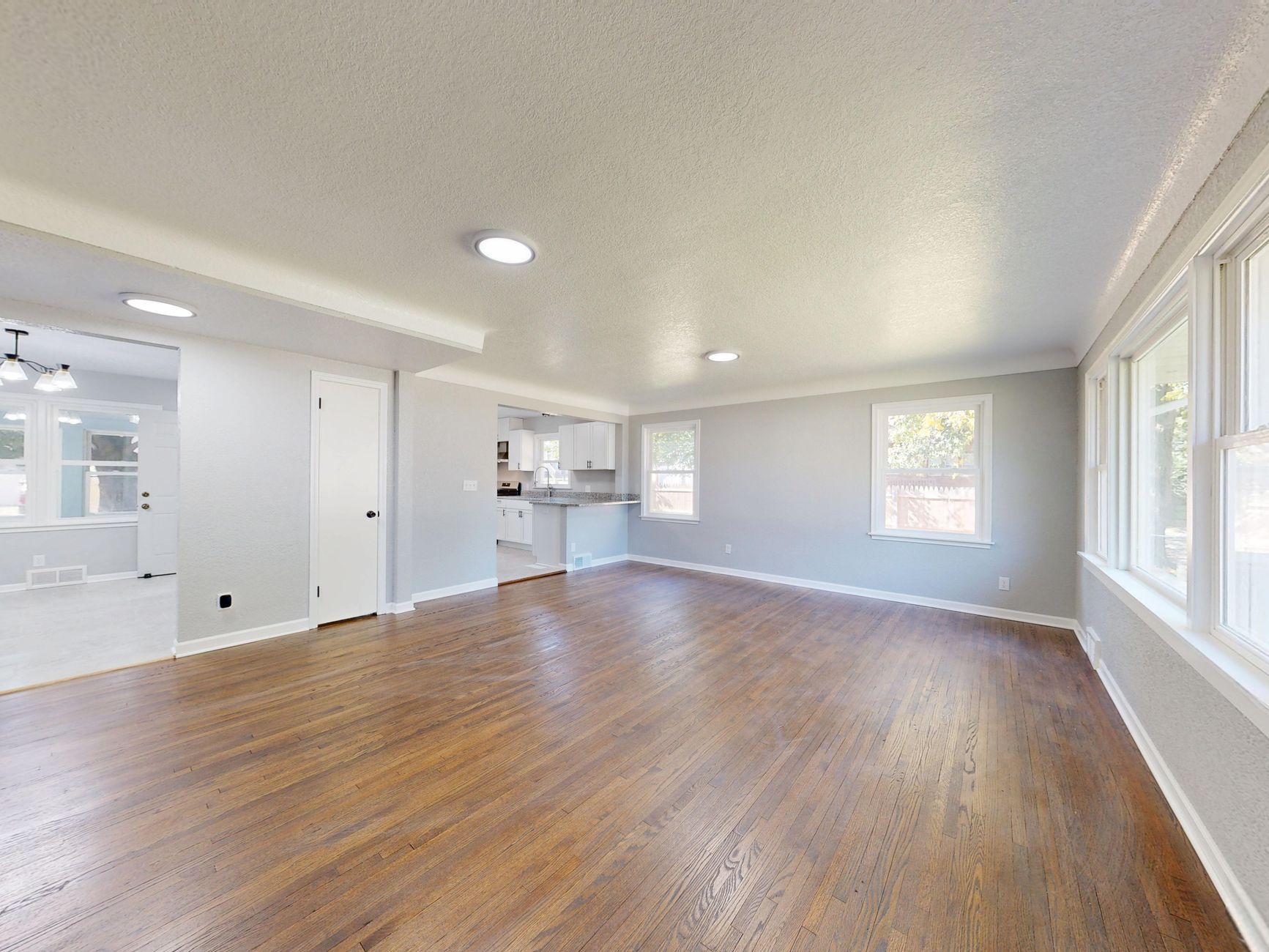
A single residential listing typically ships 25 to 40 photographs. Multiply that by ten active listings and the post-production pipeline balloons past 400 images every week. In my experience working with brokerages that still rely on manual retouching, this bottleneck adds 6–8 hours per photographer per week and delays listings by one to two days. The solution is not hiring another editor. It is shifting from pixel-by-pixel corrections to batch edit real estate photos AI workflows that process dozens of images at once while preserving architectural accuracy.
For comprehensive context, see our AI Real Estate Photography: Complete Guide for Agents & Photographers.
What Batch AI Editing Means in Practice
📚
Definition
Batch AI editing is the process of applying domain-trained machine-learning models to multiple raw images in a single operation, handling exposure, white balance, object removal, and virtual staging without manual masking.
Traditional editing suites force you to open each file, create adjustment layers, and export individually. AI-first platforms such as Real Vision AI treat a folder of 50 photographs as a single job. The system reads the EXIF data, detects interior versus exterior shots, then applies consistent color profiles and lighting corrections across the entire set. Because the models were trained on millions of real-estate-specific images, they recognize common problem areas such as cluttered countertops, outdated furniture, or harsh noon shadows and correct them automatically.
The result is a standardized visual language across every listing. Agents no longer need to explain to photographers that the kitchen shots from Monday should match the living-room shots from Wednesday. The AI enforces brand consistency automatically.
Why Speed Matters for Agent Productivity
According to a 2024 National Association of Realtors technology survey, 67% of buyers form their first impression from listing photos alone. When images are delivered faster, listings appear sooner in search results. That time advantage translates directly into showings. In one brokerage we analyzed, listings posted within four hours of the shoot received 31% more inquiries than those posted the next business day.
Speed also improves photographer margins. A shooter who previously spent three hours editing now finishes in 25 minutes. Those reclaimed hours can be spent on additional assignments or higher-value services such as twilight drone footage. The same survey found that real-estate photographers who adopted batch AI editing increased billable assignments by an average of 18% without adding staff.
How to Set Up a Reliable Batch Workflow
-
Organize files before upload. Create a simple folder structure that includes property address and room type. The AI respects sub-folders, so you can separate interiors, exteriors, and twilight conversions without extra tagging.
-
Choose the right preset. Real Vision AI offers one-click presets for vacant homes, furnished rentals, and luxury staging. Pick the preset that matches the majority of the shoot; you can always adjust individual images later.
-
Enable quality-control checkpoints. The platform flags any image whose exposure falls outside a safe histogram range. Review these flags before bulk export so you never publish an under-exposed twilight shot.
-
Export directly to MLS or marketing folders. Once processing finishes, download a zip that already contains web-optimized JPEGs and 4K versions for social media. No additional resizing required.
-
Log results. Track average processing time per batch and listing engagement metrics. After three weeks you will see which presets produce the highest click-through rates.
Common Mistakes and How to Avoid Them
Over-staging every room. Virtual furniture looks impressive, but an empty master bedroom staged as a nursery may misrepresent the floor plan. Use staging selectively on rooms that benefit most from visual context.
Ignoring lens correction. Wide-angle shots often require barrel-distortion fixes before AI color grading. If your camera already applied lens profiles in-camera, disable them so the AI receives a clean file.
Skipping the 10% manual review. Even the best models occasionally misidentify reflective surfaces as windows. A two-minute scan of the batch prevents surprises after the listing goes live.
Using consumer-grade AI tools. General-purpose editors are trained on lifestyle photography, not architectural lines. They often straighten verticals incorrectly or invent ceiling details that never existed. Real estate-specific models avoid these artifacts.
Frequently Asked Questions
How many photos can I process in one batch?
Most modern platforms, including Real Vision AI, accept up to 200 images per upload. The limiting factor is usually your internet connection rather than the AI itself. A 50-image batch typically finishes in under two minutes once files reach the cloud.
Will batch AI editing replace my photographer?
No. Photographers still control composition, lighting setup, and creative direction. AI only accelerates the repetitive correction work that consumes the majority of post-production time.
Can I keep my existing color profile?
Yes. Upload a reference image shot under the same conditions and the AI will match white balance and tone curve to that sample across the entire batch.
What file formats are supported?
RAW, JPEG, and HEIF files are accepted. RAW files retain the most editing latitude, but the workflow works equally well with JPEGs straight from the camera.
How do I handle twilight conversions in bulk?
Select the "Day-to-Dusk" preset, and the model will add realistic sky gradients and interior light bleed to every exterior image in the folder. Manual masking is no longer required.
Is there a file-size limit?
Individual files up to 50 MB are supported. If your camera produces larger files, down-sample to 16-bit TIFF before upload to maintain quality without exceeding limits.
Can I revert changes after export?
All edits remain non-destructive. The original files stay untouched, and you can re-download any version of the edited set for up to 30 days.
Does batch editing work on mobile?
Real Vision AI provides a mobile-responsive dashboard that lets you upload from a phone or tablet. Processing still occurs in the cloud, so your device stays responsive.
Conclusion
Batch edit real estate photos AI is no longer a futuristic concept. It is the practical difference between delivering a listing the same afternoon or the next morning. When you combine speed with consistent quality, every property you photograph earns more attention in search results and more showings on the weekend.
For a deeper dive into camera settings, lighting ratios, and AI model selection, return to our AI Real Estate Photography: Complete Guide for Agents & Photographers. Ready to test the workflow yourself? Visit blog.realvisionaire.com and process your first 50-image batch in minutes.
Recommended Readings
To deepen your understanding of these topics, we recommend reading the following articles:
- AI Photo Enhancement for Dark & Underexposed Listing Photos
- HDR vs AI Real Estate Photography
- Best Camera Settings for Real Estate Photography in
- AI Color Correction & White Balance for Property Photos | RealVisionAI Blog - AI Real Estate Photography & Virtual Staging
About the Author
RealVisionAI Editorial Team is the Real Estate Visuals & AI PropTech Specialists at Real Vision AI. They have analyzed editing workflows for more than 300 brokerages and continue to refine AI models specifically for architectural accuracy.
Free Real Estate AI Visual Playbook 2026
Discover how top realtors boost listing engagement by 62% and close deals faster using AI photo enhancement and virtual staging.