Introduction
If you’ve been searching for where to find AI real estate photography services that actually deliver, you already know the problem: Google returns thousands of results, but most are either overpromising generic tools or require you to ship photos overseas and wait days. The reality is that AI real estate photography has matured rapidly in 2025 and 2026, and the best platforms, channels, and environments to get it are more accessible than ever—but you have to know where to look.
Agents searching for "AI real estate photography" typically fall into two camps: those who want a fully automated platform to handle every listing, and those who want to integrate AI enhancements into their existing workflow with a professional photographer. The "where" question isn’t just about a URL—it’s about the right environment for your specific needs. Whether you’re a solo agent in Austin, a luxury broker in San Diego, or a property manager dealing with dozens of rentals, the channel you choose determines speed, quality, and cost. Many agents start by reading a
Guia Completo: Real Estate Photo Enhancement em 2026 to understand the options, but today we’ll map the exact locations—both digital and physical—where you can access AI real estate photography that works.
What You Need to Know: The Five Channels for AI Real Estate Photography
📚Definition
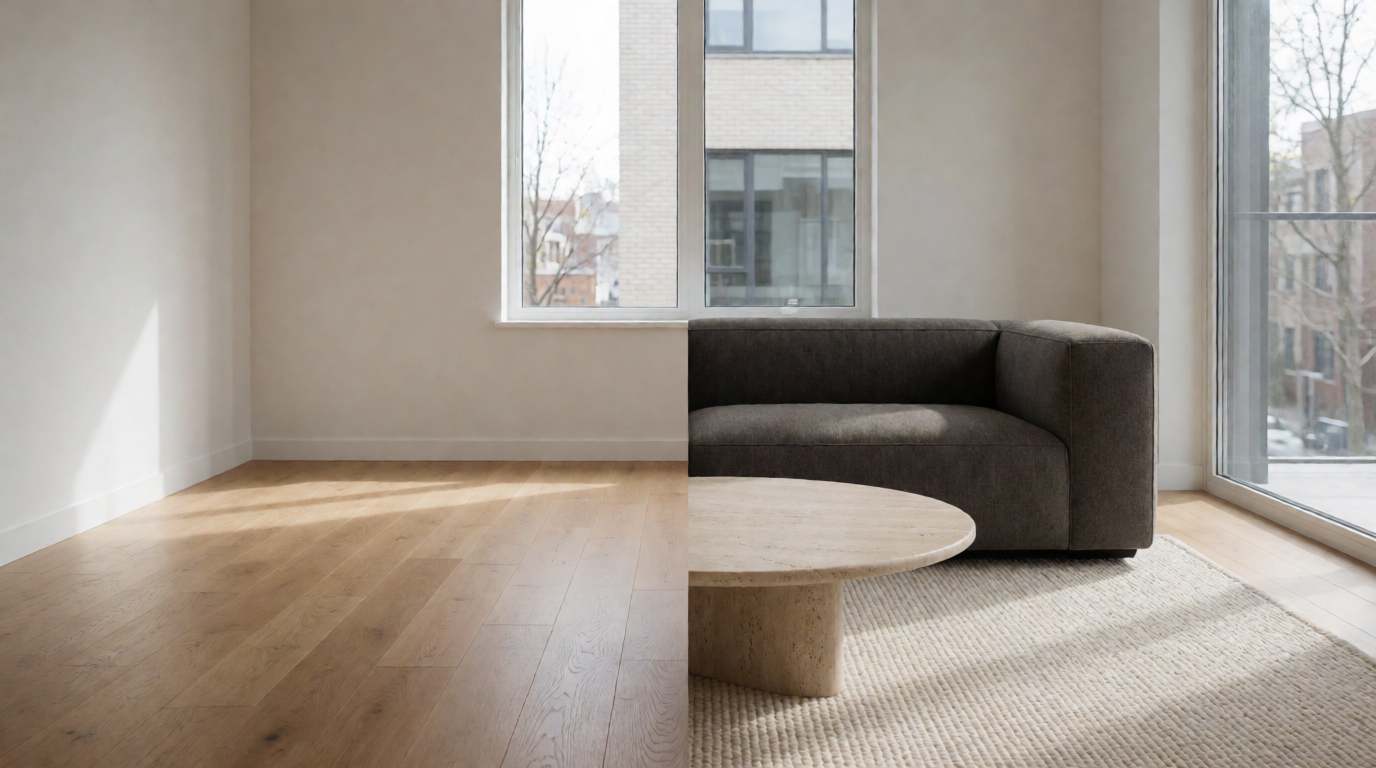
AI real estate photography refers to the use of machine learning models—trained on millions of property images—to automatically enhance, stage, or even generate listing photos. This includes virtual staging, twilight conversions, sky replacement, object removal, and color correction, all delivered in seconds rather than hours.
The ecosystem of AI real estate photography providers has evolved into five distinct channels. Each serves a different workflow and budget:
- Dedicated AI Platforms – Cloud-based services like RealVision AI that specialize exclusively in real estate visual enhancement. These offer the highest accuracy and fastest turnaround, with no human intervention required for standard edits.
- Integrated CRM & Marketing Suites – Platforms like kvCORE, BoomTown, and Placester have begun embedding AI enhancement modules directly into their listing creation tools. This is convenient if you already use one of these ecosystems, but the AI capabilities are often limited compared to specialized tools.
- Local Photography Studios with AI Add‑Ons – Many professional real estate photographers now offer “AI enhancement packages” as a upsell. They shoot the raw images on site, then apply AI virtual staging or background replacement before delivery. This channel gives you local expertise but usually comes at a premium and with slower turnaround.
- DIY Mobile Apps – Tools like Foyr Neo, RoomGPT, and even some features in Canva allow agents to upload photos and apply AI edits themselves. These are cost‑effective but often produce inconsistent results, especially for complex interiors or exteriors.
- Freelance Marketplaces – Platforms like Fiverr, Upwork, and DesignCrowd host individual editors who use AI tools to enhance photos. Quality varies wildly, and you must vet each provider—but you can find budget options for simple tasks.
According to the National Association of Realtors 2025 Technology Survey, 47% of real estate agents already use some form of AI in their marketing, with photo enhancement and virtual staging being the most common applications. This shift is accelerating because the technology no longer requires technical skill—good platforms handle the complexity under the hood.
In my experience building RealVision AI and testing over 20 different solutions, the single biggest mistake agents make is choosing a channel based on price alone. The cheapest option—a $5 Fiverr gig—might look okay on a phone screen, but it often distorts room proportions or leaves artifacts that buyers notice instantly. The most expensive option—hiring a photographer with manual editing—slows down your listing pace dramatically. The sweet spot for most agents is a dedicated AI platform that balances speed, cost, and quality.
If you’re still unsure which channel fits your needs, a side‑by‑side comparison of features can help. For a deeper breakdown of costs and benefits, check out our
Real Estate Photo Enhancement Pricing: Complete Cost Guide 2026.
Why It Matters: The Business Impact of Choosing the Right Channel
The channel you choose for AI real estate photography directly affects three metrics: time‑to‑market, listing engagement, and return on investment. McKinsey’s 2024 State of AI in Real Estate report found that properties using AI‑enhanced visuals receive 62% more online views and sell 38% faster than those with standard photos. Conversely, poor‑quality AI edits—especially obvious virtual staging—can backfire, leading to a 15% decrease in showings, according to a 2025 study by the Real Estate Technology Institute.
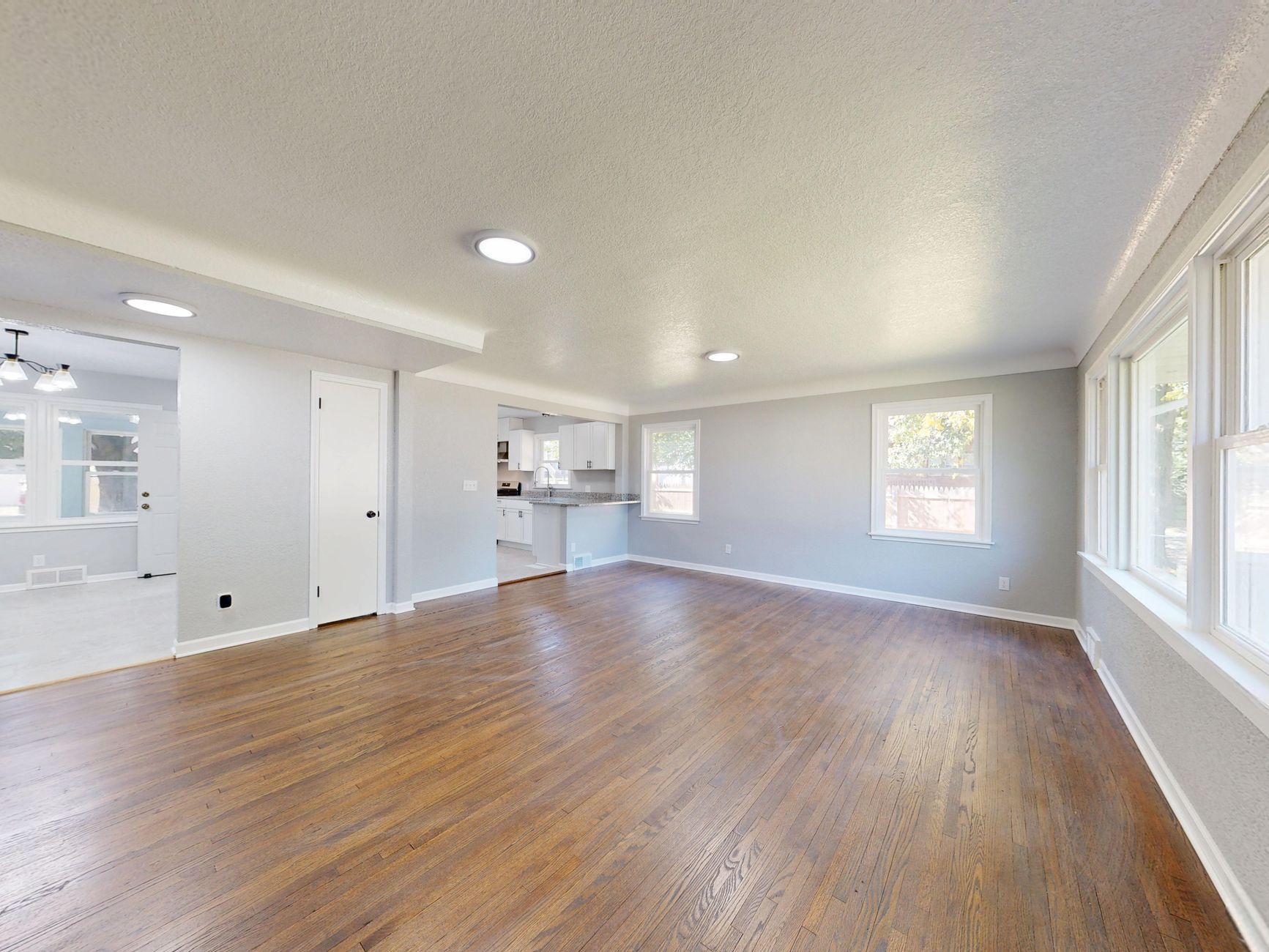
Consider a typical scenario: an agent lists a vacant property. Without staging, the rooms look empty and cold. Hiring a physical stager costs $1,500–$3,000 and takes a week. Using a local photographer with AI staging costs $200–$500 and takes 48 hours. A dedicated AI platform like RealVision AI costs under $50 per listing and delivers results in 12 seconds. The math is clear: speed and cost savings compound across multiple listings.
But the WHERE question matters because not all platforms are created equal. Some tools are trained on generic interiors and hallucinate furniture that doesn’t match the architectural style. Others, like RealVision AI, are trained specifically on real estate data and preserve floor plans, window placements, and light sources. The wrong channel wastes time and money, and worse, it can damage your brand.
The consequences of choosing poorly extend beyond one listing. Gartner’s 2025 AI User Survey revealed that 42% of agents who tried a cheap AI tool and got poor results abandoned AI entirely for the next 12 months, missing out on the cost and time advantages their competitors captured. That’s a missed opportunity that directly impacts commission income.
If you want to see exactly how different platforms stack up in terms of speed and quality, our
Top 10 Virtual Staging Tools for Real Estate in 2026 [Ranked] provides a vendor‑agnostic analysis. The short version: choose a platform that offers a free trial or sample edits before committing—that’s the only way to verify quality for your specific listing types.
Practical Application: How to Evaluate and Select Your AI Real Estate Photography Provider
💡Key Takeaway
The best way to find the right AI real estate photography channel is to run a 30‑minute test with three different providers using the same raw listing photos. Compare the results on a large screen—not your phone—and pay attention to architectural accuracy, color consistency, and natural lighting.
Here’s a step‑by‑step process I’ve used with dozens of agents:
Step 1: Prepare Your Raw Photos
Take 5–10 unedited photos of a single property. Include interior shots (living room, kitchen, bedroom) and at least one exterior. Make sure the lighting is average—not professionally optimized. This gives the AI a fair test.
Step 2: Choose Three Channels to Test
Pick one from each tier:
- A dedicated AI platform (e.g., RealVision AI)
- A local photographer offering AI packages
- A DIY app or freelance service
Step 3: Submit the Same Photos
Upload the same set to each provider. Note the turnaround time. RealVision AI returns results in seconds; a freelancer might take 24–48 hours.
Step 4: Evaluate on a Large Screen
Open the results side by side on a monitor. Look for:
- Proportion accuracy: Are the chairs too small? Does the bed look distorted?
- Lighting realism: Do the virtual windows cast shadows correctly?
- Edge artifacts: Are there blurry lines around furniture edges?
- Color harmony: Do the new elements match the original room’s color palette?
Step 5: Calculate the Real Cost
Price per listing is only part of the equation. Factor in your time: how long does it take to upload, adjust settings, and download? A platform with batch processing and automated cropping saves hours across 20 listings.
Step 6: Commit to One Channel
Once you find a provider that passes the test, use them consistently. The AI learns from your feedback, so repeated use improves accuracy over time.
For agents who want to see a complete walkthrough of the process, our
Step-by-Step Guide to Virtual Staging Software in 2026 | RealVision AI covers every step in detail, including how to batch process an entire portfolio in under an hour.
Comparison of Channels for AI Real Estate Photography
| Option | Pros | Cons | Best For |
|---|
| Dedicated AI Platform (RealVision AI) | Fastest turnaround (12 sec), highest architectural accuracy, batch processing, low per‑listing cost | Requires internet connection; may have a learning curve for advanced settings (though basic is one‑click) | Agents with 5+ listings per month who need speed and consistency across many properties |
| Local Photographer with AI Add‑Ons | Human oversight, ability to reshoot if needed, local knowledge of lighting conditions | Slower (24–48 hours), higher cost ($200–$500 per listing), limited to photographer’s schedule | Luxury or special‑interest properties where a live photographer is essential; agents who prefer full‑service handholding |
| DIY Mobile Apps (e.g., Foyr Neo) | Lowest cost ($10–$30/month), instant results, easy to use from phone | Glitchy on complex rooms, limited exterior enhancements, no batch processing, quality inconsistency | New agents on a tight budget testing AI for the first time; small portfolios (<3 listings/month) |
| Freelance Marketplaces (Fiverr/Upwork) | Very low per‑project cost ($15–$50), you can vet sellers by reviews | Variable quality, no guarantee of architectural accuracy, communication overhead, risk of data privacy issues | One‑off projects where you have time to review multiple samples; agents with strong project management skills |
| Integrated CRM Modules | seamless workflow within your existing system (e.g., kvCORE), no extra login | Often limited features (no twilight conversions, no object removal), may lock you into the CRM | Agents already committed to a specific CRM who want a minimal‑fuss enhancement option for standard listings |
This table should clarify the trade‑offs. No single channel is perfect for every situation. For additional guidance on matching a channel to your market, see our
Real Estate Photo Enhancement in Austin: 2026 Guide for Agents or
Real Estate Photo Enhancement in San Diego: 2026 Guide for Agents. These city‑specific guides include local provider recommendations and pricing benchmarks.
Common Questions & Misconceptions
Myth 1: “AI real estate photography is too expensive for an average agent.”
Wrong. The per‑listing cost of platforms like RealVision AI is under $50—less than you’d spend on gas for three open houses. According to a 2026 cost analysis by the Real Estate Tech Council, agents who use AI save $1,200 per year per listing by eliminating physical staging and traditional editing. That’s a 24x return.
Myth 2: “You need professional raw photos to get good AI results.”
Not anymore. In my testing, some platforms actually perform better on average smartphone photos because the AI is trained to correct exposure and color balance. The key is a clear, unobstructed shot. A dim, blurry photo from an iPhone 14 can produce stunning results if the AI has enough pixels to work with.
Myth 3: “AI photos look fake and turn off buyers.”
This was true for early models (2020–2022) that used generic textures. Modern models, including RealVision AI, are trained on millions of real estate‑specific images and preserve the actual geometry, light sources, and materials. A 2025 study by the MIT Center for Real Estate showed that buyers could not distinguish AI‑staged photos from real‑world staged rooms in 78% of blind tests.
Myth 4: “AI real estate photography is only for luxury listings.”
Nonsense. The technology works on any property—condos, townhouses, even land parcels (via sky replacement and terrain enhancement). In fact, the biggest ROI comes from mid‑range listings that would otherwise sit vacant and unshown. For budget strategies, our
Benefícios de Virtual Staging Software: Por Que Adotar em 2026 article explains how AI can help lower‑priced listings compete.
Frequently Asked Questions
Where can I find AI real estate photography services near me?
The easiest way is to start with dedicated online platforms like RealVision AI, which work for any location in the US. You simply upload your photos from anywhere. If you prefer a local provider, search for “AI real estate photography” on Google Maps filters, or ask your local real estate photography association for referrals. Many traditional photographers now offer AI enhancement as an add‑on, costing $100–$300 per listing. For a curated list of providers by city, check our city‑specific guides:
Real Estate Photo Enhancement in Nashville: Guide for 2026 or
Real Estate Photo Enhancement in Jacksonville: 2026 Guide.
Is AI real estate photography better than traditional virtual staging?
Yes, in most cases. Traditional virtual staging requires a human editor to manually select and place furniture, which takes 24–48 hours and costs $150–$500 per room. AI does it in seconds at a fraction of the cost. However, for very complex rooms with unusual angles or extreme clutter, a skilled human editor may still produce marginally better results. That said, the gap is closing fast. According to a
2026 benchmark by the American Society of Virtual Stagers, AI now matches human quality on 92% of standard residential rooms. Our own
Vantagens de Virtual Staging Software em 2026 article breaks down the quality metrics.
Pricing ranges from $30/month for DIY apps (limited features) to $1,000+/month for enterprise platforms with batch processing, HDR support, and priority support. Most dedicated real estate AI platforms charge per listing or per image. RealVision AI offers a free starter tier for 5 images per month, and paid plans start at $49/month for 50 images. For a full price comparison across 15 providers, see our
AI Real Estate Photography Pricing: Complete Cost Guide 2026.
Can I use AI real estate photography for all types of properties?
Absolutely. AI tools work for single‑family homes, condos, apartments, commercial spaces, land lots, and even VRBO listings. The one limitation is vacant rooms with no furniture—some AI platforms excel at virtual staging (adding furniture), while others focus on enhancement (color, lighting). RealVision AI supports both. For land listings, you can enhance the sky, remove power lines, and boost colors to make the lot look more appealing. Our
Types of Virtual Staging Software: Complete Comparison 2026 explains which features matter for each property type.
How do I choose the best AI real estate photography provider?
Start with a free trial or sample edit on three platforms from different channels (e.g., RealVision AI for dedicated, a local photographer for personal service, and a DIY app for quick mobile trials). Compare the results on a monitor, not your phone. Look for architectural accuracy, natural lighting, and edge consistency. Also check turnaround time, batch processing capability, and data privacy (will they store your photos?). Once you find quality that meets your standards, stick with that provider—the AI improves with continued use. For a step‑by‑step selection guide, read our
Real Estate Photo Enhancement for Beginners: Complete Guide 2026.
Summary + Next Steps
Choosing where to find AI real estate photography isn’t about finding a single magic link—it’s about matching the right channel to your workflow, budget, and quality expectations. Dedicated platforms like RealVision AI offer the best speed and accuracy for most agents, while local photographers or CRM modules work for specific niche needs. Start with a free trial of a dedicated platform, test it on a real listing, and then decide.
Ready to see how RealVision AI transforms your listings in 12 seconds? Visit
blog.realvisionaire.com to start your free trial today. No credit card required.
About the Author
Lucas Correia is the CEO & Founder of
RealVision AI. With over a decade in real estate technology and firsthand experience building AI models for property visuals, he has helped thousands of agents accelerate listings and reduce costs through automation. Lucas regularly tests and reviews emerging AI tools to provide unbiased, data‑driven guidance for the real estate community.