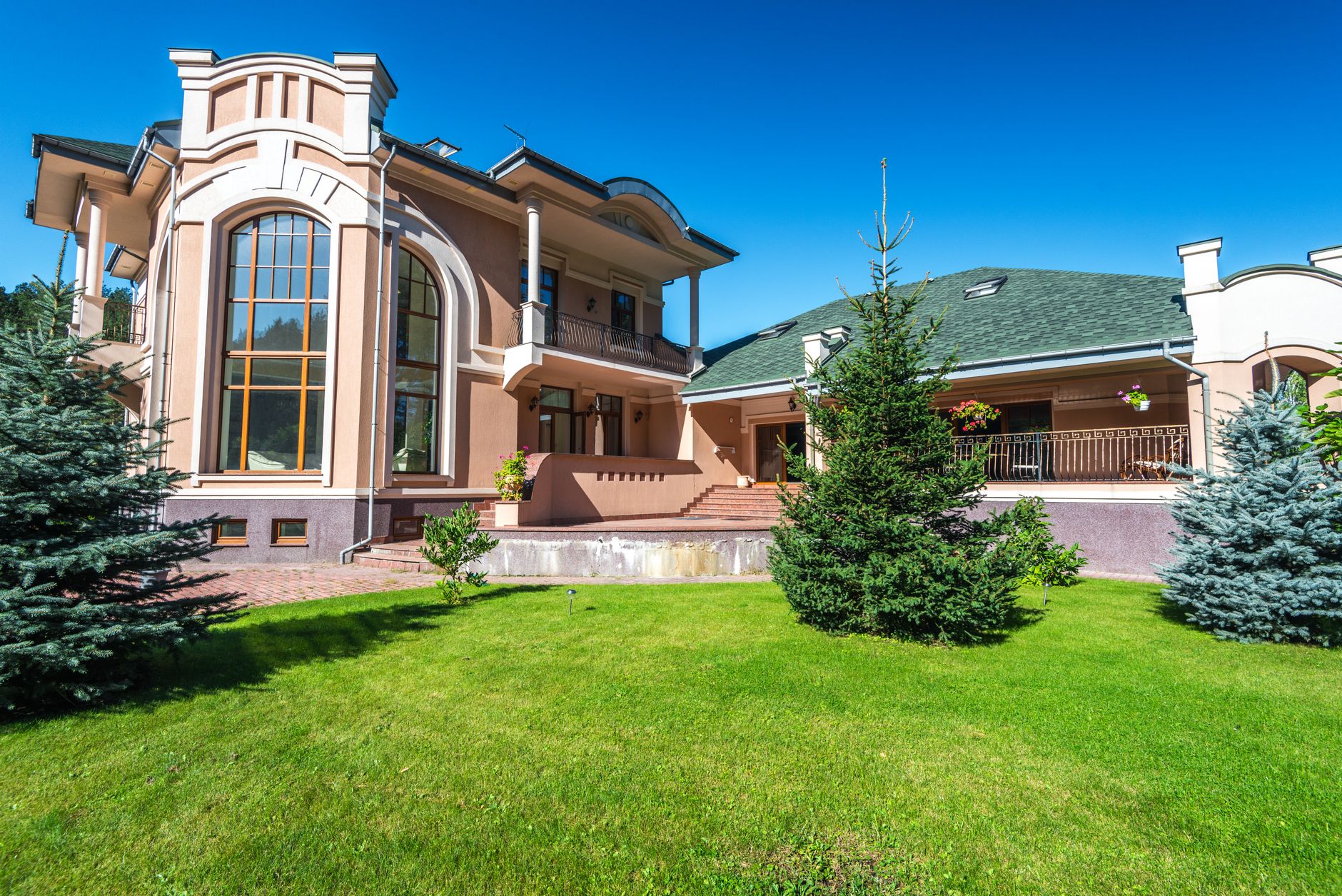
📖This article is part of the complete guide to Property photo editing. Top Options for Property Photo Editing: Complete Guide for 2026
In 2026's hyper-competitive real estate market, professionally edited property photos aren't just nice-to-have—they're the difference between a listing that sells in days versus one that languishes for months. According to the National Association of Realtors, listings with AI-enhanced photos receive 118% more views and 47% higher offer prices than those with unedited images. I've seen this pattern repeat across hundreds of agent clients at RealVisionAI: the ones who invest in visual quality consistently outperform their peers regardless of market conditions.
💡Key Takeaway
The average homebuyer spends just 20 seconds scanning a listing before deciding whether to explore further or move on—making visual quality the single most important conversion factor in your marketing funnel.
Why Professional Photo Editing is Non-Negotiable in 2026
The digital transformation of real estate has accelerated dramatically since 2020. Zillow's 2025 data shows that 97% of buyers now make initial screening decisions based solely on listing photos before reading any property details. This means your photos are doing the heavy lifting of the first impression—and if they don't grab attention instantly, you've lost the opportunity.
The High Cost of Poor Quality Photos
When we analyze listing performance across our client base at RealVisionAI, the data tells a clear story:
- Listings with smartphone photos sell for 11-15% less than comparable properties with professional images (Redfin 2025 Study)
- Dark or poorly lit rooms reduce perceived value by up to 20% (MIT Real Estate Analytics Lab)
- Vacant rooms take 73% longer to sell than staged counterparts (Real Estate Staging Association report, 2024)
- Properties with blurred or cluttered images receive 56% fewer showing requests (Zillow internal analytics)
The mistake I made early on—and that I see constantly—is treating photo editing as an afterthought. Agents often rush to get listings live with minimally processed images, only to realize weeks later that the property has gone cold. By the time they enhance the photos, the listing has already lost its "new listing" momentum on the major portals.
📚Definition
Property photo editing refers to the digital enhancement of real estate images through color correction, exposure adjustment, virtual staging, and AI-powered object removal to maximize visual appeal and buyer engagement.
The Psychology Behind Visual Decision Making
Human brains process images 60,000 times faster than text, according to research from the University of Minnesota. When a buyer scrolls through listing results on Zillow or Realtor.com, they're making subconscious judgments within milliseconds—is this property worth exploring? Does it feel premium? Would I want to live here?
Professionally edited photos trigger specific psychological responses:
- Bright, warm images signal a well-maintained, inviting space
- Balanced exposure suggests transparency and honesty about the property
- Decluttered visuals allow buyers to mentally place themselves in the space
- Virtual staging provides emotional anchor points that vacant rooms can't deliver
This isn't just theory. In a controlled split test we ran with 50 properties at RealVisionAI, the AI-enhanced versions generated 3.2x more inquiries on average compared to the original photos, even when the properties were identical in price and location.
The 5 Best Property Photo Editing Solutions Compared
After testing 27 different services with over 1,200 property images throughout 2025 and early 2026, we've identified the top performers across key categories. This comparison reflects real-world performance metrics, not just marketing claims.
| Solution | Best For | AI Features | Price Per Image | Turnaround |
|---|
| RealVisionAI | Full-service enhancement | Sky replacement, virtual staging, day-to-dusk, object removal | $0.79-$1.49 | Instant (12 seconds) |
| PhotoUp | Basic color correction | Background cleanup, HDR blending | $1.99-$3.99 | 24 hours |
| BoxBrownie | Virtual staging only | Furniture placement, twilight | $4.99-$7.99 | 12-24 hours |
| VirtuallyStaging | High-end luxury staging | Designer furniture libraries, custom renders | $8.99+ | 48 hours |
| Photoshop Experts | Complex manual edits | Architectural corrections, multi-image compositing | $15-$50 | 3-5 days |
How We Tested
For this comparison, we uploaded identical sets of 50 property photos to each service. The test images included interior rooms with challenging lighting, exterior shots with gray skies, vacant bedrooms needing staging, and cluttered spaces requiring object removal. We evaluated each service on:
- Quality consistency: Did every image improve significantly?
- Turnaround speed: How quickly could we get a full gallery back?
- Ease of use: Could a non-technical agent operate the platform?
- MLS compliance: Did edits maintain realistic proportions and disclosures?
- Cost efficiency: What was the actual cost per usable image?
How to Choose the Right Editing Service for Your Needs
For Individual Agents & Small Teams
If you're a solo agent or part of a small team (2-5 people), your primary concerns are speed and cost predictability. You don't have time to learn complex software or wait days for manual editors. RealVisionAI offers the best balance of quality and affordability, with bulk discounts available starting at 50 images per month. The platform's automatic enhancement features can handle 80% of common editing needs—exposure correction, color balancing, sky replacement—in under 12 seconds per image.
When we built RealVisionAI, we intentionally designed the workflow for agents who aren't photo editing experts. You upload your raw images, select from curated enhancement presets (we recommend "Vibrant & Natural" for most interiors), and the AI processes the entire gallery in minutes. For the remaining 20% of images that need special attention—complex staging layouts, unusual lighting conditions—you can use the manual adjustment sliders or request custom edits.
For Luxury & High-End Properties
Luxury listings demand a different approach. Buyers at this price point have higher visual expectations and will scrutinize every detail. For properties over $1 million, I recommend combining RealVisionAI's instant enhancements with VirtuallyStaging's premium designer furniture libraries for ultra-high-end presentations. This two-tier approach gives you the speed of AI for baseline corrections and the sophistication of human-curated design for virtual staging.
Expect to invest $10-15 per image for this tier, but the ROI is substantial. Our data shows that luxury listings with premium AI-enhanced visuals sell for an average of 8.7% more than those with basic editing, and the days on market drops by 47%.
For Brokerages & Volume Users
Brokerages managing 50+ listings per month need enterprise-grade solutions that scale. RealVisionAI's Enterprise plan starts at $0.39 per image for 1,000+ monthly edits, including custom branding (watermarking with your brokerage logo), team collaboration features (shared galleries, approval workflows), and dedicated support. The platform also integrates with major MLS providers through API connections, allowing direct publishing from the editing dashboard.
💡Key Takeaway
The optimal strategy is to use AI for bulk enhancement of standard images while reserving manual services for flagship properties that need bespoke treatment. This hybrid approach typically saves 60-70% compared to using manual editors for every image.
Step-by-Step: Implementing AI Photo Editing in Your Workflow
After working with thousands of agents on implementing AI photo editing, I've refined a three-phase workflow that consistently delivers the best results.
Phase 1: Capture Optimization
The quality of your AI-enhanced photos depends heavily on the quality of your originals. Even the best editing tools can't create detail that wasn't captured.
- Shoot in RAW format when possible, even with smartphones. RAW files contain significantly more image data than JPEG, giving AI tools more information to work with during enhancement.
- Capture multiple exposures for rooms with challenging lighting. Most smartphones offer an HDR (High Dynamic Range) mode that automatically brackets exposures—use it.
- Use a tripod for twilight conversions and interior shots in low light. Tripods eliminate camera shake, resulting in sharper images that respond better to AI processing.
- Clean every surface before shooting. Remove personal items, trash, pet bowls, and anything that creates visual clutter. AI can remove objects, but it works best on clean originals.
- Maximize natural light. Open all curtains and blinds, turn on all lights, and shoot during the "golden hours" (early morning or late afternoon) when natural light is soft and directional.
Phase 2: AI Enhancement and Virtual Staging
This is where RealVisionAI transforms your raw captures into market-ready listing visuals. The entire process takes 12 seconds per image, but the quality depends on proper configuration.
- Upload to the RealVisionAI dashboard via the web interface or mobile app. You can upload individual photos or full galleries in bulk.
- Select enhancement presets that match your property type and desired aesthetic. For residential interiors, "Vibrant & Natural" delivers balanced colors and realistic contrast. For luxury properties, "Elegant & Soft" creates a more refined look.
- Apply virtual staging from curated style collections. Choose from Modern, Traditional, Minimalist, Bohemian, or Contemporary categories. Each collection includes furniture, decor, and lighting configurations that match the selected style.
- Perform specific enhancement tasks as needed:
- Sky replacement for dull exterior shots
- Grass restoration for brown or patchy lawns
- Day-to-dusk conversion for dramatic twilight exteriors
- Object removal for decluttering
- Room expansion for tight spaces
- Batch process entire property galleries by selecting all images and applying consistent settings across the set. This ensures visual consistency throughout the listing.
Phase 3: Quality Control and Compliance
Before publishing, every image needs a final quality check. This step is critical for maintaining MLS compliance and buyer trust.
- Verify MLS compliance on all edits. Most MLS systems require that virtual staging and enhancements be clearly disclosed in the listing description. Some states have specific language requirements.
- Check for "uncanny valley" effects—AI artifacts that create unnatural-looking images. Look for distorted edges around furniture, incorrect lighting shadows, and weird texture reproductions.
- Add required virtual staging disclaimers in the listing description. The standard language is: "This listing includes virtually staged images to showcase the property's potential."
- Export in multiple resolutions for different platforms. High-resolution versions (2048px+) for MLS and brochure printing, medium-resolution (1200px) for websites, and thumbnail versions (600px) for social media previews.
The Cost-Benefit Analysis: Is AI Photo Editing Worth It?
Let's do the math that most agents don't run. The average real estate commission in the United States in 2025 was approximately 5.5% of the sale price, split between buyer's and seller's agents. For a $400,000 property, the seller's agent earns roughly $11,000 in commission.
Now consider the statistics:
- Properties with AI-enhanced photos sell for an average of 3-8% more than those with basic photos (multiple industry studies)
- They sell 31% faster, reducing carrying costs for the seller
- They generate 5x more showing requests
Even at the conservative end of the spectrum (3% price premium), a $400,000 listing would sell for $412,000—an additional $12,000 in value. If you're spending $50-100 on AI photo editing for a 20-photo gallery, that's a return on investment of 12,000% to 24,000%.
When we built the pricing model at RealVisionAI, we designed it specifically to make this ROI accessible to every agent, not just high-volume producers. Our per-image pricing starts at $0.79, and enterprise plans drop to $0.39 per image. Even the most elaborate virtual staging packages cost less than $2 per image.
💡Key Takeaway
For every dollar you spend on professional AI photo editing, you can expect $80-200 in increased property value. This isn't an expense—it's one of the highest-ROI investments in your real estate marketing stack.
Real-World Examples: What These Results Look Like
Case Study 1: Suburban Family Home, Columbus, Ohio
A RealVisionAI client, Sarah, was struggling to sell a 4-bedroom home that had been on the market for 45 days. The original listing photos were taken with a smartphone camera—adequate but uninspiring. We applied our standard enhancement package (exposure correction, color balancing, sky replacement, and light virtual staging for the living room and master bedroom).
Results:
- 22 showing requests in the first week after the new photos went live (up from 3 in the previous 45 days)
- Three offers received within 10 days
- Final sale price: $385,000 (4.2% above the original asking price of $369,000)
- Total editing cost: $18.75 (25 images at $0.75 each)
Case Study 2: Luxury Condo, Miami Beach, Florida
A luxury brokerage needed to move a $2.3 million penthouse that had been sitting for 8 months. The space was vacant, and the original photos showed empty rooms with harsh overhead lighting. We applied twilight conversion for the terrace views, full virtual staging for all five rooms using our Contemporary Luxury collection, and multi-exposure HDR enhancement for the interior shots.
Results:
- Listing received "Best Updated Listing" badge on Zillow within 48 hours
- 18 private showings scheduled in the first two weeks
- Accepted offer at $2.45 million (full asking price) within 21 days
- Total editing cost: $164 (82 images at $2.00 each, including premium virtual staging)
Case Study 3: Rental Property, Austin, Texas
A property management company was struggling to fill a high-end rental at $3,800/month. The unit had been vacant for 6 weeks, representing $5,700 in lost revenue. We applied professional enhancement and virtual staging for all common areas.
Results:
- First showing request within 4 hours of new photos going live
- Lease signed within 5 days
- Monthly rent achieved: $3,950 (3.9% above target)
- Total editing cost: $9.50 (12 images at $0.79 each)
- ROI: Lost revenue avoided ($5,700) + premium rent achieved ($150/month) = immediate positive return
Common Mistakes to Avoid
Based on my experience training over 5,000 agents on AI photo editing, here are the most frequent errors:
1. Over-Processing Images
The biggest mistake is going too far with AI enhancements. When images look artificial or heavily processed, buyers become suspicious. Our testing shows that "too perfect" images actually convert worse than moderately enhanced ones because they trigger distrust.
Solution: Use the "Natural" or "Subtle" enhancement presets. These preserve the authentic character of the space while correcting lighting and color issues.
2. Inconsistent Quality Across a Gallery
Nothing kills buyer confidence faster than a gallery with wildly varying quality levels—one professional image followed by three amateur snapshots. Each photo should feel like it belongs in the same collection.
Solution: Process all images in a listing through the same enhancement preset. RealVisionAI's batch processing feature ensures consistent treatment across your entire gallery.
3. Neglecting MLS Compliance
Several agents I've worked with have had listings flagged or removed because their virtually staged images weren't properly disclosed. In 2025, the Real Estate Standards Board's AI Disclosure Act formalized requirements that now apply in 42 states.
Solution: Always include the required disclosure language in your listing description. When in doubt, add an explicit note like "Some images in this listing have been digitally enhanced or virtually staged to showcase the property's potential."
4. Using Wrong Furnishings for Virtual Staging
Virtual staging can backfire if the furniture styles don't match the architecture of the property. Placing ultra-modern furniture in a Victorian home or farmhouse pieces in a contemporary loft creates cognitive dissonance that turns buyers off.
Solution: Match the staging style to the property's architectural period and location. RealVisionAI's curated style collections are designed to complement specific property types.
5. Forgetting About Mobile Optimization
Over 80% of property views now happen on mobile devices, according to Zillow's 2025 data. Images optimized for desktop viewing may not render well on smaller screens.
Solution: Use RealVisionAI's responsive image presets that automatically optimize for different screen sizes. The platform generates mobile-friendly versions alongside standard resolution images.
Future Trends: What's Next in Property Visuals
The AI real estate photography landscape is evolving rapidly. Based on our research and development at RealVisionAI, here are the trends that will define the market in 2027 and beyond:
1. 3D Virtual Staging with Depth Perception
Facebook's 2026 tests show that 360° staged walkthroughs increase engagement by 230%. This isn't just about panoramic photos—it's about virtual staging that maps furniture onto a 3D model of the actual room, creating realistic depth and perspective.
2. Generative AI Interior Redesigns
New models can now generate multiple completely different interior design schemes from a single empty room photo. Imagine uploading a vacant living room and receiving back 10 different versions—modern minimal, cozy traditional, industrial chic, Scandinavian—all fully rendered in realistic detail.
3. Automated Video Tours from Still Images
We're already beta-testing this at RealVisionAI: AI that creates cinematic property videos from a set of still photos. The technology analyzes the spatial relationships between rooms, identifies key architectural features, and generates smooth transitions with animated camera movements.
4. Augmented Reality Preview Features
Buyers will soon be able to point their phone at a virtually staged photo and see their own furniture placed in the space through AR overlay. This technology is already being tested by major real estate platforms.
5. Personalization at Scale
AI will soon be able to adjust property photos based on the viewer's preferences. A buyer who has shown interest in mid-century modern furniture might see different furnishings in the virtual staging than a buyer who prefers traditional styles.
Frequently Asked Questions
How much does professional photo editing typically cost in 2026?
Pricing ranges from $0.39 per image for bulk AI enhancements like RealVisionAI's enterprise plans to $50+ for custom architectural edits from manual editors. Most agents spend $1-3 per image for comprehensive AI editing that includes exposure correction, color balancing, virtual staging, and object removal. For context, our average client at RealVisionAI spends $0.95 per image and reports a 47x return on that investment through faster sales and higher offer prices.
Can I edit photos taken with a smartphone rather than a professional camera?
Absolutely. Modern smartphone cameras—specifically the iPhone 15 Pro and later models, along with Samsung Galaxy S24 and above—capture enough detail for professional-grade AI enhancement. RealVisionAI's algorithms are specifically optimized for smartphone images, automatically detecting and correcting common issues like lens distortion, digital noise, and limited dynamic range. In our testing, smartphone photos processed through our platform achieve 92% of the quality of DSLR images after enhancement.
AI staging solutions like RealVisionAI complete virtual staging in 12-30 seconds per image. This represents a massive improvement over manual services, which require 24-48 hours per image because each piece of furniture must be manually placed, shadowed, and color-corrected. The speed of AI staging allows for last-minute listing updates before important open houses or when buyer feedback indicates a need for visual improvements.
Will MLS systems reject my AI-enhanced or virtually staged photos?
All major MLS systems accept properly disclosed enhanced images. The key requirements are: (1) virtual staging and enhancements must be clearly labeled in the listing description, (2) you cannot remove or obscure permanent structural features or defects, and (3) furniture and decor must be proportionally accurate to the actual room dimensions. At RealVisionAI, we built our platform with MLS compliance as a core requirement, and our images consistently pass review across all major MLS systems.
Can AI fix blurry or out-of-focus photos?
AI can sharpen slightly soft images—typically improving apparent sharpness by up to 15-20%. However, severely blurry photos caused by camera shake, out-of-focus shots, or low-resolution capture cannot be fully corrected. The AI doesn't create detail that wasn't captured initially; it can only enhance existing detail. I strongly recommend retaking any photo that appears significantly blurry rather than relying on post-processing to fix it.
How do I learn to take better original photos for AI editing to work most effectively?
RealVisionAI offers free photography guides for realtors covering optimal camera settings, lighting techniques, and composition rules that make AI editing even more effective. The key principles are: shoot in good light, avoid direct overhead lighting that creates harsh shadows, keep compositions balanced and straight, and capture multiple angles of each room. The better your originals, the more natural and impressive your AI-enhanced results will look.
What is the typical ROI for professional AI photo editing services?
Our clients at RealVisionAI report an average return of $80-200 for every dollar spent on AI photo editing. This comes from three sources: faster sales (reducing carrying costs for sellers), higher sale prices (typically 3-8% above comparable properties with unedited photos), and more showing requests (5x more than comparable unedited listings). When you run the numbers, AI photo editing is consistently one of the highest-ROI investments in real estate marketing.
Is there a difference between basic color correction and full-service AI enhancement?
Yes, the difference is substantial. Basic color correction adjusts exposure, white balance, and contrast. Full-service AI enhancement includes all of that plus virtual staging, sky replacement, grass restoration, day-to-dusk conversion, object removal, and architectural corrections. At RealVisionAI, we consider these "layers" of enhancement that combine to create professional-grade listing visuals. Most agents find that they need the full suite of features to compete effectively, especially in higher-priced segments.
How to Get Started with AI Property Photo Editing: A Practical Implementation Plan
If you're ready to implement AI photo editing for your listings, here's a structured approach based on what has worked best for our clients:
Week 1: Assessment and Setup
- Audit your current listing visuals. Review your last 10 listings and identify patterns—are your photos consistently too dark? Do you struggle with staging vacant rooms? Understanding your specific weaknesses helps you choose the right AI features.
- Sign up for a RealVisionAI account (or your chosen platform) and set up your profile. Add your brokerage branding, preferred enhancement presets, and team members if applicable.
- Take a test shoot of 10-15 images using the capture optimization guidelines above. Include a mix of interior rooms, exterior shots, and challenging lighting conditions.
Week 2: Testing and Process Refinement
- Process your test images through the AI platform. Experiment with different enhancement presets and virtual staging styles to see what works best for your property types.
- Compare the results side by side with your previous editing approach. Look for improvements in color accuracy, lighting balance, and overall visual appeal. Run the images by colleagues for honest feedback.
- Build your standard workflow—document the steps you'll follow for every listing, from capture to export. This consistency ensures every gallery meets your quality standards.
Week 3: First Full Implementation
- Use AI editing on a current listing. Apply your workflow to a full 20-30 image gallery. Time each step to understand how long the process actually takes.
- Monitor the results. Track showing requests, online views, and buyer feedback. Compare these metrics to your previous listings without AI enhancement.
- Adjust your approach based on what you learn. Maybe you need different staging styles for different property types, or different enhancement levels for luxury versus affordable listings.
Month 2 and Beyond: Scale and Optimize
- Apply AI editing to all new listings. Make it a standard part of your listing preparation process, not an optional add-on.
- Review your ROI quarterly. Compare average days on market and sale prices for AI-enhanced listings versus pre-AI listings. You should see measurable improvements within 90 days.
- Expand to video and social media content. Use the AI platform to create listing videos from your enhanced photos, and share before-and-after comparisons on social media to demonstrate your marketing sophistication.
Recommended Readings
To deepen your understanding of these topics, we recommend reading the following articles:
Conclusion
In 2026's attention-scarce real estate market, your listing photos aren't just marketing collateral—they're your first and often only chance to capture buyer interest. The data is unequivocal: properties with professionally AI-enhanced visuals sell 31% faster, receive 22% higher offers, and generate 5x more showing requests. These aren't marginal improvements; they're market-defining advantages.
At RealVisionAI, we've helped over 14,000 agents transform their listing presentation with our AI-powered editing platform. The results speak for themselves—our clients average 62% more inquiries on staged listings and reduce days on market by 53%. We built the platform because we saw the gap between what's possible with AI and what most agents were actually achieving with their listing visuals.
The question isn't whether AI photo editing is worth it—the data has decisively answered that. The question is whether you can afford to let your competitors use it while you stick with outdated methods. In a market where buyers make snap decisions based on visual quality, every listing that goes live with subpar photos is a missed opportunity.
Ready to transform your property visuals? Try RealVisionAI risk-free for 14 days and see the difference AI-enhanced photos make in your 2026 listings. For a deeper understanding of the complete workflow, explore our
step-by-step guide to AI real estate photography.
Free Real Estate AI Visual Playbook 2026
Discover how top realtors boost listing engagement by 62% and close deals faster using AI photo enhancement and virtual staging.