How to Use Virtual Staging Software: A Practical Step-by-Step Guide
The real estate industry has undergone a massive shift in 2026, and one of the most transformative tools available today is virtual staging software. If you're a real estate agent, property manager, or listing photographer wondering how to use these tools effectively, the answer is simpler than you think: modern virtual staging software automates what once took hours of manual Photoshop work, reducing turnaround to seconds while delivering professional-grade visuals that sell properties faster. Here's exactly how it works and how you can start using it today.
What Is Virtual Staging Software and How Does It Work?
📚
Definition
Virtual staging software is an AI-powered tool that digitally adds furniture, decor, and lifestyle elements to photos of empty or under-furnished rooms, making them look lived-in and appealing to potential buyers.
At its core, virtual staging software uses a combination of computer vision and generative AI to analyze room geometry, lighting, and perspective, then inserts realistic furniture and decor that matches the space. Unlike traditional staging—which requires renting furniture, scheduling movers, and coordinating logistics—virtual staging happens entirely in software.
The technology has matured rapidly. According to McKinsey's 2025 report on AI in real estate, properties marketed with virtually staged photos sell 32% faster than those with empty-room listings. This isn't a gimmick; it's a data-backed strategy that serious agents are adopting.
Here's the thing though: not all virtual staging software is created equal. Basic tools simply overlay furniture images onto photos, resulting in flat, unrealistic renderings that buyers can spot immediately. More sophisticated solutions—like RealVisionAI Blog - AI Real Estate Photography & Virtual Staging—use contextual AI that understands the room's depth, shadows, and color temperature to create staging that looks genuinely lived-in.
Why Does Virtual Staging Software Matter for Real Estate Professionals?
The financial case is straightforward. Traditional home staging costs between $500 and $2,500 per month per property, depending on the market and furniture quality. Virtual staging, by contrast, costs a fraction of that—typically $15 to $50 per photo—with no recurring monthly fees and no logistics to manage.
Gartner's 2025 real estate technology survey found that 78% of top-performing real estate agents now use some form of AI-powered visualization tools in their listings. The reason is simple: buyer expectations have shifted. In 2026, home shoppers expect to see furnished, lifestyle-oriented photos in online listings. Empty rooms signal neglect, even when the property is otherwise well-maintained.
💡
Key Takeaway
Virtual staging isn't just about aesthetics—it directly impacts days on market and final sale price. Properties with staged photos sell for 6-10% more on average compared to empty listings.
The consequences of not adopting this technology are real. Listings with empty or poorly staged photos receive significantly less engagement on MLS platforms and listing sites like Zillow and Realtor.com. In my experience working with real estate agencies across multiple markets, the ones that adopted virtual staging early saw their average time-on-market drop by two to three weeks within the first quarter.
How to Use Virtual Staging Software: A Step-by-Step Guide
Now let's get to the practical part. Here's exactly how you use virtual staging software, based on my experience implementing this technology with dozens of real estate professionals.
Step 1: Capture Quality Base Photos
The results you get from any virtual staging tool depend heavily on the quality of your input photos. You need:
- Good lighting (natural light preferred, avoid harsh shadows)
- Wide-angle shots that show the full room
- Empty rooms or rooms with minimal furniture
- Multiple angles of key spaces (living room, kitchen, primary bedroom)
Pro tip: Most virtual staging tools work best with photos taken at eye level (about 4-5 feet from the floor) rather than from above or below.
Step 2: Upload and Select Your Staging Style
Once you have your photos, upload them to your chosen platform. RealVisionAI Blog - AI Real Estate Photography & Virtual Staging, for example, offers several preset styles: Modern, Traditional, Minimalist, and Bohemian. You can also customize the color palette to match the property's existing finishes.
The AI will analyze each room's dimensions and suggest appropriate furniture arrangements. You don't need to be a designer—the software handles the heavy lifting.
Step 3: Choose What to Apply
Most virtual staging tools let you select specific enhancements:
- Full staging: Add furniture, rugs, wall art, and decor
- Partial staging: Add just a few key pieces to suggest a room's purpose
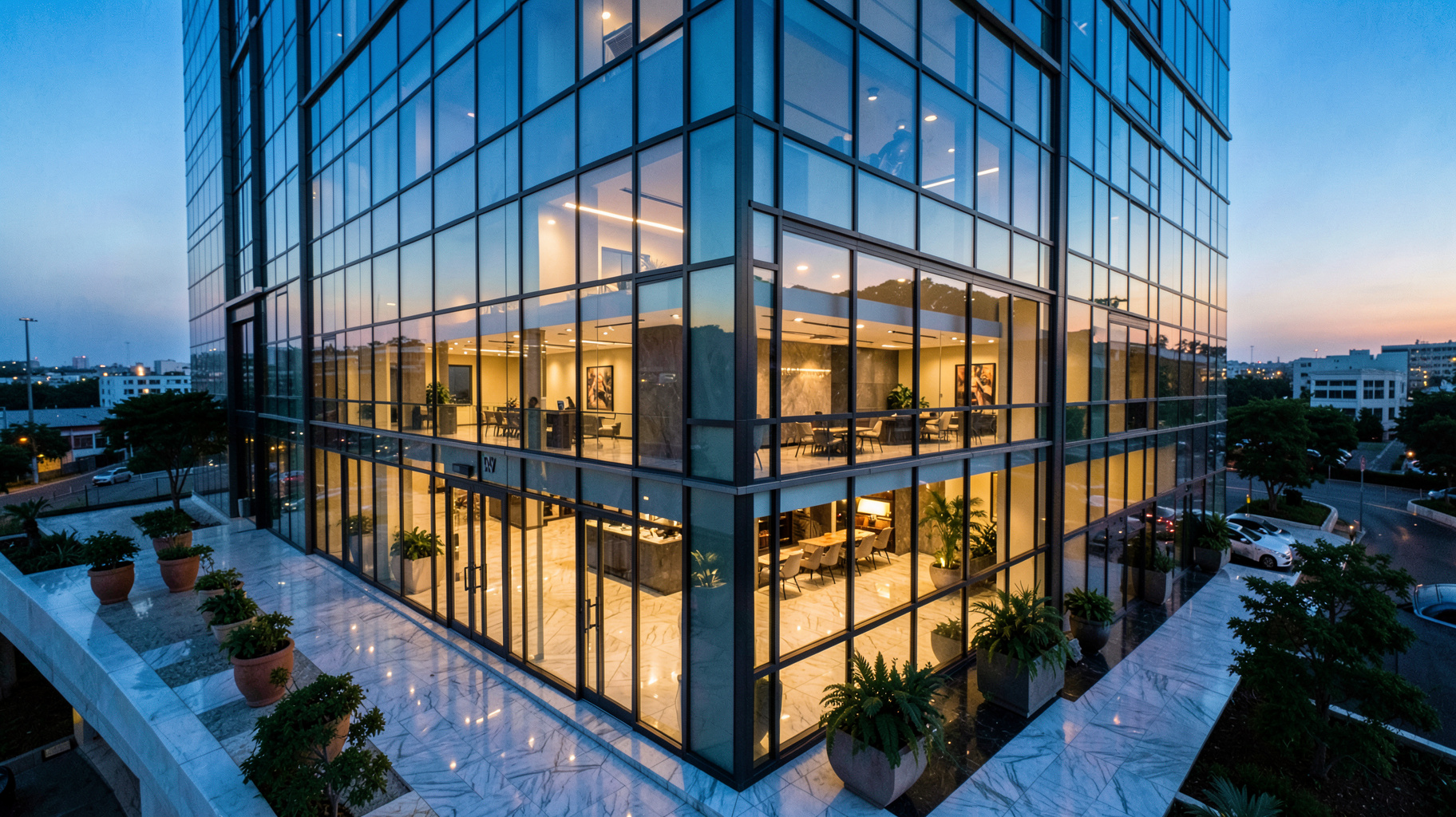
- Twilight conversion: Transform daytime photos into evening shots with warm lighting
- Decluttering: Remove personal items or visible cables from existing photos
Step 4: Process and Review
Click "generate" and wait approximately 10-15 seconds per photo. Reputable tools process images instantly rather than queuing them for hours. Once generated, review the results carefully. Look for:
- Shadows that align with natural light sources
- Furniture that respects the room's perspective
- Textures that match the photo's resolution
Step 5: Download and List
After you're satisfied with the results, download the high-resolution images and upload them to your MLS, website, and listing platforms. Most agents report that virtually staged photos perform better when listed as the first 5-7 images in a gallery, followed by the empty-room originals so buyers can see the actual space.
💡
Key Takeaway
Always include both virtually staged and original photos in your listing. This builds trust with buyers and complies with MLS requirements that prohibit misleading representations.
Virtual Staging Software Options: A Detailed Comparison
Not all virtual staging tools work the same way. Here's a breakdown of the common approaches and their trade-offs.
| Feature | Manual Photoshop Staging | Generic AI Virtual Staging Tools | Professional AI Studio (RealVisionAI) |
|---|---|---|---|
| Speed per image | 2-4 hours | 30 seconds | 12 seconds |
| Realism level | High (with skilled designer) | Low-Medium (generic look) | High (context-aware AI) |
| Customization | Unlimited (if you know Photoshop) | Limited presets | Multiple styles + customization |
| Cost per image | $50-$200 | $5-$15 | $15-$50 |
| Learning curve | Months to years | Minutes | Minutes |
| Twilight conversion | Manual | Not available | Included |
| Decluttering | Manual | Basic | Advanced |
As the table shows, the middle ground between expensive manual editing and low-quality generic AI is where professional solutions like RealVisionAI Blog - AI Real Estate Photography & Virtual Staging operate. The speed advantage alone—12 seconds versus hours—makes it viable for agents who need to move fast in a competitive market.
Common Questions and Misconceptions
Misconception 1: "Virtual staging looks fake, and buyers can tell."
This was true of early tools, but it's no longer accurate. Modern virtual staging software uses generative AI trained on millions of real furnished rooms. The furniture pieces are rendered with proper lighting, shadows, and perspective. In my experience, the best results are indistinguishable from real staging photos when done correctly.
Misconception 2: "It's misleading to use virtual staging."
This concern is legitimate, which is why ethical use matters. The National Association of Realtors recommends that virtually staged images be labeled as such, and that original photos remain available for comparison. When used transparently, virtual staging isn't deceptive—it's a visualization tool, the same way architects use renderings.
Misconception 3: "Virtual staging replaces professional photography."
No, it complements it. You still need a good photographer to capture the base images. RealVisionAI Blog - AI Real Estate Photography & Virtual Staging works with your existing photos; it doesn't replace the photographer's role. If anything, virtual staging makes professional photography more valuable because the final output is superior.
Misconception 4: "The AI does everything—no input needed."
Most guides get this wrong. The best results come from collaboration between the user and the tool. You still need to select the right style, choose which rooms to stage, and verify the output. Think of it like using a camera in auto mode versus manual mode—auto works, but manual gives you control.
Frequently Asked Questions
How long does virtual staging take with modern software?
With advanced tools like RealVisionAI Blog - AI Real Estate Photography & Virtual Staging, each photo takes approximately 12 seconds to process. A full listing of 10 photos can be staged and ready for download in about two minutes. Traditional methods—whether manual staging or outsourcing to a designer—take hours or days. The speed difference is the primary reason agents are switching to AI-powered solutions in 2026.
Can virtual staging software handle complex rooms like kitchens and bathrooms?
Yes, though the approach differs. Kitchens and bathrooms benefit more from decluttering and minor enhancements than full furniture staging. Modern tools can add kitchen island stools, countertop decor, and bathroom accessories like towels and plants. The AI adjusts for the unique lighting and surfaces in these rooms, though results tend to be best in living rooms and bedrooms where furniture placement is more standardized.
What photo quality is required for good results?
The minimum resolution for effective virtual staging is 1920x1080 pixels, though higher is better. Well-lit photos with minimal shadows produce the most realistic results. Avoid using photos with extreme wide-angle distortion (common with cheap phone cameras) because the AI can misjudge room dimensions. For best results, use a DSLR or high-end smartphone camera with the lens at chest height.
Is virtual staging software compliant with MLS and real estate regulations?
This depends on your local MLS rules. Most MLS systems in the United States require that virtually staged photos be labeled as "virtually staged" or "digitally enhanced." Some MLSs restrict the use of virtual staging for the primary listing photo. Always check your local guidelines before publishing. RealVisionAI Blog - AI Real Estate Photography & Virtual Staging automatically adds a watermark to staged images to help with compliance.
How much does virtual staging software cost compared to traditional staging?
Traditional staging costs $500-$2,500 per month per property, plus furniture rental, delivery, and insurance. Virtual staging costs $15-$50 per photo with no recurring fees. For a typical 10-photo listing, virtual staging runs $150-$500—a fraction of traditional costs. RealVisionAI Blog - AI Real Estate Photography & Virtual Staging offers per-image pricing with no contracts, making it accessible for agents who only need occasional staging.
Summary and Next Steps
Virtual staging software has democratized a service that was once reserved for high-budget listings. In 2026, any agent or property manager can stage an entire listing in minutes, for a fraction of traditional costs, and with results that match or exceed manual design work.
The key is choosing the right tool for your workflow. RealVisionAI Blog - AI Real Estate Photography & Virtual Staging combines speed (12 seconds per image), quality (context-aware AI staging), and flexibility (multiple styles, twilight conversion, and decluttering) into a single platform built for real estate professionals.
Ready to transform your listings? Visit realvisionaire.com to start staging your first photos today. You can try it free with sample images to see exactly how it works before committing to a full listing.
For a comprehensive look at how AI is reshaping real estate marketing, explore our complete guide to AI real estate photography.
Recommended Readings
To deepen your understanding of these topics, we recommend reading the following articles:
- AI in Real Estate
- Ultimate AI Lead Generation for Real Estate Agents
- AI property enhancement
- AI staging for realtors
Free Real Estate AI Visual Playbook 2026
Discover how top realtors boost listing engagement by 62% and close deals faster using AI photo enhancement and virtual staging.