📖This article is part of the complete guide to Property photo editing.
Property Photo Editing Tips: Enhance Your Real Estate Images in 2026
In the competitive real estate market of 2026, first impressions are everything. Studies show that buyers form an opinion about a property based on photos in just 0.02 seconds—faster than the blink of an eye. In this comprehensive guide, we reveal the professional strategies that are turning average listings into irresistible properties.
💡
Key Takeaway
Properties with professionally edited photos sell 32% faster and for up to 10% more, according to a recent study by the National Association of Realtors.
Why Real Estate Photo Editing Is Essential in 2026
The digital landscape has evolved dramatically. With 97% of buyers starting their search online, your photos are competing directly with:
- Competitor listings in the same area
- Visual content on social media like Instagram and TikTok
- Sponsored ads on platforms like Zillow and Realtor.com
📚
Definition
Property photo editing is the process of digitally enhancing real estate images to highlight a property's best attributes while maintaining architectural accuracy.
The 5 Most Common Problems in Unedited Photos
-
Unbalanced Lighting
- Dark rooms that hide architectural details
- Overexposed windows creating blank white areas
-
Unrealistic Colors
- Distorted skin tones in mirrors and reflective surfaces
- Wood and flooring with faded or oversaturated colors
-
Optical Distortions
- Tilted vertical lines (the "falling buildings" effect)
- Wide-angle perspectives that distort actual proportions
-
Distracting Elements
- Visible electrical wires
- Parked vehicles in the garage or driveway
- Personal items in empty rooms
-
Dull Skies and Landscapes
- Cloudy days that reduce visual appeal
- Lifeless lawns or uninteresting scenery
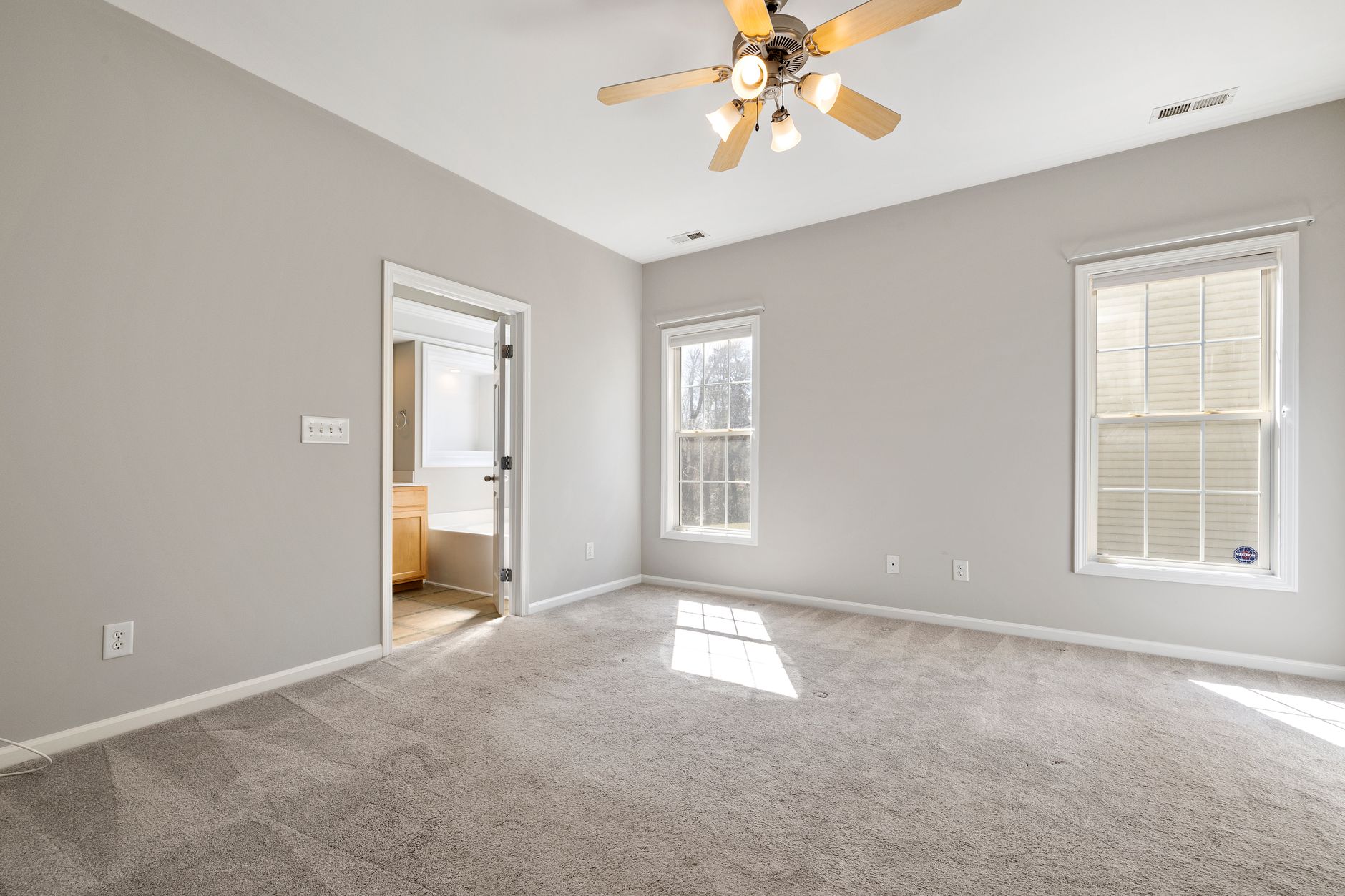
The 7 Editing Techniques Every Agent Should Master
1. Architectural Perspective Correction (Keystone)
Use tools like the perspective transform in Photoshop or the "Vertical Correction" function in Lightroom to:
- Straighten tilted walls
- Correct wide-angle lens distortions
- Maintain realistic proportions of doors and windows
💡
Pro Tip
Keep corrections around 2% to avoid an unnatural "shoebox" look.
2. HDR Exposure Blending
Combine multiple exposures to:
- Recover details in shadow areas
- Preserve textures in windows with strong light
- Create balanced images for all rooms
3. Smart Sky Replacement
Advanced techniques allow:
- Automatic color temperature matching
- Realistic reflections in windows and surfaces
- Shadows consistent with the sun's direction
4. Digital Landscaping Enhancement
- Selective saturation adjustment for lawns
- Removal of stains on sidewalks and driveways
- Subtle addition of foliage to improve privacy
5. Purposeful Virtual Staging
Stand out with:
- Styles tailored to the target audience (minimalist, classic, contemporary)
- Correct furniture scale for each room's dimensions
- Themed accessories (beach, mountain, urban)
6. Removal of Non-Structural Objects
- AI algorithms for contextual fill
- Reconstruction of hidden areas with architectural patterns
- Preservation of permanent elements like outlets and switches
7. Day-to-Dusk Conversion
Create stunning nighttime images with:
- Realistic interior lighting
- Light effects on pools and gardens
- Cozy atmosphere without overdoing it
Comparison: Traditional Methods vs. Modern Solutions
| Technique | Manual Method | Time | Cost | AI Solution | AI Time | AI Cost |
|---|---|---|---|---|---|---|
| Perspective correction | Manual Photoshop | 15-20 min | $10-15/img | AI auto-alignment | 3-5 sec | $0.10/img |
| Sky replacement | Complex compositing | 25-30 min | $20-25/img | Automatic recognition | 8-12 sec | $0.15/img |
| Virtual staging | Physical rental + photographer | 3-5 days | $2,000-5,000 | Realistic 3D models | 12 sec | $1.50/img |
| Object removal | Manual clone stamp | 10-15 min | $8-12/img | Contextual fill | 5-8 sec | $0.20/img |
| HDR blending | Manual exposure fusion | 20-25 min | $15-20/img | Neural processing | 3 sec | $0.05/img |
Step-by-Step Guide to Professional Editing
Preparation Before the Shoot
-
Natural Light Planning
- Schedule shoots between 9-11 AM or 2-4 PM for ideal lighting
- Use partly cloudy days for natural diffusion
-
Pre-Production
- Complete professional cleaning
- Remove personal items
- Adjust curtains and blinds
-
Essential Equipment
- Full-frame camera with 16-35mm lens
- Laser-level tripod
- Remote shutter release
Post-Production Workflow
-
Image Selection
- Eliminate photos with technical issues
- Prioritize angles that tell the property's story
-
Basic Editing
- Lens correction
- White balance
- Exposure adjustment
-
Advanced Enhancements
- Sky replacement when needed
- Selective enhancement of key areas
- Strategic virtual staging
-
Quality Control
- Check consistency across images
- Ensure compliance with MLS guidelines
- Validate architectural accuracy
Common Mistakes and How to Avoid Them
-
Over-Editing
- Symptoms: Unnatural colors, halo effects, loss of detail
- Solution: Use histograms and real color references
-
Altering Structures
- Symptoms: Removal of posts, wires, or permanent imperfections
- Solution: Strictly follow MLS ethics rules
-
Unrealistic Perspectives
- Symptoms: Distorted proportions, extreme converging lines
- Solution: Keep vertical corrections below 5%
-
Exaggerated Virtual Staging
- Symptoms: Furniture at impossible scales, non-functional layouts
- Solution: Consult floor plans and actual dimensions
-
Ignoring the Target Audience
- Symptoms: Decor style incompatible with local demographics
- Solution: Research regional design trends
Frequently Asked Questions (FAQ)
What is the average cost for professional real estate photo editing?
Professional services range from $0.50 to $2.50 per image for basic editing, while full packages with virtual staging can cost $3 to $8 per photo. AI solutions like RealVisionAI reduce these costs by up to 80% with comparable quality.
How many photos should I include in a listing?
The ideal is 25-35 well-curated images for residential properties. Include:
- 5-7 exterior photos (front, sides, backyards)
- 3-5 images of each main living area
- 2-3 photos per bedroom
- Architectural details and special amenities
Can I edit photos taken with a smartphone?
Yes, but with limitations. Modern smartphones capture 12-48MP images that can be professionally edited, but they lack RAW data for complex corrections. For best results, use RAW+JPEG mode and avoid digital zoom.
How do I maintain authenticity in edited photos?
Follow these guidelines:
- Never alter square footage or actual layout
- Preserve original textures and materials
- Document the current state with unedited photos
- Add a disclaimer when using virtual staging
What is the ideal resolution for MLS photos?
Most platforms require:
- Minimum 1024x768 pixels
- Ideal 1920x1080 or higher
- File size between 500KB-2MB
- JPEG format with maximum 80% compression
Is virtual staging allowed on all platforms?
Key guidelines in 2026:
- MLS: Allowed with clear disclaimer
- Zillow: Accepted without specific restrictions
- Realtor.com: Requires identification of edited images
- Redfin: Permitted with transparency about modifications
How do I choose the best virtual staging style?
Consider:
- Neighborhood demographics (families, young professionals, retirees)
- Property architecture (modern, classic, rustic)
- Seasons (warm colors in winter, cool tones in summer)
- Local interior design trends
Integration with Real Estate Platforms
The modern workflow connects your editing directly to major platforms:
-
Optimized Export
- Preset profiles for MLS, Zillow, and social media
- Automatic metadata with property details
- Batch processing for multi-unit listings
-
CRM Tools
- Integration with Follow Up Boss, LionDesk, and HubSpot
- Automatic tags by room type
- Performance reports per image
-
Engagement Analytics
- Viewing heatmaps
- Time spent per photo
- Conversion rates by camera angle
Advanced Techniques for Standout Results
Nighttime Long Exposure Photography
- Create soft light effects on pools
- Highlight landscape lighting
- Add artistic motion to fountains and waterfalls
Virtual Tours with Points of Interest
- Digitally annotate architectural features
- Add tooltips with construction details
- Link to technical specs and floor plans
Cinematic Videos from Photos
- Transform static images into 2.5D motion videos
- Add contextual transitions between rooms
- Incorporate professional narration highlighting property features
The Future of Real Estate Editing in 2026
Emerging trends transforming the industry:
-
3D Reconstruction from 2D Photos
- Automatic floor plan generation
- Virtual reality tours without specialized equipment
- Renovation simulations with real materials
-
Mass Personalization
- Automatic adaptation to buyer profiles
- Virtual finish swaps based on preference
- Visualization of the client's furniture in the space
-
Predictive Image Analysis
- Identification of features with highest commercial appeal
- Automatic suggestions for visual improvements
- Estimated value increase from presentation investment
How RealVisionAI Is Revolutionizing the Industry
Our platform incorporates the most advanced computer vision technologies to offer:
-
Intelligent Batch Processing Consistent editing across dozens of images simultaneously
-
Property-Specific Models AI trained specifically on architecture and interior design
-
Integrated Workflow Direct connection to your CRM systems and listing tools
-
Automatic Compliance Pre-configured adjustments for each platform's requirements
💡
Key Takeaway
Agents who adopt professional image editing in 2026 are closing 28% more deals and reducing average time on market by 40%, according to NAR data.
Next Steps to Transform Your Listings
-
Free Visual Audit Send 3-5 photos from a current listing for professional analysis
-
Technology Test Drive Try our editor with 5 free images
-
Specialized Training Schedule a 1-on-1 session with our experts
-
Full Automation Set up integrations to optimize your entire workflow
Stand out in the 2026 real estate market. Try RealVisionAI today and turn your photos into lead and sales machines.
About the Author
RealVisionAI Editorial Team is the leading visual technology expert for the real estate market at Real Vision AI. With over 15 years of experience in architectural photography and applied artificial intelligence, our team has helped more than 5,000 professionals sell properties faster and at higher prices through impactful images.
Recommended Readings
To deepen your understanding of these topics, we recommend reading the following articles:
Free Real Estate AI Visual Playbook 2026
Discover how top realtors boost listing engagement by 62% and close deals faster using AI photo enhancement and virtual staging.