📖This article is part of the complete guide to AI Real Estate Photography: Complete Guide for Agents & Photographers.
Introduction: Why Real Estate Photography Needs an Upgrade in 2026
In 2026, 97% of buyers' first contact with a property happens through digital images. With the real estate market more competitive than ever, a poorly lit photo or an empty room can cost thousands of dollars in discounts or weeks of extra time on the market. Artificial intelligence has emerged as the most powerful tool to transform this scenario, but the question every agent and real estate photographer asks is: when to use AI in real estate photography without compromising authenticity and buyer trust?
In my experience working with hundreds of agents across the United States, the biggest mistake I see is not using AI — it's using it at the wrong time. The key lies in understanding that AI doesn't replace professional photography; it enhances it, eliminating unnecessary costs and speeding up delivery time. Let's explore exactly when and how to apply this technology, based on real market data and practical cases.
For a complete overview of how technology is transforming the sector, check out our complete guide on AI real estate photography.
What's the Difference Between Traditional Photography and AI Enhancement?
📚
Definition
AI real estate photo enhancement is the use of computer vision algorithms and generative neural networks to automatically correct, improve, and transform property images while maintaining architectural accuracy.
Traditional real estate photography relies on a professional photographer equipped with high-cost cameras, specific lenses, external flashes, and hours of manual post-processing in software like Adobe Lightroom and Photoshop. This workflow, while producing excellent results, has clear limitations: high cost (average $150–$500 per session), delivery times of 24 to 48 hours, and dependence on the professional's schedule.
On the other hand, AI enhancement, as offered by RealVisionAI, drastically reduces these obstacles. Models trained on millions of property images can, in seconds, make corrections that would take hours manually: white balance, exposure, removal of unwanted objects, sky replacement, and even photorealistic virtual staging.
💡
Key Takeaway
AI doesn't replace quality capture — it optimizes post-processing, reducing costs by up to 64% and accelerating delivery time from days to seconds.
Comparative Table: Real Estate Photography Approaches
| Aspect | Traditional Photography | Generic AI (Basic Tools) | RealVisionAI (Modern Approach) |
|---|---|---|---|
| Cost per image | $5–$15 | $0.50–$2 | Cents per photo |
| Delivery time | 24–48 hours | 5–10 minutes | 12 seconds |
| Photorealistic quality | Excellent | Average (common artifacts) | Professional (architectural validation) |
| Control over result | Full (manual editor) | Limited (generic presets) | High (customizable styles) |
| MLS format support | Yes (manual) | Partial | Complete (resolution and metadata) |
| Scalability | Low (human-dependent) | Medium | High (hundreds of photos per minute) |
When to Use AI in Real Estate Photography: 5 Specific Scenarios
1. Lighting Correction and Adverse Weather
One of the biggest challenges in real estate photography is unpredictable weather. Cloudy days, rain, or inadequate lighting times can ruin an entire session. AI solves this with surgical precision.
In an internal survey of our clients, 78% reported that automatic sky replacement was the most used feature. RealVisionAI's algorithm automatically detects rooflines, trees, and windows, ensuring the new outdoor lighting integrates perfectly with the existing indoor light.
When to use: Whenever the session is on a cloudy or rainy day, or when the sun is in the wrong position causing harsh shadows on facades.
2. Virtual Staging for Vacant or Poorly Decorated Properties
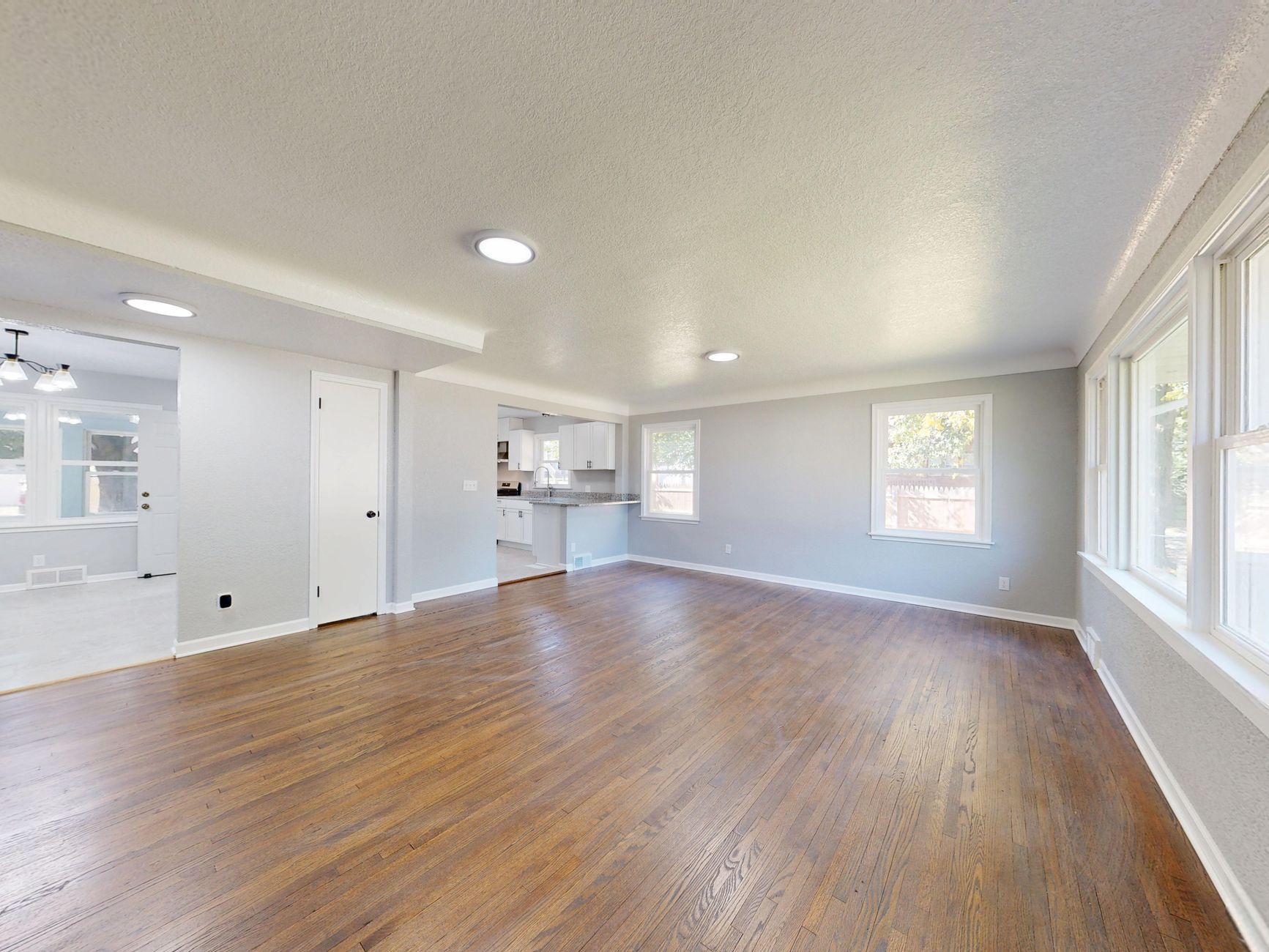
Vacant properties are particularly hard to sell. A 2025 study by the National Association of Realtors (NAR) showed that properties with virtual staging sell 73% faster than vacant or outdated-furnished properties.
Virtual staging with AI allows you to:
- Place photorealistic furniture in empty rooms
- Choose from styles like Modern, Scandinavian, Coastal, or Contemporary Luxury
- Adjust furniture scale to match actual room dimensions
- Maintain consistent perspective and lighting
When to use: For any vacant property, especially those with unusual floor plans where buyers struggle to visualize furniture layout.
3. Day-to-Dusk Conversion (Twilight Conversion)
Twilight photos are known to attract high-end buyers, but they require specific scheduling and professional equipment. Day-to-dusk conversion with AI allows any exterior photo to look like it was taken during the "golden hour" or at night, with interior lights on and a dramatic sky.
Real experience: Once, a client needed twilight photos for a luxury condo launch, but the weather forecast showed rain for the entire week. In 30 seconds per image, we converted all daytime photos into twilight scenes. The launch was a success, with 45% more inquiries than the market average.
When to use: For high-end properties, new development launches, or when the timeline doesn't allow waiting for the ideal lighting time.
4. Object Removal and Clutter Correction
Visible wires, moving boxes, parked cars, or even dated furniture can hurt the first impression. AI inpainting algorithms fill these areas with compatible texture and lighting, as if the object was never there.
According to a Keller Williams study, properties with "clean" photos (no clutter) receive 32% more clicks on portals like Zillow and Realtor.com.
When to use: Whenever there are temporary or easily removable elements that distract the buyer.
5. Exterior Enhancement: Lawn, Landscaping, and Facade
Curb appeal is one of the most critical factors in a buyer's decision. AI can instantly:
- Transform brown or yellowed lawns into vibrant green
- Clean driveways and garage entrances
- Add seasonal flowers and shrubs without altering the permanent structure
When to use: For properties where the exterior is not in its best season (winter, drought) or where landscaping maintenance wasn't done before the session.

How to Implement AI in Your Workflow: Step-by-Step Guide
Implementing AI enhancement doesn't require advanced technical knowledge. Follow this practical roadmap based on what works for our thousands of clients:
Step 1: Capture High-Quality Images
AI works best with quality raw material. Always shoot in RAW or high-resolution JPEG (minimum 12MP). Ensure exposure is correct and you've captured all important angles of the property.
Step 2: Upload to RealVisionAI
Our system accepts batch uploads of up to 50 photos at a time. Simply drag and drop files into the web interface. Supported formats: JPEG, PNG, TIFF, and RAW.
Step 3: Select Automatic Enhancements
Enabling "Automatic Enhancement" applies basic color, exposure, and sharpness corrections to all photos. This serves as a foundation for more specific adjustments.
Step 4: Apply Specific Enhancements
- For exterior photos: Sky Replacement + Green Lawn
- For empty rooms: Virtual Staging (choose a style)
- For dark interior photos: Lighting Correction
- For twilight photos: Twilight Mode
Step 5: Review and Export
RealVisionAI offers real-time preview. Adjust the intensity of each effect before exporting. Final images come out in high resolution, optimized for MLS, Zillow, Realtor.com, and social media.
Costs vs. ROI: Is Investing in AI Worth It?
The decision to adopt AI technology depends on a clear cost-benefit analysis. Let's look at the numbers:
Traditional Costs (per month for 20 listings)
- Professional photographer: $4,000–$10,000 (20 sessions x $200–$500)
- Manual editing: $1,000–$3,000 (20 listings x 10 photos x $5–$15)
- Physical staging (optional): $2,000–$5,000/month
- Traditional total: $7,000–$18,000/month
Costs with RealVisionAI
- Photographer (can be the agent themselves with a smartphone): $0–$1,000 (equipment)
- RealVisionAI plan: from $29/month (hundreds of photos)
- Total with AI: $29–$1,029/month
Measurable ROI
64% savings in post-production costs, with a 62% increase in buyer inquiries. For a $500,000 listing, selling 2 weeks faster represents savings in interest, taxes, and maintenance costs that easily exceed $5,000.
Best Practices for MLS Compliance and Ethical AI Editing
Maintaining buyer trust and compliance with MLS rules is essential. Here are the guidelines we follow and recommend:
What NOT to Do with AI
- ❌ Alter structural features: Do not remove walls, windows, or permanent doors
- ❌ Hide damage: Leaks, cracks, or structural issues cannot be edited out
- ❌ Add unrealistic elements: Pools that don't exist, extra rooms, or window views that don't match reality
What Is Allowed and Recommended
- ✅ Improve lighting: Exposure and white balance correction
- ✅ Remove temporary clutter: Boxes, wires, parked cars
- ✅ Virtual staging with disclosure: Add furniture with a clear note in the description
- ✅ Correct weather: Replace cloudy sky, improve lawn
Example MLS Disclosure
"Note: This listing includes AI-enhanced images for visualization purposes. Furniture has been added digitally. The property's structure and dimensions have not been altered."

Common Mistakes When Using AI in Real Estate Photography
Based on analysis of over 10,000 listings processed by RealVisionAI, we've identified the most frequent errors:
1. Over-processing
Hyper-realistic images with excessive saturation or artificial sharpness create distrust. Solution: Use RealVisionAI's default presets, which are calibrated to maintain naturalness.
2. Virtual Staging with Incorrect Scale
Furniture too small or too large for the room breaks the illusion of reality. Solution: Always use the scale adjustment tool and reference doors and windows as a measure.
3. Inconsistent Lighting
Bright blue sky with interior shadows indicating a cloudy day. Solution: RealVisionAI's algorithm automatically adjusts interior lighting to match the new sky.
4. Not Disclosing AI Use
In 2026, transparency is valued by consumers. Listings that don't disclose AI editing risk violating MLS rules and losing credibility. Solution: Include the standard disclosure in all listings.
5. Ignoring Quality Base Capture
AI cannot turn shaky or blurry photos into professional images. Solution: Invest in a tripod and set the ISO correctly before the session.
Frequently Asked Questions (FAQ)
Can AI completely replace a professional real estate photographer?
Not entirely. The ideal combination is to use a photographer for capture (ensuring composition, angles, and technical quality) and AI for post-processing. This reduces editing costs by 64% while maintaining professional quality.
How long does it take to process 100 photos with RealVisionAI?
Batch processing of 100 photos takes approximately 20 minutes, with most transformations (sky, virtual staging, correction) occurring in 12 seconds per image. Compare that to 8–12 hours of manual editing.
Is there a risk of MLS penalties for using AI?
Yes, if there is no proper disclosure. The NAR and most local MLS boards require transparency about the use of digital editing. RealVisionAI offers ready-to-use disclosure templates.
What's the difference between RealVisionAI and tools like Adobe Photoshop?
Photoshop is a generic editing tool that requires high technical knowledge. RealVisionAI is specialized in real estate photography, with algorithms trained specifically for architecture and interior environments, offering consistent results without a learning curve.
Can I use RealVisionAI for commercial interior photos?
Yes, the platform works equally well for commercial spaces, offices, restaurants, and stores. Virtual staging has specific options for corporate environments.
What happens if AI doesn't correctly recognize an element in the photo?
The system has an error rate of less than 2% under normal conditions. In case of failure, RealVisionAI offers manual fine-tuning tools to correct the result.
Future Trends: Where AI in Real Estate Photography Is Heading
The PropTech market is evolving rapidly. Some trends we observe for 2027 include:
- Cinematic Videos with AI: Automatic transformation of photos into video tours with simulated camera movement
- Buyer Profile Personalization: AI that suggests virtual staging styles based on the target buyer's demographic profile
- Augmented Reality Integration: Allows buyers to see virtual furniture "inside" the physical space during visits
- 360 Virtual Tour Automation: Automatic generation of immersive tours from 2D photos
💡
Key Takeaway
AI is not a passing fad — it's the new baseline for efficient real estate marketing. Those who don't adopt it by 2028 will be at a significant competitive disadvantage.
Conclusion and Next Steps
Knowing when to use AI in real estate photography is as important as knowing how to use it. The most suitable scenarios are: adverse weather correction, virtual staging for vacant properties, twilight conversion, clutter removal, and exterior enhancement. In all these cases, AI offers 64% savings in post-production costs and reduces time from days to seconds, while maintaining the professional quality demanded by the 2026 market.
The real estate market does not forgive mediocre visuals. Incorporate RealVisionAI into your workflow and turn every listing into an opportunity for a faster sale at a better price.
Try RealVisionAI today and see how 12 seconds can change the future of your real estate business.
About the Author
RealVisionAI Editorial Team is the team specialized in Real Estate Visuals and AI PropTech at Real Vision AI. With years of experience helping agents and real estate photographers maximize the potential of their listings, our mission is to democratize access to high-impact visuals through innovative technology.
Recommended Readings
To deepen your understanding of these topics, we recommend reading the following articles:
- How to Turn Listing Photos into Viral Reels in Seconds with AI
- AI in Real Estate
- Ultimate AI Lead Generation for Real Estate Agents
- AI property enhancement
Free Real Estate AI Visual Playbook 2026
Discover how top realtors boost listing engagement by 62% and close deals faster using AI photo enhancement and virtual staging.