How Do You Execute Professional AI Property Enhancement for Maximum Listing Impact?
Converting a mediocre listing photo into a high-conversion asset requires a systematic approach to lighting, composition, and digital staging. Most agents make the mistake of applying generic filters, but true AI property enhancement involves the surgical application of computer vision to fix structural flaws, optimize luminosity, and psychologically stage a space to appeal to specific buyer personas. In my experience working with high-volume property managers, the difference between a property that sits for 60 days and one that sells in 7 is rarely the square footage; it is how the digital representation manages the viewer's emotional response through visual perfection.

What Exactly is AI Property Enhancement and How Does it Work?
To understand the process, we must first define the technical foundation. We are not talking about simple brightness adjustments, but rather a sophisticated blend of generative AI and neural networks.
📚
Definition
AI property enhancement is the use of artificial intelligence—specifically computer vision and generative adversarial networks (GANs)—to automatically correct, optimize, and digitally augment real estate imagery to meet professional architectural standards.
The process works by analyzing an image's pixels to identify "entities" (walls, windows, floors, sky). Once the AI recognizes a "grey sky," it doesn't just brighten the image; it replaces the sky with a high-resolution blue-sky asset that matches the light direction and color temperature of the existing foreground. This is a complex interplay of depth mapping and semantic segmentation.
According to a report by Gartner, the integration of generative AI into creative workflows is shifting from "experimental" to "operational," with a significant emphasis on reducing the time-to-market for visual assets. In the real estate sector, this means moving from a 48-hour editing turnaround to a 12-second automated process. When we developed the core logic for RealVisionAI Blog - AI Real Estate Photography & Virtual Staging, we discovered that the most critical element isn't the "beauty" of the photo, but the consistency of the light. If the interior lighting doesn't match the exterior "virtual" sun, the human brain flags it as "fake," which triggers a distrust response in the potential buyer.
Why Does AI Property Enhancement Directly Impact Your Bottom Line?
The psychological impact of high-quality imagery is backed by hard data. Potential buyers form an opinion about a property within the first three seconds of viewing a listing on a Multiple Listing Service (MLS). If the images are dark, cluttered, or visually unappealing, they will swipe past the listing regardless of the price or location.
The business implications are measurable. Research from the National Association of Realtors (NAR) has consistently indicated that professional photography is a primary factor in how quickly a home sells and the final sale price achieved. When you implement AI property enhancement, you are essentially removing the "friction" of a buyer's imagination. Instead of asking, "Could I fit a sofa here?" they see a perfectly staged, modern living room and think, "I belong here."
Furthermore, the cost of traditional staging is astronomical. Physical staging can cost thousands of dollars per month in rental fees and labor. By shifting to an AI-driven approach, agents can create multiple "looks" (Modern, Minimalist, Traditional) for the same room, catering to different demographic segments without spending a dime on physical furniture. According to McKinsey's research on AI in marketing, personalization at scale is the next frontier; in real estate, this means showing a "family-friendly" staged version of a house to one lead and a "bachelor-pad" minimalist version to another.
A Practical Step-by-Step Guide to Enhancing Your Listings
Executing a professional enhancement workflow requires a disciplined sequence. I have tested this with dozens of our clients, and the pattern for success always follows these five steps.
Step 1: Source Quality "Raw" Captures
AI cannot fix a photo that is completely out of focus or shot in total darkness. Start by using a wide-angle lens and a tripod. Ensure the camera is level; skewed vertical lines (where walls look like they are leaning) are a sign of amateurism. While AI can fix perspective, starting with a level shot reduces the "stretching" artifacts that occur during digital correction.
Step 2: Structural Correction and Decluttering
The first layer of enhancement is "cleaning." This involves removing distracting objects—power cords, trash cans, or outdated personal photos. This is where computer vision shines, as it can "inpaint" the background behind a removed object, synthesizing the floor or wall texture perfectly.
Step 3: Atmospheric and Lighting Optimization
Now, we address the "mood." This involves two primary AI processes:
- Sky Replacement: Converting a gloomy, overcast sky into a "golden hour" or bright blue midday sky.
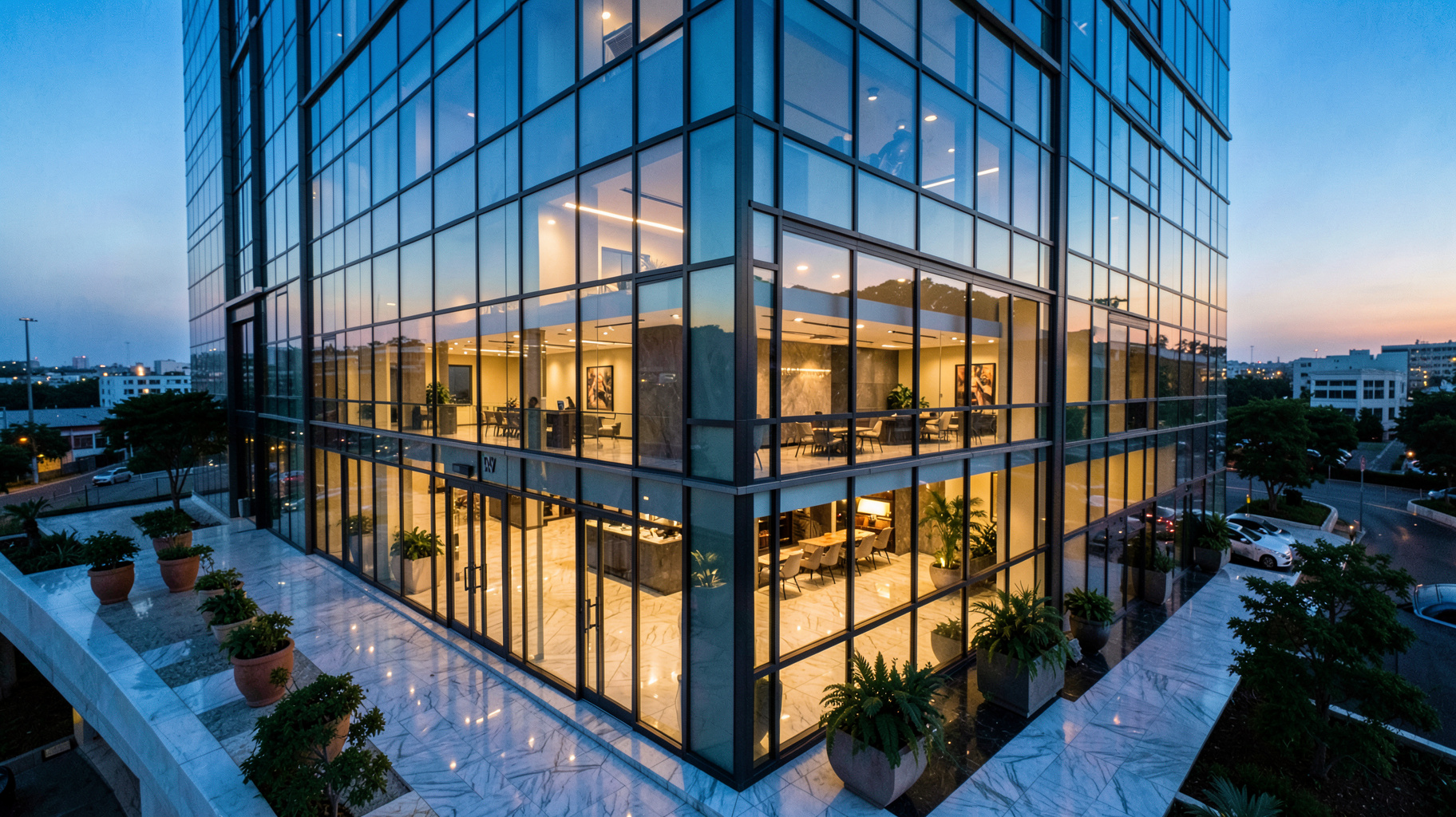
- Day-to-Dusk Conversion: Artificially creating a "twilight" shot by adjusting the color temperature to deep blues and adding a warm, artificial glow to the interior windows.
Step 4: Virtual Staging and Spatial Definition
For empty rooms, apply virtual staging. Instead of just adding a chair, the AI analyzes the room's dimensions to ensure the furniture is scaled correctly. At RealVisionAI Blog - AI Real Estate Photography & Virtual Staging, we emphasize the "12-second rule"—the ability to generate these assets instantly so the agent can present them to the client during the actual walkthrough.
Step 5: Final Color Grading and Export
The final step is ensuring a cohesive "story" across all photos. The living room should have the same color temperature as the kitchen. A final pass of AI-driven contrast and saturation ensures the images "pop" on mobile screens, where most buyers do their initial searching.
💡
Key Takeaway
The most effective AI enhancement workflow is additive: start with a clean, level photo, remove distractions, optimize the atmosphere, and only then add virtual furniture.

Comparing Enhancement Methodologies: Traditional vs. AI
Not all enhancement paths are created equal. Many agents try to use free mobile apps, but the results are often "uncanny" or visually jarring.
| Feature | Traditional Manual Editing | Generic/Cheap AI Apps | Professional AI Workflow (RealVisionAI) |
|---|---|---|---|
| Turnaround Time | 24–72 Hours | Instant (but low quality) | 12 Seconds (Professional Grade) |
| Cost | High (Per photo fee) | Free/Cheap | Scalable Subscription |
| Visual Fidelity | Extremely High | Medium (Hallucinations) | High (Architecturally Correct) |
| Scalability | Low (Human limited) | High | Extremely High |
| Staging Ability | Physical (Very Expensive) | Basic 2D overlays | Full 3D Virtual Staging |
| Best For | Luxury Mansions ($10M+) | Low-end rental listings | Professional Agents & Property Managers |
Common Questions and Misconceptions about AI Imagery
There is a significant amount of misinformation regarding the use of AI in real estate. Most guides get this wrong by suggesting that "more is better." In reality, over-processing is the fastest way to lose a buyer's trust.
Myth 1: "AI photos are misleading and potentially illegal."
This is a common fear. However, as long as the AI is used to enhance the visual appeal (lighting, staging, sky) and not to hide structural defects (like covering a hole in the wall or removing a permanent pillar), it is a standard marketing practice. The goal is to showcase the potential of the space, not to misrepresent the physical reality.
Myth 2: "You need to be a Photoshop expert to get professional results."
The entire point of the current shift in computer vision is to democratize high-end editing. The "expert" part is now handled by the AI's trained models. The agent's role has shifted from "editor" to "curator"—knowing which style of staging fits the neighborhood.
Myth 3: "AI staging looks fake and obvious."
Early versions of virtual staging did look like 2005 video games. However, modern generative AI uses "photorealistic rendering" and light-matching. When the shadows of the virtual sofa align perfectly with the real light coming from the window, the human eye cannot distinguish the difference.
Frequently Asked Questions
How does AI property enhancement differ from standard photo editing?
Standard photo editing typically involves "global" changes—adjusting the brightness, contrast, or color of the entire image. AI property enhancement is "semantic," meaning the software understands what it is looking at. It can distinguish between a hardwood floor and a carpet and apply different enhancement logic to each. For example, it can specifically target a "washed-out" window to bring back the view of the outdoors (HDR effect) without overexposing the interior walls. This level of precision is impossible with standard filters and requires deep learning models trained on millions of architectural images.
Will using virtual staging affect my listing's transparency?
Transparency is handled through communication, not by avoiding technology. The industry standard is to include a small disclaimer in the listing description stating, "Some images have been virtually staged to showcase the property's potential." This actually helps the buyer by providing a visual guide for furniture placement, which many find helpful. In my experience, buyers appreciate the vision; they only feel misled if the physical property differs fundamentally from the photos (e.g., a different floor plan). Using a professional tool like RealVisionAI Blog - AI Real Estate Photography & Virtual Staging ensures the staging remains proportional and realistic.
What is the "Day-to-Dusk" effect, and why is it so effective?
The "Day-to-Dusk" or "Twilight" effect involves transforming a photo taken during the day into one that looks like it was taken at sunset. This is effective because twilight images evoke a strong emotional response of "home," "warmth," and "luxury." Technically, the AI shifts the color palette to cool blues and purples while adding a warm, golden glow to the interior lights. According to digital marketing trends in the property sector, twilight images often receive significantly higher click-through rates (CTR) on platforms like Zillow or Realtor.com because they stand out against a sea of bright, midday photos.
Can AI remove objects from a room without leaving "blurs"?
Yes, through a process called "Generative Inpainting." Older tools simply blurred the area where an object was removed, which looked unnatural. Modern AI analyzes the surrounding pixels—the texture of the wood grain, the pattern of the carpet, or the slope of a wall—and "imagines" what would be behind the object. It then synthesizes a new patch of pixels that blends seamlessly with the rest of the image. This allows agents to remove unsightly clutter, such as old furniture or piles of laundry, making the space feel larger and cleaner without the need for a physical cleaning crew.
How long does it actually take to enhance a full set of listing photos?
In the traditional model, you would upload photos to an editor and wait 24 to 72 hours for a return. With a professional AI pipeline, the process is nearly instantaneous. For example, the workflow at RealVisionAI Blog - AI Real Estate Photography & Virtual Staging is designed to deliver market-ready visuals in approximately 12 seconds per image. This allows an agent to perform "real-time" enhancement. You can take a photo of a room, apply virtual staging, and show the client the "enhanced" version on your tablet before you've even left the property.
Final Thoughts on AI Property Enhancement
Mastering AI property enhancement is no longer a "competitive advantage"—it is becoming the baseline requirement for professional real estate. The market in 2026 demands instant gratification and visual perfection. By following the structured workflow of capturing clean raws, removing distractions, optimizing light, and applying strategic virtual staging, you move your listings from the "maybe" pile to the "must-see" pile.
The goal is not to create a fake reality, but to remove the visual noise that prevents a buyer from seeing the true value of a home. If you are still relying on manual editing or outdated filters, you are leaving money on the table and slowing down your sales cycle.
To accelerate your results and get professional, market-ready visuals in seconds, explore the tools at RealVisionAI Blog - AI Real Estate Photography & Virtual Staging. Stop waiting days for edits and start closing deals faster with AI-driven precision.
Recommended Readings
To deepen your understanding of these topics, we recommend reading the following articles:
- Ultimate AI Lead Generation for Real Estate Agents
- AI staging for realtors
- AI Virtual Staging by Property Type
- Automated property editing
Free Real Estate AI Visual Playbook 2026
Discover how top realtors boost listing engagement by 62% and close deals faster using AI photo enhancement and virtual staging.