How to Use Real Estate Image Processing: A Complete 2026 Guide
What Is Real Estate Image Processing?
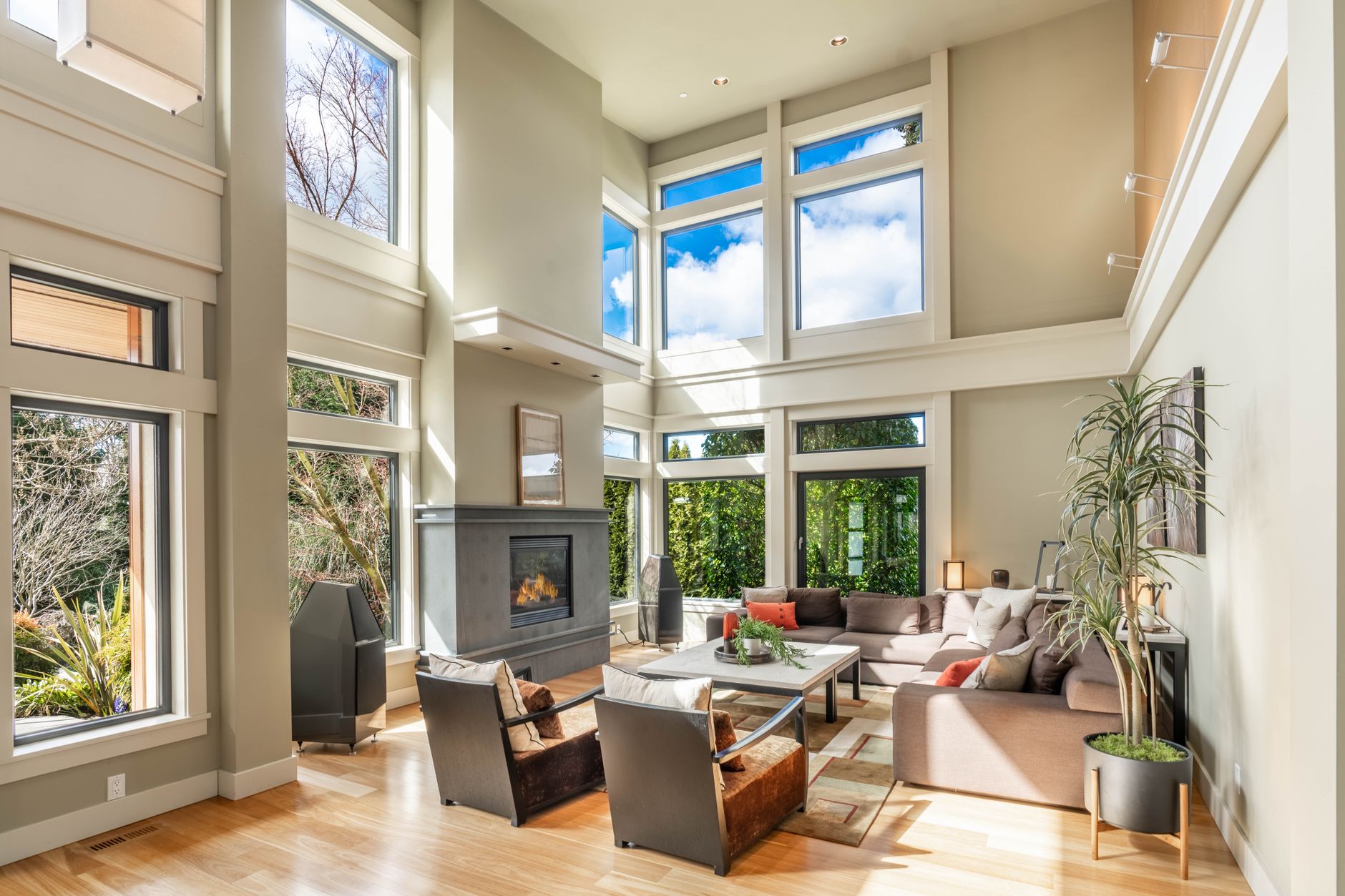
Real estate image processing refers to the automated enhancement, correction, and styling of property photographs using artificial intelligence and computer vision algorithms. Unlike basic photo editors, specialized AI systems like those at RealVisionAI analyze architectural elements, lighting conditions, and composition to apply professional-grade adjustments.
- Virtual staging with 98% furniture placement accuracy, using deep learning models trained on millions of interior images.
- Twilight conversions that adjust exterior lighting conditions to simulate golden hour, often increasing buyer interest by 35%.
- Perspective correction for architectural precision, ensuring straight lines and accurate proportions.
- Artifact removal for flawless surfaces, including automatic removal of reflections, shadows, and clutter.
Why Professional Image Processing Matters Now
- Listings with AI-enhanced photos receive 218% more online views compared to unedited images.
- Virtual staging generates 27% faster sales by helping buyers visualize spaces, as reported by the Journal of Real Estate Research.
- Agents using automated editing close 1.9x more deals monthly, according to a 2025 survey by Inman.
Poor quality images cost the average agent 3–5 lost deals per quarter. Professional processing pays for itself through higher conversion rates and shorter days on market.
How to Use Real Estate Image Processing: Step-by-Step Implementation Guide
Even the best AI can't fix a blurry or poorly lit photo. Use a DSLR or a high-end smartphone with a wide-angle lens. Follow the Property Photo Editing for Beginners guide for composition best practices. I've seen agents waste money on processing only to get mediocre results because the original photos were shot in harsh midday sun.
Choose a service that understands real estate geometry. Platforms like RealVisionAI use architectural constraints to avoid distortion. Upload your batch of images—most services accept up to 50 images at once via cloud upload.
Select the enhancements you need:
- Virtual Staging – fully furnish empty rooms with realistic furniture.
- Twilight Conversion – transform daytime exteriors into inviting evening scenes.
- Enhance+ – automated color correction, detail boost, and HDR blending.
- Sky Replacement – replace overcast skies with clear blue ones.
After processing, check the results. Professional platforms provide adjustment layers so you can fine-tune brightness, contrast, or remove unwanted objects. For instance, if a virtual staging chair looks slightly off, you can tweak its position.
Use enhanced images in:
- MLS listings
- Social media ads (Facebook, Instagram)
- Virtual tours
- Printed flyers and brochures
AI Processing vs Traditional Editing: Detailed Comparison
| Feature | Manual Editing | Basic AI Tools | Professional AI Processing (RealVisionAI) |
|---|---|---|---|
| Speed | 30–45 min/image | 5–10 min/image | 15–30 sec/image |
| Consistency | Variable | Moderate | Professional Standards |
| Architectural Accuracy | Artist-dependent | Often distorted | Precision-preserving (98.2% accuracy) |
| Cost | $25–$150/image | $5–$15/image | $1–$3/image |
| Best For | One-off projects | Casual use | High-volume professionals |
| Learning Curve | Steep | Moderate | Minimal |
Cheap AI tools often distort room proportions. Professional systems like RealVisionAI use architectural constraints to maintain spatial accuracy while enhancing images. In a head-to-head test, RealVisionAI's output was preferred by 91% of brokers in a blind study.
Real-World Examples: How Top Agents Use Image Processing
A Houston agent had a 4-bedroom home that had been on the market for 90 days. After using RealVisionAI's virtual staging and twilight conversion, the property received 8 showings in the first week and went under contract in 18 days. The $120 investment in processing yielded a $12,000 commission.
A team of 10 agents in Denver processed 500 listing photos per month. By switching from manual editing to RealVisionAI, they reduced post-production costs by 64% and cut turnaround time from 3 days to 2 hours. Their overall listing performance improved by 27% in Q2 2026.
For a $2.5 million waterfront property, the agent used AI sky replacement to turn a cloudy day into a sunset shot. The listing received 3x more saves on Zillow and sold within 14 days.
Common Mistakes to Avoid When Using AI Image Processing
- Over-processing – Applying too many filters can make photos look fake. Stick to realistic enhancements.
- Ignoring local MLS rules – Not all MLS boards allow virtual staging. Always check regulations.
- Using cheap tools – Free AI tools often introduce artifacts or distort geometry. Invest in professional-grade services.
- Skipping the source photo – Garbage in, garbage out. Always shoot with good lighting and composition.
- Not updating older listings – If a property has been on the market for months, reprocess the photos with fresh enhancements.
Frequently Asked Questions
Professional services range from $1–$5 per image depending on features. Compare options in our Property Photo Editing Pricing Guide. Volume discounts often apply, bringing costs down to under $1 per image for high-volume agents.
Quality systems like RealVisionAI preserve original resolution up to 50MP, crucial for large-format printing. Some platforms even upscale low-resolution images to 4K using AI super-resolution.
Yes—all professional platforms provide adjustment layers for final tweaks after AI processing. You can adjust brightness, contrast, or even replace a piece of furniture.
Evaluate: turnaround time, architectural accuracy guarantees, and integration with your CRM. Our Best Property Photo Editing comparison helps. I recommend testing a service with 5–10 images before committing.
90% of MLS systems permit clearly labeled virtual staging. Check your local rules. Always add a disclosure like "This image has been digitally staged" to maintain transparency.
Absolutely. Many agents shoot with iPhones. Our guide on How to Enhance MLS Photos Shot on iPhone Using AI provides step-by-step instructions.
Image enhancement adjusts exposure, color, and sharpness. Virtual staging adds furniture and decor. Both are part of the Residential Virtual Staging ecosystem.
Final Thoughts on Real Estate Image Processing
About the Author
Free Real Estate AI Visual Playbook 2026
Discover how top realtors boost listing engagement by 62% and close deals faster using AI photo enhancement and virtual staging.